
LeadForms Quiz Wordpress Plugin - Rating, Reviews, Demo & Download

Plugin Description
This plugin places quizzes built with LeadForms (leadforms.ru) on your WordPress site. The quiz itself is created and stored in your LeadForms account; the plugin embeds it into a page using the official LeadForms widget loader.
Features
- Shortcode
[leadforms id="123"]for any post, page or text widget. - A “LeadForms Quiz” block for the block editor, with all options in the sidebar and no code to write.
- Two display modes:
- Inline — the quiz is embedded directly into the content.
- Popup — a button is placed in the content and the quiz opens in a modal window when it is clicked.
- Width and height options for the inline mode; button text and shape for the popup mode.
- The loader script is enqueued only on pages that actually contain a quiz.
How to use
- Create and publish a quiz in your LeadForms account.
- Copy the quiz ID — the number in the quiz URL.
- Add the “LeadForms Quiz” block to a page, or insert the shortcode
[leadforms id="YOUR_ID"].
Shortcode examples:
[leadforms id="123"]
[leadforms id="123" mode="popup" button_text="Get a quote"]
[leadforms id="123" height="700px"]
External services
This plugin loads the LeadForms widget loader and displays the quiz in an iframe. This is required for the plugin to work: the quiz itself is stored and served by the LeadForms service.
What is loaded and when:
- Widget loader — the script
https://script.leadforms.ru/v1.js. It is loaded in the visitor’s browser on pages where a quiz is placed. - Quiz content — the quiz page served from the LeadForms domain and embedded in an iframe when the quiz is displayed.
What data is sent: when the quiz loads, the loader sends technical details of the page to LeadForms — the current URL, the referrer and browser cookies — so that the quiz works correctly and submissions are attributed to the right page. Personal data entered by a visitor into the quiz is processed by the LeadForms service, not by this plugin.
Service provider: LeadForms.
- Website: https://leadforms.ru
- Terms of use: https://leadforms.ru/conditions
- Privacy policy: https://leadforms.ru/policy
- Consent to personal data processing: https://leadforms.ru/consent
Screenshots
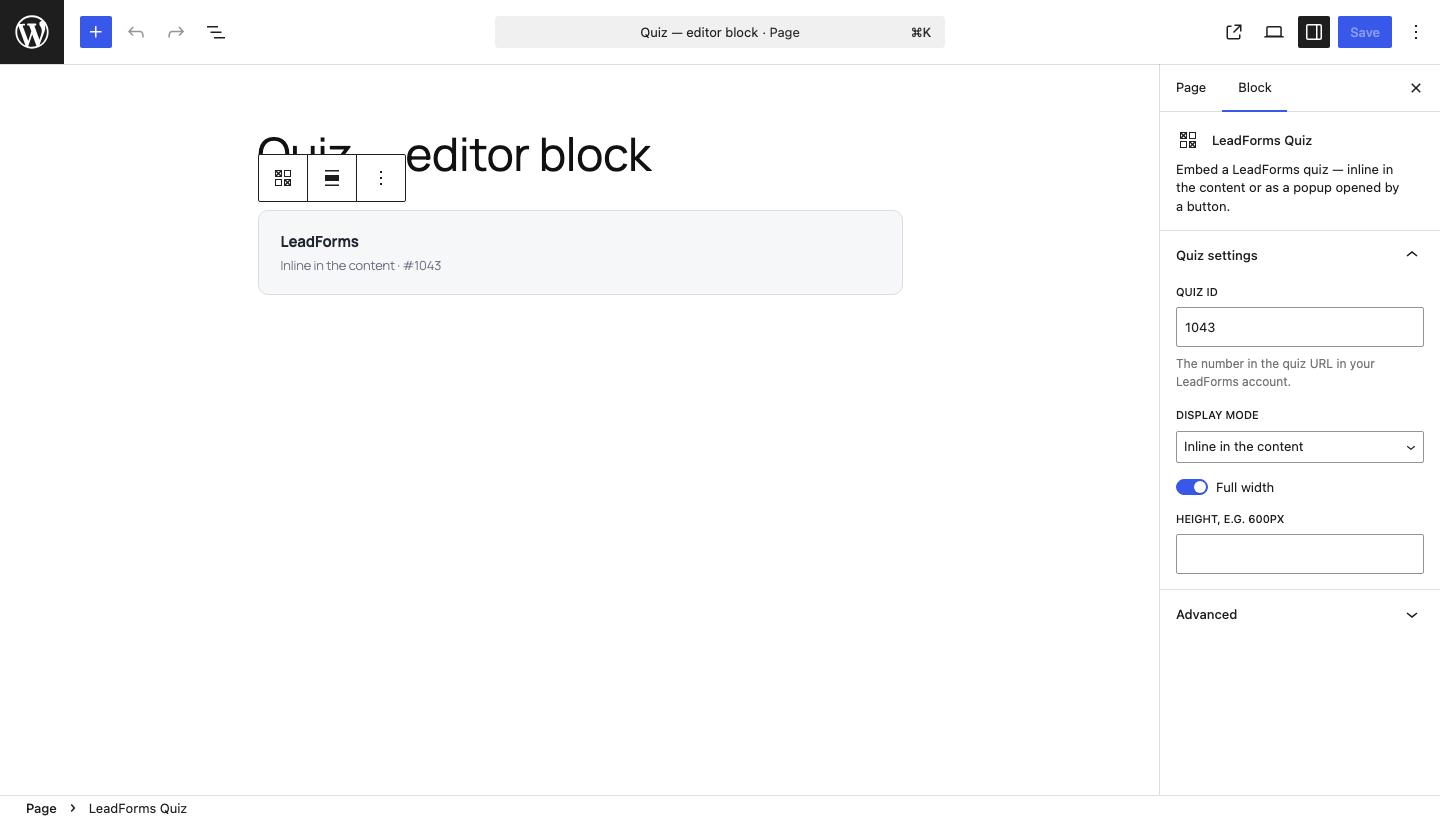
The “LeadForms Quiz” block and its settings in the block editor.
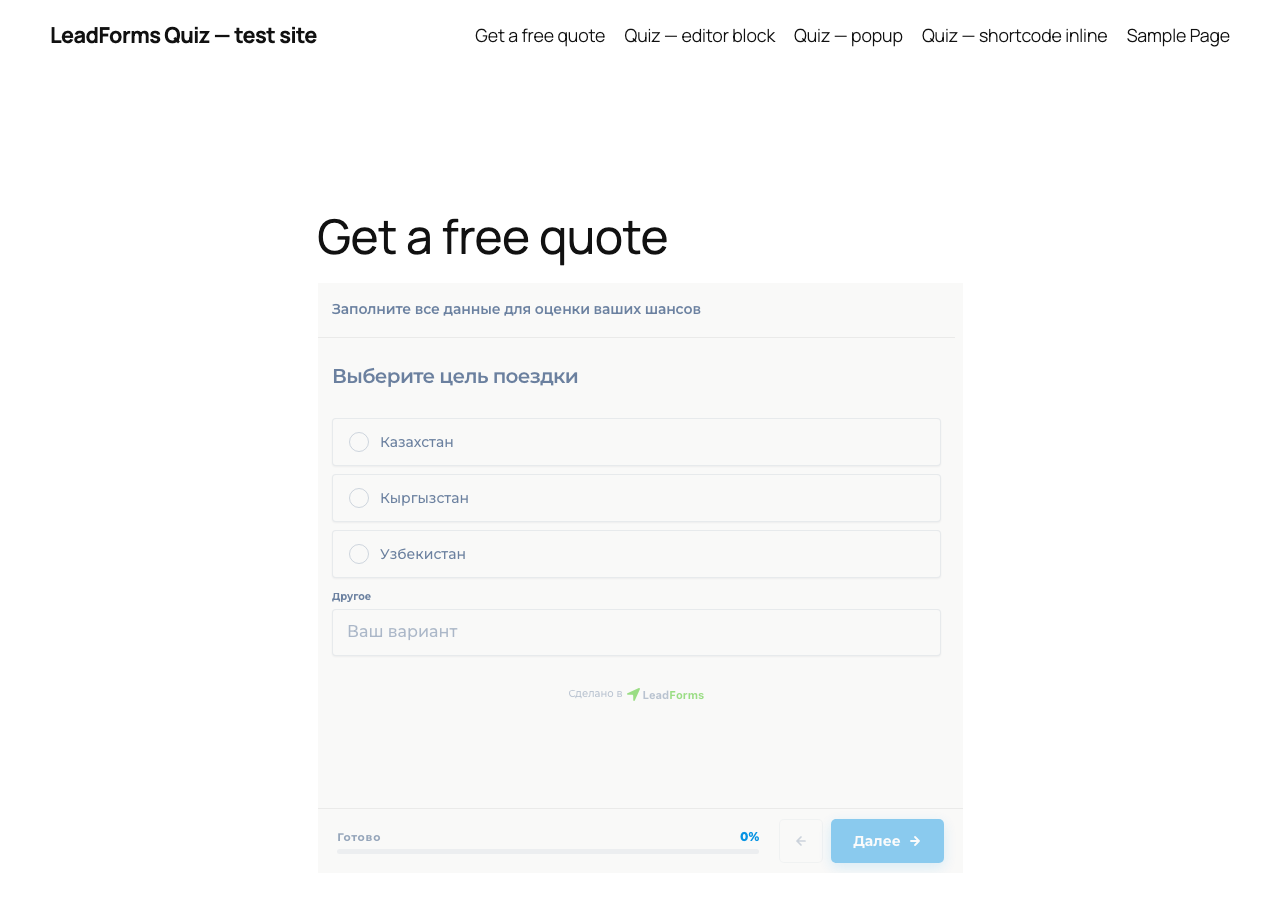
A quiz embedded inline in a page.
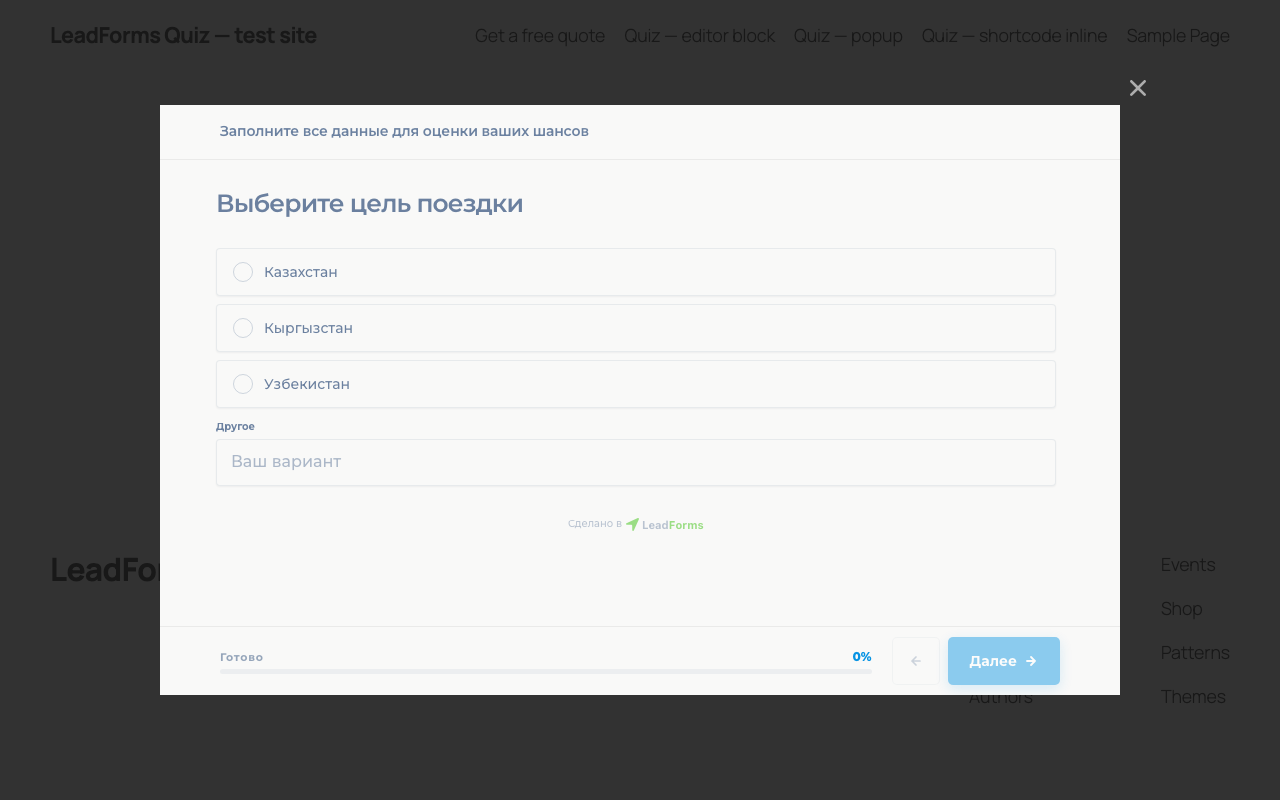
Popup mode: a button that opens the quiz in a modal window.


