
Leenkat Editorial Tracker Wordpress Plugin - Rating, Reviews, Demo & Download
Plugin Description
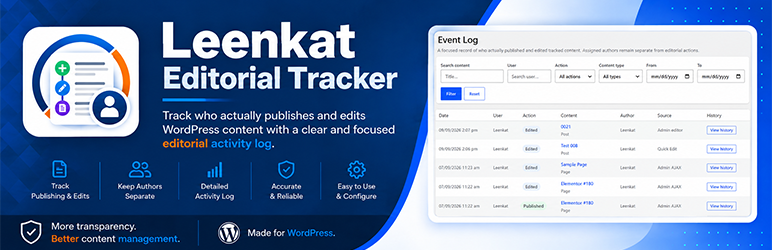
Leenkat Editorial Tracker provides a focused editorial event log for WordPress.
It records the real logged-in user who publishes or edits tracked
content while keeping the assigned WordPress Author separate.
Main features:
- Dedicated Editorial Tracker admin menu.
- Event Log with date, user, action, content, author, source, and content history.
- Summary cards for today’s publications, edits, and active editors.
- Filters by content title, user, action, content type, and date
range. - Configurable items per page for large editorial sites.
- Dashboard widget showing User, Action, and Content with a View All
Event Log link. - Role- and user-based permissions for Event Log access.
- Select which content types and actions are tracked.
- Configurable automatic log retention.
- Clear Log Now tool for administrators.
- Database information showing total, oldest, and newest events.
- Optional data deletion on uninstall.
- Autosaves and revisions are not counted as editorial edits.
- Scheduled publication preserves the user who scheduled the content
when WordPress publishes it automatically. - Event records retain captured user and author names even if those
accounts are later removed. - Event history is preserved when tracked content is permanently
deleted.
The plugin does not reconstruct activity that happened before tracking
began.
All tracking data is stored locally in the WordPress database. The
plugin does not send editorial activity to external services.
Privacy
Leenkat Editorial Tracker stores editorial activity locally in the
site’s WordPress database. Recorded event data can include the acting
user’s ID and display name, the assigned author’s ID and display name,
the content ID, content title, content type, action, source, and event
time.
The plugin does not transmit editorial activity to Leenkat or to any
external service. Administrators can configure automatic retention,
clear the log manually, and optionally delete plugin data on uninstall.
Screenshots

Editorial Event Log showing publishing and editing activity across
tracked WordPress content.
Content History showing the recorded publishing and editing activity
for an individual content item.
Event Log and Dashboard settings for controlling displayed
information and recent editorial activity.
Permissions and Tracking settings for selecting authorized users,
roles, content types, and tracked actions.
Log Retention and Database Information settings for managing stored
editorial activity.
Dashboard widget showing recent editorial activity at a glance.


