LevelNetwork WRT Reading Tools Wordpress Plugin - Rating, Reviews, Demo & Download
Plugin Description
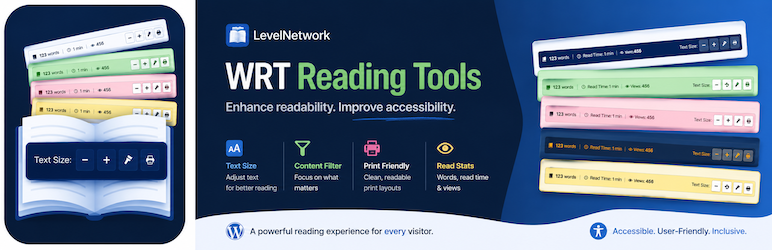
LevelNetwork WRT Reading Tools enhances your content by adding a professional and informative bar, providing valuable metadata and accessibility tools directly within your posts and pages.
Core Features:
- Word Count: Automatically calculates and displays the total word count based on the main filtered content block (
the_content). Provides the most relevant count for the displayed text. - Estimated Reading Time: Shows reading time in minutes, calculated using a configurable WPM setting (Default: 200 WPM) based on the filtered content word count.
- Post View Counter:
- Reliably tracks and displays post/page views via AJAX with secure nonces and cookie tracking.
- Configurable Cookie Expiry (Default: 6 hours).
- Global & Per-Post Start Value options to set an initial count.
- View Reset button in the post editor metabox.
- (Note: Disabled by default, must be enabled in settings).
- Text Font Resizer: Includes +/- buttons and an optional Reset button. Remembers user preference via LocalStorage.
- Accessibility & Utility Buttons:
- Optional Contrast/Night Mode toggle with multiple icon choices. Remembers user preference.
- Optional Clean Print button using a configurable selector to print only the main content area.
Extensive Customization & Compatibility:
- Display Control:
- Show bar on: Only Posts (Default), Only Pages, Both, or Manual Placement Only (disables automatic insertion).
- Automatically excluded from the homepage.
- Position: Above (Default) or Below content.
- Mobile Visibility: Option to show (Default) or hide on mobile.
- Component Toggle: Individually enable/disable Word Count, Reading Time, View Counter, Font Resizer (+/-), Font Reset Button, Contrast Button, and Print Button.
- Theme Compatibility & Exclusions: Settings for CSS selectors allow you to target specific content areas and exclude unwanted elements (like injected ads, related posts, or author boxes) from being counted, resized, or printed.
- Visual Styling:
- Choose from 50 built-in Color Palettes with live admin preview!
- Select your preferred icon for the Contrast Mode button (with preview).
- Shortcode:
[lnwrt_only_tools]available to manually display only the action buttons group. - Professional & Lightweight: Clean design, uses WordPress Dashicons, CSS Variables.
- Localization Ready: Fully translatable.
Provide richer insights, better accessibility, and more control using LevelNetwork WRT Reading Tools!
Screenshots

The reading tools bar displayed on a sample post.

Admin Settings: Display and Target Settings.

Admin Settings: Components & Options (showing WPM, View Count options, Cookie Expiry).

Admin Settings: Color Palette selection with Live Preview area above.

Admin Settings: Shortcodes (Showing available ones) and Tips & Tricks sections.

The “WRT View Stats” metabox in the post editor with Reset button.