LinkTender – Local Broken Link Checker Wordpress Plugin - Rating, Reviews, Demo & Download

Plugin Description
LinkTender checks the links and images in your content from your own server, in small background batches, and lists the ones that are broken, redirected or could not be verified. It needs no account and no API key, and it sets no limit on the number of links. Your content is not sent to any outside service.
How link results are decided
- A link is marked Broken when the server answers 404 (Not Found) or 410 (Gone). The result is re-checked over the next 24 hours.
- Temporary problems (timeouts, 5xx server errors, DNS or connection failures) are retried three times over 24 hours (after 2, 10 and 24 hours). The link is marked Broken only if it still fails after the last retry.
- When a site blocks automated requests, the link is marked Unverified instead of Broken. This covers bot challenge pages (for example Cloudflare or Amazon’s captcha page), 401, 403 and 429 answers, and the 400 and 999 codes that Facebook and LinkedIn return to automated requests. You can open these links in your browser and click Mark as fine.
- If your own server cannot reach the internet, or cannot reach its own site, the affected links are marked Unverified (or keep their earlier status) and are checked again later.
- Links to your dashboard (wp-admin) and login page are not checked.
Gentle on your server and database.
- Checks run in time-boxed background batches (WP-Cron, or Action Scheduler when another plugin provides it) with a lock, so two batches never overlap.
- A few links are checked at the same time, always on different domains. Requests to the same domain are spaced out, and each request has a timeout.
- Tested on a site with 20,000 posts and over 90,000 unique links: each batch stays under about 1,300 database queries and 65 MB of memory.
- HEAD requests are tried first, with a GET fallback for servers that answer HEAD badly. Up to 5 redirects are followed.
- Data lives in two small tables of its own. WordPress core tables are never altered.
- A “Pause checking” switch and a Health screen showing table sizes, the last batch and the queue.
What gets scanned
- Posts, pages and every public custom post type, plus synced patterns and navigation blocks
- Gutenberg blocks (links, buttons, images, embeds, navigation links)
- Elementor page data (text, buttons, images)
- Shortcode-based page builders such as Divi, WPBakery and Avada: URLs in shortcode settings (buttons, images, video,
link="url:...") are read as text. No shortcode is run to do this. - Approved comments (links in the comment text) and, optionally, commenters’ website links
- Custom fields, including ACF text and URL fields
- Navigation menus (custom links) and widgets, both classic and block widgets
- Excerpts, images, iframes, video, audio and embeds
Fix links in one click
- One row per URL, listing every place it appears.
- Edit URL replaces it everywhere: post content (including shortcode settings), custom fields, Elementor data, comments, menus and widgets.
- Unlink removes the link and keeps the text.
- Use final URL updates redirected links to their destination. It is not offered when a redirect ends on a login, consent or captcha page.
- Recheck, Mark as fine or Ignore domain.
- Filter by status (broken, redirected, unverified), location, link type or domain, and search by URL.
Import settings from another link checker
If the Broken Link Checker plugin was used on the site before, LinkTender Health & Tools can import its exclusion list, check interval, timeout, front-end options and dismissed links. That plugin’s data is only read, never changed.
Broken links are not changed on your public site unless you turn on the optional strike-through or rel=”nofollow”.
Privacy and outgoing requests: LinkTender sends no data to us or anyone else, and it has no update checks, licence calls or tracking. Activating the plugin only creates its two tables; it prints nothing, schedules nothing and makes no outgoing requests, and front-end page views are not changed. Link checking starts only after an administrator clicks Start checking links on the LinkTender screen. Deactivating the plugin stops checking; after re-activation it waits for the button again. From then on, the only outgoing requests are the link checks themselves, which go to the URLs found in your content. An optional “Connectivity check” setting (off by default) lets LinkTender send one HEAD request to wordpress.org, at most every 10 minutes, when checks fail at the network level, to find out whether your server is online. No data is sent with it.
External services
LinkTender does not rely on any external service, and it sends no data about your site or its visitors to us or to anyone else.
- Link checks. After an administrator clicks Start checking links, LinkTender sends a HEAD request (or a GET request when a server answers HEAD badly) to each URL found in your own content, to see whether it still works. Each request goes only to the address of that link, and carries only standard browser-style request headers (no cookies, and no information about your site or its visitors). Nothing is requested before the button is clicked, and checking stops when you pause or deactivate the plugin.
- Optional connectivity check (wordpress.org), off by default. Only if you turn on the connectivity check under LinkTender Settings (“ask wordpress.org whether this server is online”), and only when a link check fails at the network level (DNS error, refused connection or timeout), LinkTender sends one HEAD request to https://wordpress.org/ (at most once every 10 minutes) to find out whether your server is online. No data is sent with it. WordPress.org terms of service and privacy policy.
Screenshots
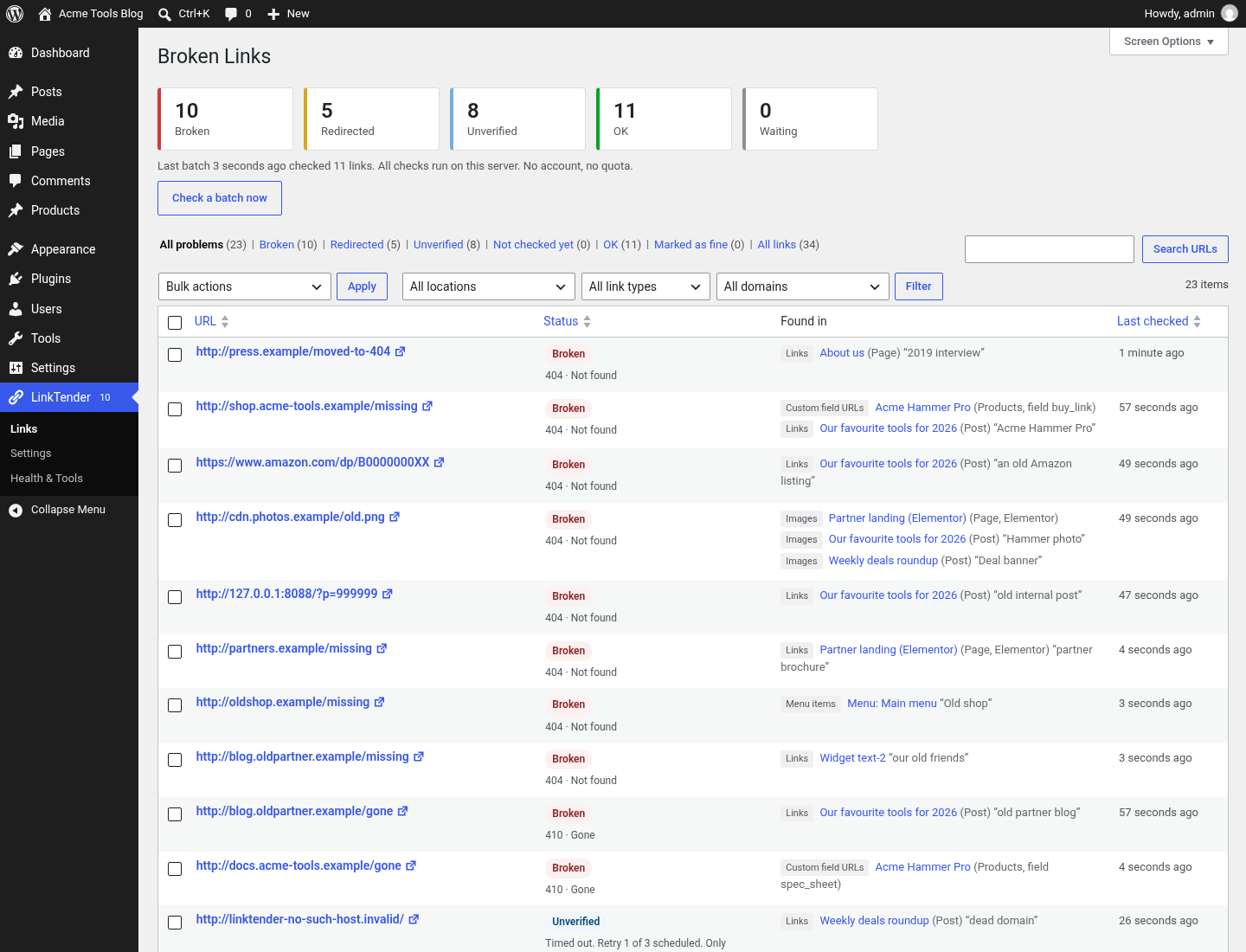
All problem links in one list: broken, redirected and unverified, with where each one appears.
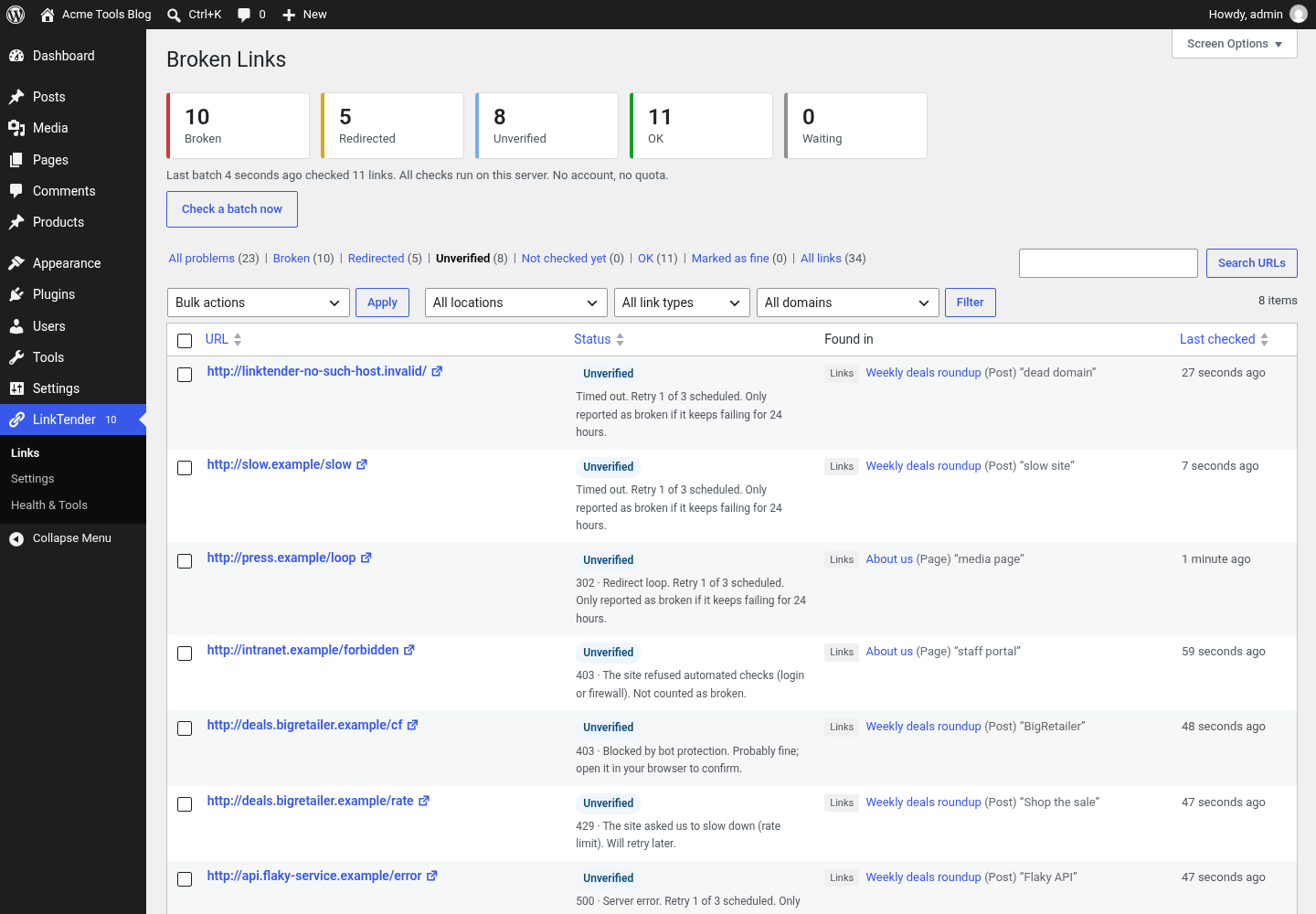
Bot-protected and rate-limited links are shown as “Unverified”.
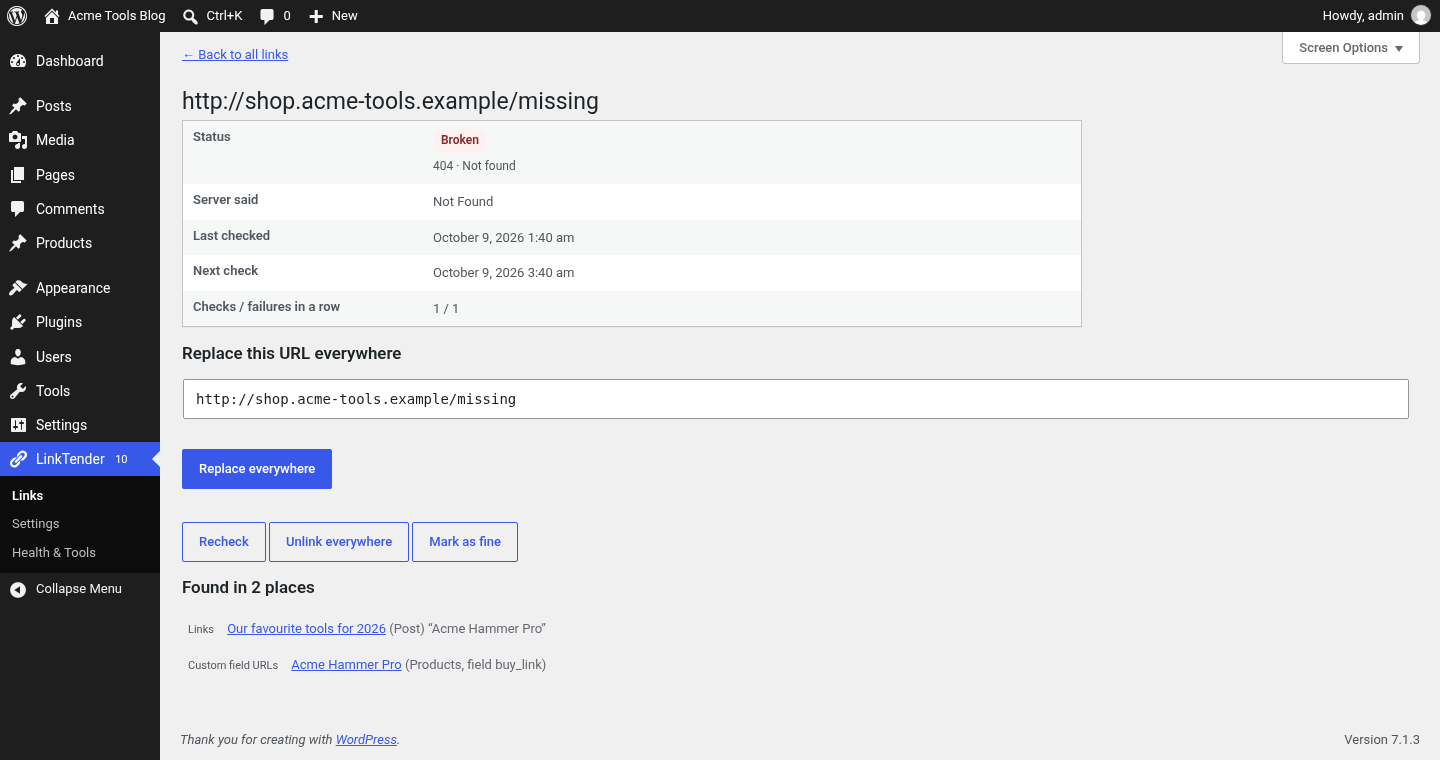
Link details: replace the URL everywhere, unlink, recheck or mark as fine.
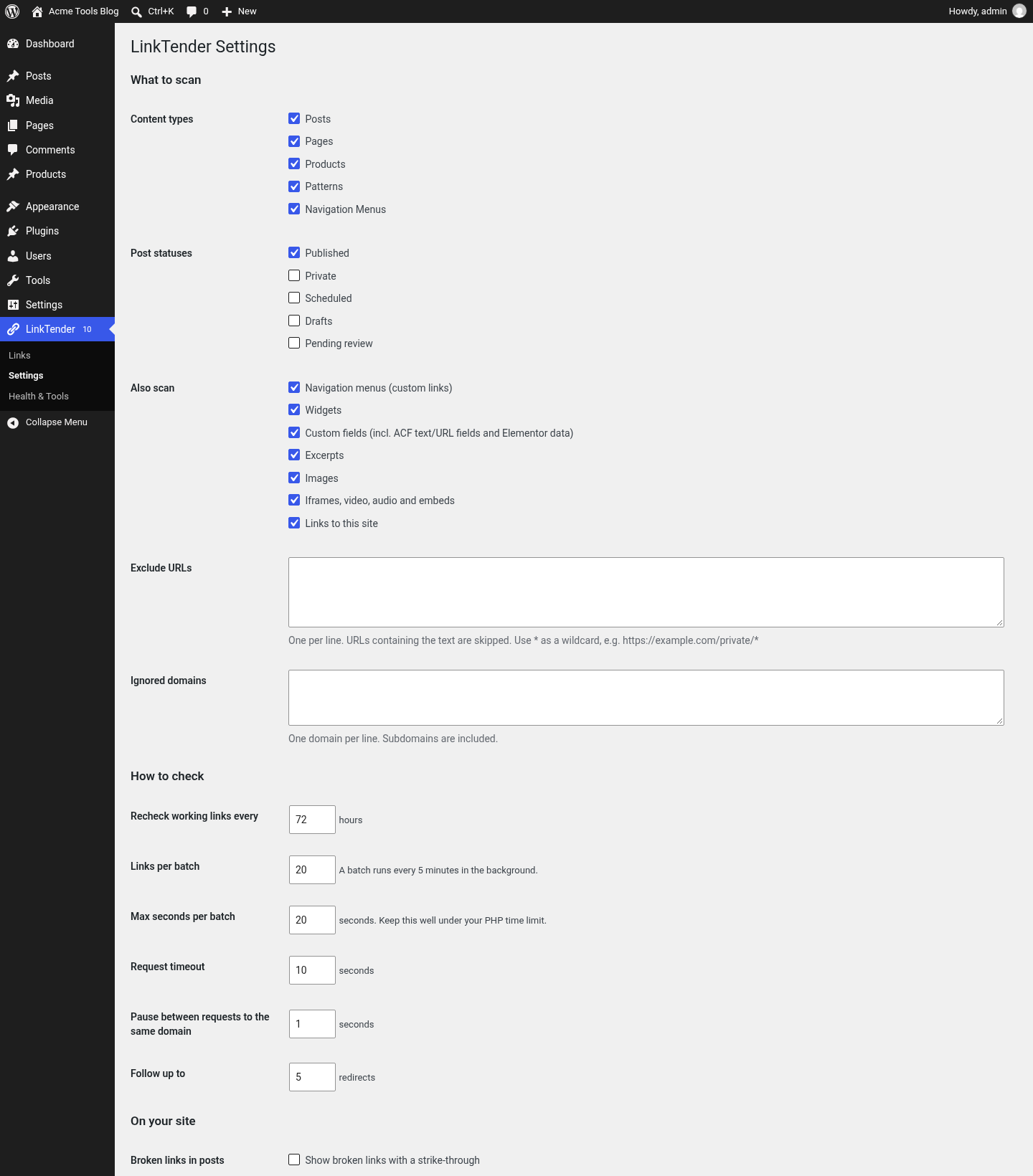
Settings: choose what to scan and how gently to check.
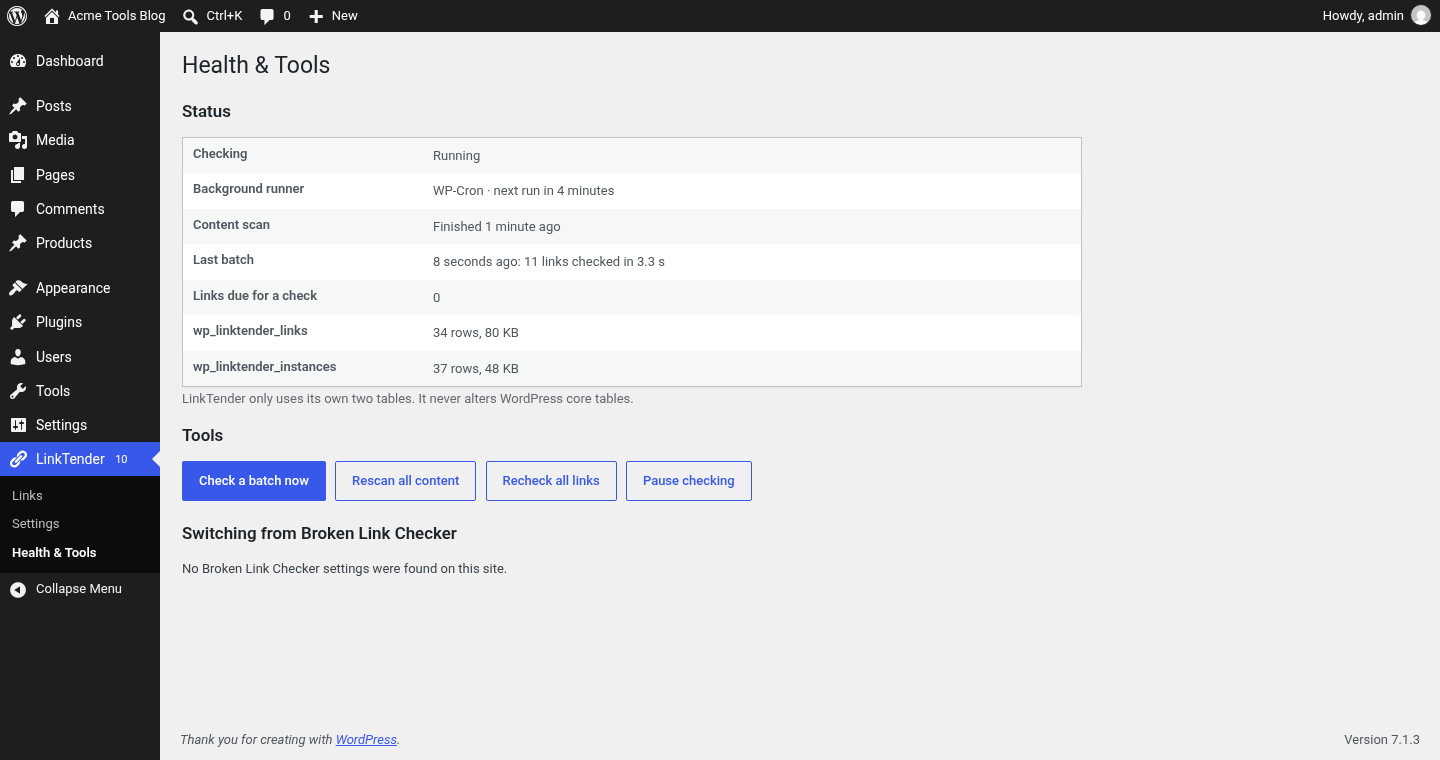
Health & Tools: background runner, scan progress, table sizes, pause switch and Broken Link Checker import.