
LUMN Analytics Wordpress Plugin - Rating, Reviews, Demo & Download
Plugin Description
For site owners, agencies and organizations that want useful analytics without sending their visitors to someone else. LUMN counts visits inside your own WordPress site. There is no outside service and no data sent anywhere.
- No cookies. A per-tab session id lives in session storage and is gone when the tab closes.
- No stored IP addresses. Daily visitor counts use a one-way hash with a salt that is replaced every day and the old one deleted.
- Paths are cleaned before storage: query strings removed except campaign tags, emails and long numbers masked, and your own redaction rules applied.
- Do Not Track and Global Privacy Control are honored.
- Consent mode works with any consent plugin that supports the WP Consent API.
- Four privacy presets: Standard, Strict, EU, Minimal.
- A records page, generated from your settings, ready for your privacy policy.
- A dashboard you can arrange: drag panels, move them by keyboard or menu, resize, reset. Light and dark themes.
- A built-in consent notice, if you want to ask visitors first. Accept and decline look the same.
- Admin screens designed for WCAG 2.2 AA, and tested with automated checks and the keyboard in light and dark themes.
LUMN is built for sites that care about GDPR and HIPAA: no cookies, no stored IP addresses, and no third party receiving your visitors’ data. No plugin makes a site compliant by itself, and nothing here is legal advice. Your privacy policy, your other plugins and how you run your site still matter.
Video tutorials for every screen: https://youtube.com/@envsn.studios
Free and Pro
LUMN (free) includes the dashboard (key numbers, pageviews by day, sources, top pages, content, devices, live view and events), tag rules for clicks, scrolling, time on page and sections seen, the privacy presets and records page, chart notes, post stats in the editor, CSV downloads, one-click demo data and a built-in consent notice.
LUMN Analytics Pro adds LUMN cards on the WordPress Dashboard, journeys and funnels, campaigns, site speed, broken links, JavaScript errors and form analytics, location, WooCommerce revenue, survey capture, visitor labels, Site health (the site-quality scanner with saved scan records, and page accessibility checks with markers on the page, quick fixes, saved page copies and developer exports), PDF and Excel reports, emailed reports and alerts, an audit log and Google Analytics import. Agency tools (client share links, a rollup of all your sites, and white-label branding) come with LUMN Analytics Pro on the Agency plan.
Moving from free to Pro keeps all your data. Turning on Pro turns the free plugin off.
See plans and prices at https://envsnstudios.com/lumn/
Privacy
LUMN stores, in your site’s database only: the page path (cleaned), the referring domain, UTM campaign tags, device type, major browser and OS version, a screen width range, page load time, a random per-tab session id and a daily visitor hash. It never stores IP addresses, cookies, page titles, full referrer URLs or form values. Nothing is sent to the plugin author or any third party.
Third-party code
- htmx 4.0.0 (BSD Zero Clause License), for the admin screens.
- Onest font (SIL Open Font License 1.1), for the admin screens.
Screenshots
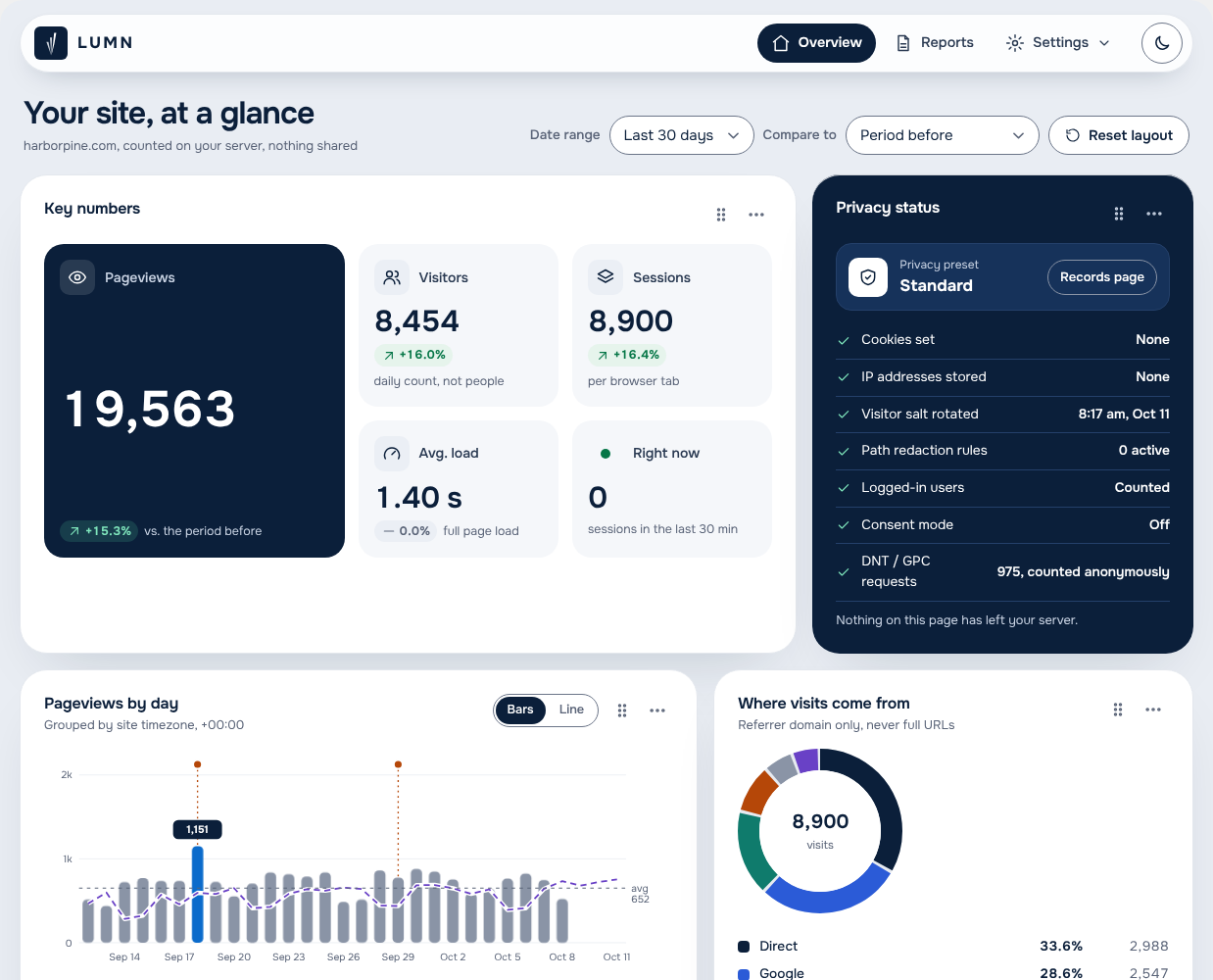
The Overview: key numbers, privacy status, pageviews by day and where visits come from. Drag panels to arrange your own layout.
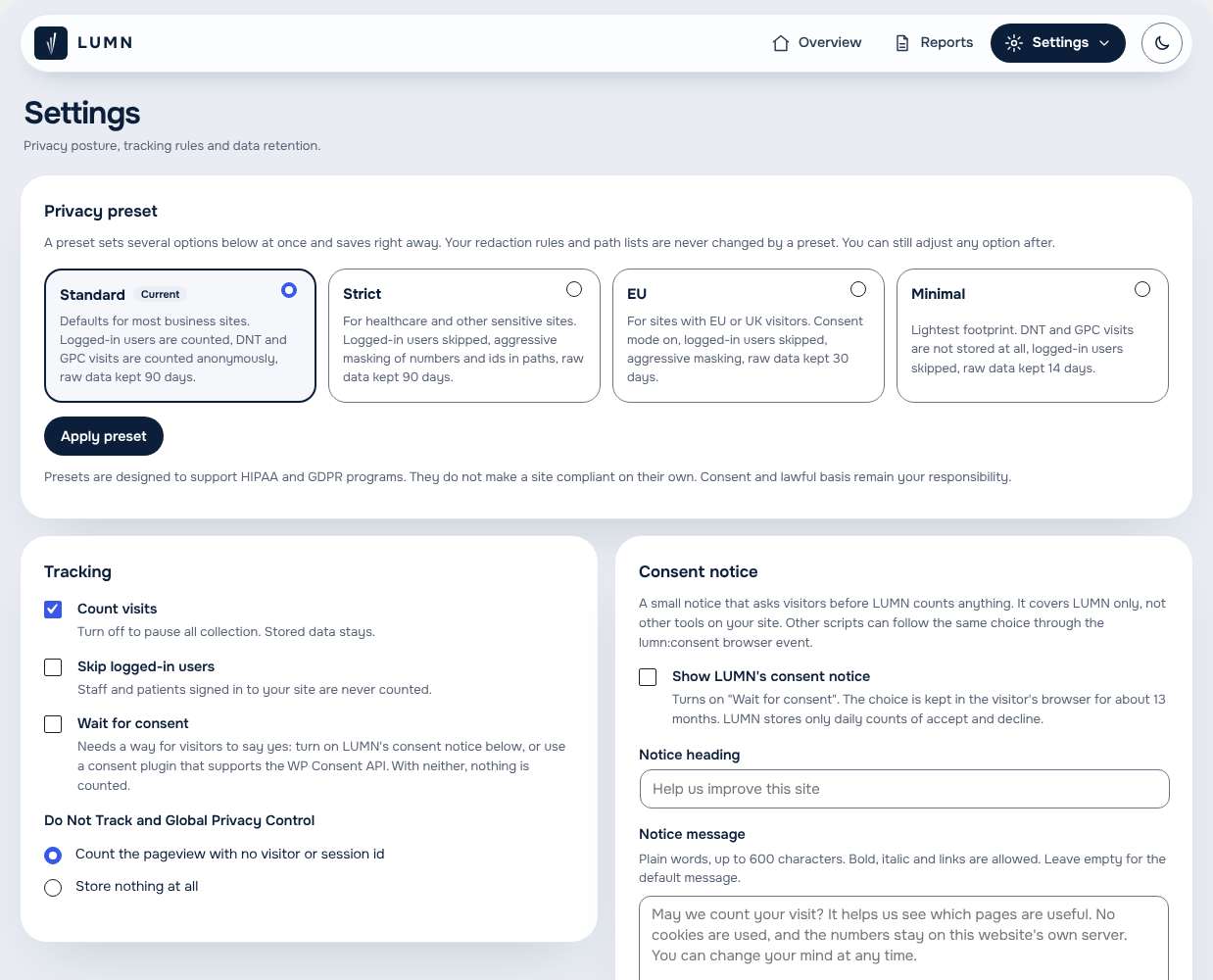
Settings: pick a privacy preset, then fine-tune tracking and the optional consent notice.
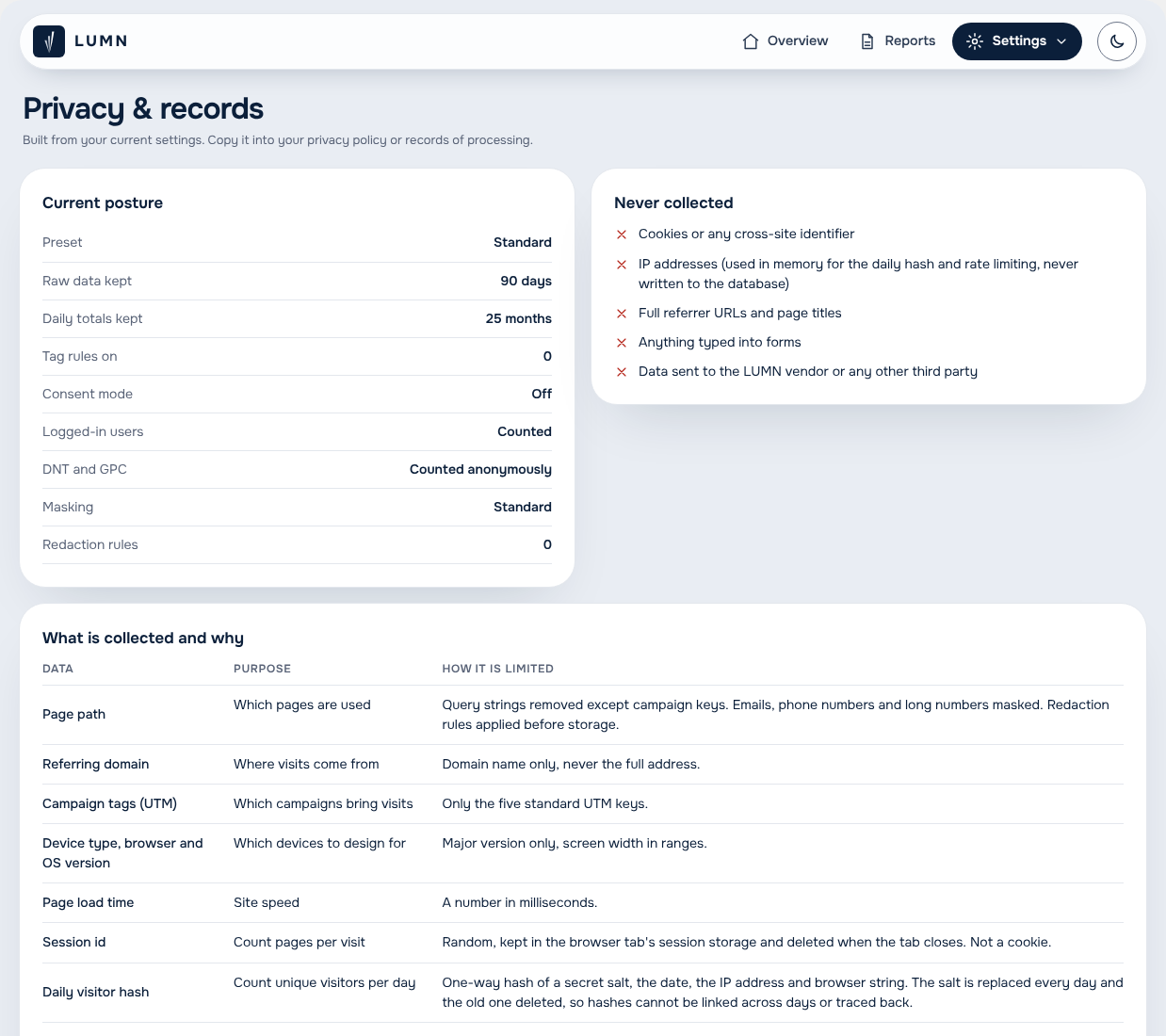
Privacy and records: what is collected, why, and what is never collected, ready to copy into your privacy policy.
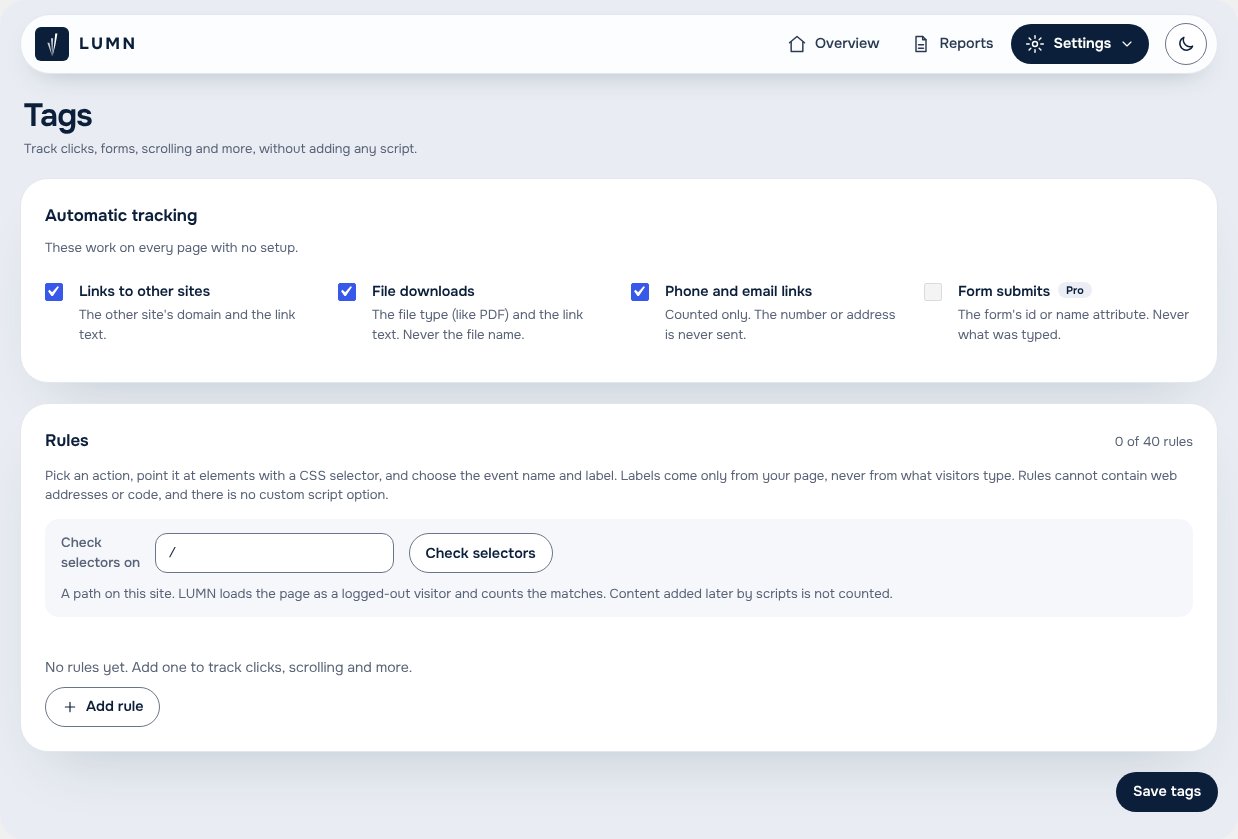
Tags: count link clicks, file downloads and more without adding any script.
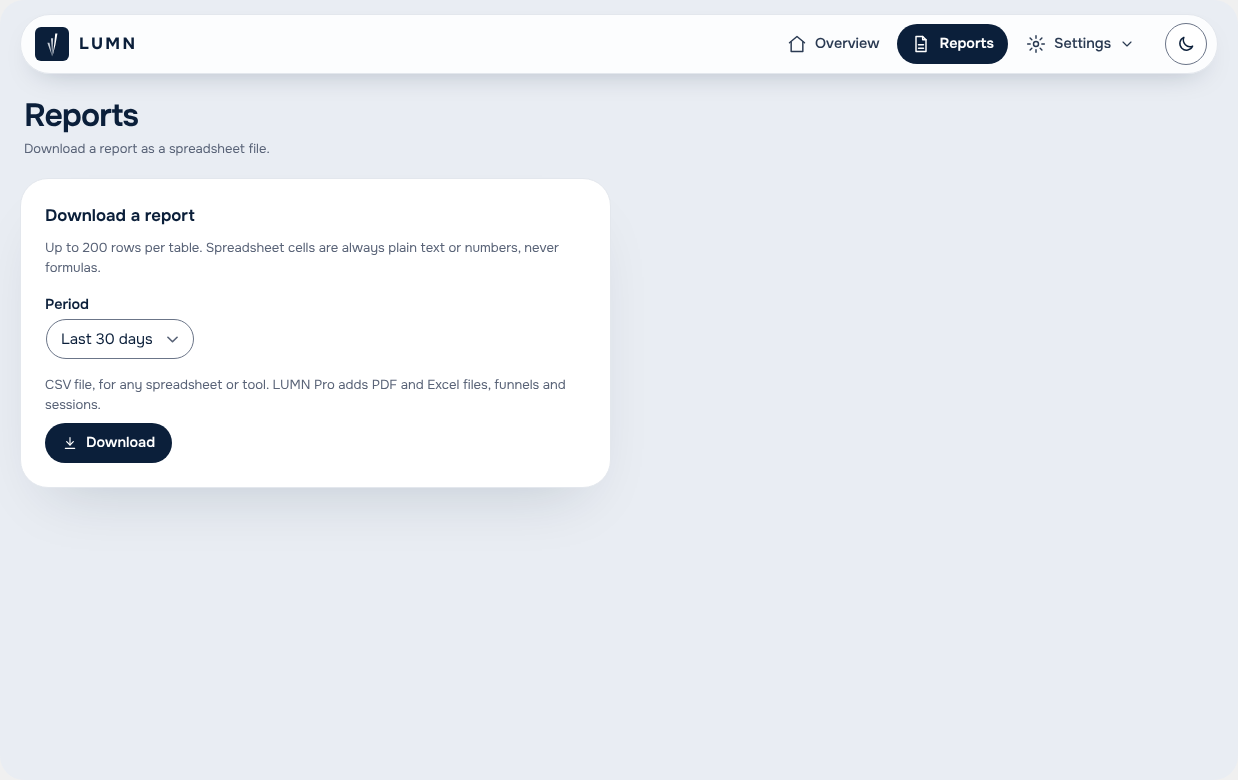
Reports: download your numbers as a CSV file for any spreadsheet.
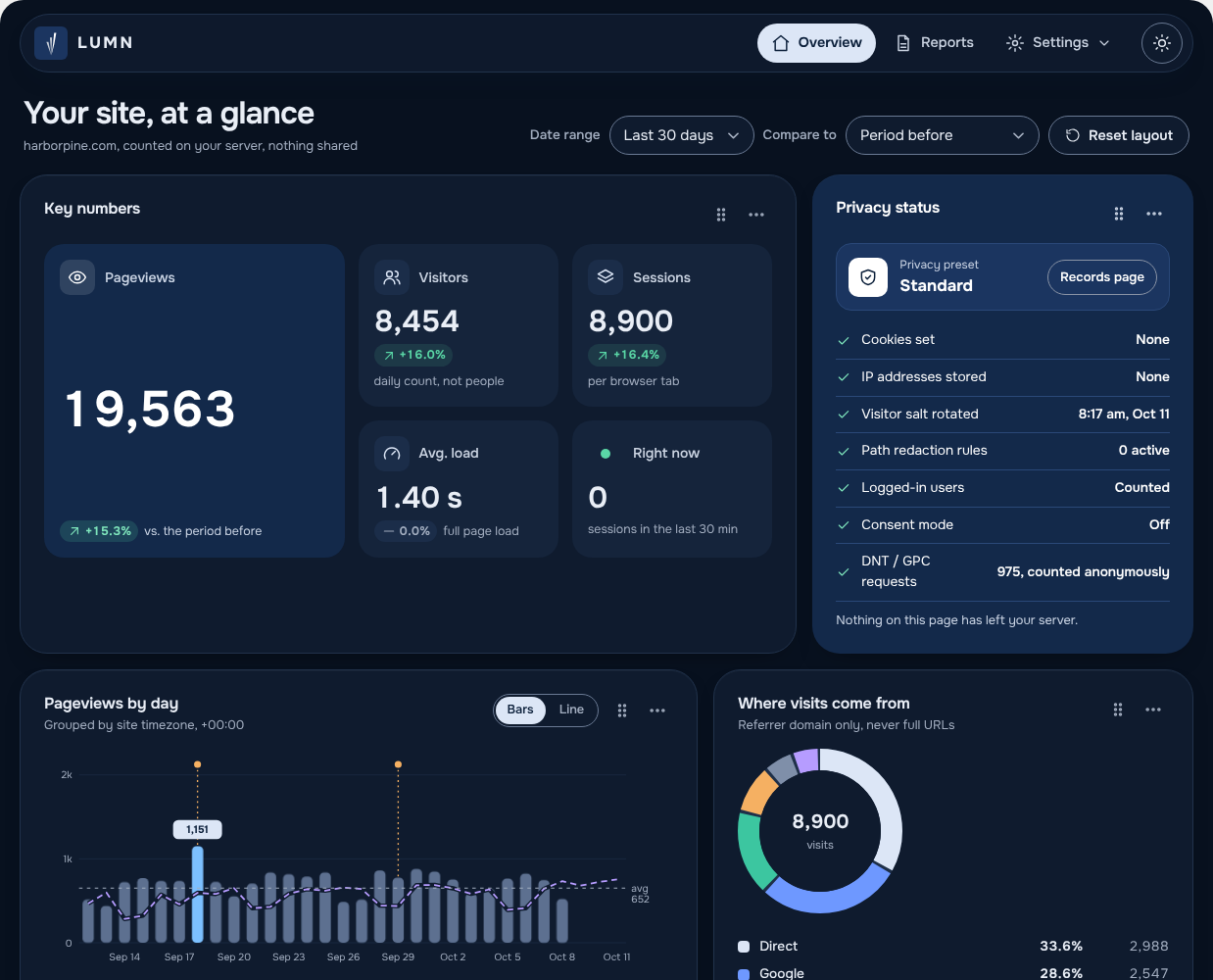
Every screen works in light and dark mode.


