
Lumo Checkout Form Builder Lite Wordpress Plugin - Rating, Reviews, Demo & Download
Plugin Description
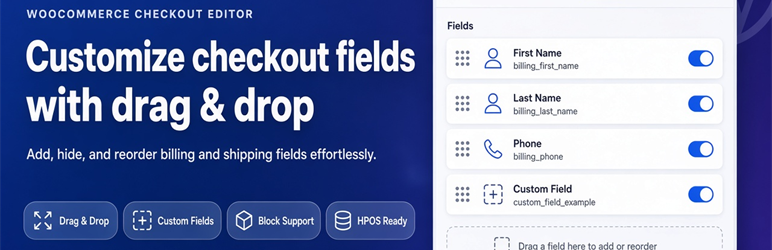
Customize your WooCommerce checkout fields effortlessly with a visual drag-and-drop builder.
Lumo Checkout Form Builder Lite is a professional, lightweight tool designed for store managers who need full control over their WooCommerce checkout experience. The default WooCommerce checkout rarely fits every store perfectly. With this plugin, you can easily add, rename, reorder, or hide billing, shipping, and additional fields without touching a single line of code.
Whether you need to shorten your checkout for better conversion rates or collect specific information from your customers, Lumo Checkout Form Builder gives you a simple, fast, and completely visual admin panel to make it happen.
Why choose Lumo Checkout Form Builder?
- Visual Drag & Drop: Rearrange your checkout fields instantly. Just drag the field you want and drop it where you need it.
- Full Field Control: Add new fields, rename existing labels, change placeholder text, and toggle whether a field is required or optional.
- Clean Up Your Checkout: Hide unnecessary default WooCommerce fields to create a frictionless, high-converting checkout flow.
- Essential Field Types: Supports text, email, phone, textarea, select (dropdowns), checkbox, and radio buttons.
- Seamless Integration: Custom field values are automatically displayed on the WooCommerce order screen and included in order emails.
- Future-Proof: Fully compatible with the classic WooCommerce checkout, the new WooCommerce Checkout Block, and High-Performance Order Storage (HPOS).
- Privacy First: This plugin runs entirely on your server and does not send checkout data to any external service.
Unlock Ultimate Power with the Pro Edition
While this free Lite edition gives you everything you need to organize a standard checkout, growing stores often require more advanced data collection and logic.
The Full Edition takes your checkout customization to the next level by adding:
- Advanced Field Types: File uploads, date and time pickers, number fields, password fields, hidden fields, and multiselect dropdowns.
- Conditional Logic: Show or hide specific checkout fields dynamically based on what the customer selects in other fields.
- Cart-Based Rules: Only display certain fields when a specific product, category, or tag is in the customer’s cart.
- Seamless Upgrade: Both editions store fields in the exact same database structure. You can upgrade from Lite to Pro instantly without losing your work or rebuilding your forms.
Ready to build the perfect high-converting checkout?
👉 Upgrade to Lumo Advanced WooCommerce Checkout Field Editor Pro
Screenshots
No screenshots provided


