
Mailwick Site Audit Wordpress Plugin - Rating, Reviews, Demo & Download
Plugin Description
Mailwick Site Audit looks for the faults that quietly cost a small business website visitors, email and trust, and tells you about each one in plain English with short steps to fix it yourself.
It adds one page, Tools > Mailwick Site Audit, and adds its checks to Tools > Site Health.
The seven checks
- Email forgery (SPF and DMARC). Looks up your domain’s SPF and DMARC records. If DMARC is missing or set to
p=none, anyone can send email that looks like it came from you@yourdomain, and your own mail is more likely to land in spam. Also catches two SPF records (which breaks both) and+all. - Padlock and mixed content (SSL). Confirms the site address uses https, that the SSL certificate passes verification, that the plain http:// address redirects to https://, and that the front page loads no scripts, styles, frames or images over insecure http://.
- Out-of-date WordPress, plugins and themes. Reads the update information WordPress already stores and lists what is behind. It does not trigger extra update checks.
- Phone view. Confirms the front page has a viewport tag, so phones show it at a readable size instead of a shrunken desktop page.
- Tap-to-call. Finds phone numbers on the front page that are plain text instead of tap-to-call links.
- Contact form email deliverability. Checks whether a mail-sending plugin (WP Mail SMTP, FluentSMTP, Post SMTP and others) is active. Without one, contact form messages leave straight from the web server and often land in spam. A button sends a test email to the site’s admin address so you can see where it lands.
- Search snippet. Confirms the front page has a meta description, so you choose the text under your link in Google rather than Google picking menu text or a cookie notice.
Each result is marked Critical, Recommended or Good, with a one-sentence explanation, the evidence found, and numbered steps to fix it yourself.
Private by design
- No account, no API key, no sign-up.
- No tracking and no data leaves your site. The plugin makes DNS lookups for your own domain and loads your own front page, nothing else.
- No ads or notices anywhere in the dashboard. A short “Prefer it done for you?” link appears only on the plugin’s own page, under a failing check.
External services
This plugin does not connect to any third-party service.
- DNS lookups. To check SPF and DMARC, the plugin asks your server’s own DNS resolver for the TXT records of your site’s domain and its
_dmarcname. Only your domain name is looked up; this is the same public lookup any mail server does when it receives mail from you. - Your own home page. To check the padlock, mixed content, phone view, tap-to-call and search snippet, the plugin requests your site’s own home URL (and its http:// version, to see whether it redirects to https://).
Under a failing check, the “See the fix guide and a fixed price” link points to that check’s guide under https://stephen-psaradellis.github.io/demos/ and is only followed if you click it. The plugin never requests those pages and sends them no data.
Screenshots
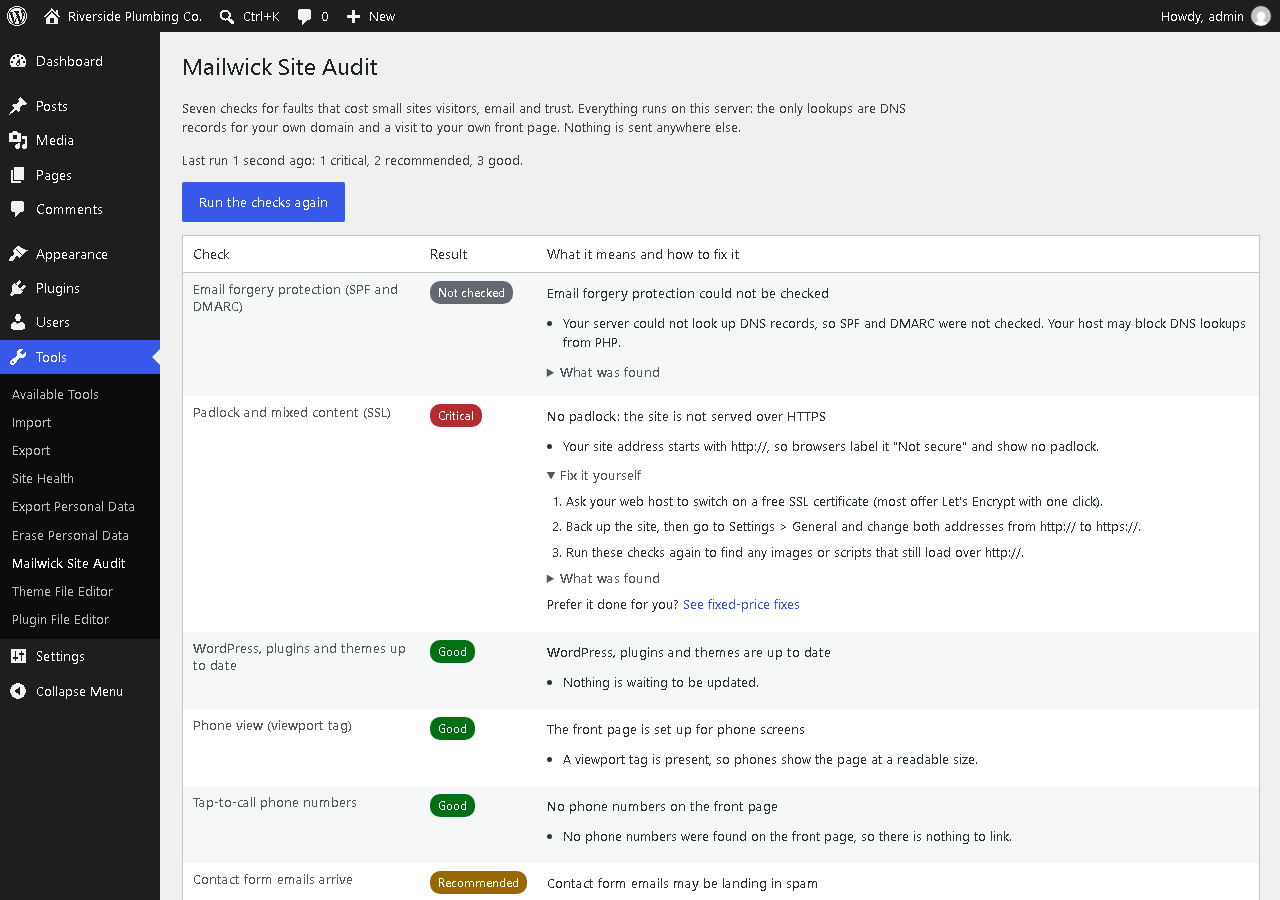
Tools > Mailwick Site Audit: every check with its result, the plain-English explanation and the evidence found.
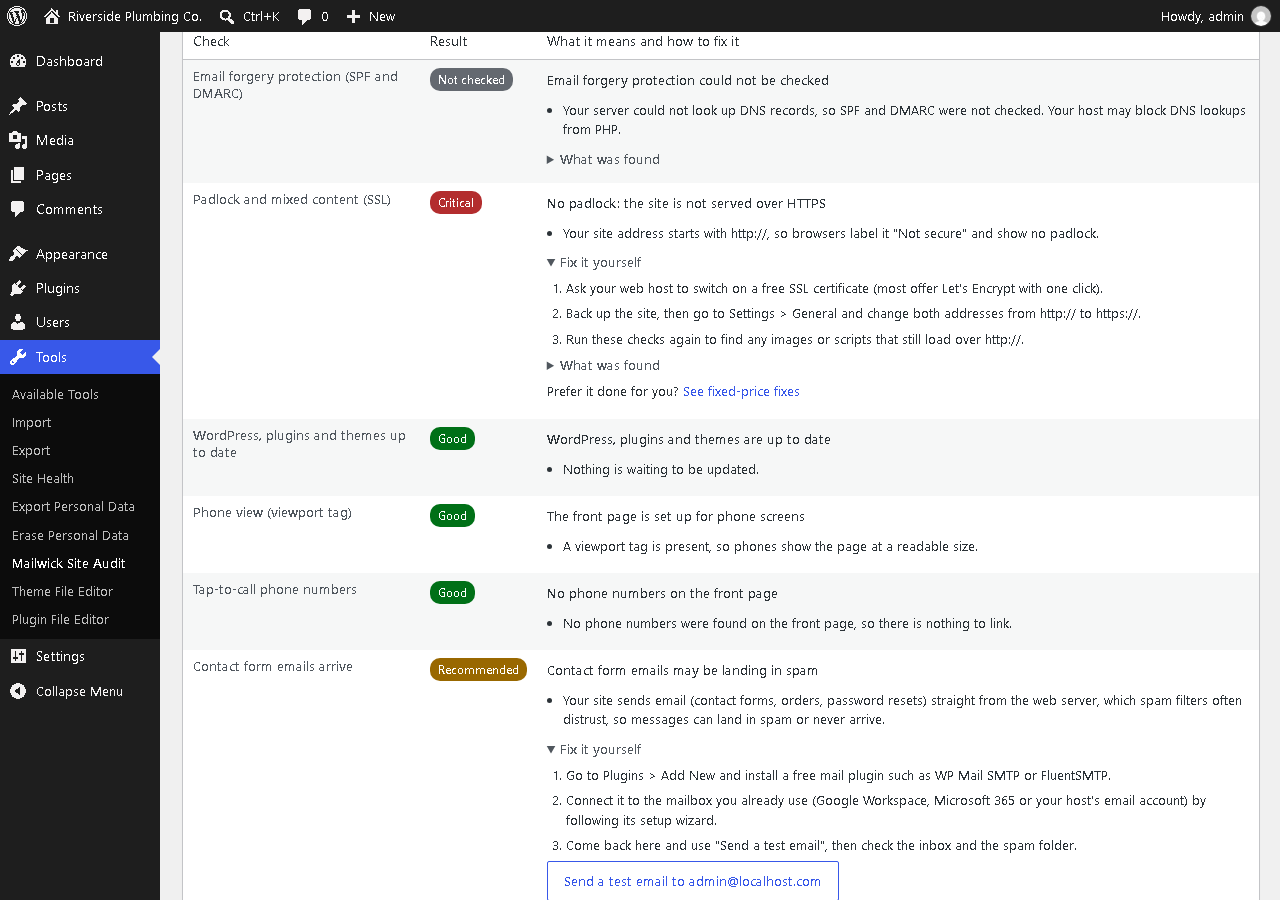
Each failing check comes with plain-English steps to fix it yourself, and a button to send a test email.
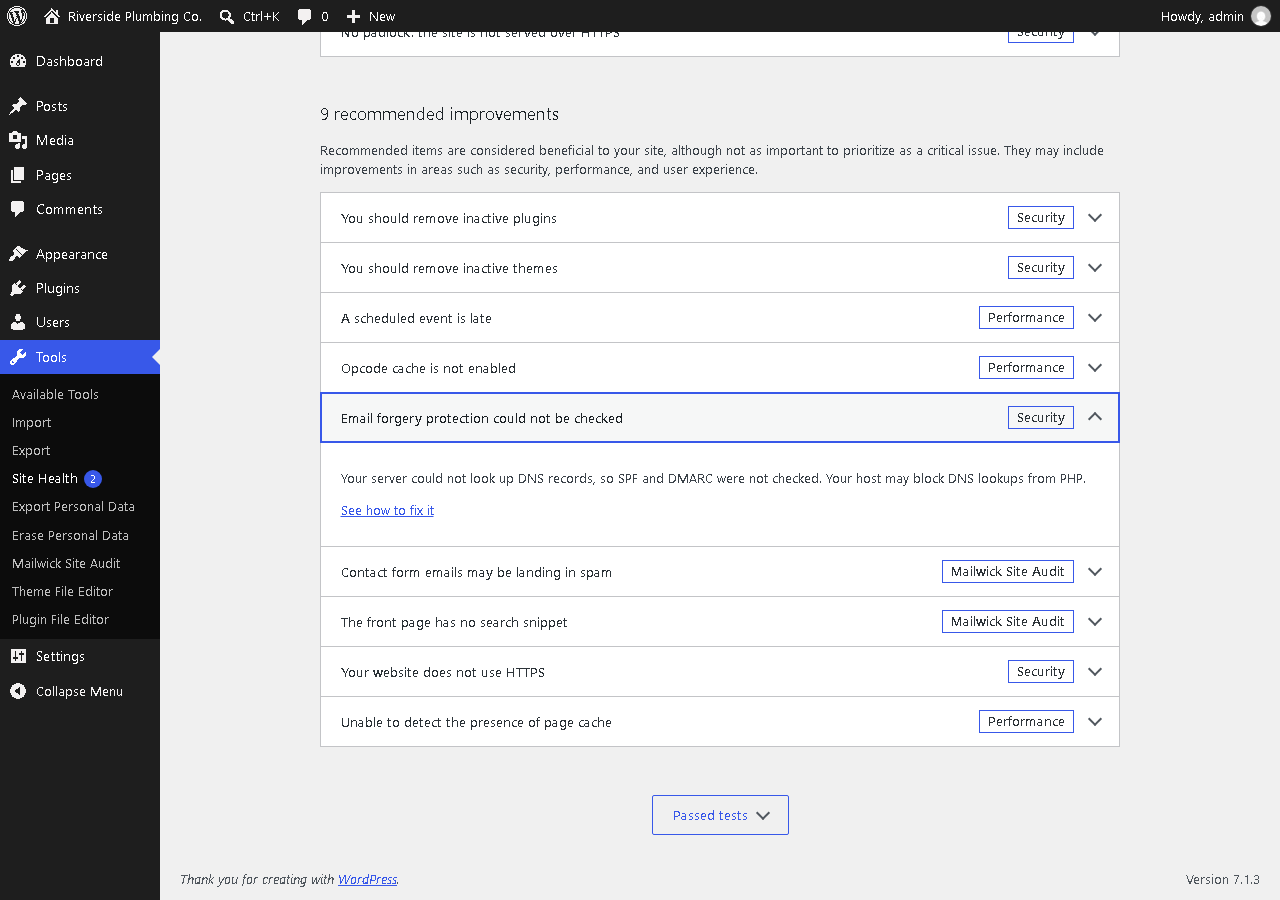
The checks inside Tools > Site Health.


