
Masonique Grid Wordpress Plugin - Rating, Reviews, Demo & Download

Plugin Description
Masonique Grid turns your posts and pages into cards carrying a title, thumbnail and short summary, then lays them out in columns of uneven height, the way a dry stone wall is built.
Newer entries sit above older ones, so the list still reads top to bottom even though the columns never line up.
What it does
- Masonry layout that keeps its order. The newest entries stay at the top, and the columns finish at close to the same height.
- Tabs for filtering. Switch between everything, pages only, or posts only. Tabs can switch instantly or reload the page, whichever suits the size of your site.
- NEW and UPDATE badges. Recently published and recently edited entries are marked automatically. You choose the window, the wording and the colours.
- Summaries that need no work. Each card takes its text from a dedicated field, the standard excerpt, or the opening of the post, in that order. The grid looks complete from the moment you switch it on.
- Works with any theme. Nothing in your theme is modified, and switching the plugin off leaves no trace.
- Readable without JavaScript. The order and the styling come from the server. JavaScript only fine-tunes the column heights once the browser knows how tall everything really is.
Showing the grid
Add the shortcode to any page or post:
[masonique_grid]
Settings can be overridden per shortcode:
[masonique_grid columns="3" posts_count="12"]
Pro version
The Pro version adds:
- Custom heading and tab text, which search engines can read
- An image below the heading, two columns wide, with a slider for cropping portrait images
- A Load more button that adds another batch without disturbing what is already on screen
- Replacing your blog listing and archives with the grid, without touching theme files
Screenshots

The grid on a desktop screen, with the heading and tabs in the top left.
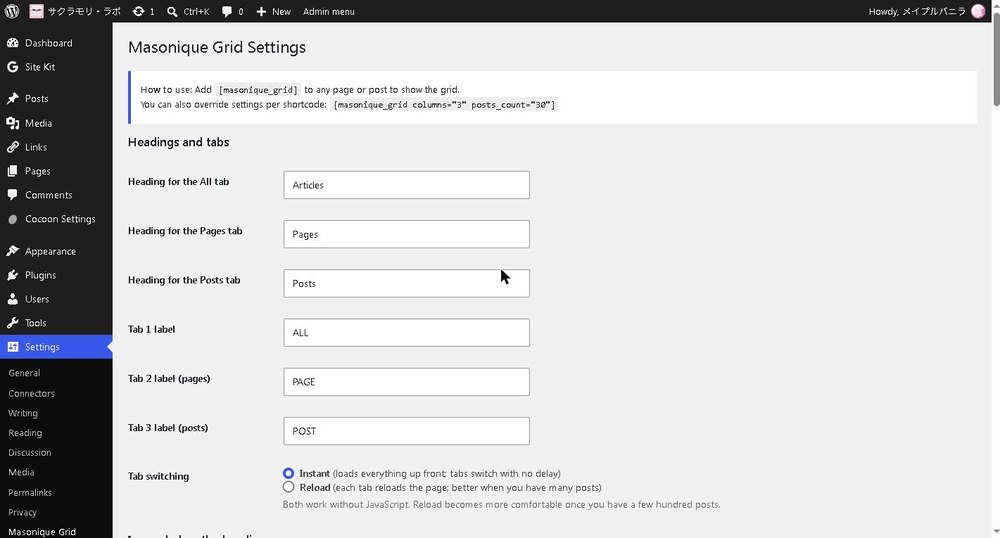
The settings screen.
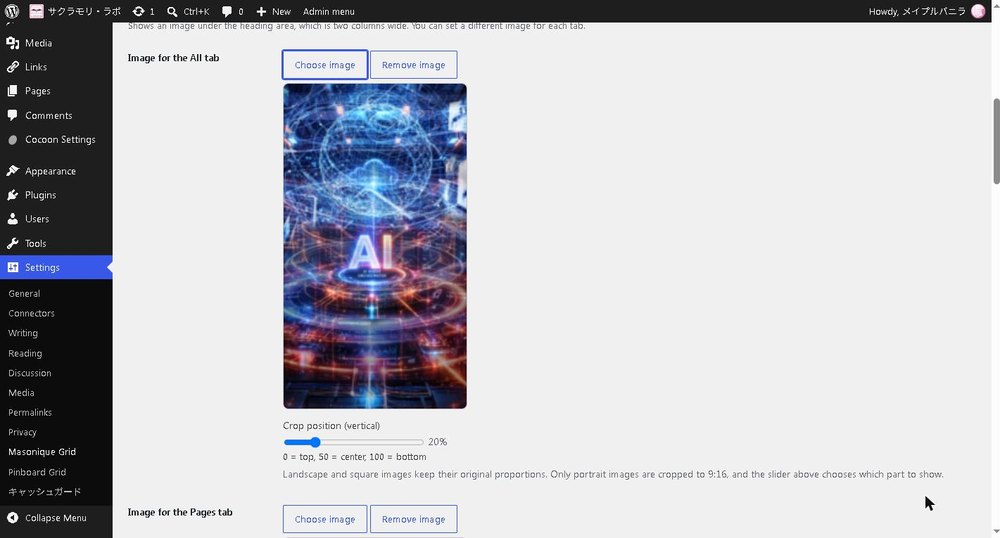
Choosing an image for the heading area and adjusting its crop.

The grid on a phone.


