
MasVirtual Lead Tracking Wordpress Plugin - Rating, Reviews, Demo & Download

Plugin Description
Google Ads can optimise for what you report to it, and nothing more. If all you report
is button clicks, that is what it buys you: clicks. The sale that closed three weeks
later, on WhatsApp, by a phone call your CRM never saw, is invisible to the bidding
algorithm.
MasVirtual Lead Tracking closes that loop. It records where every visitor came from, keeps that origin
attached to the lead through your sales funnel, and reports back to Google Ads at each
stage — in the browser for the contact itself, and by offline conversion import for the
qualified lead and the closed sale, which happen weeks later when nobody is on the page
anymore.
The WhatsApp button is part of it because that is where these conversations start, and
because a click that is not measured cannot be attributed. But the button is the input,
not the point: the point is that “campaign arl-transporte produced 3 sales worth
9,600,000” becomes a sentence you can read, and that Google Ads can bid on.
What this version does
- Captures ad click identifiers (Google, Meta, Microsoft, TikTok), UTM parameters and
the referrer for every visitor, not just paid ones. - Stores first touch and last touch separately, because they rarely match.
- Renders the floating button, with configurable icon, size, color, shape, position
and business hours. - Measures clicks on any WhatsApp link on the page, including the ones added by
your theme, an Elementor button or another plugin, and the ones that appear after
the page loads. - Routes the click across several recipients, by rotation, by weight or by schedule,
and can create the lead already assigned to a sales rep. - Different messages per page, per content type or per traffic source: you can
greet someone who arrived from an ad differently. [mvlt_whatsapp]shortcode and a Gutenberg block.- Configurable retention with automatic purging, wired into the WordPress privacy
tools. - Reports conversions to Google Ads: in the browser with gtag for what happens on the
page, and through CSV import for what happens weeks later, when a sales rep marks
the sale as won. - A diagnostics screen that answers “is this working?” without opening the console,
with every warning explained and a button to simulate an event.
What it does not do yet
The drag-and-drop lead board with columns, and outgoing webhooks to n8n or a CRM, are
coming in the next release. Leads are already stored in full: nothing captured today
is lost when those arrive.
About the reference in the message
MasVirtual Lead Tracking appends a short reference to the prefilled message, like Ref: [#K7M2QF83].
That is what lets you match the message arriving in WhatsApp with the campaign that
produced it.
Know this before you trust the number: between 15% and 30% of users delete the
prefilled text before sending. Those leads cannot be matched. That is a WhatsApp
limitation, not a plugin one, and the only real mitigation is to push a form as the
primary channel when exact attribution matters.
You can also place the reference mid-message using the {ref} placeholder, which
survives partial deletion better than a trailing line does.
Privacy
Click identifiers are personal data under the GDPR in Europe, and under Law 1581 of
2012 in Colombia. Storing them makes the site operator a data controller.
Add a paragraph to your privacy policy along these lines:
When you visit this site we store, for up to 90 days, the advertising identifier
that came with your visit (for example the Google Ads one), the campaign parameters
in the URL, the address of the page you arrived from, and a random identifier for
your browser. We do this to know which campaigns generate real enquiries. If you
contact us on WhatsApp, we associate that data with your message. You may request
access to or deletion of this information by writing to [your contact address].
The plugin reads the Google Consent Mode v2 state and acts accordingly: without
consent it writes no first-party cookie and keeps only the identifiers that do not
depend on cookies.
What it stores in the browser, with consent, is this and nothing else:
wl_v— a first-party cookie holding a random browser identifier. The server
writes it, it isHttpOnlyandSameSite=Lax, and it expires after the number of
days set as the attribution window. No script reads it, neither this plugin nor any
other on the page.wl_f,wl_l,wl_uid,wl_turno,wl_vp— inlocalStorage. These are not
cookies and travel in no request: first touch, last touch, the lead reference, the
assigned sales rep, and the browser-proposed visitor identifier used only until the
server issues thewl_vcookie. The proposed value is deliberately named
differently from the cookie, because they are two separate things.
There are no third-party cookies and no identifiers shared with anyone.
Conversion feed (optional, disabled by default). If you enable it, the plugin
publishes a URL with a random 48-character key so that Google Ads can collect
conversions on its own schedule. That URL serves a CSV containing Google click
identifiers, sale values and conversion action names, and it is readable by anyone who
knows it: Google cannot authenticate against WordPress. It contains no names, phone
numbers or email addresses. The key can be rotated at any time, which invalidates the
previous URL immediately.
External services
The plugin works without contacting any server of ours: it sends no telemetry, phones
nobody home, and requires no account or key. Everything it captures stays in the
site’s own database.
Two third-party services are involved, both by explicit decision of the administrator:
Google tag (gtag.js). Only if you tick “let MasVirtual Lead Tracking load the Google tag” under
Conversions, which ships disabled. It loads
https://www.googletagmanager.com/gtag/js and sends Google Ads the conversion event
with the identifier, label, value and currency you configured, plus the click
identifier Google placed in the URL. If your site already loads the tag through Site
Kit, GTM or a theme snippet, the plugin detects it and does not duplicate it. Google
terms and privacy: https://policies.google.com/terms ·
https://policies.google.com/privacy
WhatsApp. The button and the links in your content point to https://wa.me, the
official WhatsApp redirector. Nothing is sent to Meta from the server: it is the
visitor who navigates there on tap, with the number and message in the URL, exactly as
with any WhatsApp link. WhatsApp terms and privacy:
https://www.whatsapp.com/legal/terms-of-service ·
https://www.whatsapp.com/legal/privacy-policy
About imported conversions
Conversions that happen after the visit — a qualified lead, a closed sale — cannot be
reported from the browser, because the visitor is no longer there. They accumulate and
are uploaded to Google Ads by file.
Every row carries the event time with the site’s UTC offset stated explicitly, and an
order identifier derived from the lead reference. That identifier is what lets you
upload the same file twice without duplicating conversions.
Before writing each row the plugin validates that the conversion is later than the
click, that no more than 90 days have passed, and that the identifier is of a type
Google accepts through this route. Rows that fail are shown on screen with the reason,
never dropped silently: a conversion that disappears without explanation is worse than
an error, because the team believes it was reported.
Rows whose problem can never be fixed — a lead that arrived through an unpaid channel,
a gbraid/wbraid identifier, a conversion already past the 90-day window — are
discarded with their reason recorded in the lead’s history, so the “pending” counter
only ever shows work that still exists. Rows you can still fix, such as an action
missing its Google Ads name, stay pending on purpose.
To automate the upload without a file, GET /wp-json/mvlt/v1/pendientes returns
already-validated conversions and POST /wp-json/mvlt/v1/exportados confirms the
uploads. That is the recommended route with n8n: the Google Ads API PHP library is
heavy and demands OAuth, and it is not worth it below roughly 200 conversions a month.
Screenshots
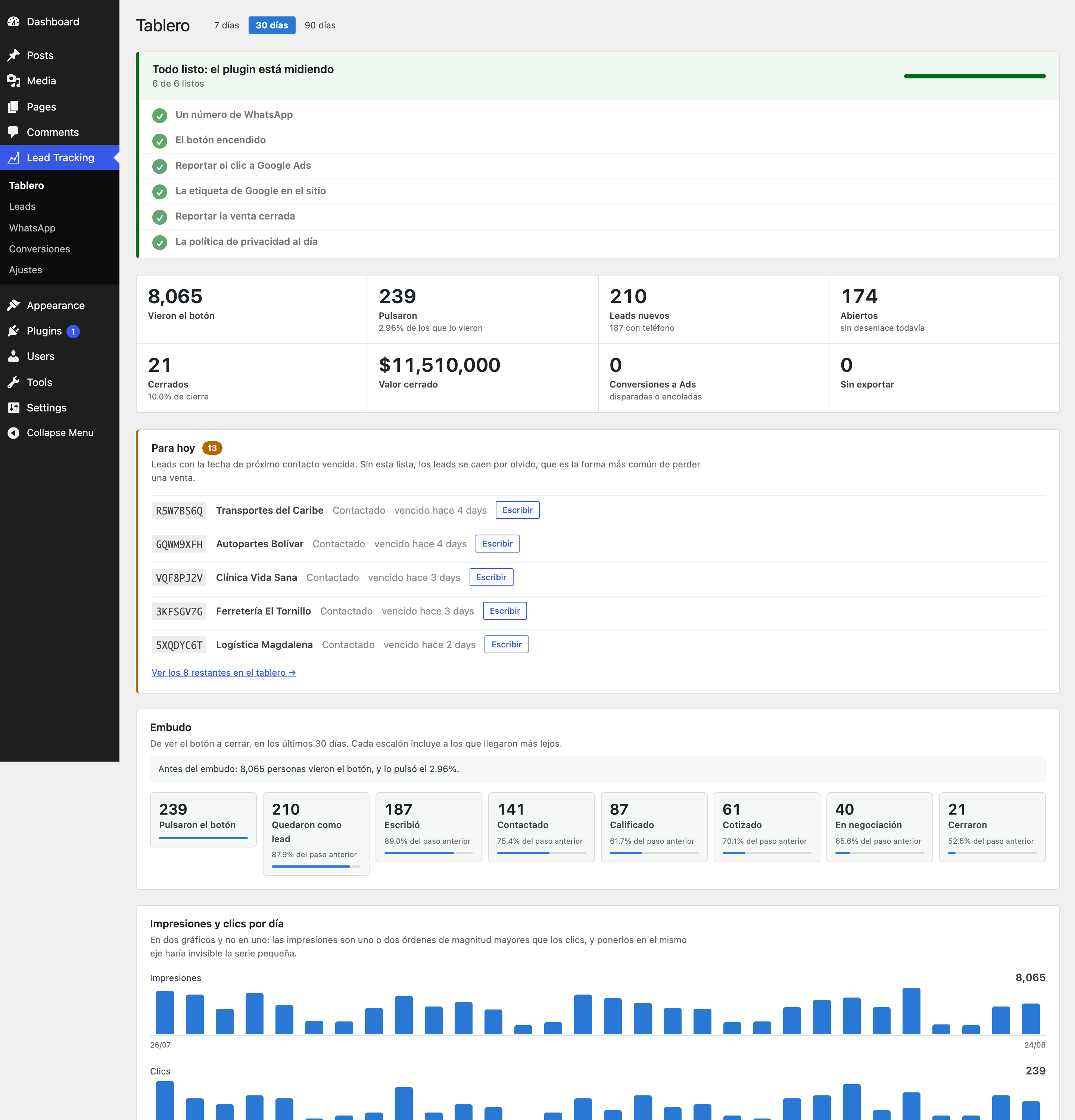
Dashboard: funnel from button view to closed sale, sources, campaigns and the pages
that generate clicks.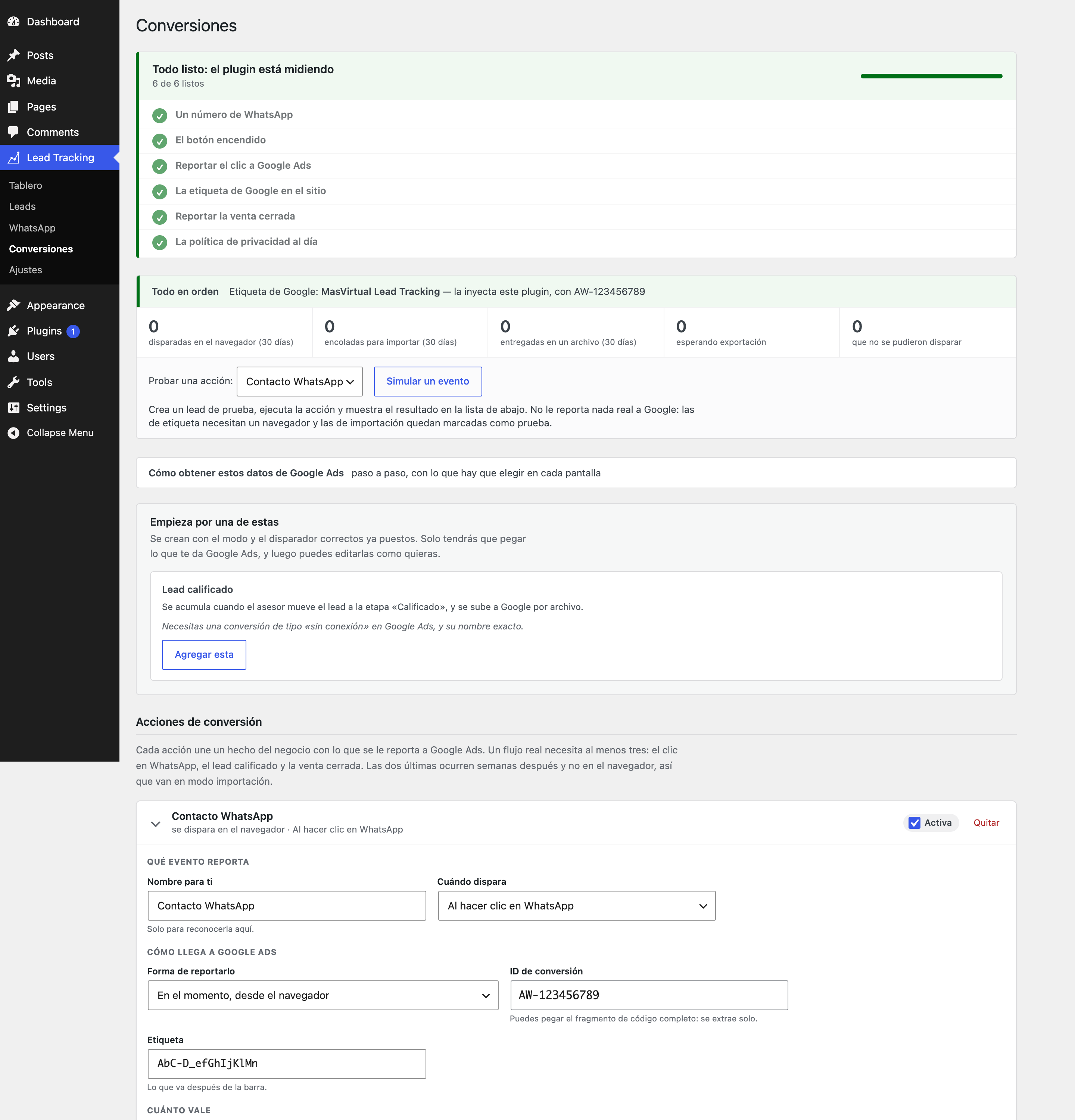
Conversions: the conversion actions, the diagnostics that answer “is this working?”,
and every skipped row with its reason.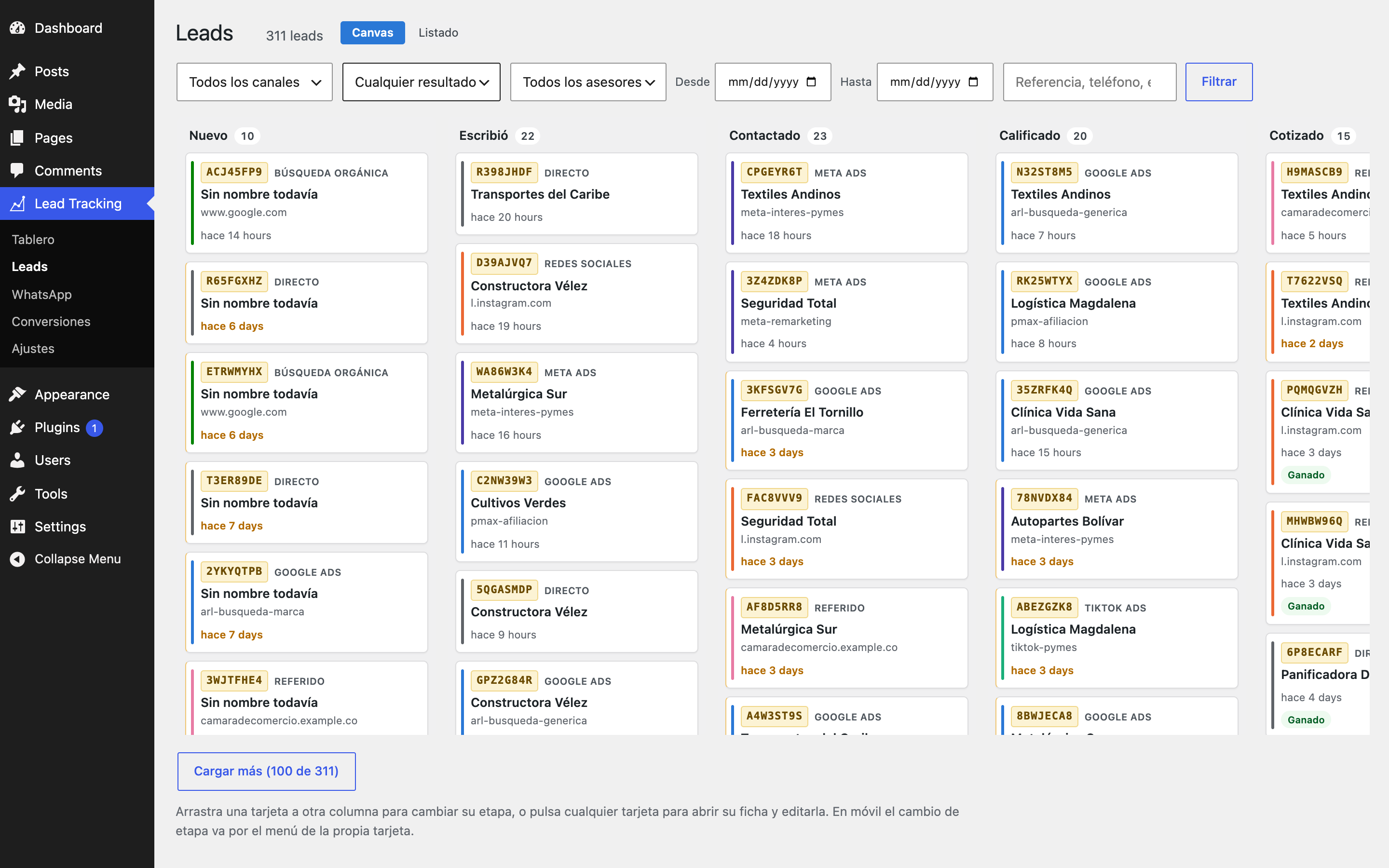
Leads board: cards by funnel stage, with the reference each person carries in their
message.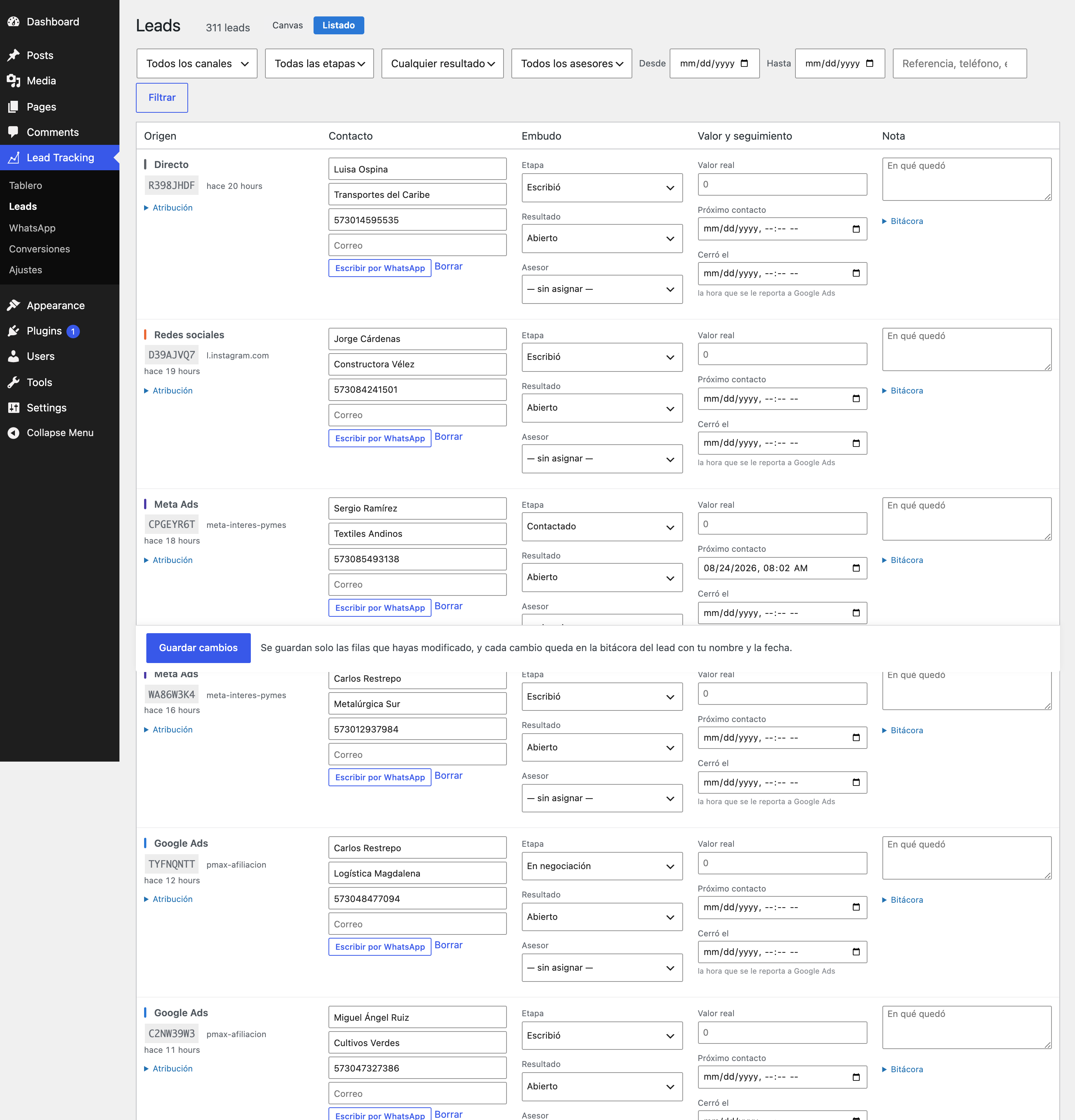
Leads list, with filters by channel, stage, outcome, date range, sales rep and page.
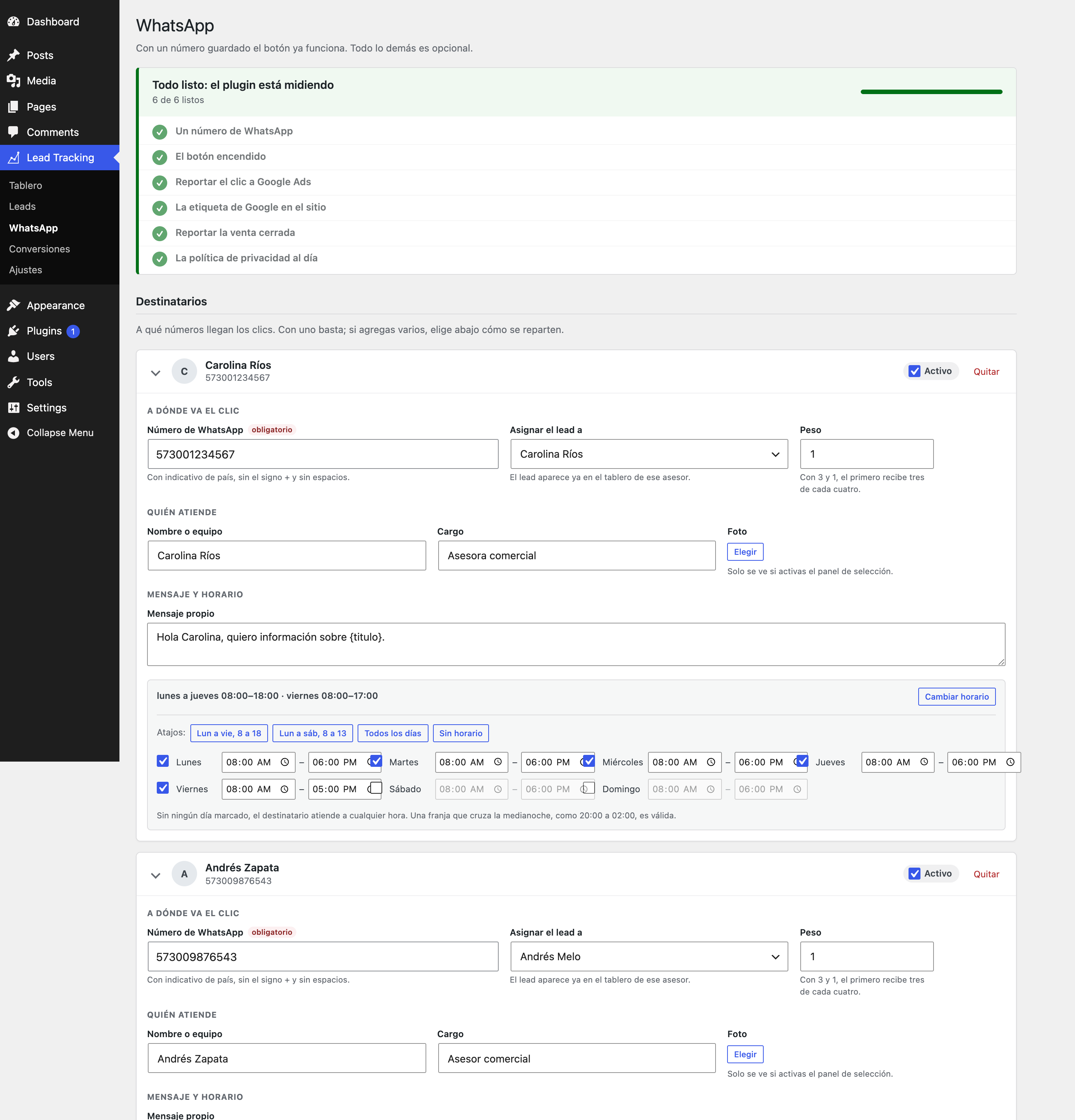
WhatsApp: recipients, routing, prefilled message and placeholders.
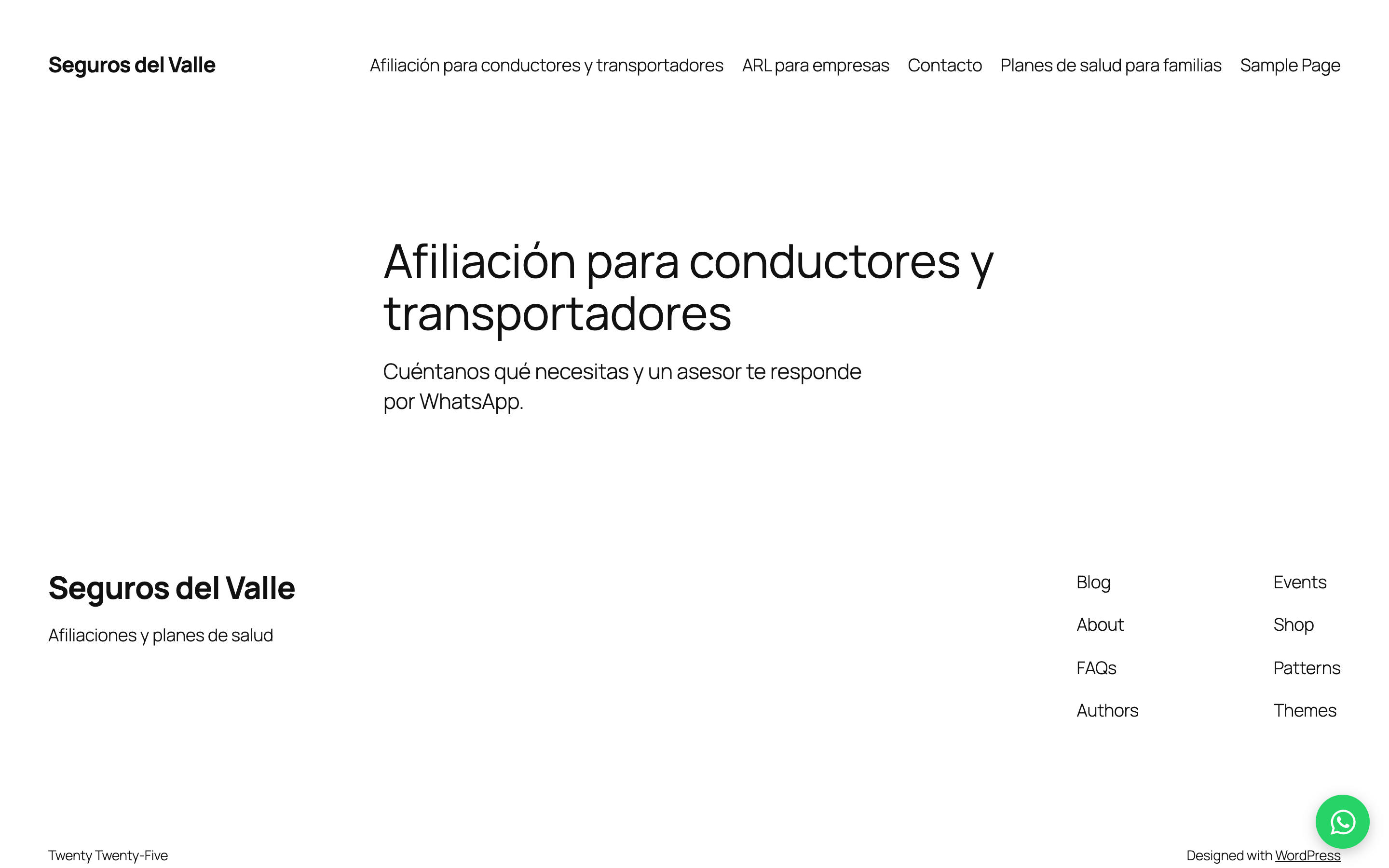
The floating button on the site.
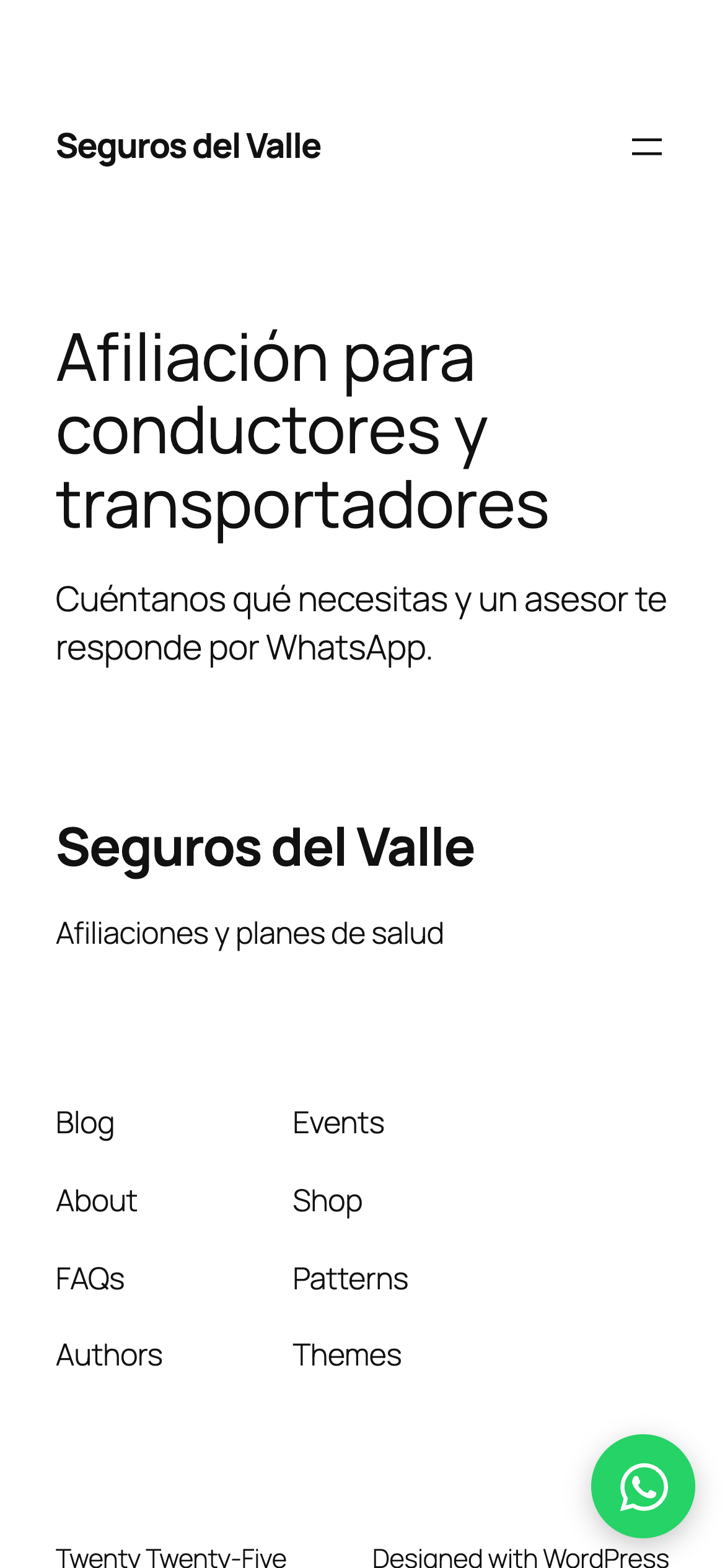
The same button on mobile, where most of these conversations actually happen.

