
Media Switcheroo Wordpress Plugin - Rating, Reviews, Demo & Download
Plugin Description
Media Switcheroo is a WordPress plugin for replacing files already stored in the Media Library without changing the attachment ID or existing media URL.
It is designed for common maintenance tasks such as replacing an updated image, PDF, document, download, or other WordPress-supported attachment while keeping existing references intact.
Features
- Replace Media Library files in place.
- Preserve the attachment ID and existing URL.
- Preserve title, alt text, caption, description, and attachment relationships.
- Support images, PDFs, documents, and other WordPress-supported media types.
- Require the same file extension to avoid breaking existing links.
- Regenerate image sizes and attachment metadata after replacement.
- Regenerate supported PDF preview metadata through WordPress core.
- Clear the cached data WordPress holds for the replaced file.
- Purge supported cache and optimization plugins when detected.
- Purge supported hosting caches when detected.
- Clear Elementor generated-file cache when available.
- Add a version value to media URLs on the public site after replacement to help defeat stale browser and CDN caches.
- Add Replace File actions directly to Media Library workflows.
- Check replacement files before they are installed, and restore the original if anything goes wrong.
- Responsive WordPress admin interface.
- No external service or tracking required.
Who can use it
Users who can upload files and edit the media item (or manage the site) can replace it. Replacement files are checked against the file types your site already allows.
Screenshots

Media Switcheroo screen and media selector.

Current media and replacement-file interface.

Replace File action in the Media Library.
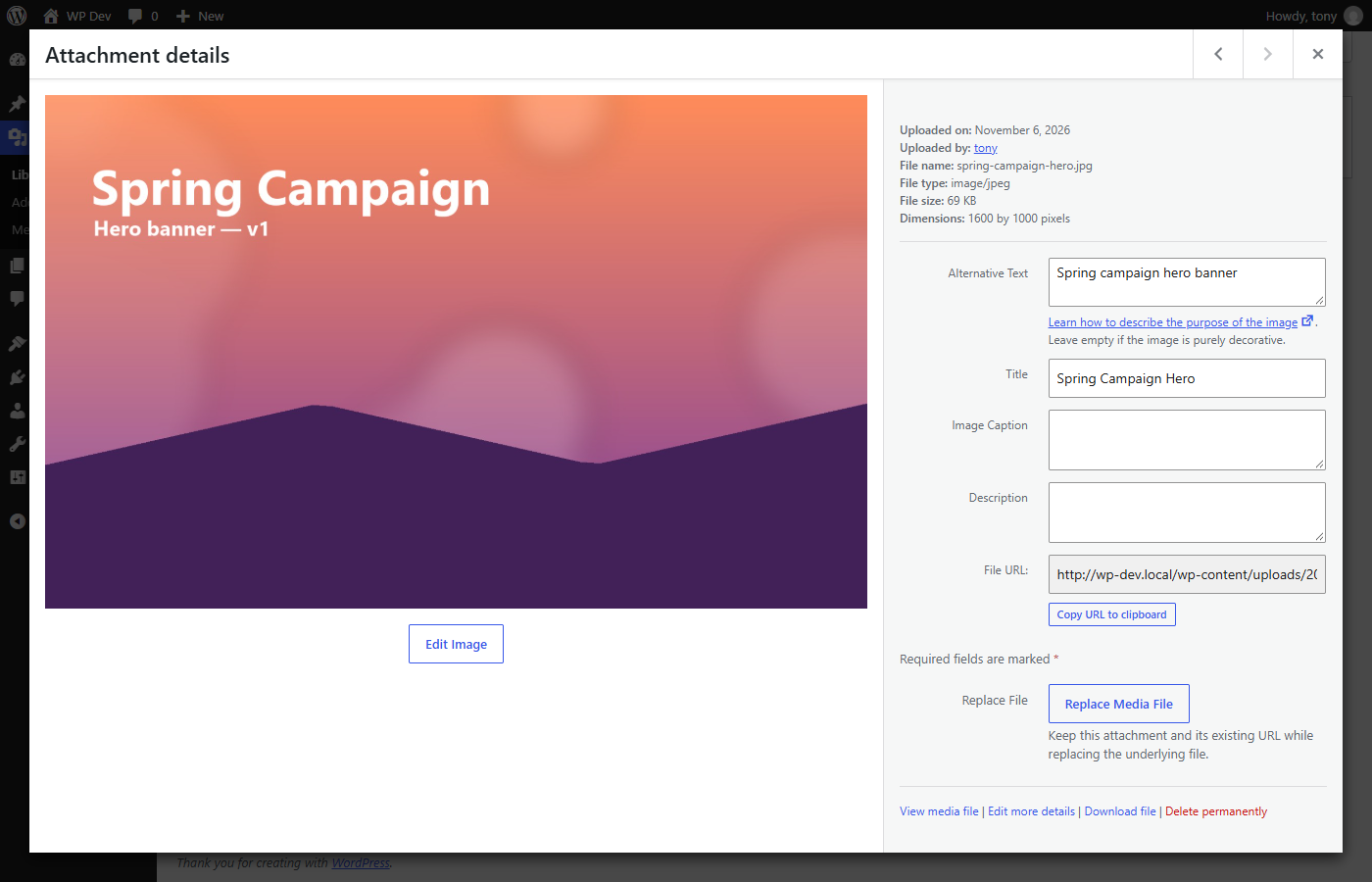
Replace Media File option in Attachment Details.


