
MediaPrune Wordpress Plugin - Rating, Reviews, Demo & Download
Plugin Description
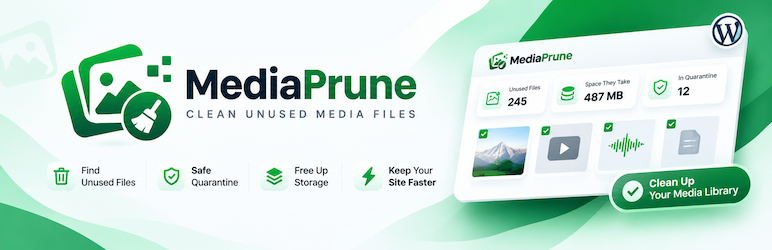
MediaPrune lists the files in your media library that nothing on your site uses, and lets you remove them without fear of breaking a page.
How it finds unused files
A scan reads everything that can point at a file:
- the content of every post, page and custom post type (drafts, scheduled and private posts included), with the images, galleries, covers, videos and files in blocks, classic content and shortcodes;
- featured images;
- custom fields of posts, categories, tags and users (ACF, WooCommerce product galleries, page builders and others);
- site settings: the site logo and icon, Customizer settings, widgets.
A file referenced in any of these places is in use. MediaPrune errs towards keeping: when in doubt, a file stays.
Unused files
Every unused file is listed with a preview, size and date, and ticked. Untick anything you want to keep, search by name, filter by images, video, audio or documents, switch between a grid and a list, and see how much space the selection frees. Unticked files stay in the list, unticked, until you change your mind; rescans remember them.
Quarantine first, or delete for good
“Move to quarantine” takes the ticked files offline: they disappear from the media library and their URLs stop working, so if a page did still use one, you see it straight away. Restore any file from the Quarantine tab in one click; it goes back to the media library and reappears in Unused files, unticked. Quarantined files are deleted for good after 30 days, or when you choose “Delete now”.
“Clean selected” deletes the ticked files permanently, straight away, after a confirmation. Use it for files you are sure about.
Either way, every copy of a file goes: the original, each size WordPress made, and copies other plugins made that WordPress has no record of, such as extra crops and WebP versions. Each file also gets a last check right before it goes, in case it was put to use after the scan.
Built to stay out of the way
- Runs only when you open Media MediaPrune; nothing loads on your site’s front end.
- Scans in short steps, so large libraries never hit a timeout, and an interrupted scan resumes.
- Uninstalling restores everything in quarantine before removing the plugin’s data.
Credits
The admin screen’s line icons follow the Lucide icon set (ISC licence); the notice is in third-party-licenses.txt.
Screenshots
No screenshots provided


