Michael, Check My Shop – Product Data Audit For WooCommerce Wordpress Plugin - Rating, Reviews, Demo & Download

Plugin Description
Missing product data quietly costs a store money. A product without a weight is undercharged for shipping. A product without an image hardly sells. An invalid GTIN gets the product rejected from Google Shopping. And nobody notices until a customer, a carrier invoice or a feed error points it out.
Check My Shop checks every product in your WooCommerce store, gives your catalog a health score from 0 to 100, and lists exactly which products need what.
What it checks
Shipping data
- Products and variations without a weight
- Products without length, width, or height
- Sizes or weights that can’t be right, like a side over 3 metres or a weight that’s impossible for the size (usually a value typed in the wrong unit)
Images
- Products without a product image
- Images that are gone: deleted from the Media Library, or the file is missing on the server
- Product and gallery images without alt text
- Alt text that is really a file name, like “IMG_4821” or “DSC0193.jpg”
- Product images under 800 pixels, which look blurry when zoomed
- Image files over 1 MB or over 2560 pixels, which slow the product page
Identifiers
- Products without a SKU
- SKUs used by more than one product or variation (from imports or sync tools)
- GTINs, UPCs, EANs, and ISBNs with the wrong length or check digit
- GTINs used by more than one product or variation, which Google Shopping rejects
- Products without a brand, in stores that use WooCommerce Brands (at least 1 in 10 products has one)
- Products without a GTIN, in stores that use GTINs (at least 1 in 10 products has one)
Titles and descriptions
- Products with no description at all
- Very short descriptions
- Titles over 150 characters (Google Shopping’s limit)
- Titles written in capital letters
- Products with exactly the same title as another product
Price, stock and categories
- Products and variations without a price
- Prices that are set but not active, so the product can’t be added to the cart (usually after an import)
- Prices of 0, which let customers order without paying
- Sale prices more than 90% off, usually a typo like 1.99 instead of 19.99
- Variations that cost 10 times more or less than the others, usually a misplaced decimal point
- Negative stock
- Products only in the default category
Features
- Health score and grade for the whole catalog, plus a percentage for each area, and how the score changes over the last 90 days.
- Fix lists for every check, with product images, SKUs and variation names, filters by severity and category, and CSV export to work through them in a spreadsheet or hand them to someone.
- Fix in the list: type a missing weight, dimensions, SKU, GTIN, price or stock, or pick a category, straight in the fix list and save. The product is re-checked at once, and WooCommerce’s own rules still apply (it refuses a SKU another product already has).
- Ignore an issue that’s fine for a product (a handmade item without a GTIN, say): it stops counting in the score and moves to an “Ignored issues” list, where you can undo it.
- Health column in the product list, with a filter for products with issues.
- Health box on the product screen, listing that product’s issues.
- Dashboard widget with your score and biggest problems.
- Weekly email report (opt-in): your score, how it changed and the three biggest problems, sent through your site’s own email.
- Always up to date: a product is re-checked as soon as you save it or change the alt text of one of its images. A full check runs in the background once a week, in batches, so even very large catalogs never slow your site down.
- Variable products are checked variation by variation.
Private by design
Everything runs on your own server. The plugin makes no external requests, sends no data anywhere (the optional weekly report goes only to the address you choose, through your site’s own email), has no tracking and adds nothing to your shop’s front end.
From the same team
When the check finds products without weights or dimensions, or images without alt text, it suggests our AI plugins that fill those in: BoxIntellect and AmazImg. The suggestions appear only on the Check My Shop page, next to the problem they solve, and you can hide them. A hidden suggestion only comes back after 90 days if the problem is still there, or sooner if it grows a lot. Every check and fix list works fully without them.
Screenshots
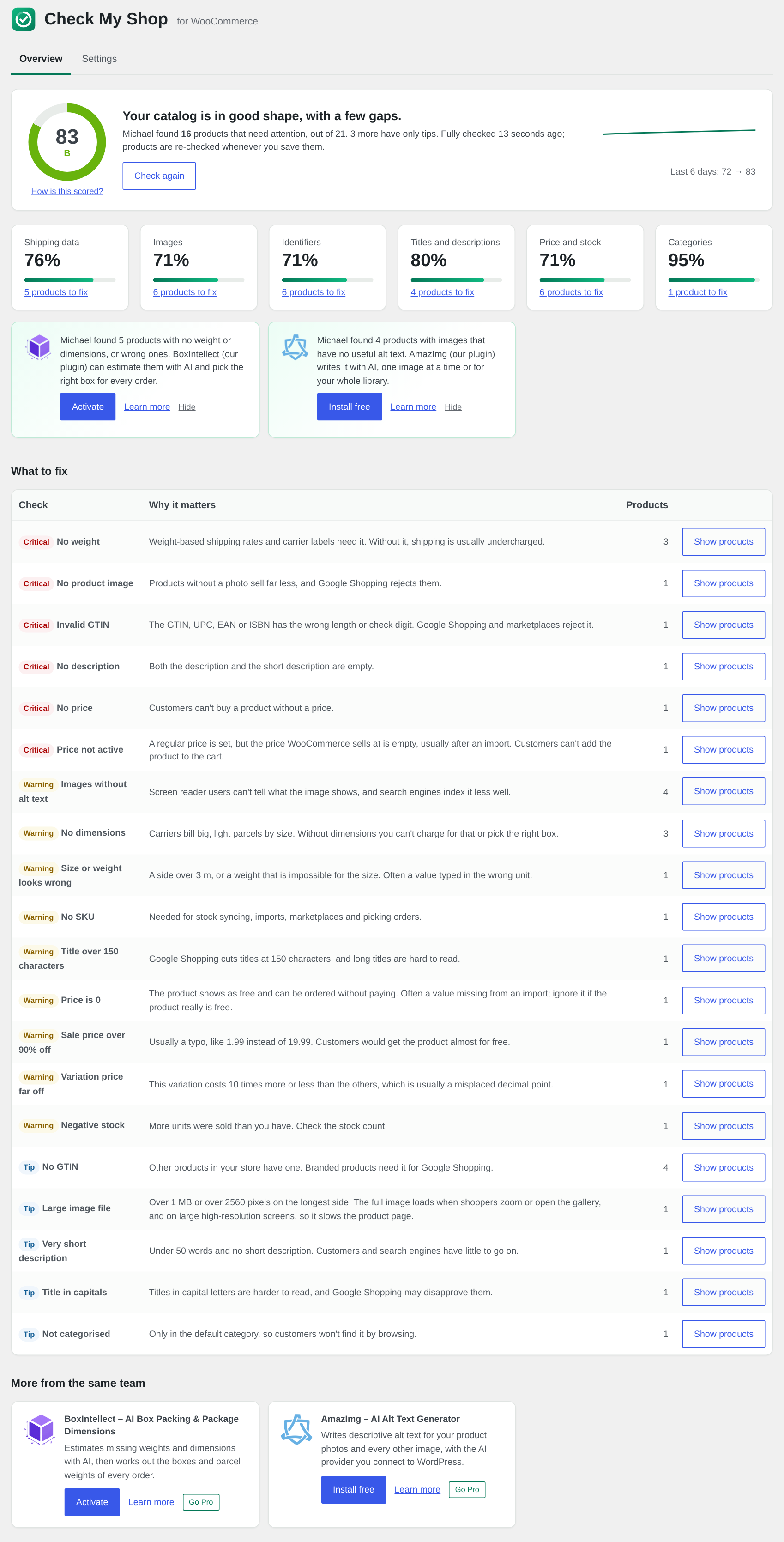
The Check My Shop page: score, grade, the percentage complete for each area, what to fix, and our other plugins.
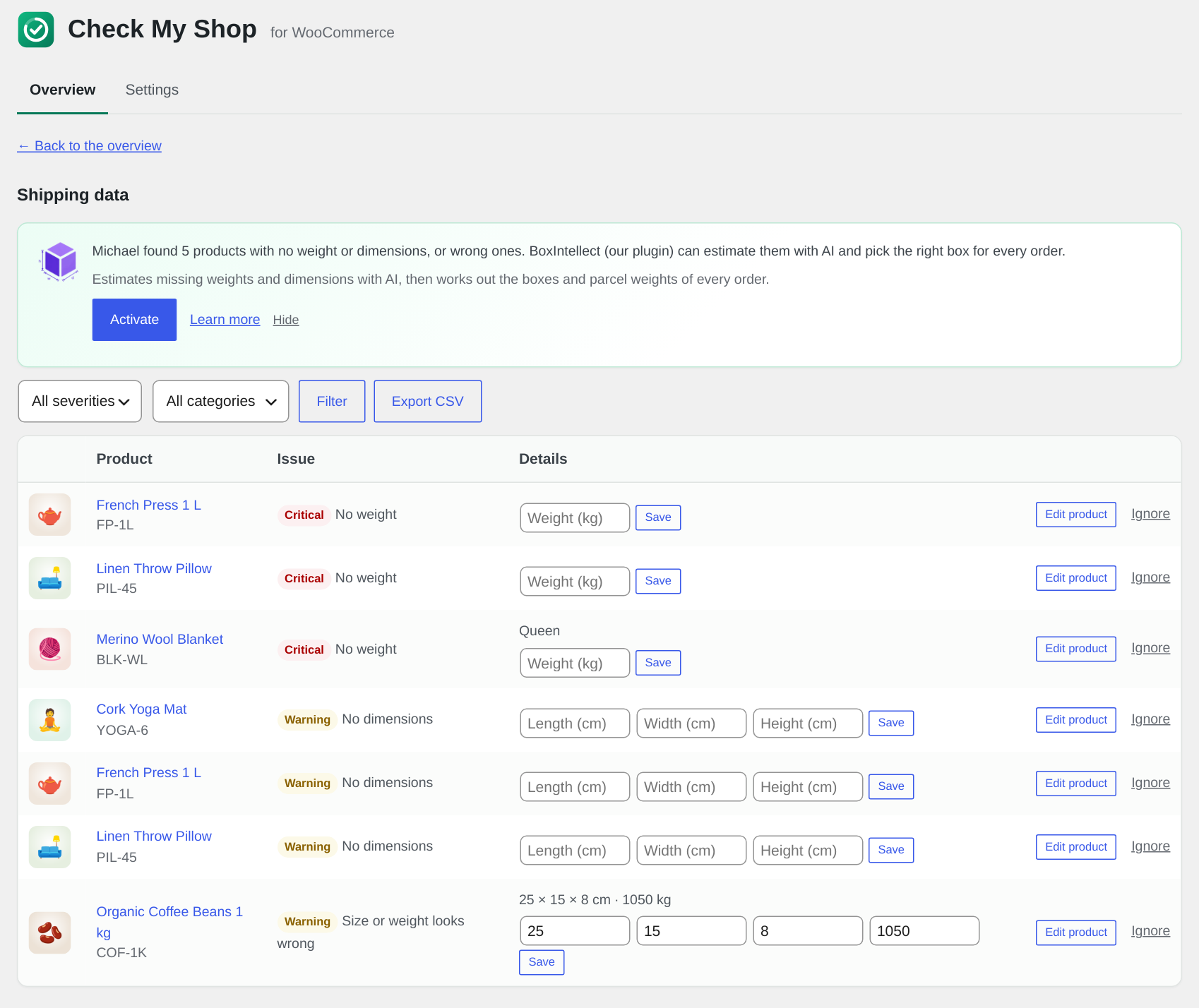
A fix list: every product with that problem, with fields to fix it right there, filters, and CSV export.
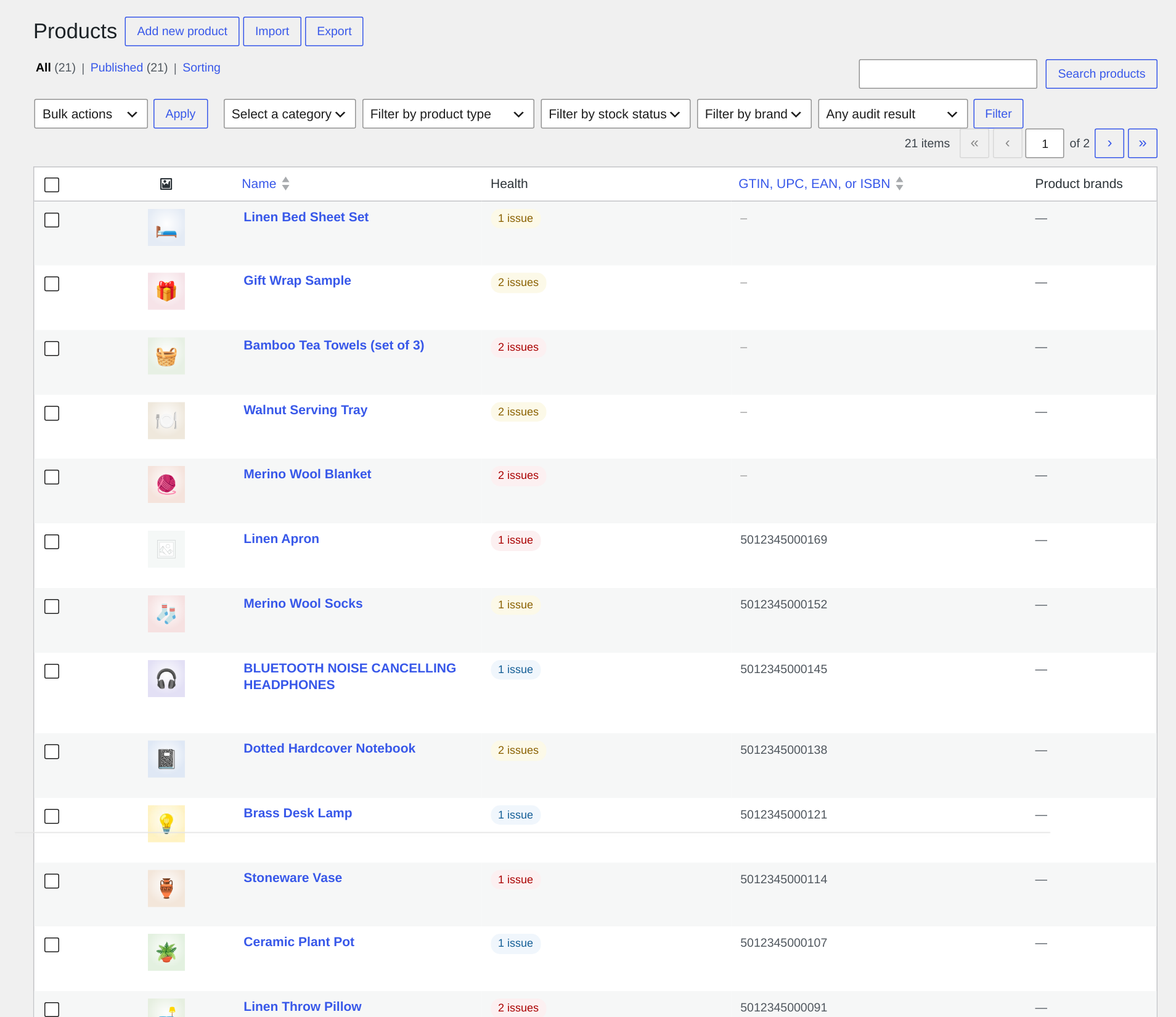
The Health column and filter in the product list.
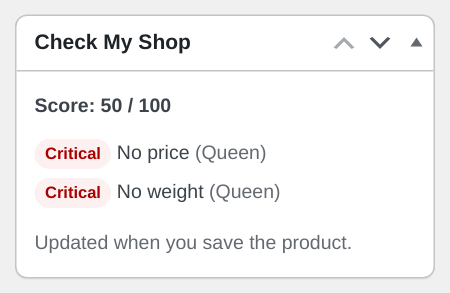
The health box on the product screen.
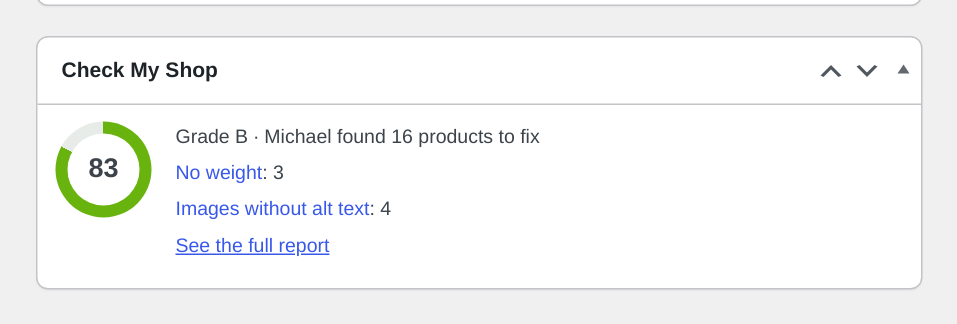
The dashboard widget.
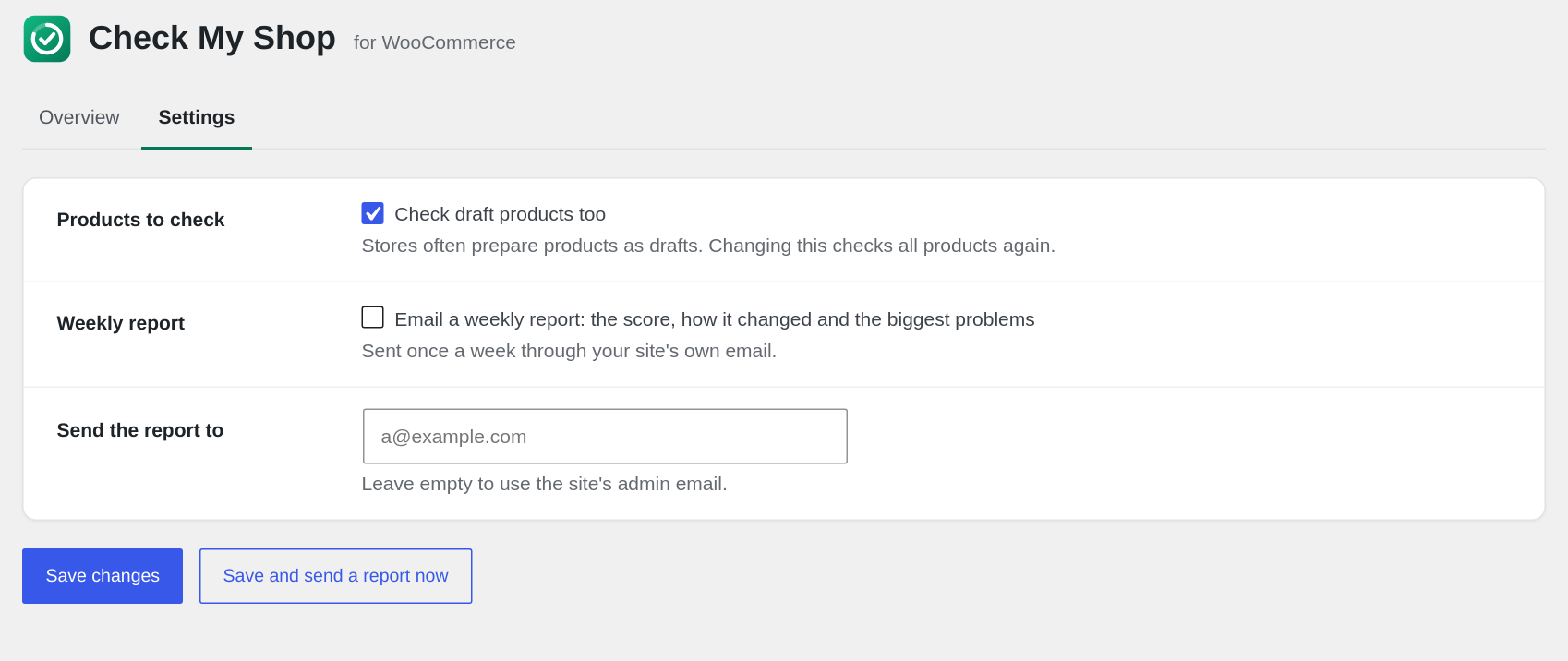
The Settings tab, with the weekly email report.
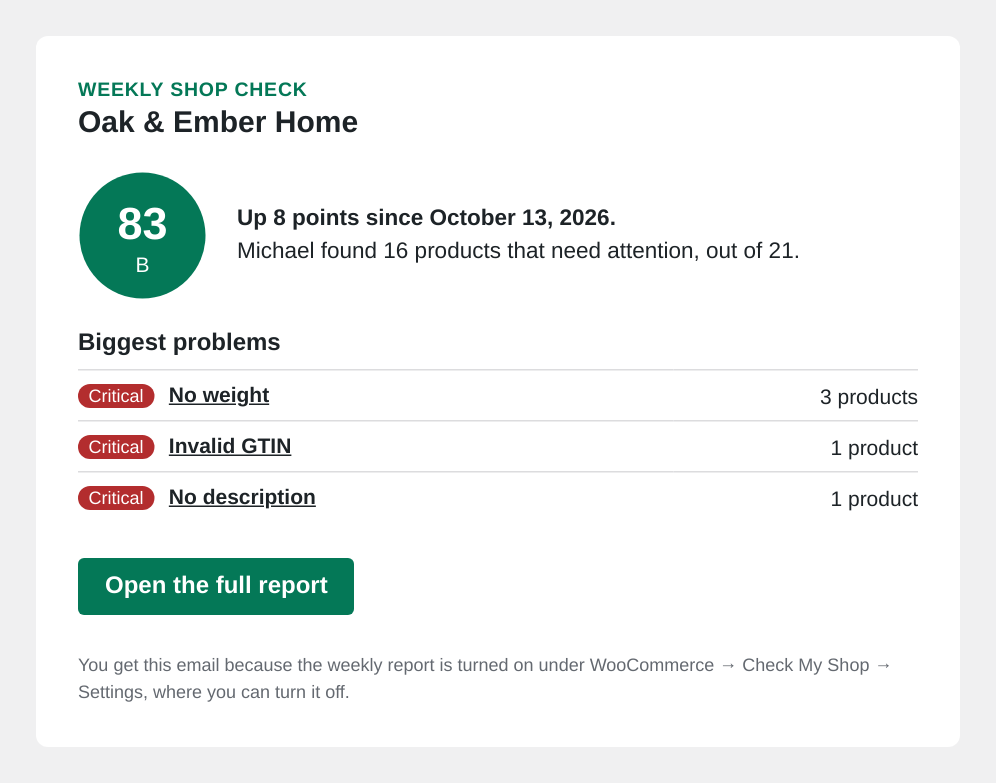
The weekly email report.