
Mintall Keep Wordpress Plugin - Rating, Reviews, Demo & Download

Plugin Description
Mintall Keep connects your WooCommerce store to Mintall, a service that certifies product images with C2PA content credentials and makes verified product data discoverable to AI shopping agents (ChatGPT, Claude, Perplexity, and similar).
What it does
- Protect product images with C2PA digital credentials, so a product’s images carry a verifiable record of their origin.
- Make products AI-visible — certified products are exposed to AI shopping agents via a Schema.org JSON-LD block injected on the product page, so agents can find and trust them.
- Verify your domain to add an extra trust signal to every product certificate.
- Bulk actions for both protection and AI visibility, from the plugin’s own Products page or WordPress’s native product list.
- Dashboard with a setup checklist, auto-protect for new products, and account status at a glance.
Limits
Usage is governed by the allowance on your free Mintall account, shown in the plugin dashboard. This plugin never collects payment information.
External services
This plugin connects to Mintall’s own services to do its work. It will not function without a Mintall account.
api.mintall.ai — the Mintall API. When you protect a product, the URLs of its images are sent here, and Mintall downloads the images for C2PA certification. To keep your Mintall account in sync with your WooCommerce catalog, the plugin also sends product details: title, description, SKU, prices and currency, stock status, publish status (including drafts), product URL, created and modified dates, and featured image URL and alt text. This happens when you protect a product and when you sync products from Settings. When you connect your store, the plugin sends your store’s URL and name, and basic environment details: WordPress, WooCommerce and PHP versions, currency, locale, and timezone. The plugin also sends your page-view capture setting (on or off) when you connect, when you change it, and when an admin page finds Mintall’s copy out of date.
Page-view capture (opt-in, off by default). If you turn on “Page-view capture” in the plugin’s Settings, each product page view sends the visitor’s browser User-Agent to api.mintall.ai, along with the product’s Mintall ID, to count visits from AI shopping agents. No IP address or cookies are sent. While it is off, the plugin sends nothing about your visitors. If you turn it on, disclose it in your store’s privacy policy; suggested wording is under Settings Privacy Policy Guide.
keep.mintall.ai — the Mintall web app. Used in two places: to complete the account connection (you’re redirected here to sign in and authorize the connection), and to view a product’s full certification record from a link in the plugin. No product or store data is sent here directly by the plugin beyond what’s needed for those pages.
Mintall Terms of Service · Mintall Privacy Policy
Source code
The JavaScript in build/ is compiled from the TypeScript source in src/, which ships with the plugin along with its build configuration (package.json, webpack.config.js). To rebuild it, run this from the plugin folder (requires Node.js 18.12 or later):
npm ci && npm run build
Screenshots
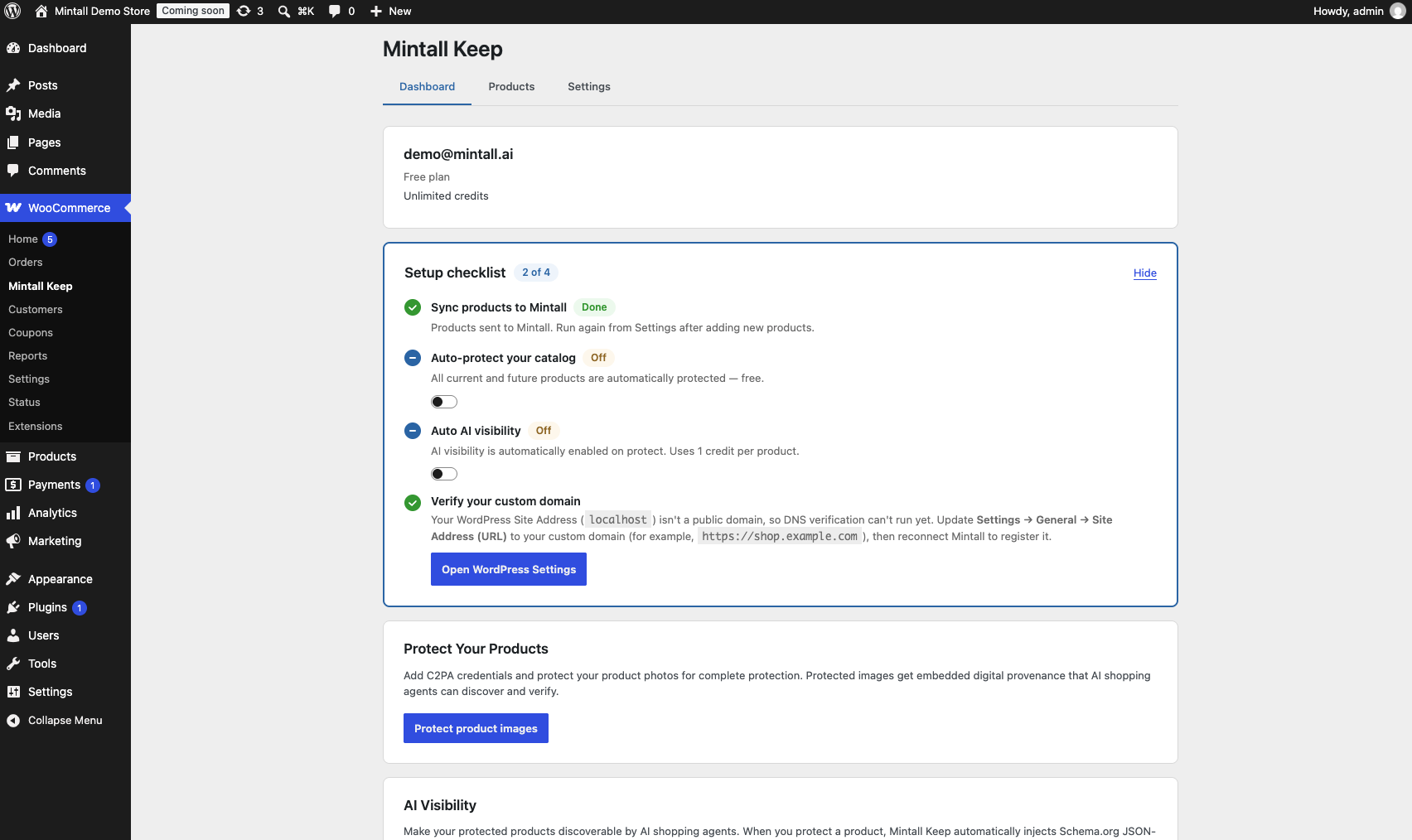
Dashboard with setup checklist, domain verification status, and account status at a glance.
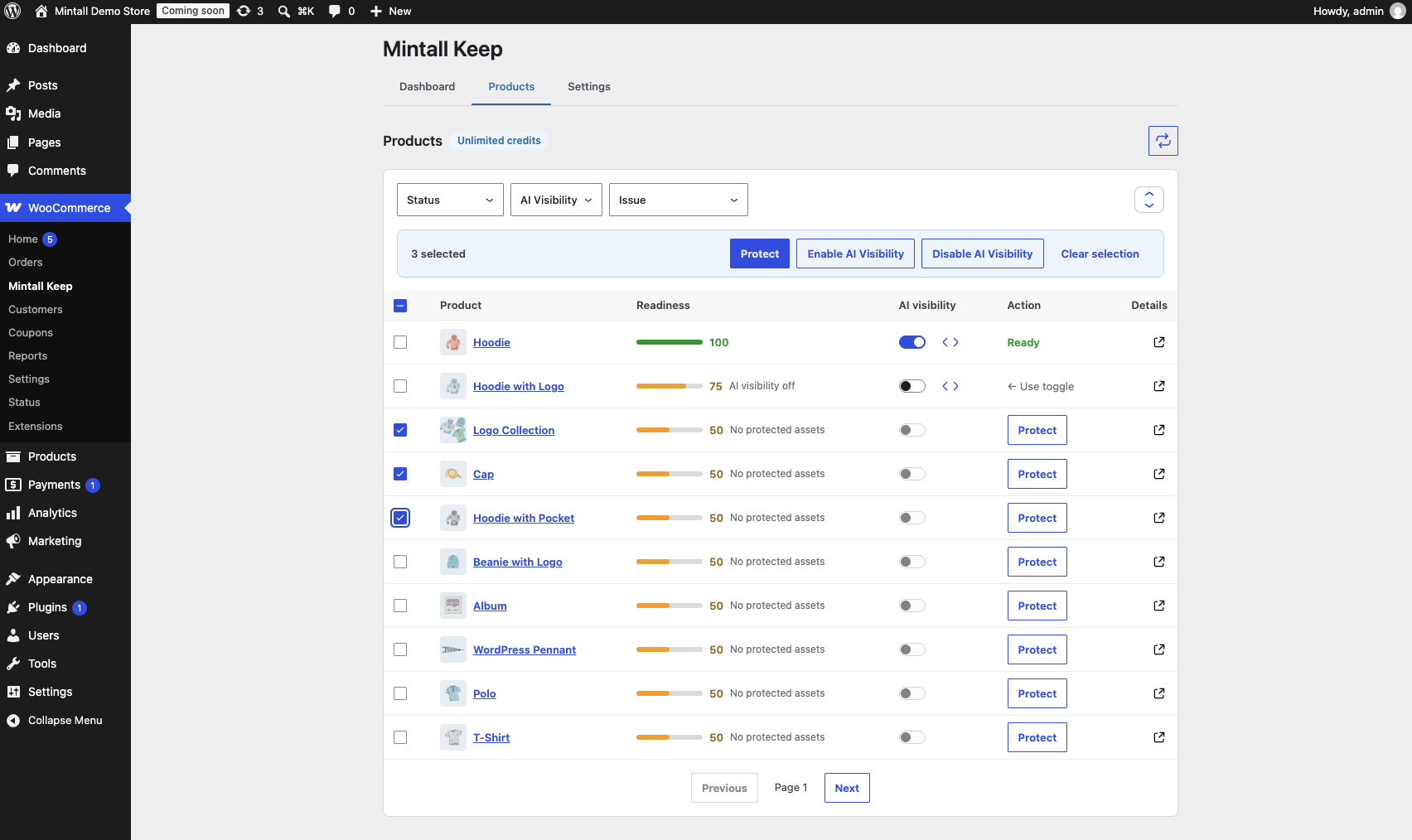
Products page with a bulk action selected, ready to protect or toggle AI visibility across multiple products at once.
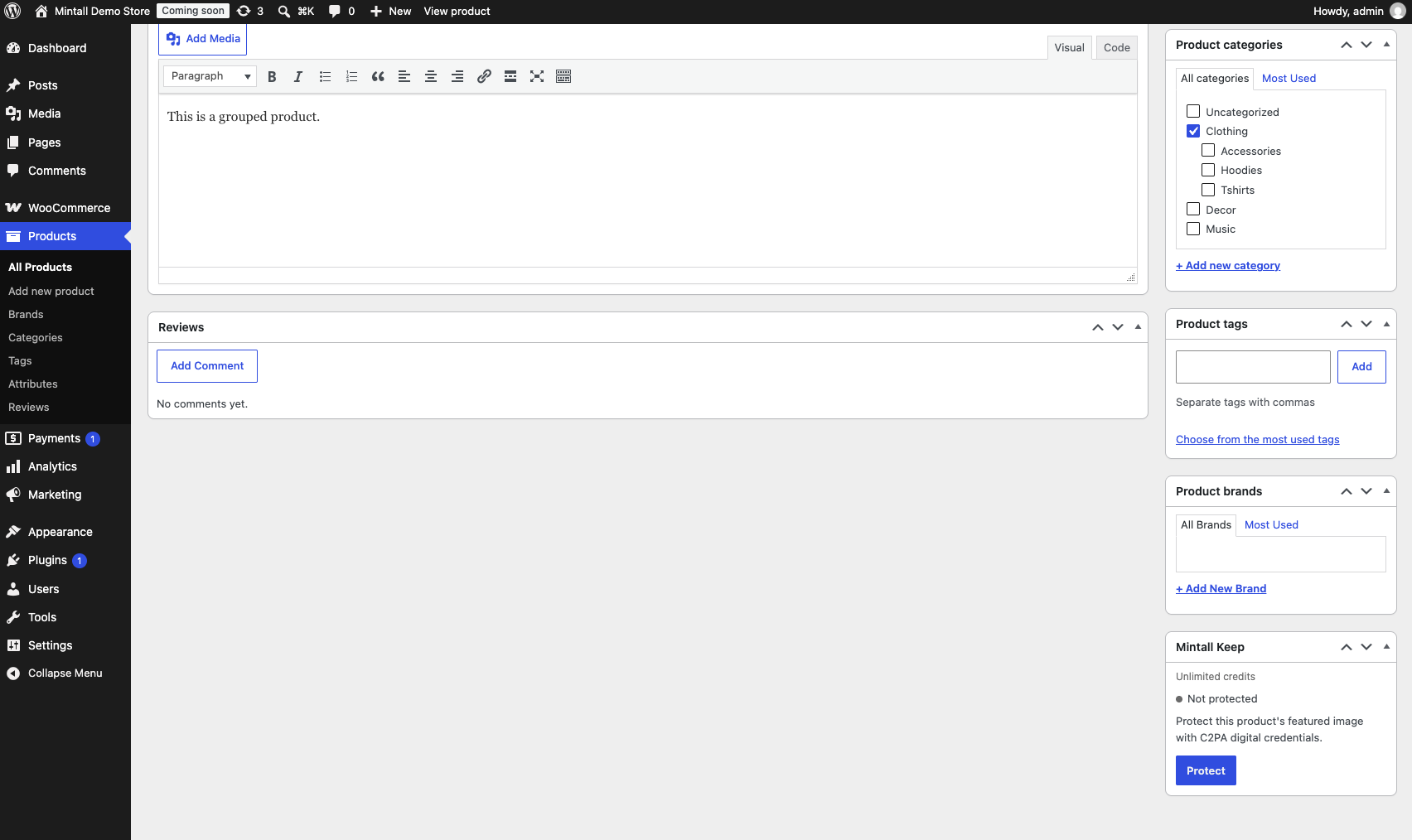
Product edit metabox showing protection status and one-click protection.


