
MJ Studios Captcha Protection Wordpress Plugin - Rating, Reviews, Demo & Download
Plugin Description
Most captchas stop spam by making your visitors do the work. Tick the box, then pick out every traffic light anyway. MJ Studios Captcha Protection hands that job to the visitor’s browser, so people just fill in your form and press send.
As soon as someone starts using a protected form, their browser works through a small proof-of-work calculation in the background. On most devices it takes about a second, usually while the person is still typing. Bots that post straight to your forms never run it, so they arrive without a valid answer and get turned away.
All of it happens on your own server. The plugin never talks to Google, Cloudflare or anyone else, and it sets no cookies. There’s no account to create and no API key to paste in. It’s free.
We made it for the client sites we build and look after at MJ Studios. Now you can use it on yours.
A drop-in replacement for reCAPTCHA
If your site uses Google reCAPTCHA, hCaptcha or Cloudflare Turnstile today, this plugin does the same job without loading anything from outside your site. Switch the old captcha off, activate this one, and the forms below are protected straight away. You don’t have to edit a single form.
Works with the forms you already have
- WordPress login, registration and lost password
- Comments
- WooCommerce login, registration and lost password
- WooCommerce classic checkout (off by default, one tick to turn it on)
- Elementor Pro forms
- Contact Form 7
- WPForms
- Any other form, using the
[mjscp_captcha]shortcode andmjscp_verify()
Protection is on with sensible defaults from the moment you activate it.
What your visitors notice
Ideally, nothing.
- Nothing loads until someone interacts with a form, so your page speed stays where it was.
- The widget stays hidden and only appears if verification fails.
- If someone presses submit before the answer is ready, the form waits a moment and then sends itself.
- Each answer works once. The widget then fetches a fresh challenge, so AJAX forms can be sent again without a page reload.
- The work runs in Web Workers using the browser’s built-in crypto, with a pure JavaScript fallback for older browsers and sites on plain HTTP.
- Page caching is fine, because challenges are fetched fresh when a form is used.
Extra checks behind the scenes
- A hidden honeypot field that only bots fill in
- A minimum time on the form, because nobody writes a message in half a second
- A spam score that counts links in messages and notices requests with missing browser headers
- Automatic IP blocking after repeated failures (by default, 5 failures in an hour earns a 24 hour block)
- An allowlist for single IPs and IPv4 ranges
- Support for Cloudflare and other proxies, so blocks land on the real visitor IP
You can’t lock yourself out. Login forms ignore IP blocks, and an IP an administrator has used is never blocked automatically.
See what it stopped
The Overview screen shows how your forms held up over the last 7, 14 or 30 days. You get totals compared with the period before, a daily chart you can hover for each day’s numbers, the block rate, the IPs that failed most and a breakdown by form and by reason.
The Activity screen lists every check, newest first, and you can filter it by result, form or IP. Blocked IPs have their own screen, where you can block an address for a day, a week, a month or for good, and lift a block again.
The admin screens are part of the plugin and load nothing from outside your site, so they open quickly. They work with JavaScript switched off too.
Privacy
The plugin was designed with privacy laws such as the GDPR in mind.
- It sets no cookies and stores nothing in the visitor’s browser.
- It makes no requests to outside services, so visitor data stays on your server.
- The verification log keeps the IP address, browser user agent, form name and result for 30 days by default. You can shorten that to one day or switch the log off.
- It remembers the last 20 IP addresses your administrators used, only so it never blocks them.
- It adds suggested wording for your privacy policy under Settings > Privacy.
- Deleting the plugin removes its tables and settings, unless you choose to keep them.
Whether your site meets the GDPR depends on far more than one plugin, so that part is still yours to check. This plugin’s share of it is small and easy to explain in your privacy policy.
External services
None. This plugin does not connect to any third-party service.
Trademarks
Google reCAPTCHA, hCaptcha, Cloudflare Turnstile, WooCommerce, Elementor, Contact Form 7 and WPForms are trademarks of their owners. This plugin is not affiliated with or endorsed by any of them.
Developer hooks
mjscp_form_enabled(filter): enable or disable a form key.mjscp_pre_check(filter): short-circuit verification.mjscp_score(filter): adjust the spam score.mjscp_error_message(filter): change the message shown on failure.mjscp_is_allowlisted(filter): allowlist an IP programmatically.mjscp_auto_attach_selectors(filter): attach the widget to extra forms by CSS selector.mjscp_max_number(filter): fine-tune difficulty.mjscp_checked(action): runs after each verification.
Screenshots
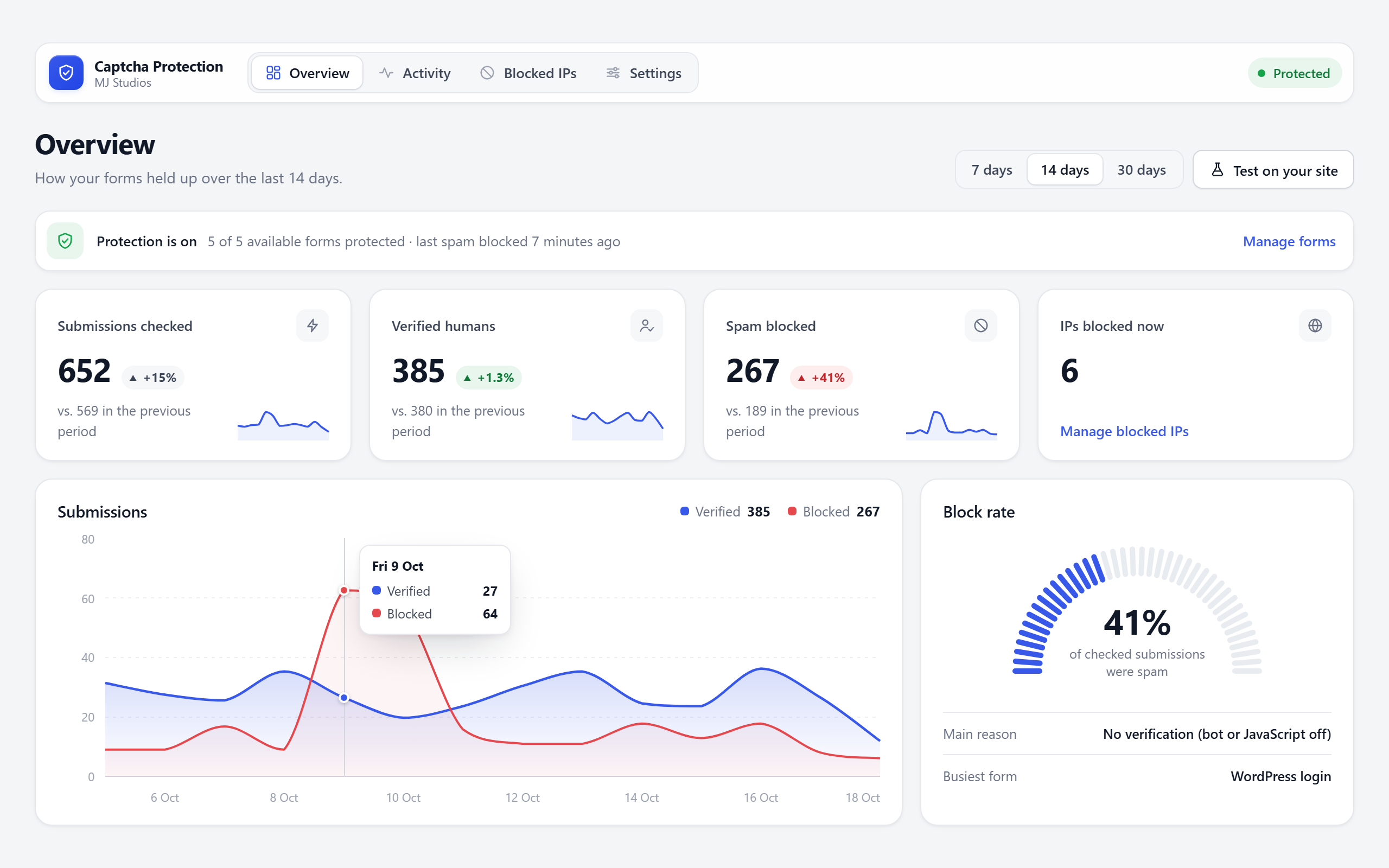
Overview: totals against the previous period, a daily chart and the block rate.
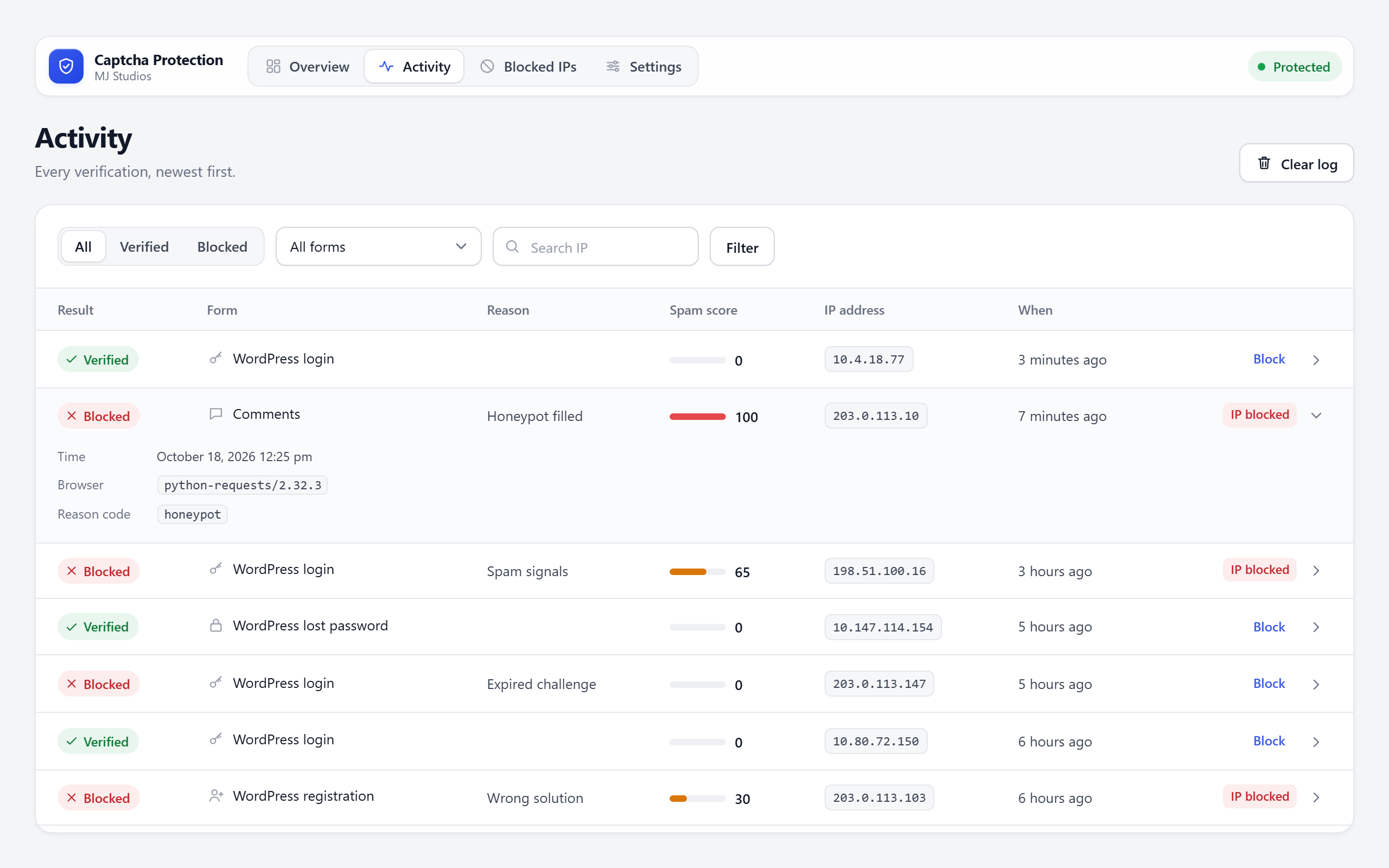
Activity: every check, with filters and the details of each one.
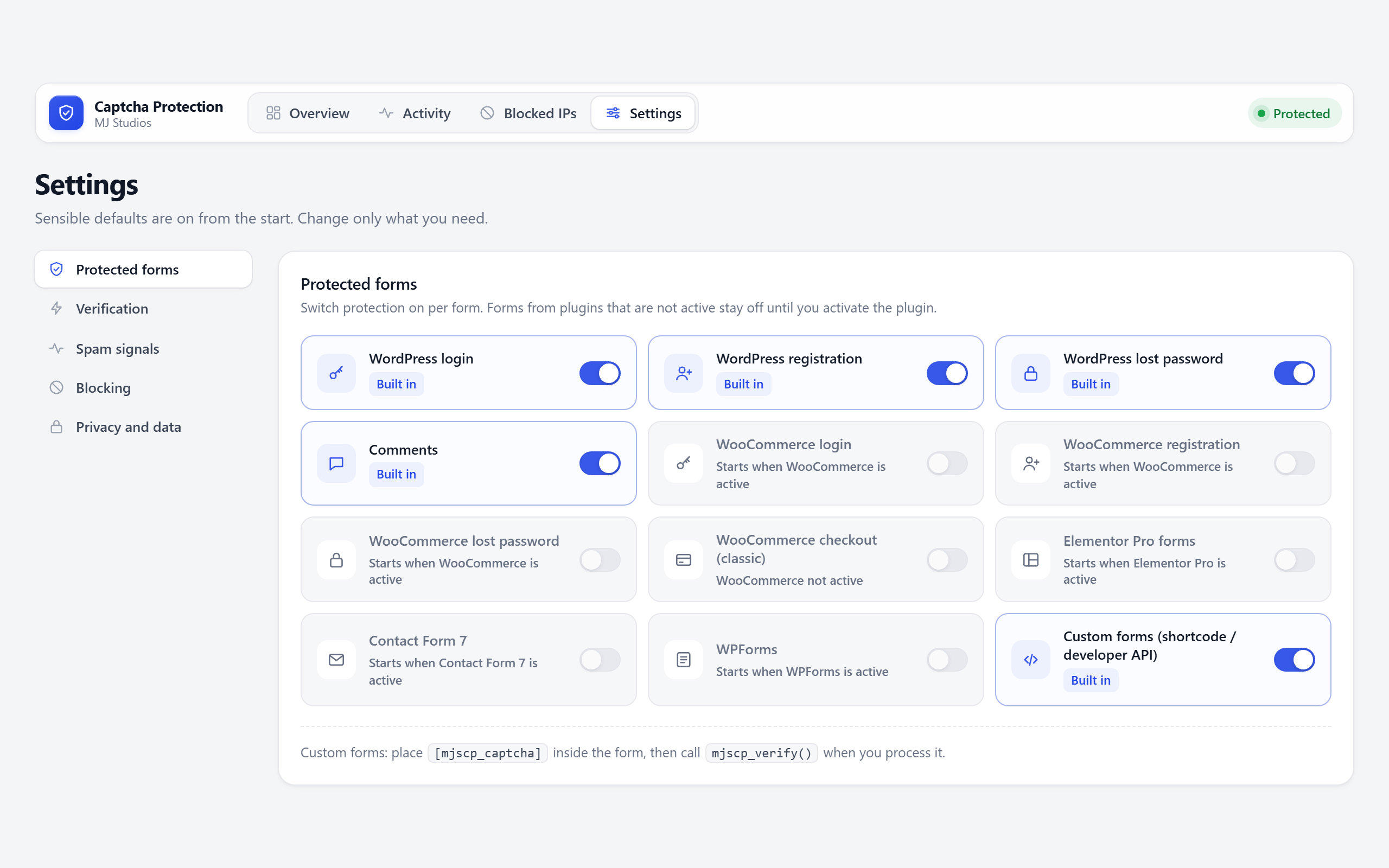
Settings: a switch for each form, showing whether its plugin is active.
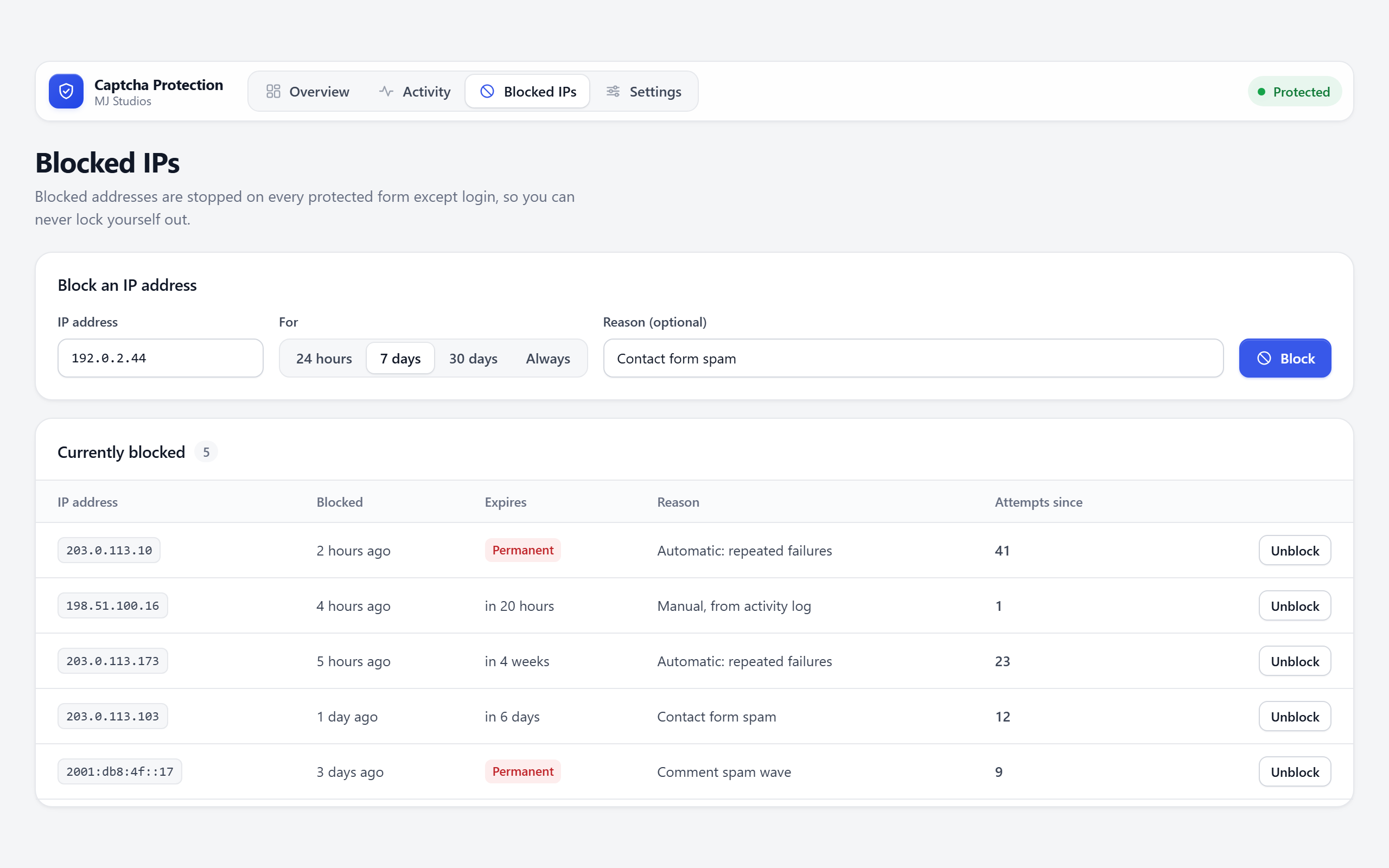
Blocked IPs: block an address by hand or lift a block.


