
Modeverse Zoho Inventory Order Sync For WooCommerce Wordpress Plugin - Rating, Reviews, Demo & Download
Plugin Description
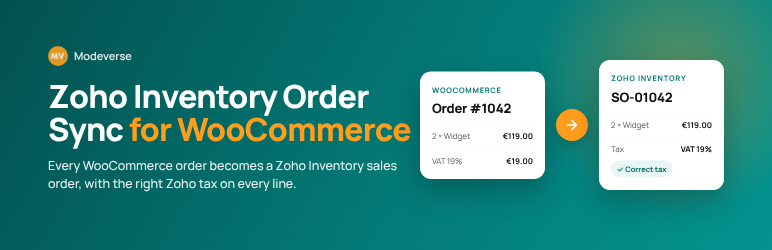
Modeverse Zoho Inventory Order Sync for WooCommerce sends every WooCommerce order to Zoho Inventory as a sales order, with the customer, products, shipping, fees and the correct tax.
Zoho often picks the wrong tax when an order comes in from WooCommerce, because several Zoho taxes can share the same percentage. This plugin fixes that: you choose the Zoho tax for every WooCommerce tax rate once, and every sales order uses exactly that tax.
What the free plugin does
- Connects to your Zoho Inventory organization (all Zoho data centers).
- Maps each WooCommerce tax rate to a Zoho tax, plus a tax for zero-rated lines.
- Links WooCommerce products to Zoho items by SKU, automatically when the SKUs match, or by hand and in bulk.
- Creates the Zoho sales order automatically when an order reaches the statuses you choose, or with a “Sync to Zoho” button on the order.
- Finds or creates the Zoho customer by email, with billing and shipping addresses.
- Sends shipping charges and fees with the right tax.
- Never creates duplicates: an existing sales order with the same reference is linked instead.
- Shows the sync status and the last error on each order, and logs errors to WooCommerce > Status > Logs.
- Compatible with WooCommerce High-Performance Order Storage (HPOS).
Pro version (optional)
A Pro version, sold at modeverse.pro, replaces this plugin and adds more steps after the sales order: invoices, recorded payments, packages with delivered shipments, and bulk re-sync. It keeps your Zoho connection and settings, so there is nothing to set up again. Everything listed above stays free and fully working without it.
This plugin creates orders only. Keep using your existing tool for product and stock sync.
Zoho and Zoho Inventory are trademarks of Zoho Corporation, and WooCommerce is a trademark of Automattic Inc. This plugin is made by Modeverse and is not affiliated with or endorsed by either company.
External services
This plugin connects to Zoho, a third-party service, to send your WooCommerce orders to your own Zoho Inventory organization. Nothing is sent until you enter your Zoho API credentials on the Connection tab, and only to the Zoho data center you choose there (zoho.com, zoho.eu, zoho.in, zoho.com.au, zoho.jp, zohocloud.ca or zoho.sa).
- Zoho Accounts (accounts.zoho.com, or the accounts server for your data center, such as accounts.zoho.eu): used to sign in to your Zoho account. When you connect, the plugin sends your Client ID, Client Secret and grant code. After that, about once an hour while orders are synced, it sends the Client ID, Client Secret and refresh token to get a new access token.
- Zoho Inventory API (www.zohoapis.com, or the API server for your data center): used to read your Zoho taxes and items when you connect or click “Reload”, and to create sales orders. When an order is synced, the plugin sends the order number, date, line items, quantities, prices, taxes, shipping and fees, and the customer’s name, company, email, phone, and billing and shipping addresses. It also looks up existing customers by email and existing sales orders by order number, so nothing is created twice.
- Zoho API Console (api-console.zoho.com, or the console for your data center): the Connection tab shows a link to it, so you can create the Self Client that gives you a Client ID and Client Secret. It is a plain link that opens in your browser when you click it. The plugin itself sends no data to it.
These services are provided by Zoho Corporation: Terms of Service, Privacy Policy.
Screenshots
No screenshots provided
Similar Plugins:
 Rating Widget: Post Rating, 5 Star Rating, Reviews, Thumbs Up & Down, Reaction
 AutoSyncPress InventoryBridge – Zoho Inventory Sync For WooCommerce
 MWB CF7 Integration With ZOHO CRM – Smooth Contact Form 7 Integration With ZOHO, Easy Contact Form 7 Fields Association With Any ZOHO Module Field, Error Email Notification