Montecchiani Book Catalog Wordpress Plugin - Rating, Reviews, Demo & Download

Plugin Description
Montecchiani Book Catalog adds a dedicated Book content type to WordPress and displays your books
anywhere on your site with the [mbcat_books] shortcode: a responsive 1–5 column grid of covers
with an overlay that reveals the book details on hover, on focus or on tap.
Every book stores its own details (author, publisher, publication year, number of pages,
language, ISBN and an optional shop link), can be organised with the Genres taxonomy,
and is automatically described with Schema.org Book structured data (JSON-LD) so search
engines can show rich results.
ISBN autofill
Type an ISBN in the book editor and click Autofill from ISBN. The plugin queries the
Google Books and Open Library catalogs and fills in the empty fields only — title, author,
publisher, year, pages, language and description — never overwriting anything you already
wrote. If a cover is found you can import it into the Media Library and set it as the
featured image with one click.
Main features
- Custom Book post type with cover, excerpt and full editor support (block editor ready)
- Genres taxonomy to organise and filter the catalog
- Book fields: author, publisher, publication year, pages, language, ISBN, shop link
- ISBN autofill from Google Books and Open Library, with the results merged and cached
- Cover import: one click to store the cover in the Media Library as the featured image
[mbcat_books]shortcode withcolumns,hitem,orderby,orderandgenreattributes- Responsive grid (1–5 columns), hover overlay, keyboard accessible, touch friendly
- “Show All Books” button that loads the rest of the catalog over AJAX
- Schema.org
BookJSON-LD structured data for SEO - Admin list columns for cover, author, year and ISBN, sortable by author and year
- Settings page: default author, author label, columns, ISBN data source, uninstall cleanup
- Fully translatable — French, Spanish, Italian and Japanese translations are prepared
for translate.wordpress.org, where any other language can be contributed too - Assets are only loaded on the pages that actually use the shortcode
External services
This plugin can query two third-party book databases in order to autofill book details from
an ISBN. Every request is made from your server, only inside the WordPress admin, and only
when a logged-in editor clicks the “Autofill from ISBN” button or the “Use as cover”
button. Nothing is ever sent from the public side of your site, no request is made
automatically or in the background, and no personal data about you or your visitors is
transmitted.
Google Books API — endpoint: https://www.googleapis.com/books/v1/volumes
What is sent, and when: the ISBN you typed, each time you click “Autofill from ISBN” (unless
you disabled this source in the settings) and, if the cached result of that lookup has expired
in the meantime, again when you click “Use as cover”. If you entered an optional Google Books
API key in the plugin settings, that key is sent with the request too. Every request also
carries a User-Agent header identifying the plugin and its version
(Montecchiani-Book-Catalog/1.3.1); your site URL is not sent.
When the answer includes a cover, your server also downloads its small thumbnail (a few
kilobytes) from the address returned by the API, on books.google.com or its file host
books.googleusercontent.com, and embeds it in the editor as a preview: the editor page itself
never loads anything from Google. If you then click “Use as cover”, the cover image file is
downloaded from the same address by your server and stored permanently in your site’s Media
Library.
Terms of Service: https://developers.google.com/books/terms and
https://policies.google.com/terms
Privacy Policy: https://policies.google.com/privacy
Open Library API (Internet Archive) — endpoint: https://openlibrary.org/api/books
What is sent, and when: the ISBN you typed, each time you click “Autofill from ISBN” (unless
you disabled this source in the settings) and, if the cached result of that lookup has expired
in the meantime, again when you click “Use as cover”. Every request also carries a User-Agent
header identifying the plugin and its version (Montecchiani-Book-Catalog/1.3.1); your site
URL is not sent.
When the answer includes a cover, your server also downloads its small thumbnail (a few
kilobytes) from the address returned by the API, on covers.openlibrary.org (which may redirect
to archive.org, the Internet Archive’s file server), and embeds it in the editor as a preview:
the editor page itself never loads anything from Open Library. If you then click “Use as cover”,
the cover image file is downloaded from the same address by your server and stored permanently
in your site’s Media Library.
Terms of Use: https://archive.org/about/terms.php
Privacy Policy: https://archive.org/about/terms.php
Please note that cover images downloaded from these services are third-party content: it is
your responsibility to check that you are allowed to publish them on your site.
You can choose which of the two services is used — or use only one of them — in
Book Catalog Settings ISBN Autofill. Lookup results and cover previews are cached on
your own server for 12 hours so that repeated lookups do not generate new outgoing requests.
Screenshots
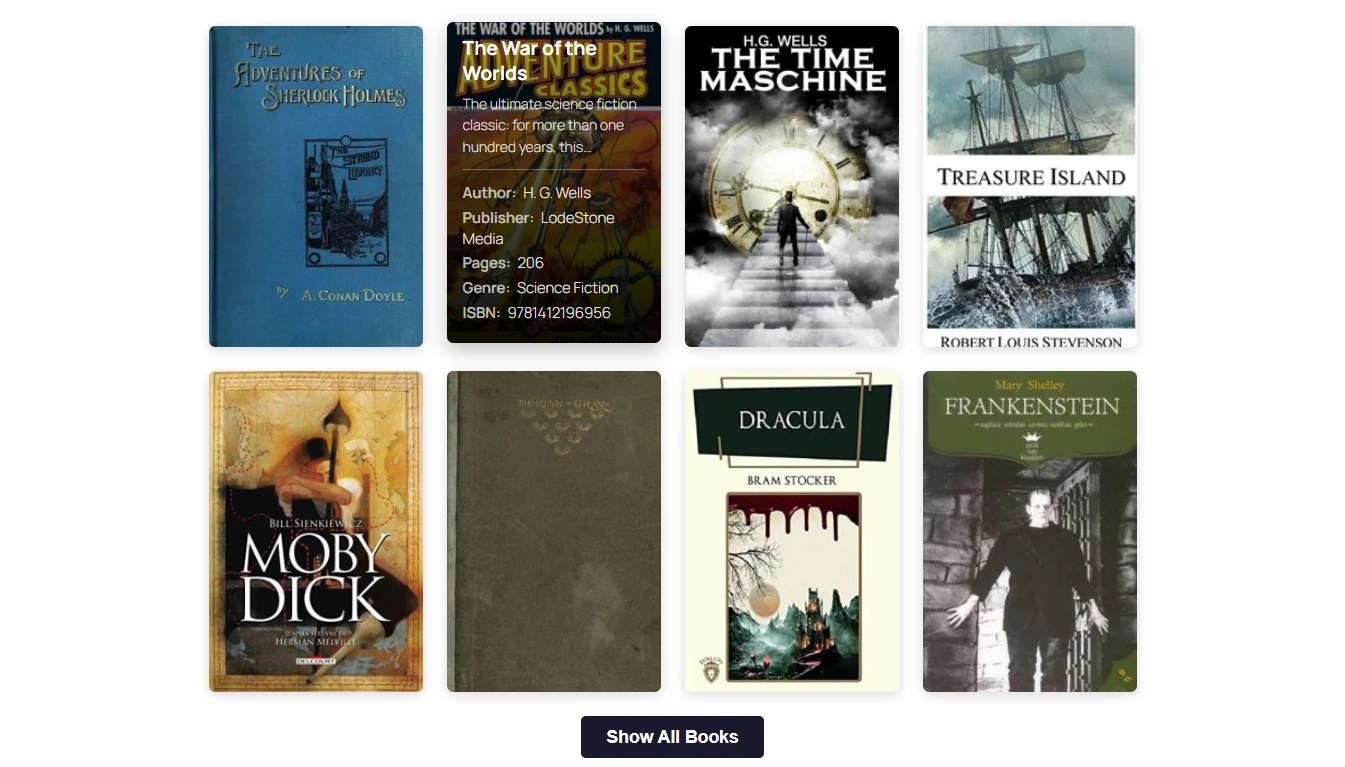
The catalog grid: the cover opens a panel with the book details, and the button below
loads the rest of the catalog without reloading the page.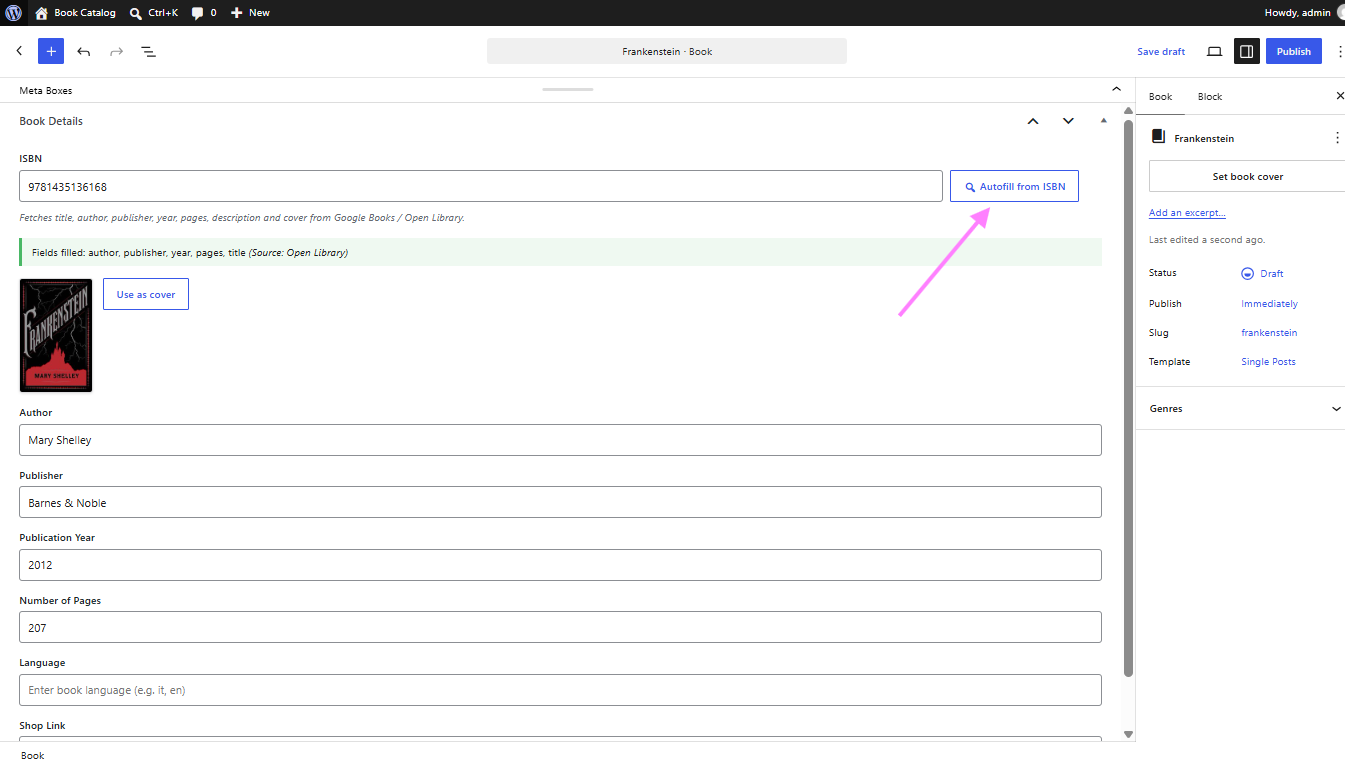
Autofill from ISBN in the book editor: one click fills the empty fields from Google
Books and Open Library, and the cover found can be imported as the featured image.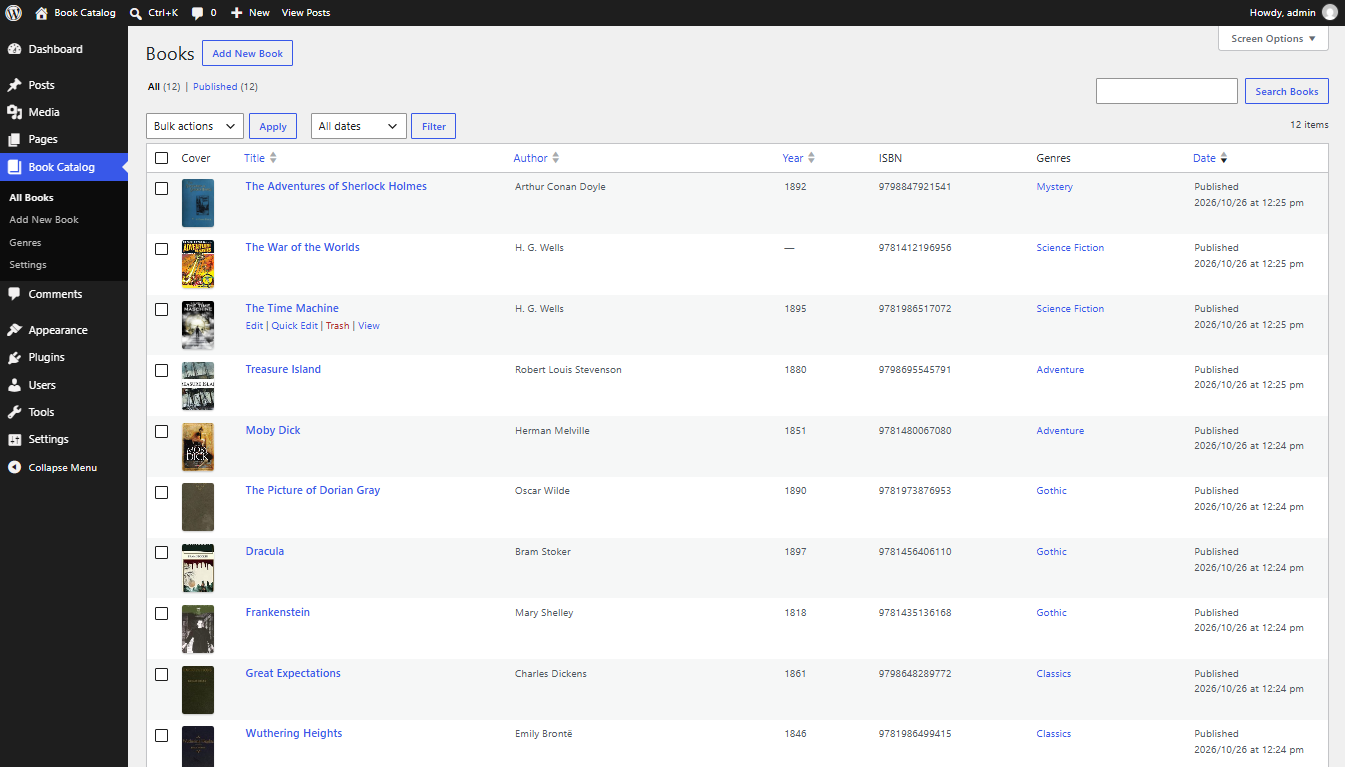
The books list in the admin, with the cover, author, year, ISBN and genre columns,
sortable by author and by year.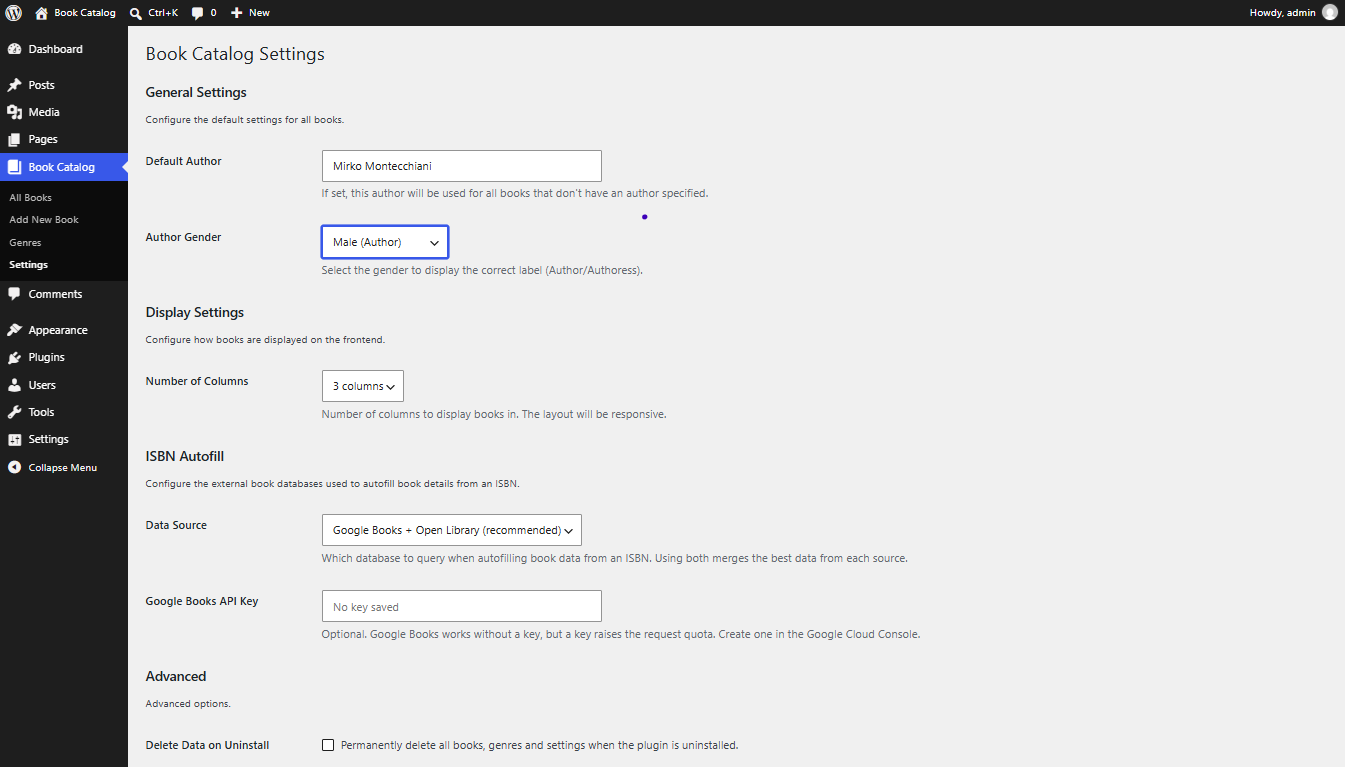
The settings page: default author, number of columns, which databases to query for the
ISBN autofill, and whether to delete everything on uninstall.