Moradas — Portuguese Address Autocomplete For WooCommerce Wordpress Plugin - Rating, Reviews, Demo & Download

Plugin Description
Customers type their address once and pick it from a list. The street, the postal
locality and the exact seven-digit postal code (CP7) are filled in for them — the
code that the carrier needs on the label, chosen by door number.
- One line is enough: “estrada malveira da serra 920” resolves to Estrada Malveira da Serra, Aldeia de Juzo, 2750-834
- Postal codes work as input too: “1000-098” fills in the locality and the street
- Forgiving matching: accents optional (sao joao), abbreviations (av Avenida), optional prepositions
- Larger towns are ranked first
- Free, no API key, no tracking, no account
Both checkouts. The plugin registers itself as a WooCommerce address
autocomplete provider, so the same suggestions appear in the Checkout Blocks
(the default checkout) and in the classic shortcode checkout. The suggestion
list itself is drawn by WooCommerce, so it follows your theme.
Only Portugal. Suggestions appear only when the selected country is
Portugal. Every field stays editable, and if the service is unreachable the
checkout keeps working as a plain form.
Requirements. WooCommerce 9.9 or newer for the Blocks checkout. On older
WooCommerce versions the plugin falls back to its own suggestion list in the
classic checkout.
External services
This plugin connects to the Moradas address API (https://moradas.dev), a free
public service run by the authors of this plugin, to turn what the customer types
into address suggestions and into the exact postal code. Without this service the
plugin has nothing to suggest.
When it is used: only on the checkout page and only when the country is Portugal,
while the customer types in the address field, and once more when a suggestion is
picked. Nothing is sent when the plugin is activated, in the WordPress admin, or
on any other page.
What is sent: the text typed in the address field (for example
“estrada malveira da serra 920”) and, when a postal code has to be resolved, the
identifier of the chosen street together with the door number. No name, e-mail,
phone number, order or account data is sent. The requests go from the customer’s
browser straight to the API, without cookies; like any web request, they include
the browser’s IP address and user agent. The service does not store the typed
text and keeps only hourly aggregate usage counts.
Terms of use and usage limits: https://moradas.dev/docs (section “Usage”)
Privacy policy: https://moradas.dev/privacy
Screenshots
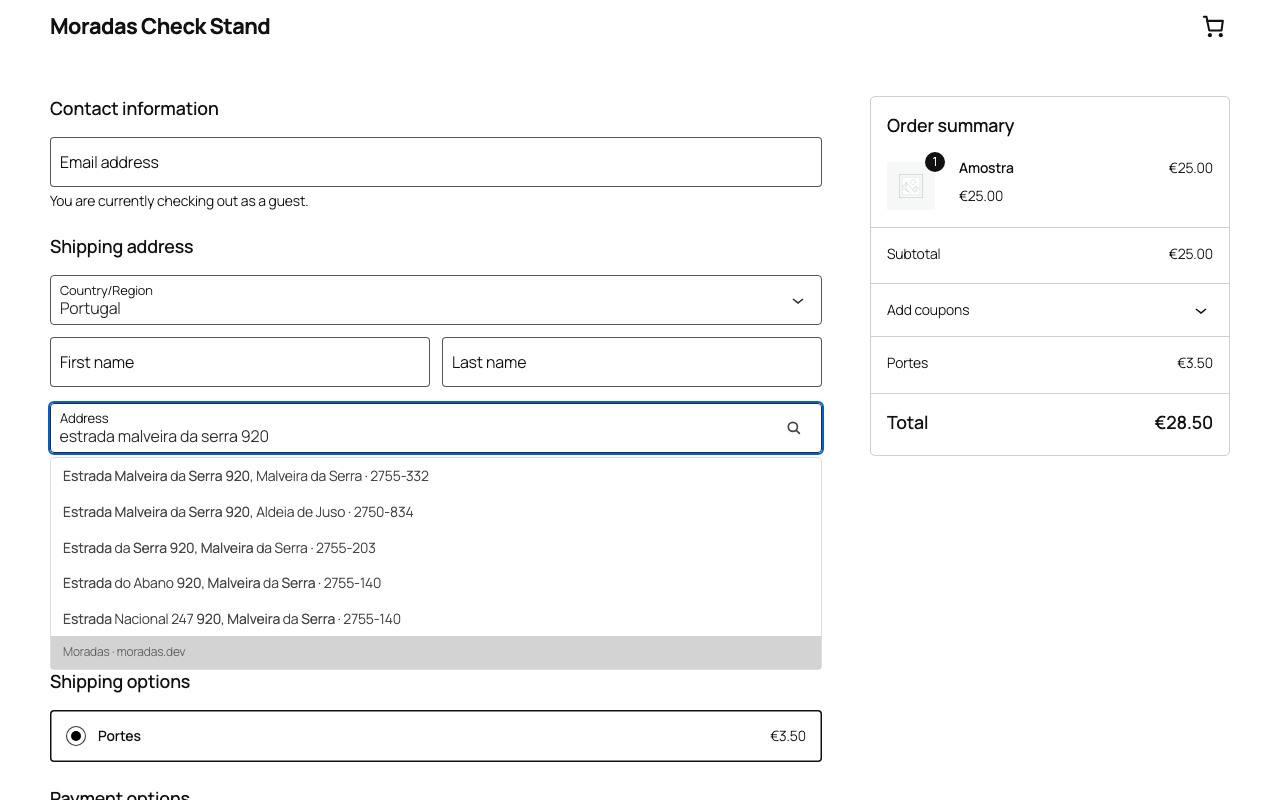
Suggestions in the Checkout Blocks: one line of input, the exact CP7 on the right.
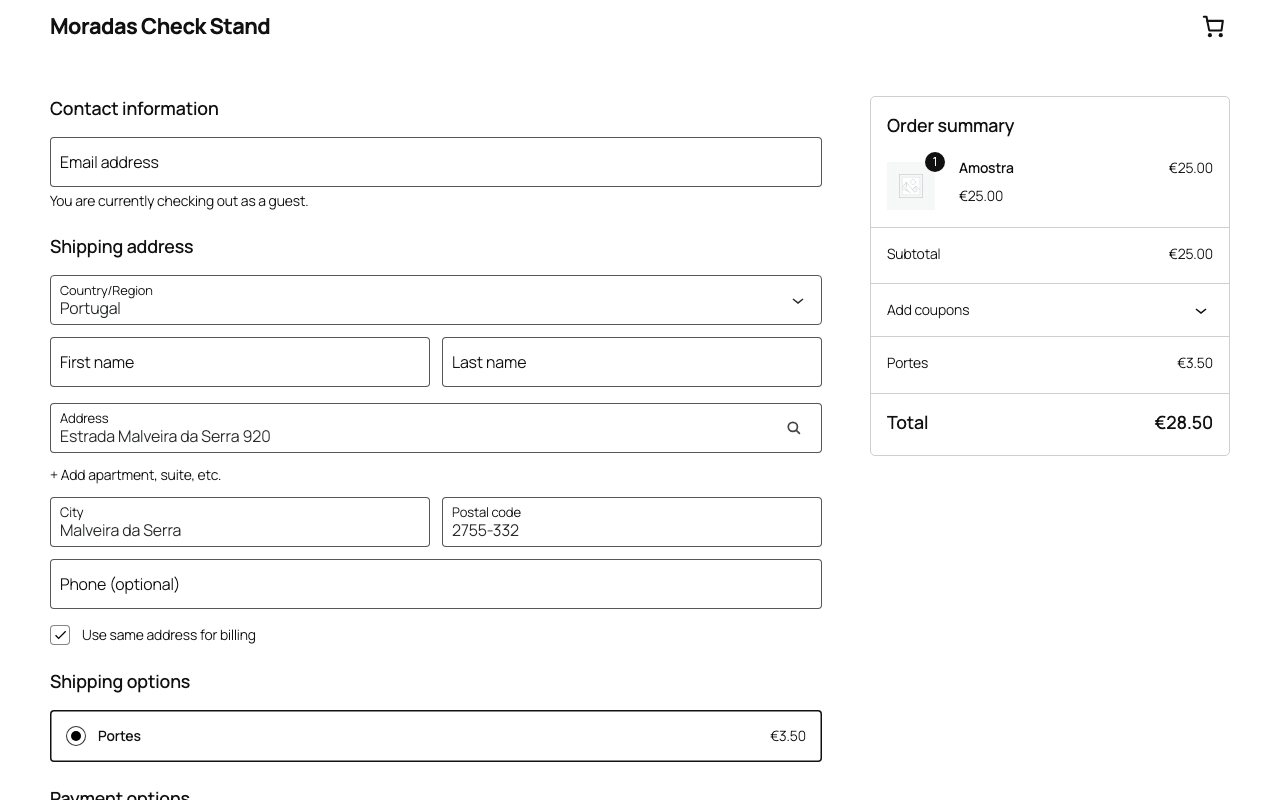
The same in the classic shortcode checkout.
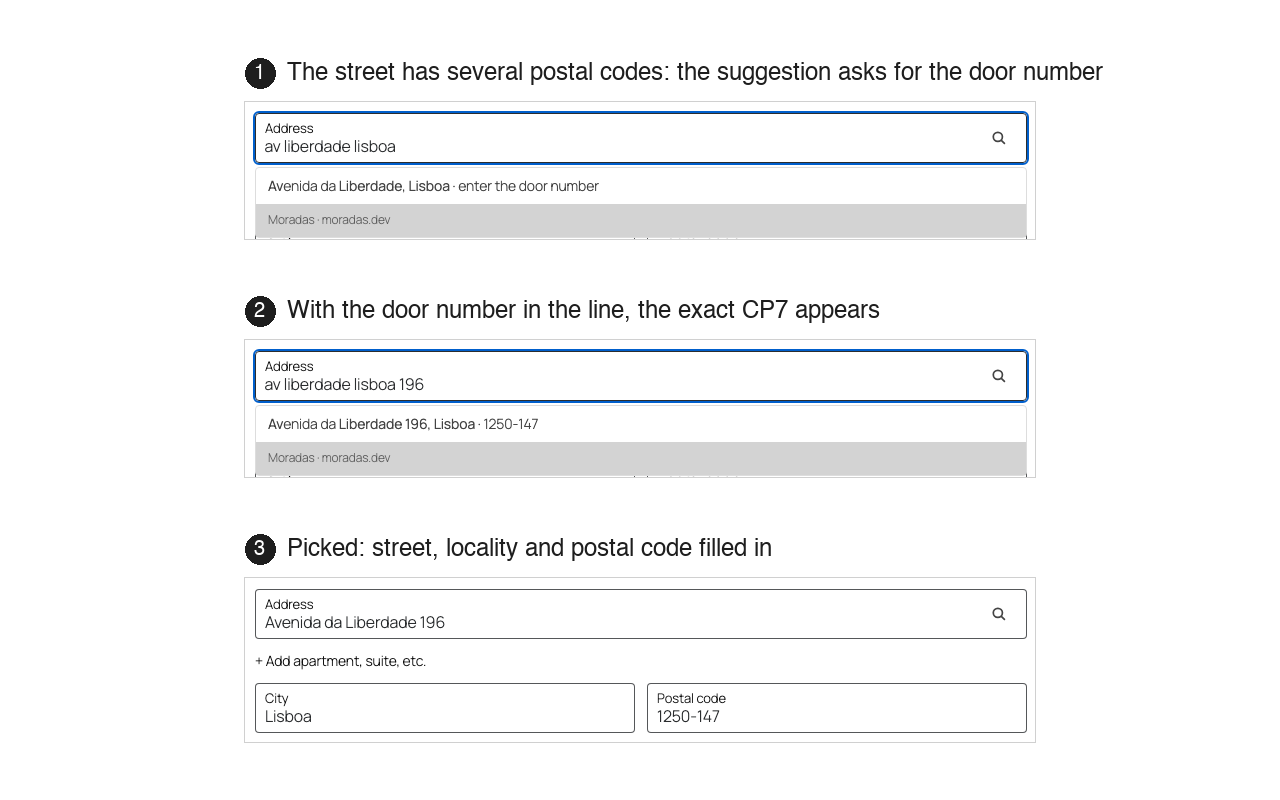
After picking a suggestion: address, locality and postal code filled in.