
Motqan Connector Wordpress Plugin - Rating, Reviews, Demo & Download

Plugin Description
Motqan Connector links your WordPress site to Motqan, an AI translation platform. Motqan reads your content, translates it, and publishes the translations back to your site.
What it does
- Tells Motqan when a page or post is published, updated or deleted, so the translation stays up to date.
- Works with Polylang, WPML, Bogo, MultilingualPress and TranslatePress. Translations are linked to their source page in your multilingual plugin.
- No multilingual plugin? Switch on the built-in mode: language list, language switcher,
/{lang}/URLs, hreflang tags, right-to-left languages, and translation of menus, widgets, categories and theme text. - Translates SEO titles and descriptions (Yoast, Rank Math and others), ACF fields, WooCommerce products, Elementor and other page builders, Contact Form 7 forms and media text.
- Clears common page caches after Motqan writes, so visitors see the new text.
You need a Motqan account to translate. Installing the plugin alone does not send anything anywhere.
Questions? Email support@motqan.ai.
External services
This plugin connects to the Motqan service (https://motqan.ai/), which translates your content. Nothing is sent until you connect the site to your Motqan account.
After you connect:
- When a page, post or other public content is published, updated, trashed or deleted, the plugin sends a short message to your Motqan account’s address. It contains the event name, the content type and the content ID, plus the secret token for your site. It does not contain the content itself.
- Motqan then reads and writes your content through the WordPress REST API, using the application password you approved.
Motqan Terms of Use and Privacy Policy.
The plugin also loads pages of your own site in the background (to collect theme text that needs translating). These requests stay on your site.
Screenshots
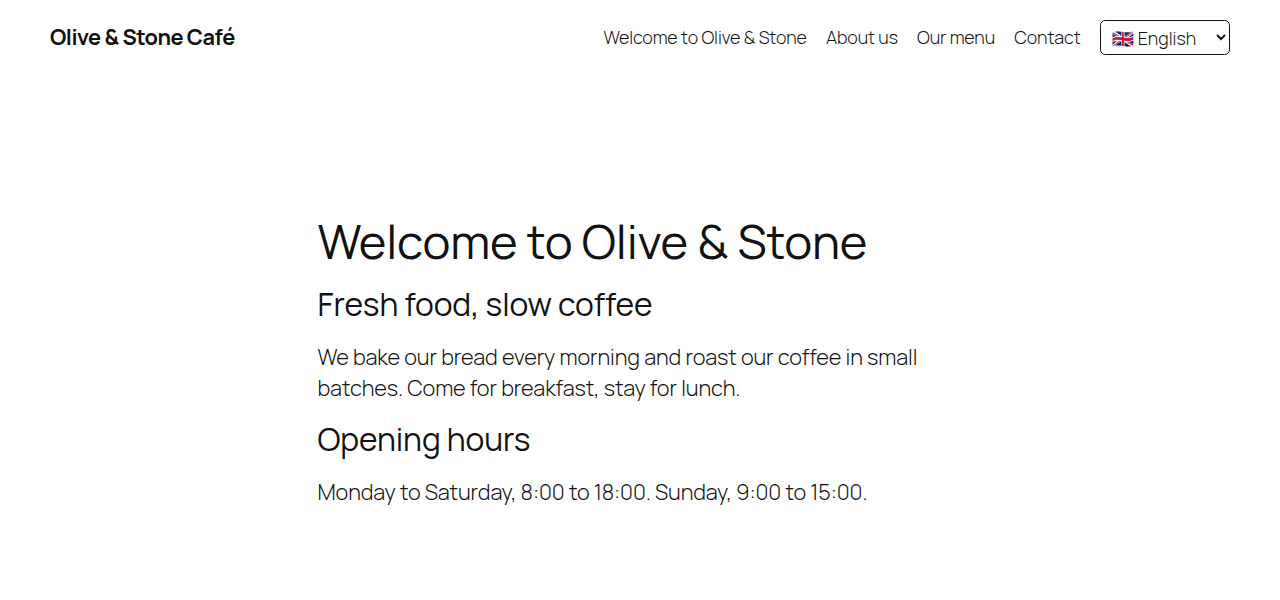
Your site with the language switcher, in the original language.
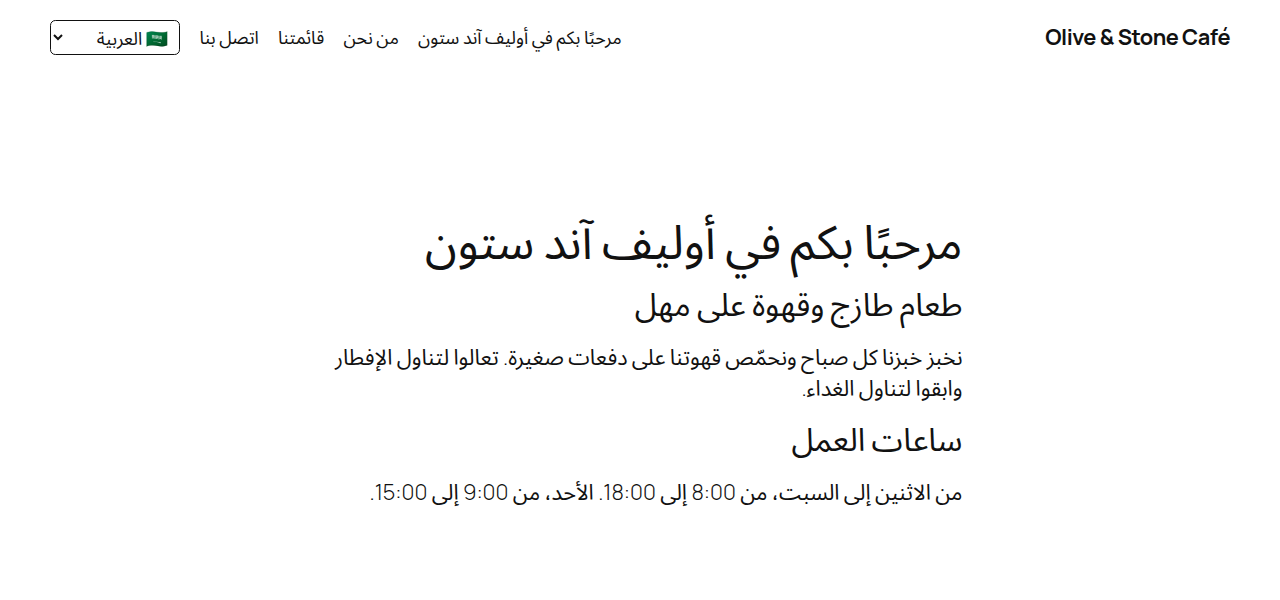
The same page in Arabic, published by Motqan, with right-to-left layout.
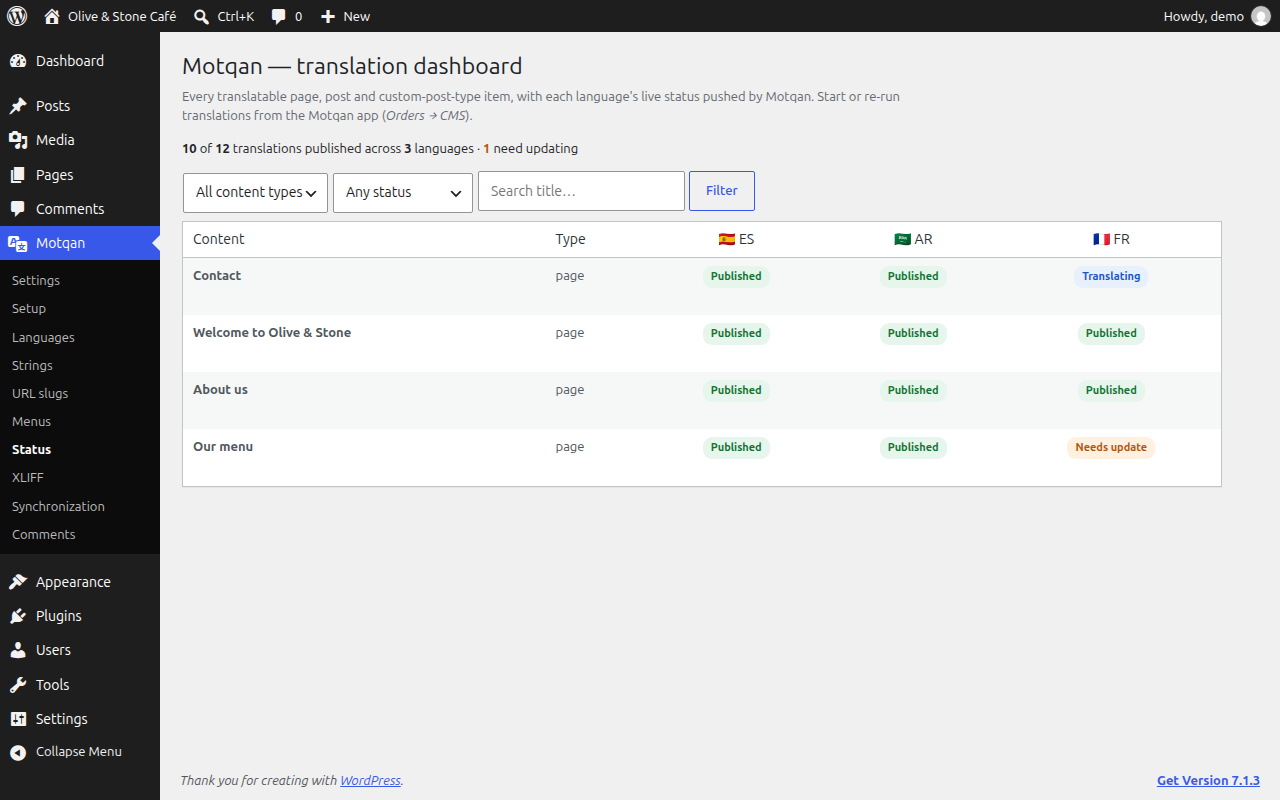
The translation dashboard: the status of every page in every language.

Languages: choose your languages, flags, locales and text direction.
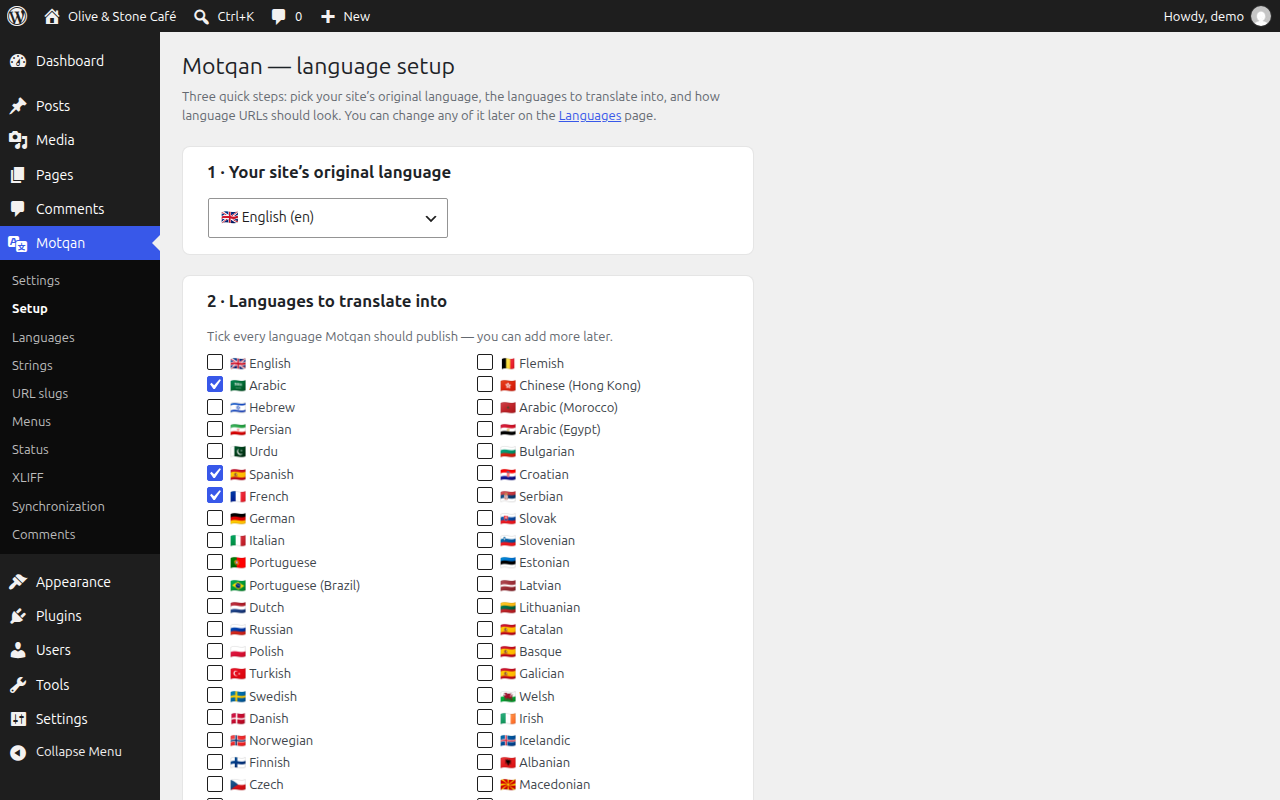
First-time setup: pick your site’s language and the languages to translate into.


