My Christmas Advent Calendar For WooCommerce Wordpress Plugin - Rating, Reviews, Demo & Download

Plugin Description
My Christmas Advent Calendar adds an advent calendar to your WooCommerce shop. Every box has an opening date and a reward. On that day, each logged-in customer can open the box once and see the reward in a dialog.
For your customers
- A grid of boxes, shown on any page with the
[codefaeries_advent_calendar]shortcode. - Four box states: locked, open today, opened, and missed for a past day left unopened.
- Today’s box takes the look of your theme’s main shop button, the other boxes a quiet surface drawn from your text color.
- One opening per box and per customer, checked again by the server.
- A short door opening effect, skipped for visitors who asked for reduced motion.
- Coupon rewards come with an “Apply to cart” button.
- Visitors who are not logged in see the grid and a link to log in or create an account.
For you
- 24 boxes dated December 1 to 24 are created on activation, each with a demo reward flagged until you replace it.
- A draft page holding the shortcode is created for you to review and publish.
- Set the opening date, label and reward of each box, and add or delete boxes.
- Reward a box with a text, or with a WooCommerce coupon you pick from your published coupons. Amount, validity and usage limits stay set in WooCommerce.
- A coupon won in a box is refused to customers who did not open that box.
- The calendar inherits the fonts, colors and buttons of your theme.
Your data stays on your site
My Christmas Advent Calendar calls no third-party service and loads nothing from another server.
Screenshots
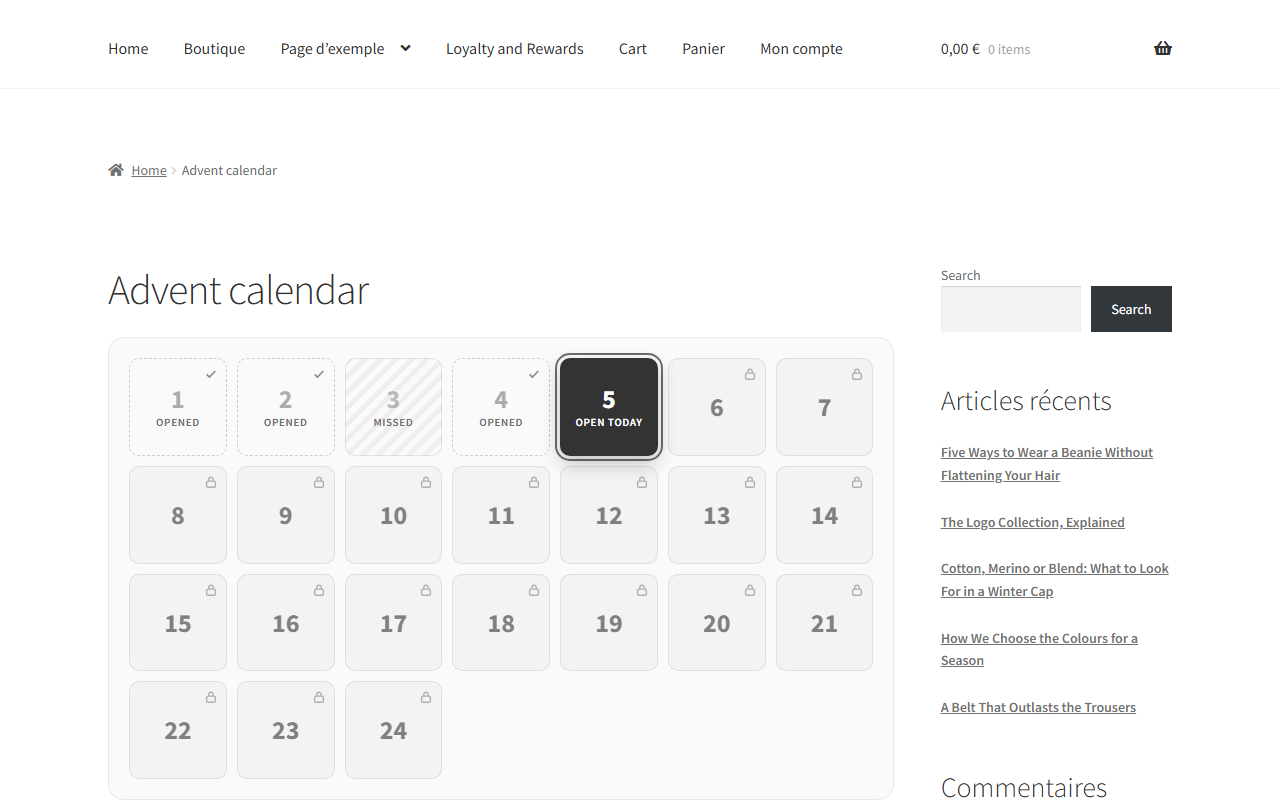
The calendar in a shop: opened boxes, a missed day, today’s box to open and the days to come.
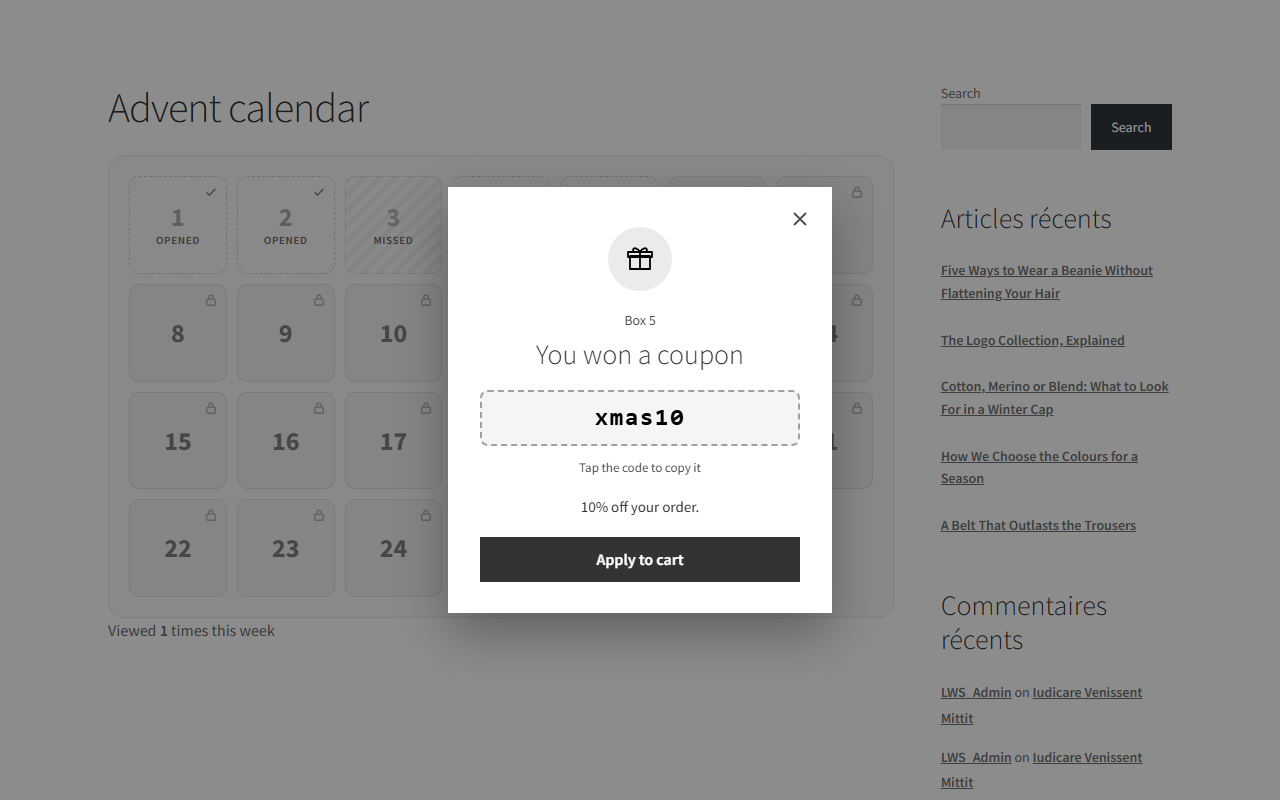
The reward window: a WooCommerce coupon to copy with a tap or apply to the cart.
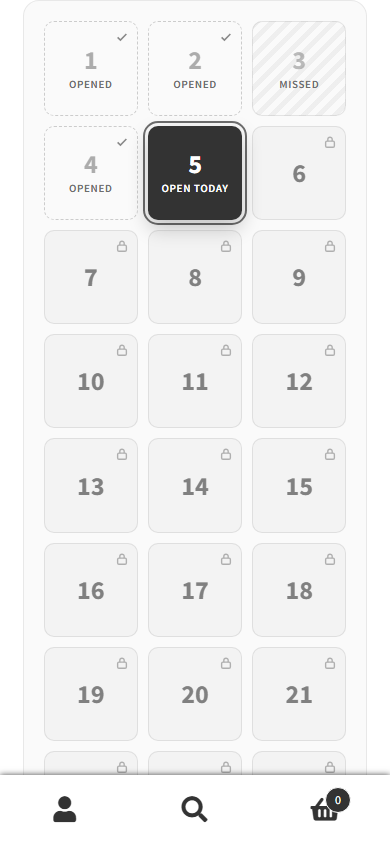
On a phone, the grid keeps three columns.
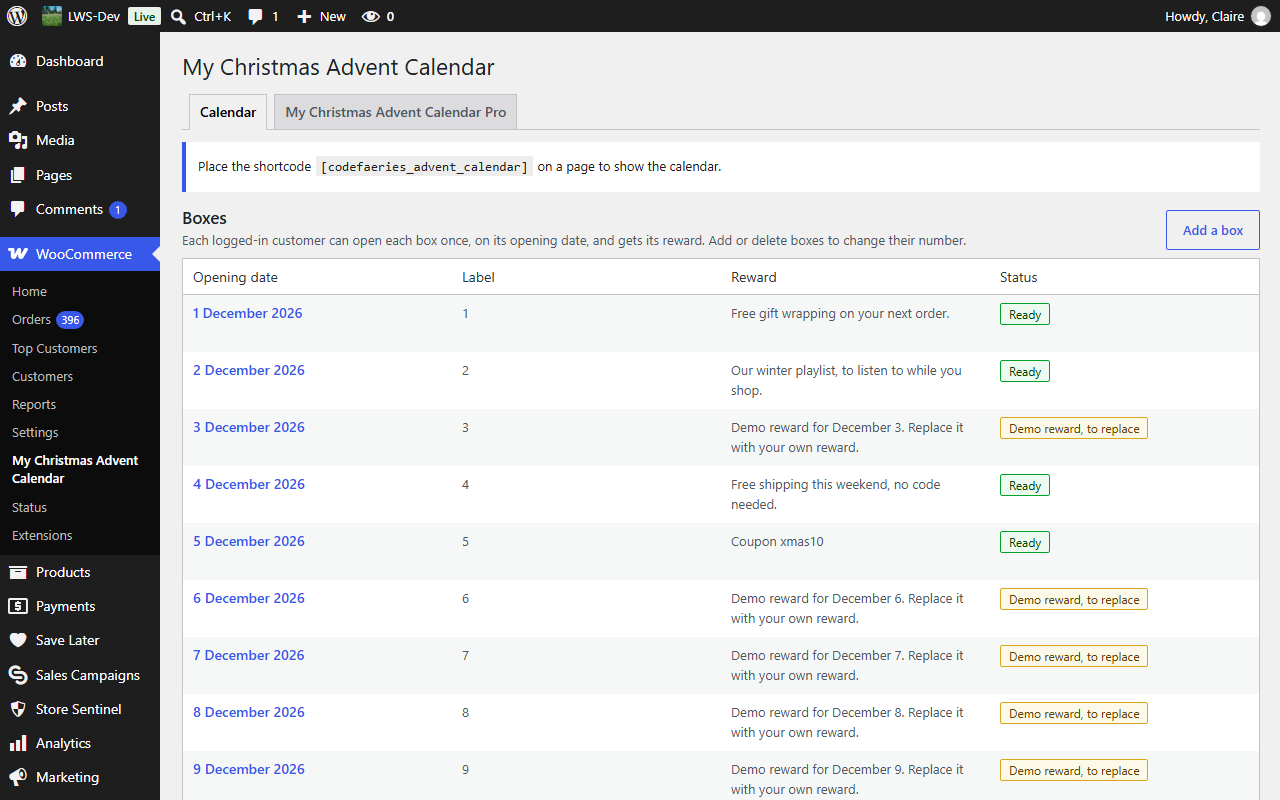
Your boxes in WooCommerce > My Christmas Advent Calendar, with the status of each reward.
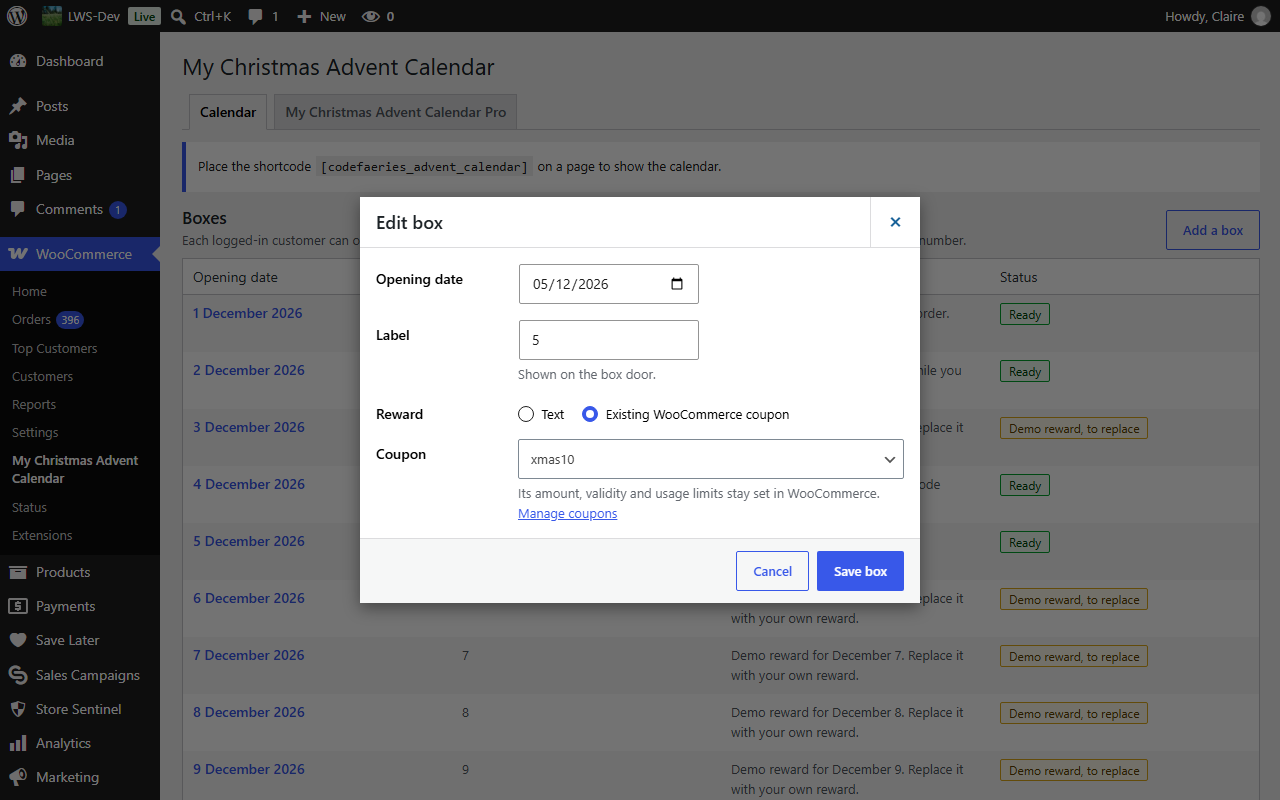
Editing a box: its opening date, its label, and a text or a WooCommerce coupon as reward.