My Woo Multi Currency WordPress Plugin – WooCommerce Currency Switcher - Rating, Reviews, Demo & Download
4
Average out of 4 ratings

$19
Plugin Description





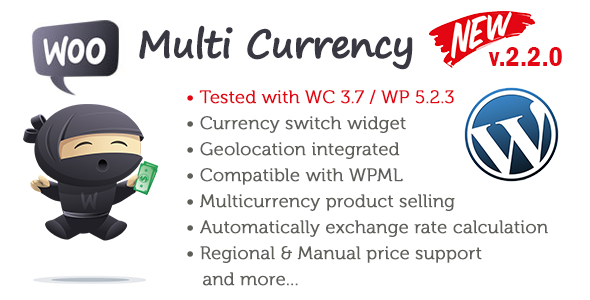
MyWoo Multi Currency is very flexible with many option for front-end display. You can setup and customize it in minute.
Features
- Pricing Regions Unlimited number of regions with the countries and currency that you need to your country-targeted pricing strategy.
- Product PricingYou can set product prices manually or leave them be calculated automatically by the exchange rate.
- Multiple Currencies Unlimited number of regions with the countries and currency that you need to your country-targeted pricing strategy.
- Custom Currency Symbol You can customize price and define default how it seems on site
- Exchange Rates You can set your own exchange rate.
- Checkout Refresh If users change the country on checkout page the price will change automatically.
- Payment Gateways It works with multi-currency payment gateways like Stripe.com, 2Checkout, PayPal Standard and PayPal Website Payments Pro.
- Discount Plugins Support It’s natively support WooCommerce Pricing Discounts plugins.
- Widget Switcher The widgets allows to add easily country switcher to your site.
- Currency Bar Switcher The Currency Bar Switcher allows you to add easily to your pages. You can customize it easily.
- Built-in Integrations It’s supports WooCommerce plugins ( Subscriptions, Product Bundles, Products Add-ons, Bookings, Composite Products and etc.).
- Compatible with WPML The Plugin is 100% compatible with WPML Plugin. You can easily use them together.
- Geolocation integrated MyWoo Multi Currency uses the WooCommerce Geolocation function to display price and currency based on customer country.
- Support Shortcodes MyWoo Multi Currency is support shortcodes. [ mywoomc_country_selector other_countries_text=”My text” ]
Documentation
- Plugin Screenshot
- Minimum requirements
- Installing Plugin
- WooCommerce Geolocation Confuguration
- Cache support on Geolocation
- General Settings
- Setup Regions
- Testing
- Currency Switcher Widgets
- Currency Bar Options
- Shortcodes
Changelog
Version: 2.2.0 (11 September 2019) Current Stable
- 100% TESTED with latest version of WooCommerce (3.5.7)
- Added NEW WP (5.2.3) Compability
- Fixed Carts Update
- Fixed Regions Updating
Version: 2.1.1 (20 Mart 2019)
- Fixed Regions Adding
- Fixed Regions Updating
Version: 2.1.0 (4 January 2019)
- Added Font-Family on General option
- Added widget customize font-size function
- Fixed Widget Classic Switcher
- Fixed Modern Switcher
- Added title color for Currency Bar
- Added Font size for Currency Bar
- Fixed minor bugs
Version: 2.0.0 (5 September 2018)
- Adding Currency Bar Switcher
- Adding widget support for modern style
- Cache support fixing
- Fixed and full compatible with WooCommerce 3.0+
- Full WPML compatible
- Optimized Add Regions options
- Optimized Widget Classic Switcher Section
- Adding custom flag sizes (16px, 24px, 32px, 48px)
- Style option for Mondern Widget switcher (Style 1 – tiny size / Style 2 – medium size)
- Currency Bar Options section and optmizing
- CBS (Currency Bar Switcher) title customize
- CBS background color option
- CBS position option
- CBS text color option
- CBS main color option
- CBS enable/disable on Checkout Page
- CBS enable/disable on CART Page
- CBS enable/disable on CART Page
- CBS enable/disable on other page
- Adding support WooCommerce Product Add-ons
- Adding support Simple product
- Adding support Grouped product
- Adding support External/Affiliate product
- Adding support Variable product
- Adding support WooCommerce Product Bundles
- Adding support WooCommerce Bookings
- Adding support WooCommerce Composite Products
- Adding support WooCommerce Subscriptions
- Optimized for WordPress 4.9+
- Added Online Documentation and easy support
- Multiple Payment Gateways Supports
- WC Discount Plugins Support
- WC Geolocate integration and Caching support
- Shortcode optimizing
/*** Version: 1.0 (7 March 2016) - depreciated  ***/
-Price Based on Billing Country
-Price Based on Shipping Country
-Multi Currency Support
-Caching support
-Enable test mode
-Custom test country
-Adding Region section
-Define Currency for regions
-Adding manual exchange rate
-Adding wiget support for classic style
-Adding widget customize CSS option
-Adding flag support
-Adding shortcodes