MyTsys Animated Location Map Wordpress Plugin - Rating, Reviews, Demo & Download
Plugin Description
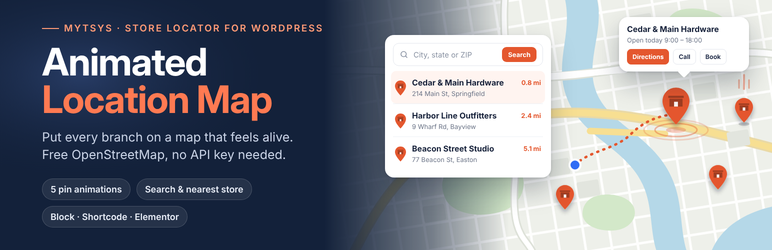
MyTsys Animated Location Map puts your branches on a map that actually feels alive. Markers drop, pop, ripple, float or sway. Clicking one opens a card with the shop name, address and phone number that you typed in yourself.
Out of the box there is no API key to find: maps are drawn with Leaflet and free OpenStreetMap tiles, so activation to working map takes one click. If you would rather use Google Maps, switch the engine in Map settings and paste your own Google key. A guided panel links each step of getting one, and a Test this key button tells you whether it works before you save.
What you get
- Five marker animations: Drop, Pop, Ripple, Float, Sway
- Twelve pin shapes including a shop front and a mobile phone, each recolourable
- Hover a pin to see the place name without opening the card
- Map presets: save a different look for each page and pick it by name
- Adjustable list text size, with addresses, buttons and spacing scaling to match
- Adjustable split: set how much width the list takes and the map fills the rest
- Search box: visitors type a city or postcode and the list and map narrow to matches
- Route to the nearest shop drawn on the map, with turn by turn directions from the postcode searched
- Use my location: one tap ranks your shops by distance from the visitor
- Browse by area: states or cities listed with the number of shops in each
- Nearby search: a postcode with no exact match is located and your shops are ranked by distance from it
- Six layouts: list left, list right, list floating over the map, cards below the map, list behind a button, or map alone
- Call, Directions, Hours, Book and View details buttons on every location row
- View details links to a page on your site or to any web address
- Optional opening hours and booking link per location
- A details card on every pin with name, address and a tappable phone number
- One-click configuration that loads five sample US locations you can edit or trash
- Two engines you can switch between at any time: OpenStreetMap (keyless) or Google Maps (your key)
- Four keyless map styles, plus Google’s roadmap, terrain, satellite and hybrid
- Colour controls for the pin, the card background and the card text
- Theme colour matching: configuration reads the palette your theme publishes and adopts it
- A shortcode, a block, and an Elementor widget
- An optional address lookup button that fills in coordinates for you
Placing a map
Use the Location Map block, the Elementor widget, or the shortcode:
[mytsys_location_map]
Pages that still use the shortcode from before the rename, [animated_location_map], keep working.
Attributes: preset, engine, animation, pin, color, surface, on_surface, provider, height, view (fit, first, custom), zoom, focus_zoom, lat, lng, ids, layout (split-left, split-right, overlay, stacked, toggle, map-only), search, search_label, nearby, radius, units, geolocate, browse, browse_by, list_size, panel_width, title, subtitle, scroll, limit.
External services
This plugin connects to third-party services. Below is what each one is,
when it is contacted, and what is sent.
Google Maps Platform (optional)
Used only if you set the map engine to “Google Maps” and save your own API
key. When a page containing a map is viewed, the visitor’s browser loads
the Maps JavaScript API from maps.googleapis.com and requests map imagery.
This sends the visitor’s IP address, browser user agent, the map area being
viewed, and your API key. Nothing is sent to Google while the default
OpenStreetMap engine is selected, and nothing is sent from the WordPress
admin except when you press “Test this key”.
The API key belongs to you: the plugin never supplies one and cannot create
one on your behalf.
Terms of service: https://cloud.google.com/maps-platform/terms
Privacy policy: https://policies.google.com/privacy
OpenStreetMap tiles
Used when the map engine is set to OpenStreetMap and the map style is
“OpenStreetMap standard”. The visitor’s browser requests tile images from
tile.openstreetmap.org, sending its IP address, user agent, and the tile
coordinates needed.
Tile usage policy: https://operations.osmfoundation.org/policies/tiles/
Privacy policy: https://osmfoundation.org/wiki/Privacy_Policy
CARTO basemaps
Used when the map style is Voyager, Positron or Dark Matter. The visitor’s
browser requests tile images from basemaps.cartocdn.com, sending its IP
address, user agent, and the tile coordinates needed.
Terms of service: https://carto.com/legal/
Privacy policy: https://carto.com/privacy/
OpenStreetMap Nominatim geocoding
Used in two situations. In both, your server (never the visitor’s browser)
sends the text being looked up to nominatim.openstreetmap.org and receives
back a latitude and longitude.
First, in the admin, to find a location’s coordinates from its address. This
happens when an editor presses “Find coordinates from address”, when a
location is saved with an address but no coordinates, and when the “Look up the missing coordinates” button on the Locations screen
is used.
Second, when a visitor types a city or postcode in the map’s search box and
presses Enter or Search. Your server sends that search term to find out
where it is, so distances to your locations can be measured and the way to
the closest drawn. To steer the answer towards the right country, the
request also carries the area your locations cover and, if you set one,
the country to limit searches to. The visitor’s browser never contacts the service,
and their IP address is never sent to it. This lookup does not run while
someone is typing, and never runs on page load. Results are cached on your
server for a month and shared between visitors, so a repeated search costs
nothing. Turn it off under Map settings if you would rather it never ran.
No visitor data is sent in either case. Each request contains the address,
place name or postcode being looked up, your site’s language, and, as the
Nominatim usage policy requires, a user agent naming this plugin, its version
and your site’s address so the service can identify where requests come from.
Searches are also throttled per visitor and for the whole site.
Usage policy: https://operations.osmfoundation.org/policies/nominatim/
Privacy policy: https://osmfoundation.org/wiki/Privacy_Policy
Bundled libraries
Leaflet 1.9.4 is bundled in assets/vendor/leaflet/ and served from your own
site. It is released under the BSD 2-Clause licence, included alongside it.
Screenshots
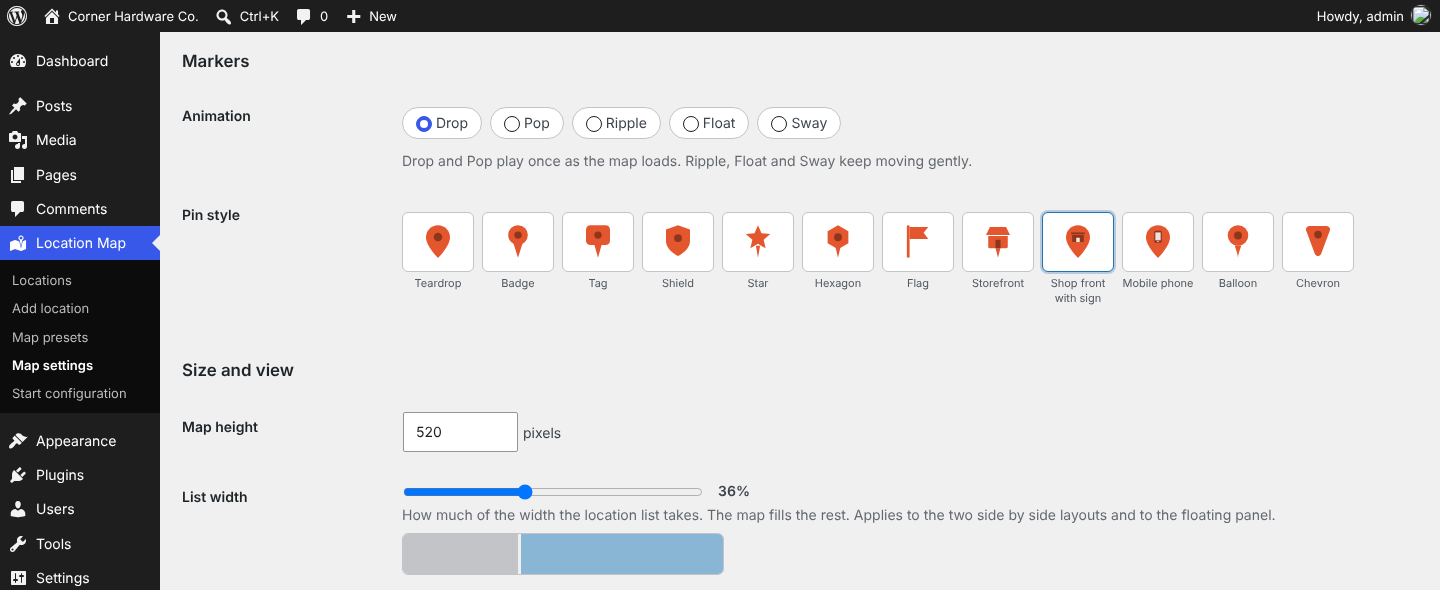
The pin picker in Map settings.
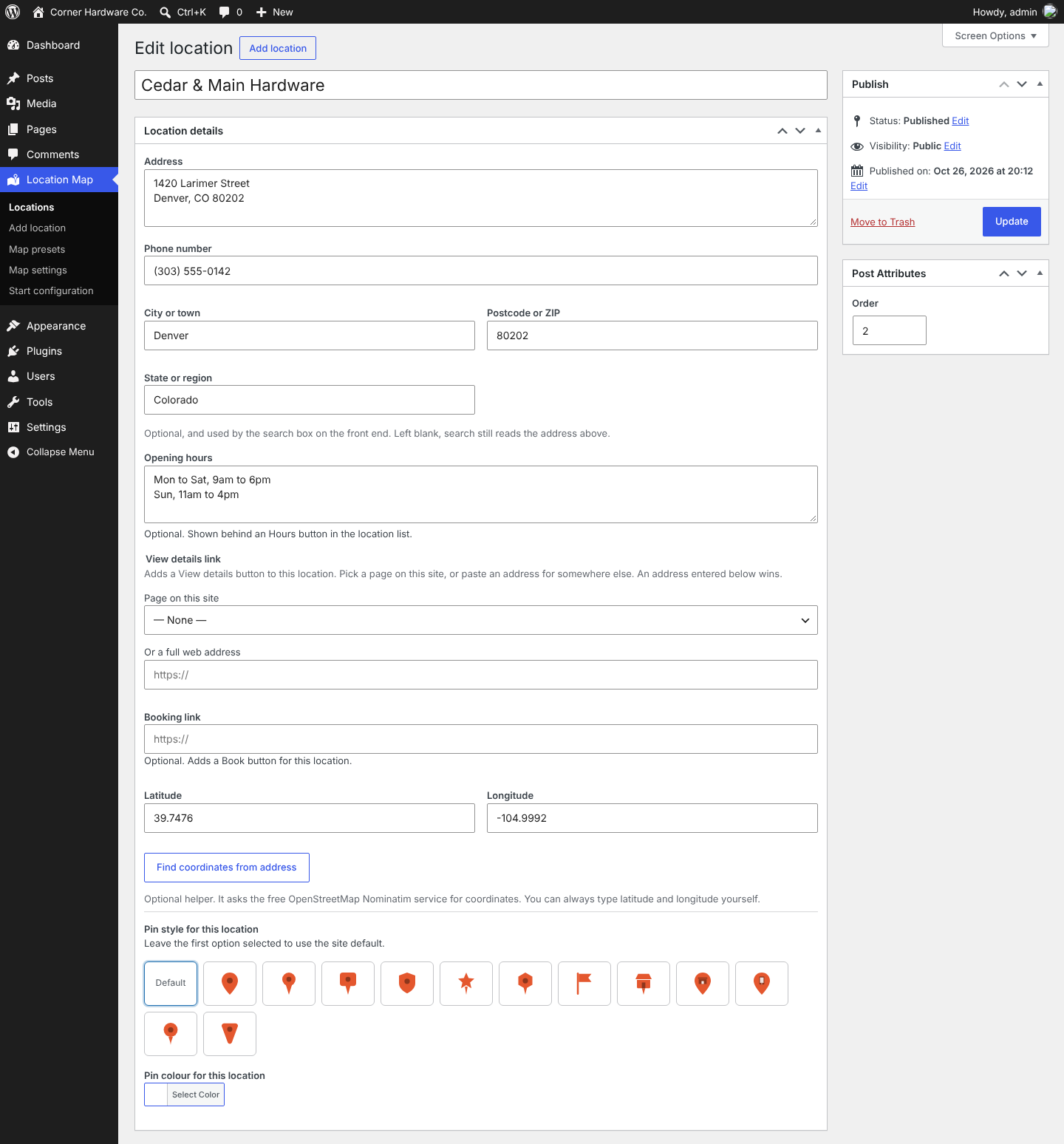
Editing a location’s address, phone number and pin.
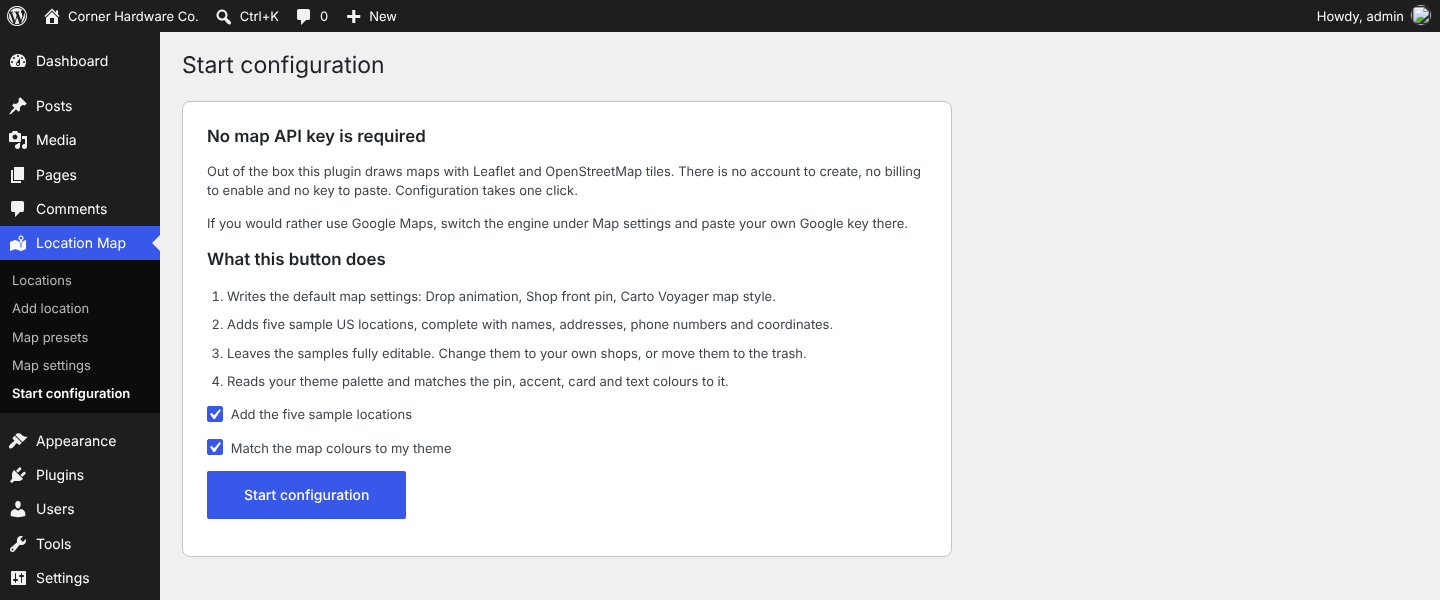
The one-click configuration screen.