NB Accessibility Wordpress Plugin - Rating, Reviews, Demo & Download
Plugin Description
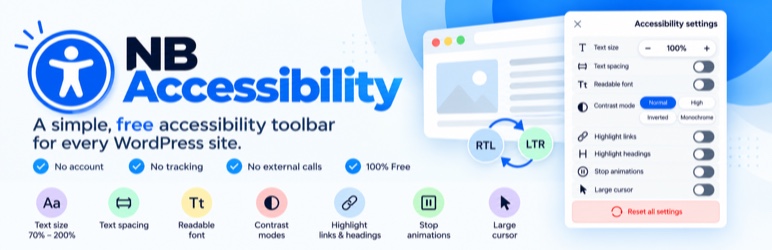
NB Accessibility adds a clean, keyboard-operable accessibility toolbar to your site — completely free, with no account, no tracking, and zero external network calls. Everything runs locally in the visitor’s browser.
Toolbar features (each can be toggled in settings):
- Text size (70%–200%)
- Text spacing
- Readable font
- Contrast modes: high, inverted, monochrome
- Highlight links & headings
- Stop animations
- Large cursor
- Reset + link to your accessibility statement page
Simple by design: activate the plugin and the toolbar is live. No setup wizard, no account, and nothing to configure unless you want to.
9 languages, RTL and LTR: the toolbar follows your site’s language and direction automatically. Translations for English, Spanish, German, French, Italian, Portuguese, Arabic, Persian and Hebrew are built in, including regional variants such as Mexican Spanish, Swiss German and Canadian French. More languages can be added through translate.wordpress.org. No language setting to fiddle with.
Works on every screen: the toolbar adapts to desktop, tablet and mobile, and is fully usable by touch and keyboard.
Privacy by architecture: visitor preferences are stored only in their own browser (localStorage). The plugin never contacts external servers and collects no data.
Honest scope: this is a usability toolbar for your visitors. It does not claim to make your site compliant with any law or standard — no plugin can promise that.
Screenshots

The toolbar opens in one click, shown here on a fashion store.

Bigger text and a readable font.

High contrast mode with highlighted links.

Monochrome mode with highlighted links and headings.

Works on mobile too.

Simple settings: button position, color, statement page, features and exclusions.