Neutrope Marketing Desk Wordpress Plugin - Rating, Reviews, Demo & Download

Plugin Description
Neutrope Marketing Desk is a marketing support plugin for WordPress.
It helps small businesses and busy website managers start practical marketing improvements directly inside WordPress. You can manage leads from Contact Form 7, create and track CTAs, review improvement suggestions, and compare improvement results after changes.
Instead of showing numbers only, Marketing Desk helps you understand what is happening and what to do next.
Main features
- Lead management for Contact Form 7 submissions
- Lead status management and internal notes
- A dashboard for leads, inquiries, CTA activity, and recent improvements
- Weekly improvement suggestions based on the current site situation
- CTA creation, shortcode display, automatic placement, and click tracking
- Improvement action history
- 7-day and 14-day result comparison for applied improvements
- CSV export for lead data
- Settings for data retention and uninstall behavior
- Works without Google Analytics or Search Console integrations
Who is this for?
Marketing Desk is designed for small businesses, service businesses, B2B sites, and website managers who want to improve inquiry flows without starting with a complex enterprise marketing automation tool.
Contact Form 7 integration
The current release focuses on Contact Form 7. After you select a target form in the setup wizard, submissions from that form can be saved as leads and shown in the Marketing Desk lead screens.
Google integrations
Google Analytics, Search Console, and Tag Manager are not required. Marketing Desk can be used on its own. Google integrations may be considered separately, but the current release does not require them.
Screenshots
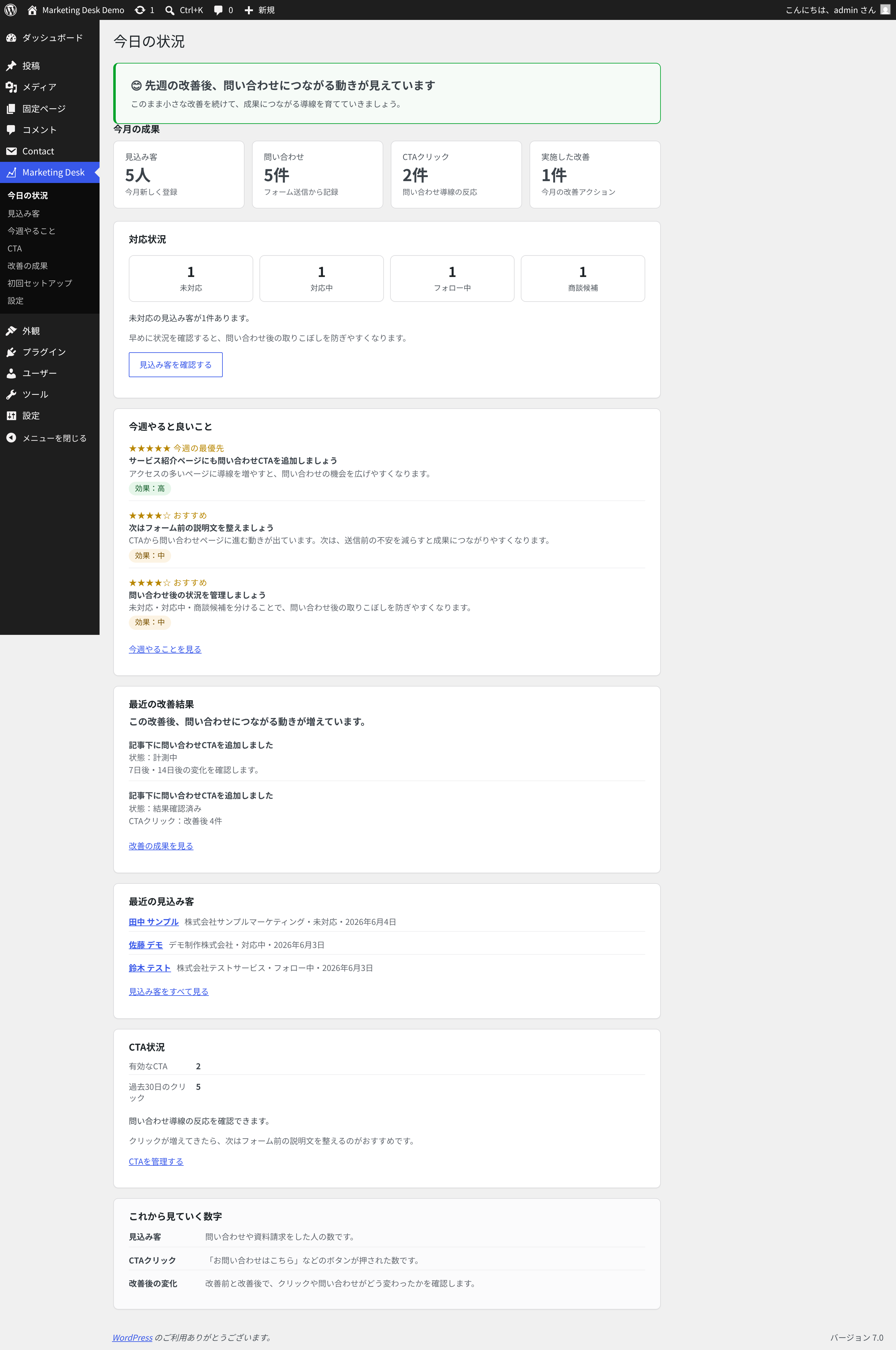
Dashboard with leads, inquiries, CTA activity, recommendations, and recent improvement results.
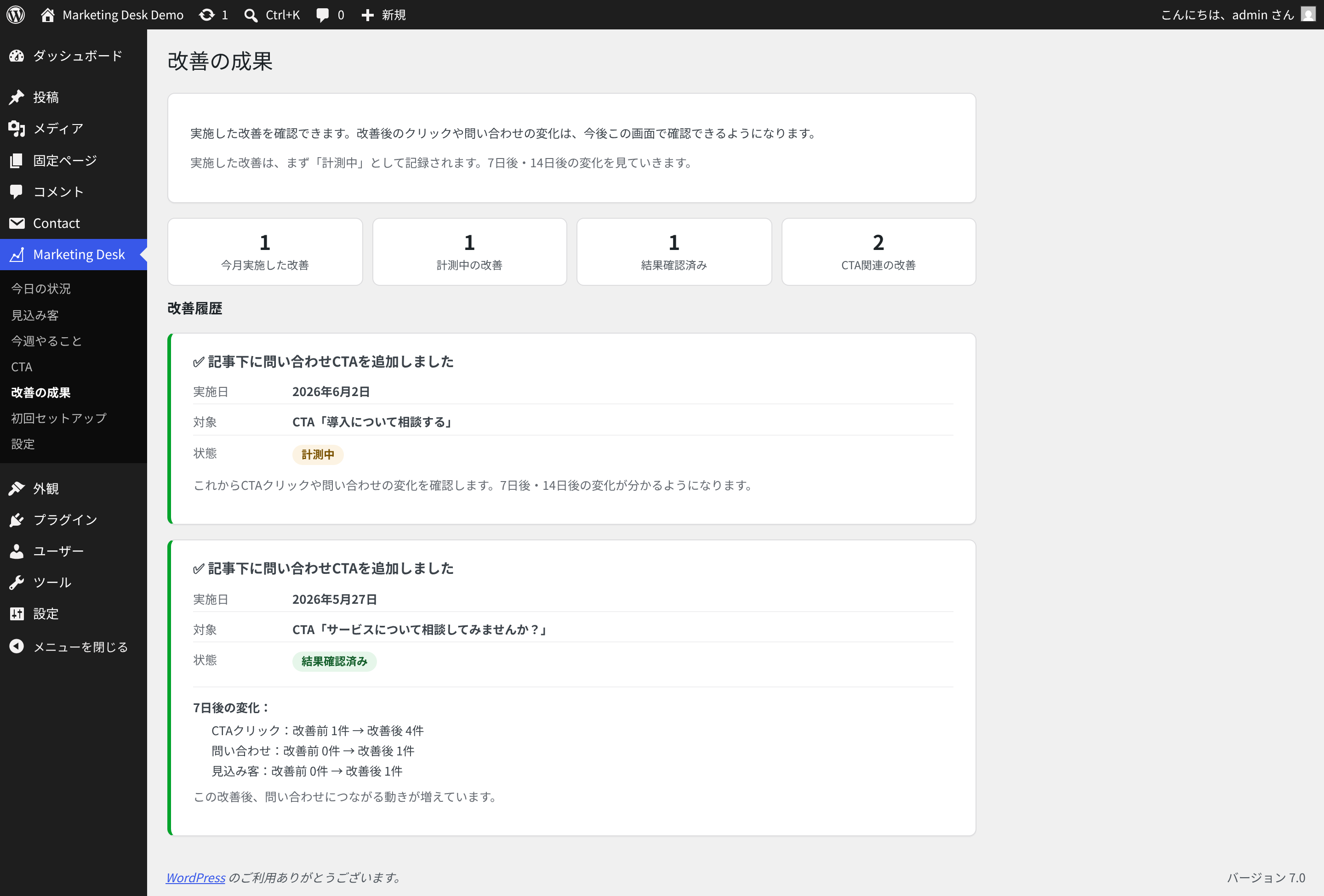
Improvement results comparing activity before and after applied changes.
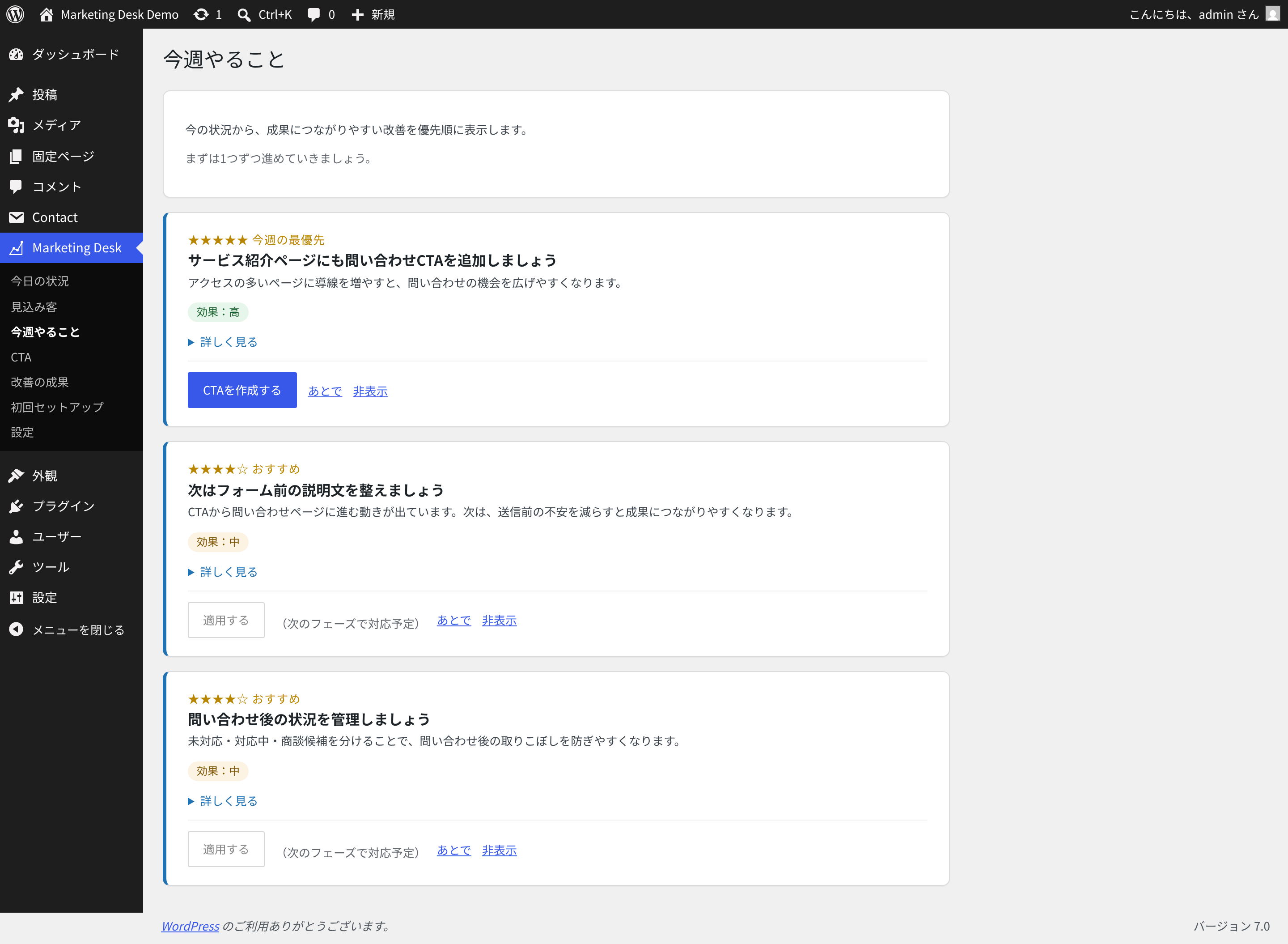
Weekly improvement suggestions for inquiry flows and CTA actions.
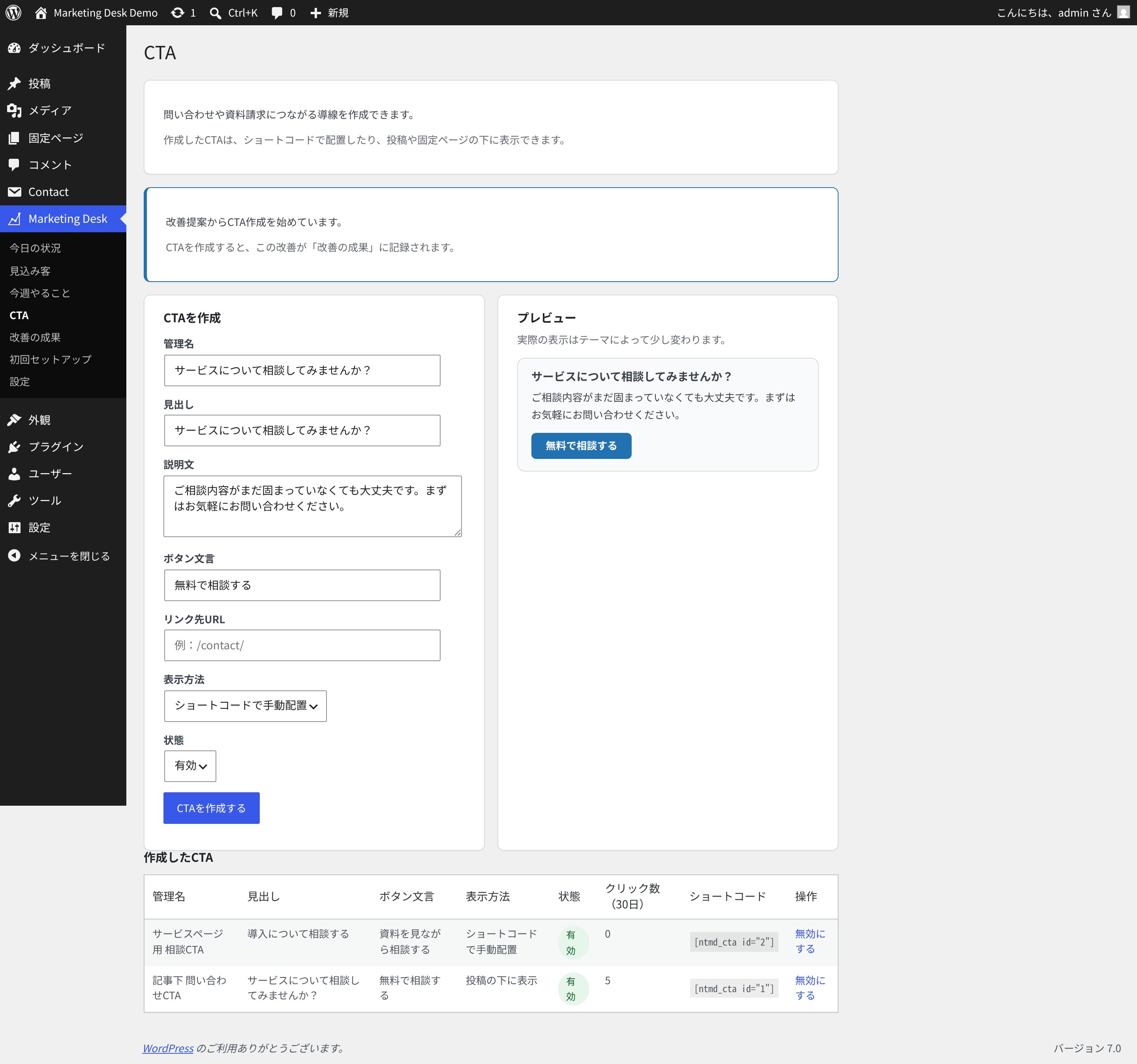
CTA creation screen with title, body, button label, URL, and display settings.
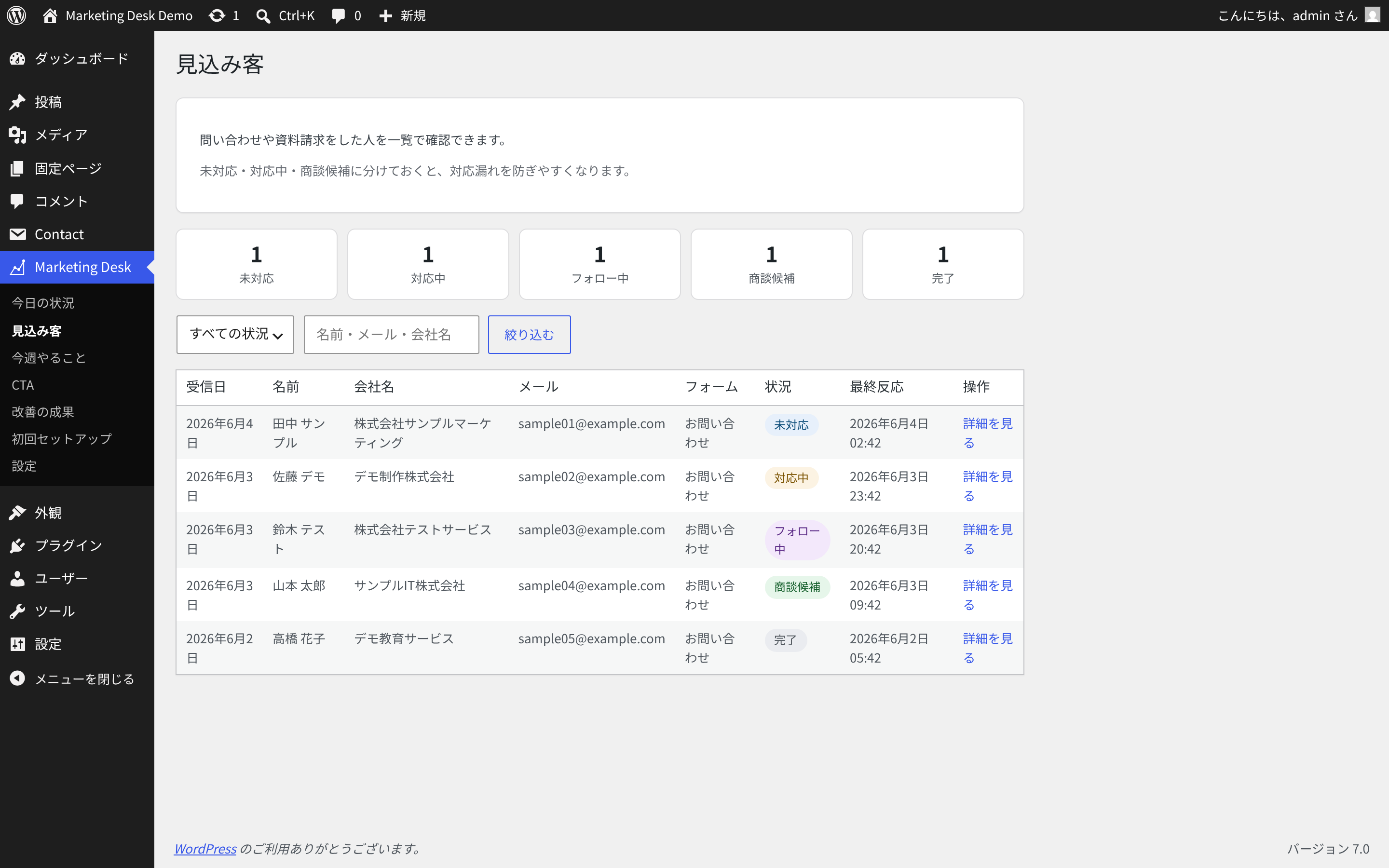
Lead list for Contact Form 7 submissions.
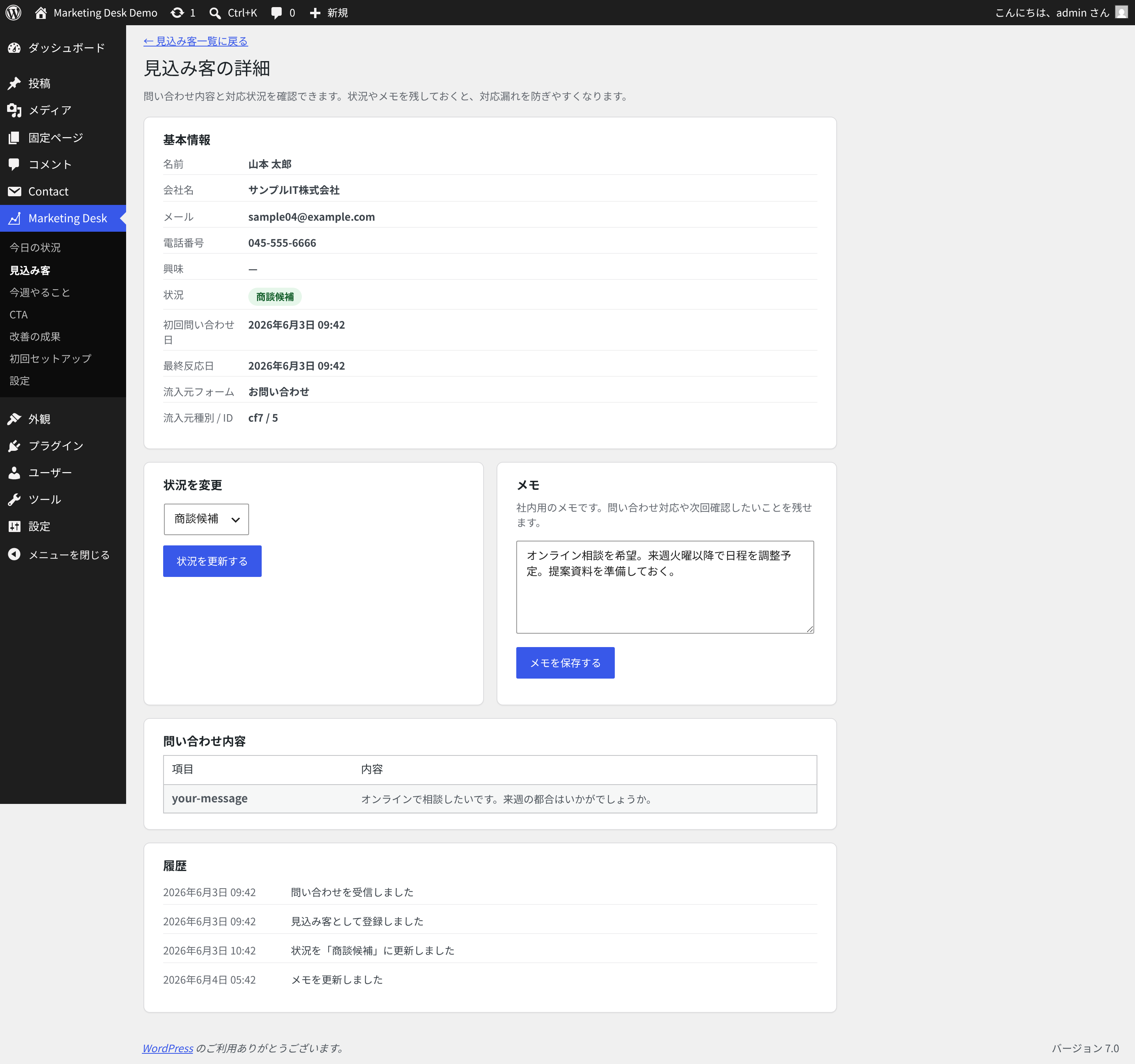
Lead detail screen with status, notes, submitted fields, and activity history.
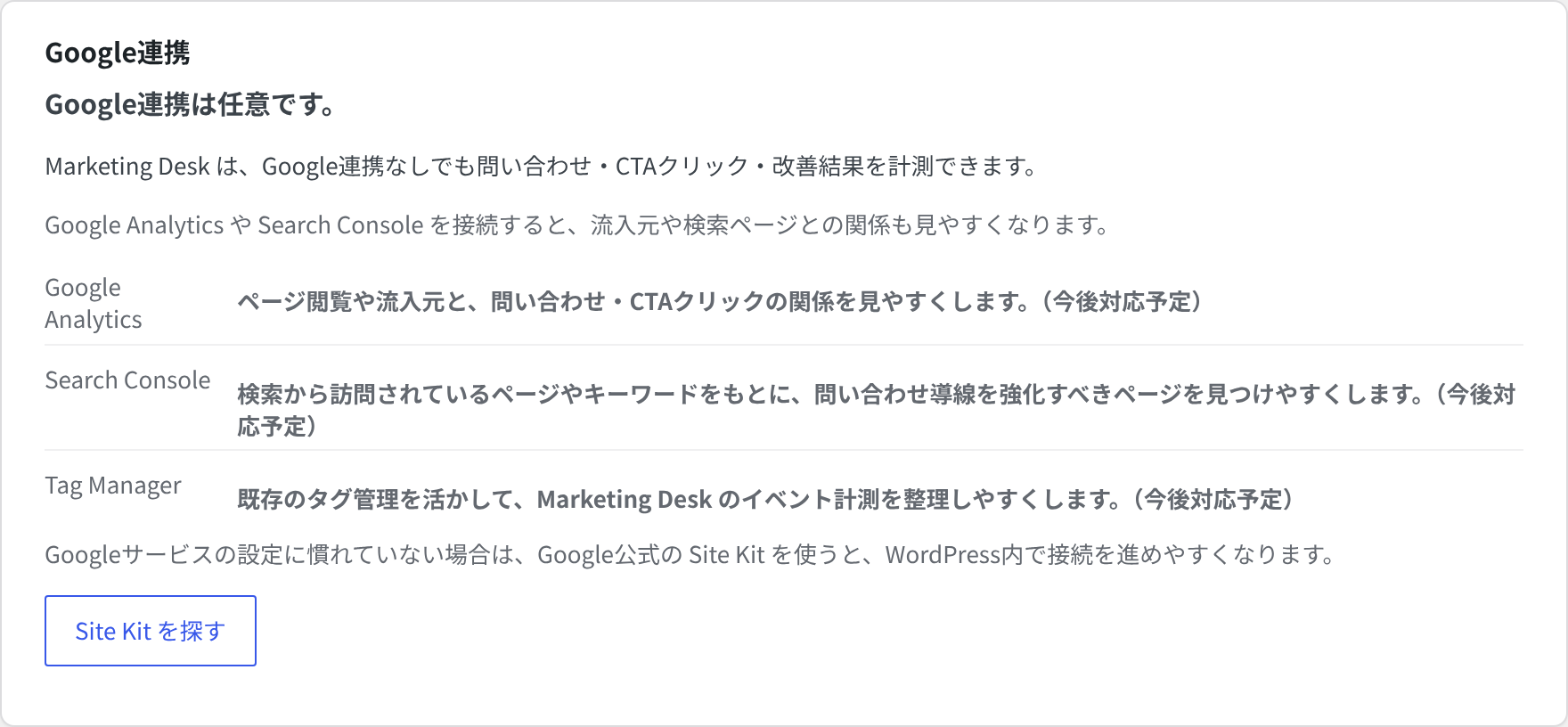
Settings screen including optional Google integration information and data controls.
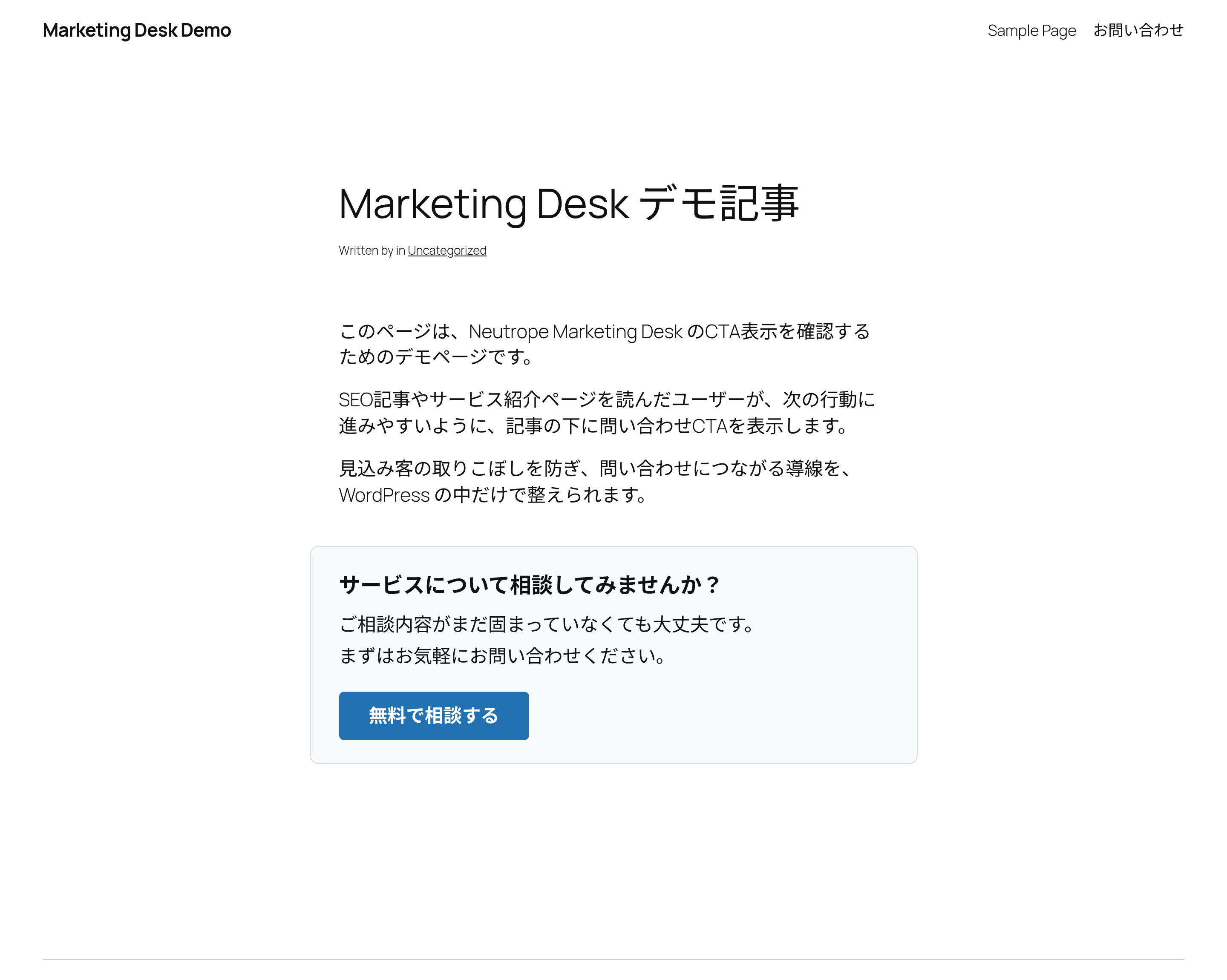
Front-end CTA display.