Neutrope Redirect Flow For Contact Form 7 Wordpress Plugin - Rating, Reviews, Demo & Download
Plugin Description
Neutrope Redirect Flow for Contact Form 7 improves what happens after a
Contact Form 7 form is submitted.
For each Contact Form 7 form you can enable this plugin and, on a
successful submission, send the visitor to a published page on your own
site. You can optionally show a short message first and wait a
configurable number of seconds before the redirect.
Every form is configured independently from a single “Redirect Flow”
settings page. If Contact Form 7 is not active, the plugin still
activates safely and shows an admin notice instead of causing an error.
Custom or external redirect URLs, analytics integrations, CAPTCHA
handling, step forms and Pro features are not included yet.
This plugin is an independent add-on and is not affiliated with or
endorsed by the authors of Contact Form 7.
Features
- Per-form enable toggle for your Contact Form 7 forms.
- After a successful submission, redirect to a selected published page
on the same site. - Optional message shown before the redirect (leave blank for none).
- Configurable redirect delay: 0, 1, 2, 3 or 5 seconds.
- Each form is configured independently.
- Safe when Contact Form 7 is inactive: no fatal error, admin notice
shown instead. - GPL-2.0-or-later. The full license text is bundled in the LICENSE
file.
License
This plugin is licensed under the GPL-2.0-or-later. The full license
text is included in the bundled LICENSE file.
License URI: https://www.gnu.org/licenses/gpl-2.0.html
Screenshots
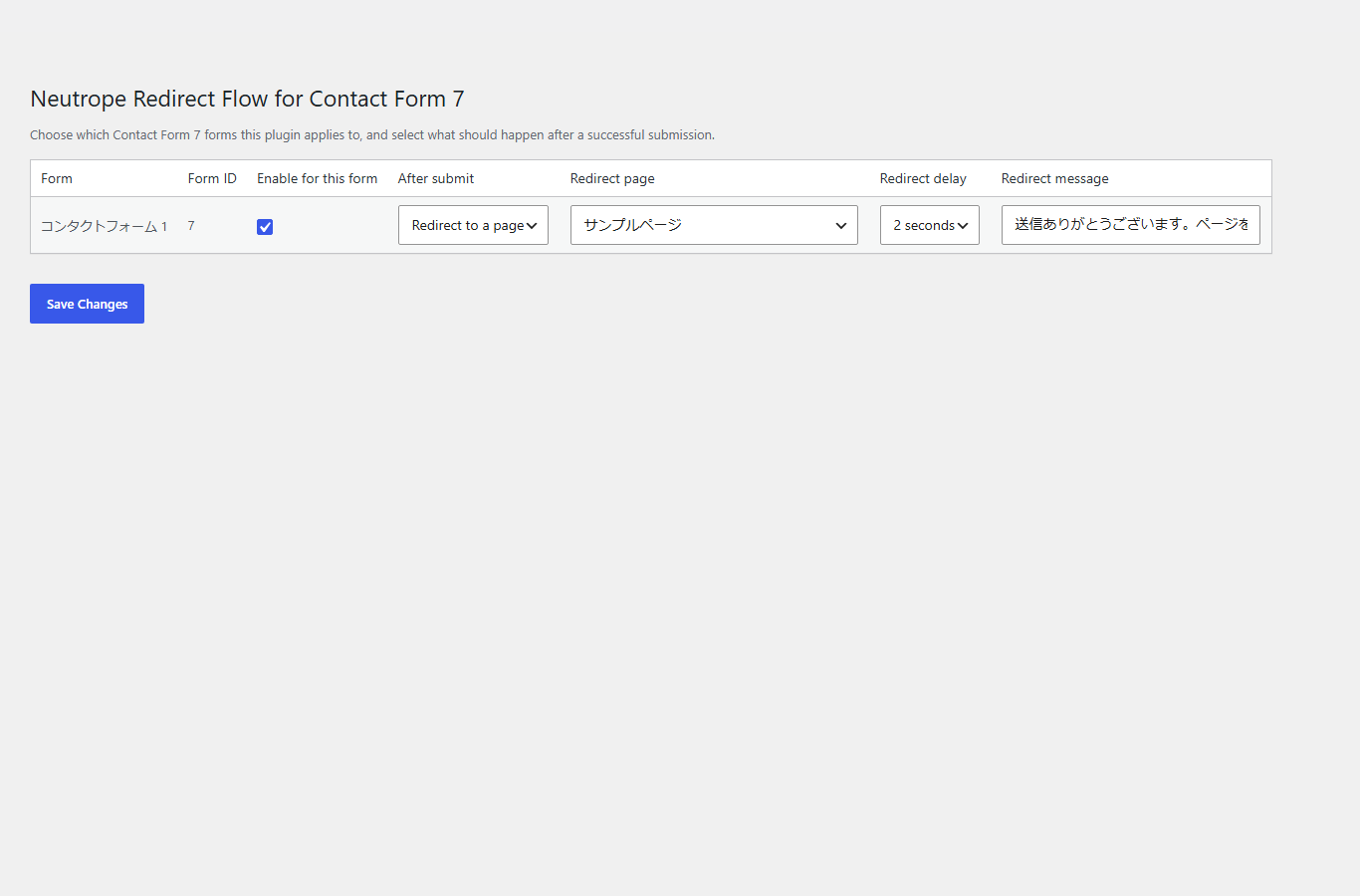
The Redirect Flow settings page: per-form enable, after-submit
action, redirect page, redirect delay and redirect message.