
NexoBlocks Wordpress Plugin - Rating, Reviews, Demo & Download
Plugin Description
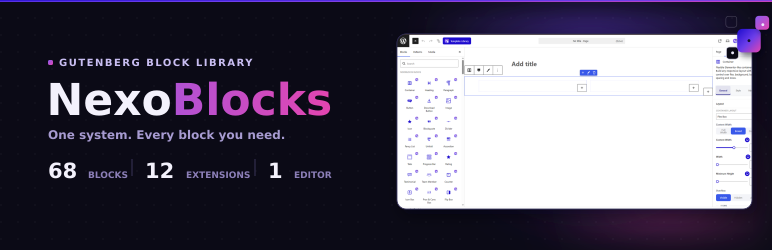
NexoBlocks is a powerful Gutenberg block collection that transforms the WordPress block editor into a full-fledged page-building experience. With 70+ premium blocks across 10 categories, plus extensions for forms, WooCommerce, custom fonts, and more — you can build beautiful, feature-rich websites entirely in the block editor. No coding required.
🚀 70+ Blocks Across 10 Categories
Basic Blocks — Container, Heading, Paragraph, Button, Download Button, Image, Icon, Blockquote, Divider, Fancy List, Unfold
Content Blocks — Accordion, Tabs, Progress Bar, Rating, Testimonial, Team Member, Counter, Icon Box, Pros & Cons Box, Flip Box, Pricing Table, Price Menu, Image Comparison, Image Accordion, Image Hotspot, Table of Contents, Countdown, Marquee, News Ticker, Timeline, Table, Code Highlighter, Chart, Lottie Animation, Coupon Code
Media Blocks — Slider, Carousel, Horizontal Scroll Showcase, Filterable Gallery, Video, Video Gallery
Interactive Blocks — Modal, Toggle, Back To Top, WhatsApp Chat, Reading Progress Bar, Dark Mode Toggle, Sticky Promotion Bar, Live Chat
Navigation Blocks — Breadcrumb, Nav Menu, Offcanvas Menu, Mega Menu
Form Blocks — Form Builder, Newsletter, Mailchimp, Ajax Search, Login / Logout, Lead Capture Form
Social Blocks — Social Icons, Social Share, Facebook Feed, Telegram Join CTA
Blog & Post Blocks — Blog Post Grid/List, Post Slider, Post Tab, Query Builder, Dynamic Loop Carousel, Taxonomy List
Integration Blocks — Google Map, Google Review, PayPal Button, Stripe Button, QR Code
WooCommerce Blocks — Product Grid, Product Slider, Product Categories, Mini Cart, Floating Cart, Product Filter, Checkout, Account Pages
🔧 Powerful Extensions
Form Builder — Drag-and-drop form builder with multi-step forms, email notifications, auto-responders, spam protection (honeypot + reCAPTCHA), and entry storage.
WooCommerce Builder — Custom product pages, product grids with AJAX filtering, dynamic product sliders, mini cart, floating cart, and custom checkout layouts.
Custom Fonts — Upload and use any custom font files (WOFF, WOFF2, TTF) directly in the block editor. Works with all NexoBlocks and core blocks.
SVG Library — Browse, search, and insert hundreds of SVG icons directly into your content. Supports custom uploads and color customization.
Template Library — Pre-designed block templates and patterns for rapid page building. Import entire page layouts with one click.
Theme Style — Global block styling controls. Set default colors, typography, spacing, and effects across all NexoBlocks. Save and export presets.
GSAP Animator — Visually create advanced scroll, hover, and click animations without code. ScrollTrigger, timelines, presets, SplitText, and counters.
🎨 Design & Responsive Controls
Every block includes:
– Responsive controls — Fine-tune for desktop, tablet, and mobile
– Custom CSS — Per-block custom CSS with live preview
– Typography — Google Fonts, custom fonts, advanced text controls
– Spacing — Margin, padding, and gap controls
– Colors & Gradients — Solid, gradient, and duotone effects
– Borders & Shadows — Custom border radius, box shadows, and outline
– Animations — Entrance animations, scroll effects, and hover states
– Transform — Scale, rotate, translate, and skew transforms
🔌 Developer Friendly
- REST API — Full REST API endpoints for settings, blocks, and forms
- Actions & Filters — Extensive hook system for customization
- Block Filters — Modify block output via WordPress block filters
- Localization — Fully translatable (PO/POT files included)
- Extensible — Clean, namespaced codebase following WordPress coding standards
Screenshots

Dashboard — /assets/screenshot-1.jpg

All Blocks — /assets/screenshot-2.jpg

Extensions — /assets/screenshot-3.jpg

integration — /assets/screenshot-4.jpg

Settings — /assets/screenshot-5.jpg

Editor — /assets/screenshot-6.jpg


