Nextial Order Events For WooCommerce Wordpress Plugin - Rating, Reviews, Demo & Download
Plugin Description
Nextial Order Events connects your WooCommerce store to ChatGPT through MCP Events, the new way for ChatGPT to react when something changes in a connected app.
Once connected, you just tell ChatGPT what you want, in plain language:
- “Tell me here whenever a new order arrives, with the total and the products.”
- “When an order over 200 € comes in, draft a personal thank-you e-mail for the customer.”
- “Every evening, sum up today’s orders for me.”
ChatGPT subscribes to the event, your store notifies it the moment it happens, and ChatGPT does the rest. No Zapier, no polling, no code.
Events
- order.created – a new order was placed. Fully featured and free, no limits.
Nextial Order Events Pro
An optional, separate add-on (sold outside WordPress.org) adds more events for stores that want ChatGPT to watch for lost money too: failed payments, low and out-of-stock products, and server-side filters such as a minimum order total. Nextial Order Events works on its own and is not limited in any way without it.
Read-only tools
ChatGPT can also look things up when it needs more detail: get_order, list_recent_orders, list_low_stock_products. Nextial Order Events never changes your store.
Secure by design
- Sign in with OAuth: ChatGPT opens your site, you log in and press Allow. You can disconnect at any time from WooCommerce Nextial Order Events; its tokens and subscriptions are removed at once.
- Only shop managers and administrators can connect the store, and the same people can see and disconnect every connection.
- Revoking access (Disconnect, new secret URL, or removing a user’s shop-manager role) also stops that connection’s event notifications.
- Every notification is signed (Standard Webhooks, HMAC-SHA256). Callbacks are verified with a challenge before any data is sent.
- Notifications contain no customer e-mail, phone or address – only the order number, totals, products, first name and payment method.
- Outgoing requests go only to public HTTPS addresses (no private networks, no redirects).
- Tokens are stored hashed. Access tokens last one hour, refresh tokens rotate.
Built-in tests
The settings page has a self-test (full subscribe verify signed delivery unsubscribe loop on your own site), a “listen for real store events” mode to watch a real test order go through, an OAuth check, and a delivery log.
Requirements
- WooCommerce.
- A ChatGPT plan that includes Work chats and custom MCP servers (developer mode). At the time of writing that means ChatGPT Plus or higher. On the free plan ChatGPT can use the read-only tools, but cannot subscribe to events.
- For OAuth sign-in: pretty permalinks (any setting other than “Plain”). Without them you can still connect with a secret URL.
- Your site must be reachable over HTTPS.
External services
Nextial Order Events does not contact any service on its own. It only talks to the AI assistant (MCP client) that you connect and approve:
- Event notifications. When ChatGPT – or another MCP client you connected – subscribes to an event, it gives Nextial Order Events a webhook URL (for ChatGPT, on
connectors.api.openai.com). Each time the event happens Nextial Order Events sends that URL a signed JSON message with: order ID and number, status, totals, currency, product names and quantities, the customer’s first name, payment method, creation date and a link to the order in your admin. Before the first message the URL is verified with a signed challenge. - Read-only tools. When the assistant calls
get_order, the response also includes the billing e-mail, shipping city and customer note of that order. - Client identification. When an assistant connects with OAuth and identifies itself with a Client ID Metadata Document (ChatGPT uses
https://chatgpt.com/oauth/client.json), Nextial Order Events downloads that public JSON file to check the app’s name and allowed redirect addresses. Nothing about your store is sent in that request.
No data is sent until a shop manager connects an assistant and it subscribes to events or calls a tool. You can stop everything at any time with Disconnect (OAuth) or Create a new secret URL in WooCommerce Nextial Order Events.
When you connect ChatGPT, OpenAI’s terms and privacy policy apply to the data it receives: Terms of use, Privacy policy.
Trademarks
WooCommerce is a trademark of Automattic Inc. ChatGPT is a trademark of OpenAI. Nextial Order Events is an independent plugin by nextial and is not affiliated with, endorsed or sponsored by Automattic or OpenAI.
Screenshots
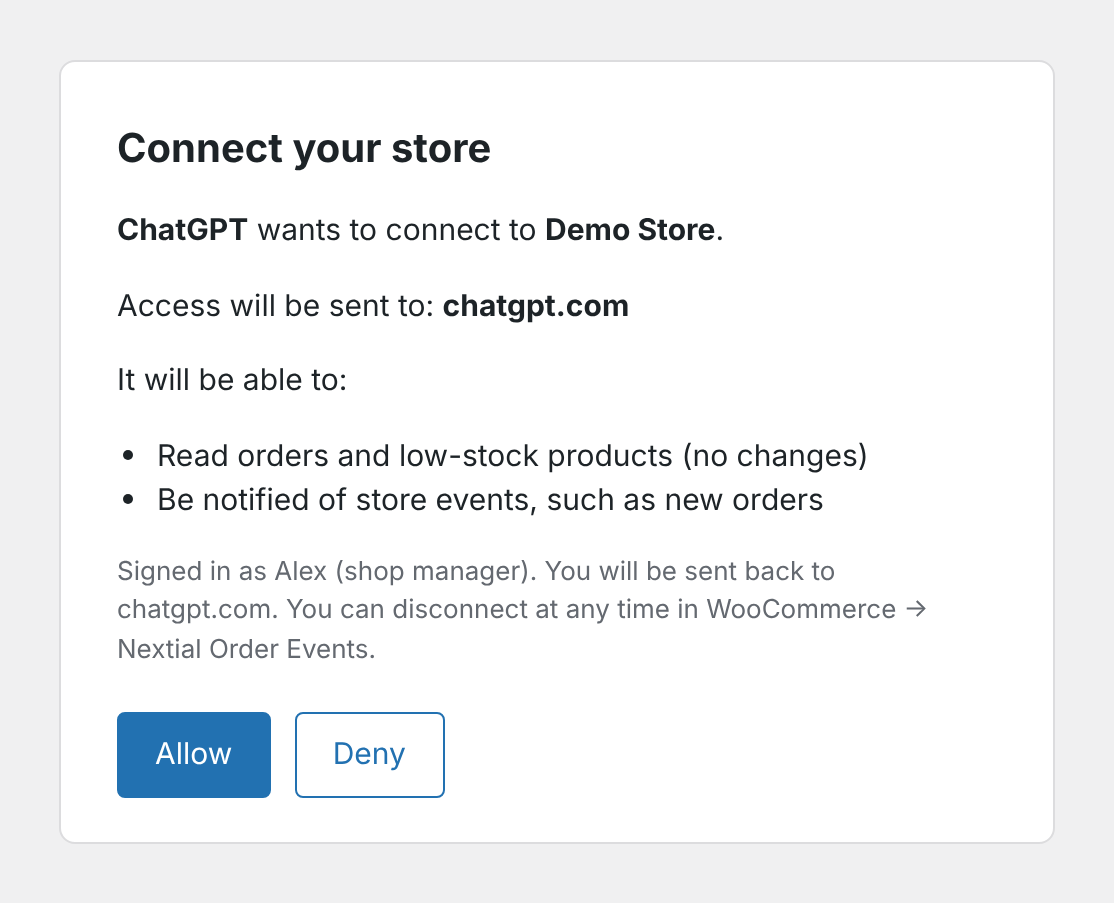
The consent screen shown when ChatGPT connects to the store.
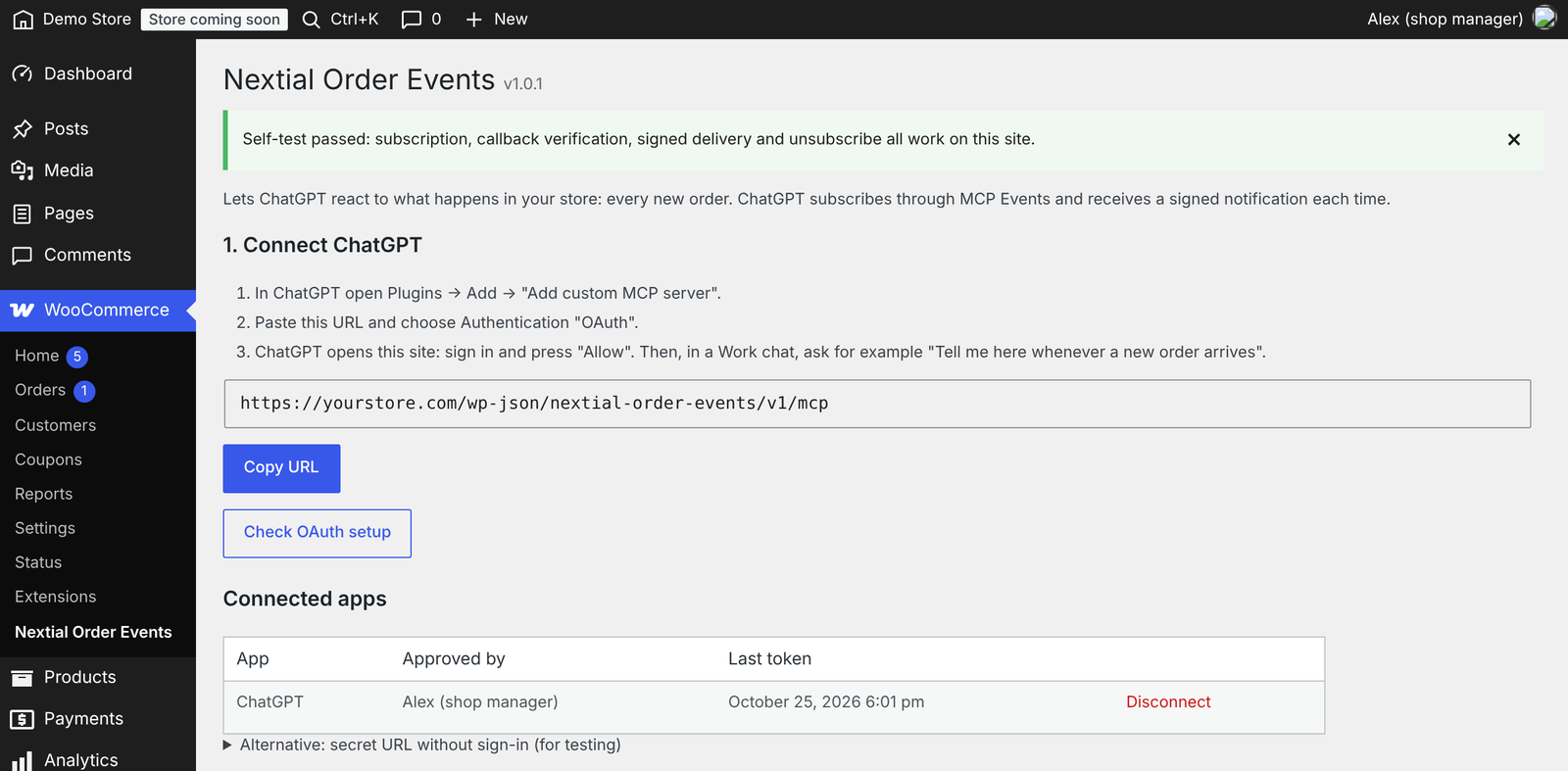
The Nextial Order Events page: connection URL and connected apps.

The built-in self-test, test receiver and delivery log.