NoBeds Booking Engine & Channel Manager Wordpress Plugin - Rating, Reviews, Demo & Download
Plugin Description
NoBeds Booking Engine & Channel Manager is the official WordPress plugin for boutique hotels, vacation rentals, B&Bs, guesthouses, apartments, hostels, and property managers using NoBeds PMS — the modern, cloud-based Property Management System and real-time OTA Channel Manager.
Turn your WordPress website into a high-converting direct reservation platform with 0% booking commissions. Using our lightweight shortcode [nobeds_booking], Gutenberg Block, or native Elementor Widget, you can embed a responsive, mobile-first booking engine that synchronizes room availability and rates in real time with your central NoBeds calendar and major online travel agencies.
Why Choose NoBeds for Your Property?
- 0% Commission on Direct Bookings: Keep 100% of your revenue. Unlike OTA platforms that charge 15%–20% per reservation, direct bookings through your WordPress website are completely commission-free.
- Official 2-Way OTA Channel Manager: Every direct reservation received on your WordPress site immediately updates your central NoBeds Channel Manager calendar and blocks dates across Booking.com, Airbnb, Expedia, Agoda, Hostelworld, Trip.com, and Despegar — eliminating overbookings.
- Two Flexible Booking Engine Layouts:
- Step Mode (
mode="step"): Clean, guided step-by-step reservation flow ideal for boutique hotels, guesthouses, and single-unit vacation rentals. - Multi-Room Mode (
mode="multi"): Allows guests to select and book multiple rooms or apartment categories within a single reservation — perfect for larger hotels, groups, and multi-unit properties.
- Step Mode (
- Works with Gutenberg, Elementor & Classic Editor:
- Shortcode: Drop
[nobeds_booking]anywhere on any page, post, or sidebar widget. - Gutenberg Block: Search for NoBeds in the WordPress Block Editor.
- Elementor Widget: Drag and drop the NoBeds Booking Engine widget directly inside Elementor with live visual controls.
- Shortcode: Drop
- Built-In Multilingual Support (7 Languages): Automatically display the booking widget in English (
en), Spanish (es), German (de), French (fr), Italian (it), Portuguese (pt-br), or Lithuanian (lt) to match international guest preferences. - Dynamic Auto-Resizing iFrame: Includes a lightweight local script that listens for height adjustments from the booking form so the widget adapts smoothly on desktop, tablet, iPhone, and Android screens without awkward double scrollbars.
- Secure Online Payments & Card Capture: Integrates seamlessly with your configured NoBeds payment gateways (Stripe, PayPal, SumUp, bank transfers, and credit card guarantee validation).
Who Is This Plugin For?
- Hotels, Boutique Hotels & Aparthotels looking to reduce OTA commission costs and increase direct website reservations.
- Vacation Rentals, Villas & Serviced Apartments managing listings across Airbnb, Booking.com, and their own brand website.
- Hostels & Dormitories needing bed-level and room-level inventory synchronization.
- ** Guesthouses, B&Bs & Glamping Sites** wanting a simple, fast, and reliable booking calendar on WordPress.
- Web Agencies & WordPress Developers building hospitality websites with Elementor, Divi, Astra, or Block themes.
Shortcode Parameters & Examples
Once you set your default Hotel GUID / ID under Settings > NoBeds Booking, you can simply use:
[nobeds_booking]
Or customize individual pages (for example, multilingual pages or specific property pages) using shortcode attributes:
[nobeds_booking hotel_guid="0a3a6556-11ea-407b-8b3d-d68ae2aba97e"]— Embeds the booking widget using your secure Hotel GUID.[nobeds_booking mode="multi" lang="es" height="850px"]— Displays the multi-unit selection engine in Spanish with a custom minimum height.[nobeds_booking mode="step" lang="de" width="100%"]— Displays the step-by-step booking form in German.
Helpful Links & Resources
- NoBeds Official Website
- Create a Free NoBeds Account (€0 Free Plan Available)
- Direct Booking Engine Documentation
- Knowledge Base & Help Center
External services
This plugin connects to the external NoBeds Direct Booking Engine service (https://nobeds.app/DirectForm/...) via an embedded iframe to display live room availability, pricing, and reservation forms for the property configured by the site administrator.
- What the service is and what it is used for: NoBeds (
nobeds.com/nobeds.app) is a cloud-based Property Management System (PMS) and Channel Manager that processes real-time room availability and direct guest reservations. - What data is sent and when: Whenever a visitor views a page containing the
[nobeds_booking]shortcode, Gutenberg block, or Elementor widget, the visitor’s browser loads the booking iframe fromhttps://nobeds.appusing the configured property identifier (hotel_guidorhotel_id), display mode (SteporMulti), and language code (culture). When a guest voluntarily submits a reservation inside the widget, their booking details (selected dates, room choice, guest name, email, and phone number) are transmitted directly over HTTPS tonobeds.appto create the reservation. - Service Provider Terms & Privacy Policy: This service is provided by NoBeds: Terms of Service, Privacy Policy.
Screenshots
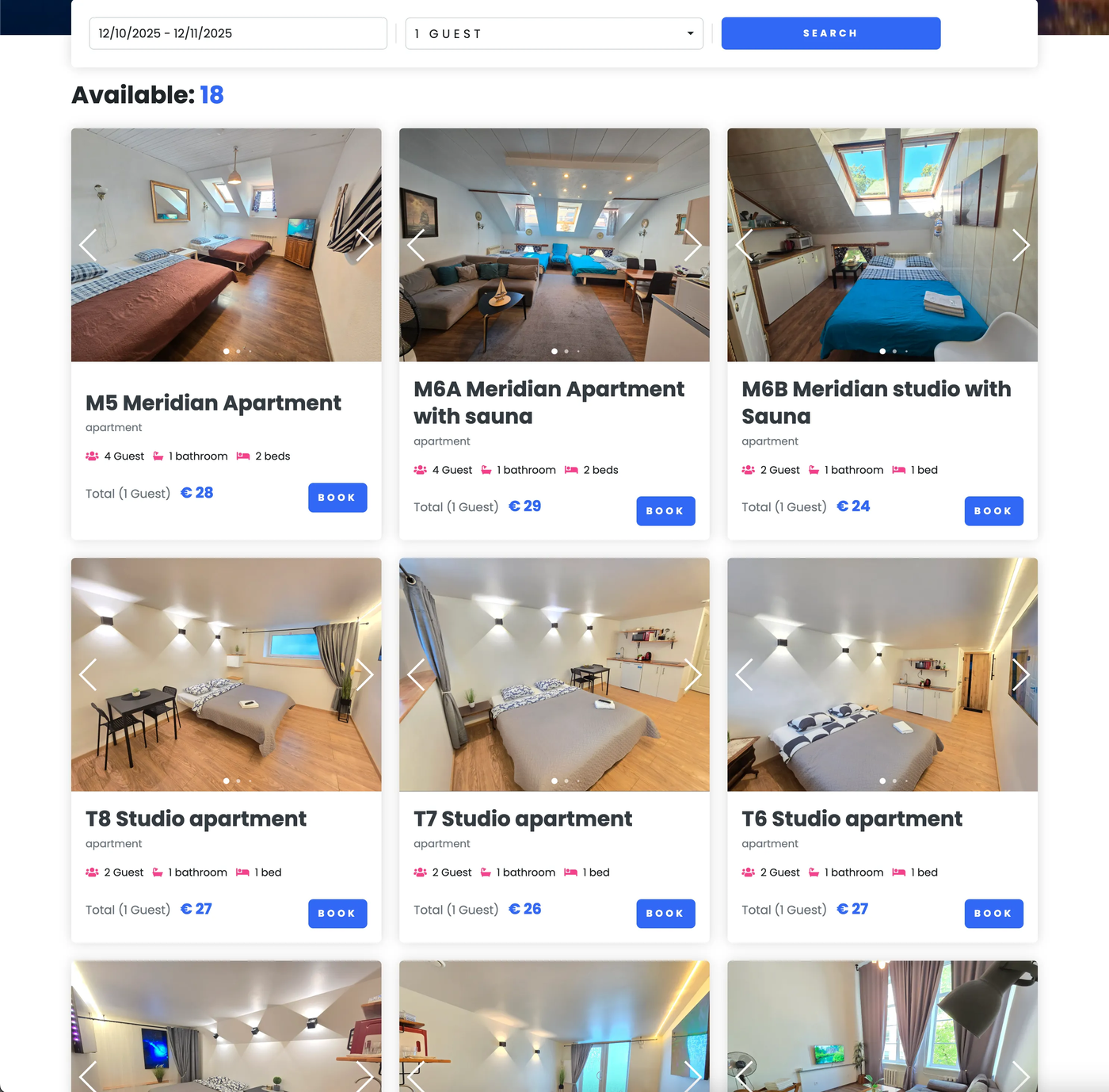
Direct Booking Engine – Live room availability, photo carousels, and instant rates embedded on a property page.
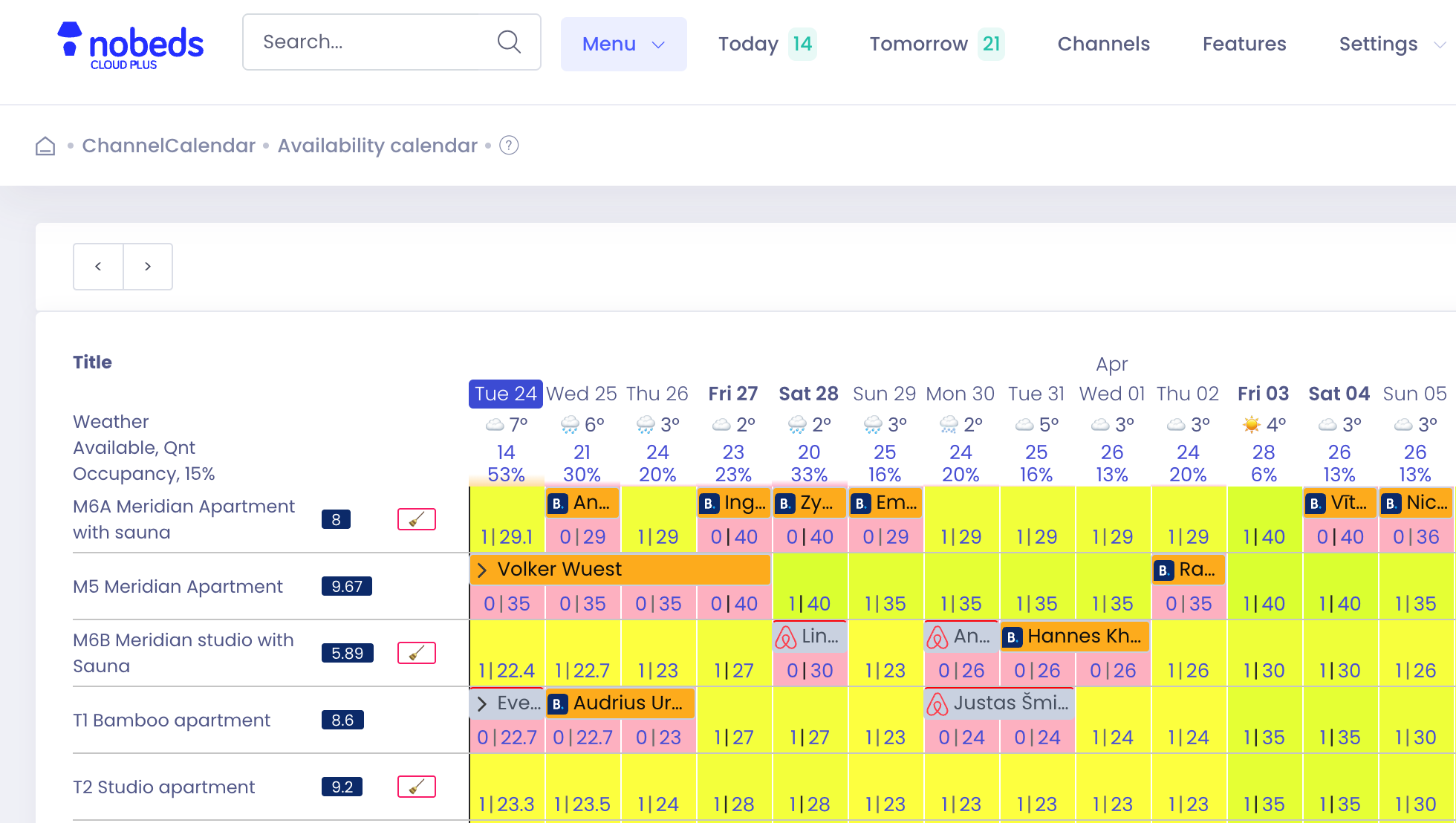
Multi-Channel PMS Calendar – Real-time 2-way synchronization with Booking.com, Airbnb, Expedia, and direct website bookings.
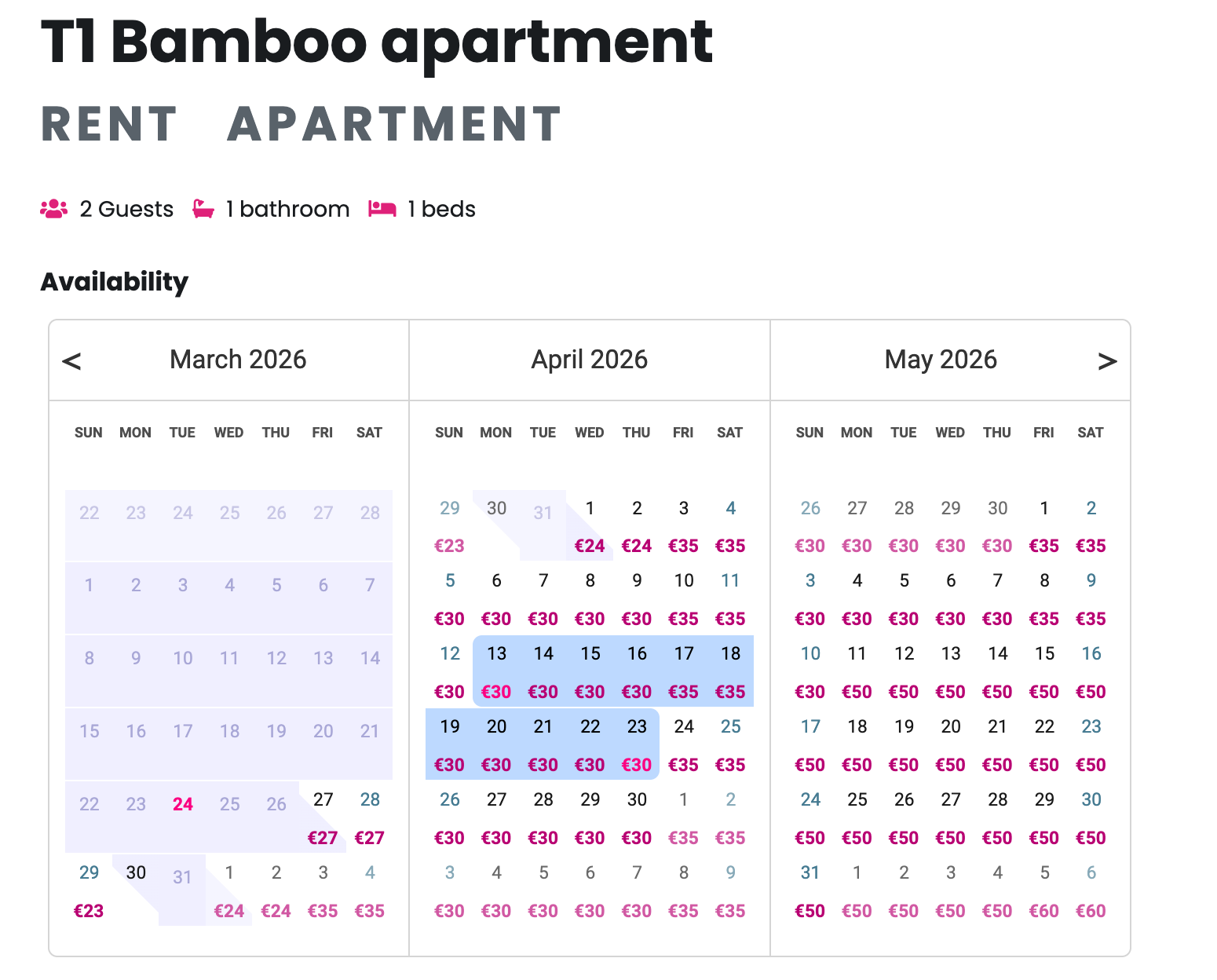
Interactive Availability & Pricing Calendar – Clear daily rates and date selection for guests.
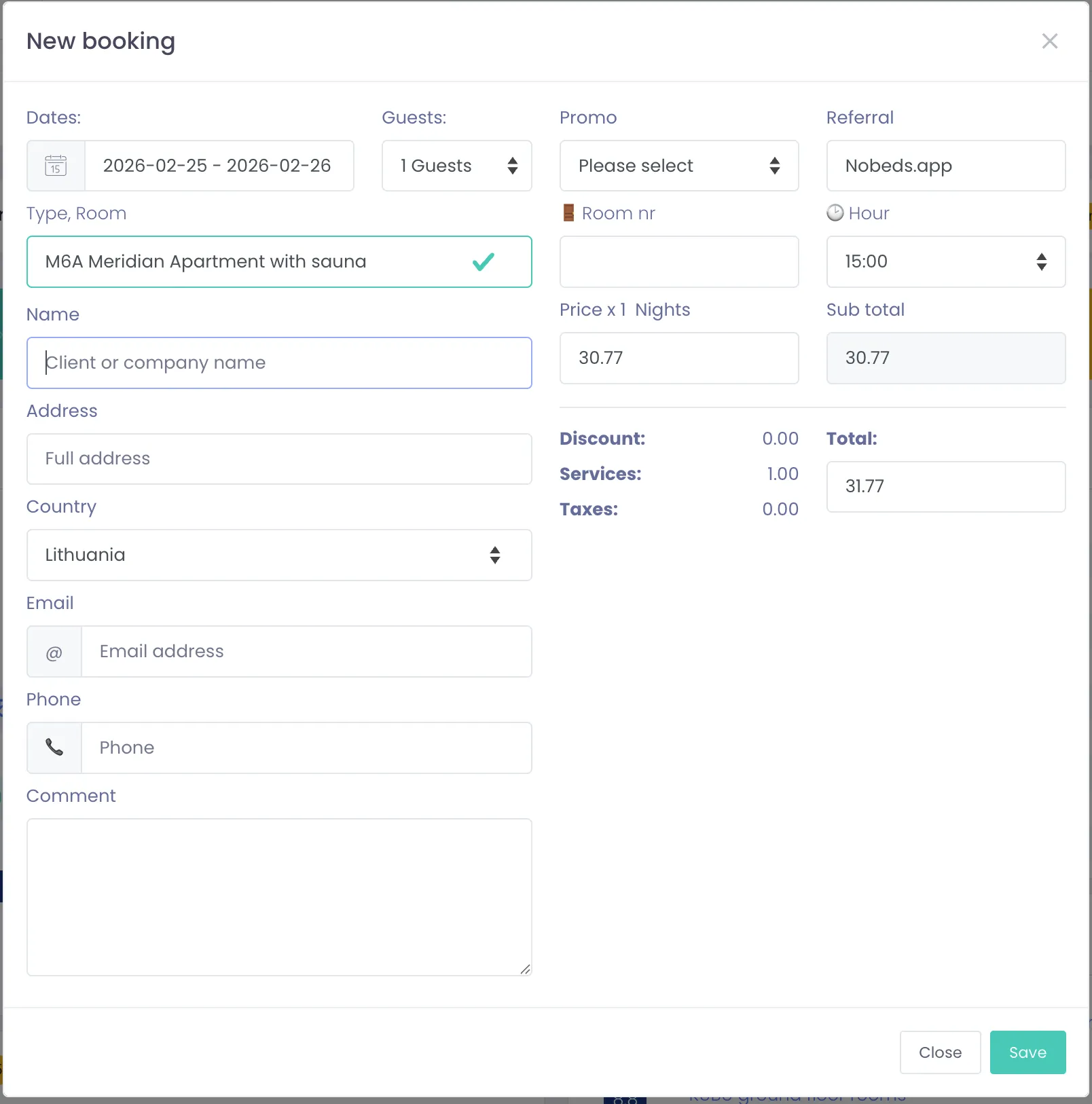
Reservation & Guest Details Management – Seamless booking creation with automatic extras, taxes, and promo codes.
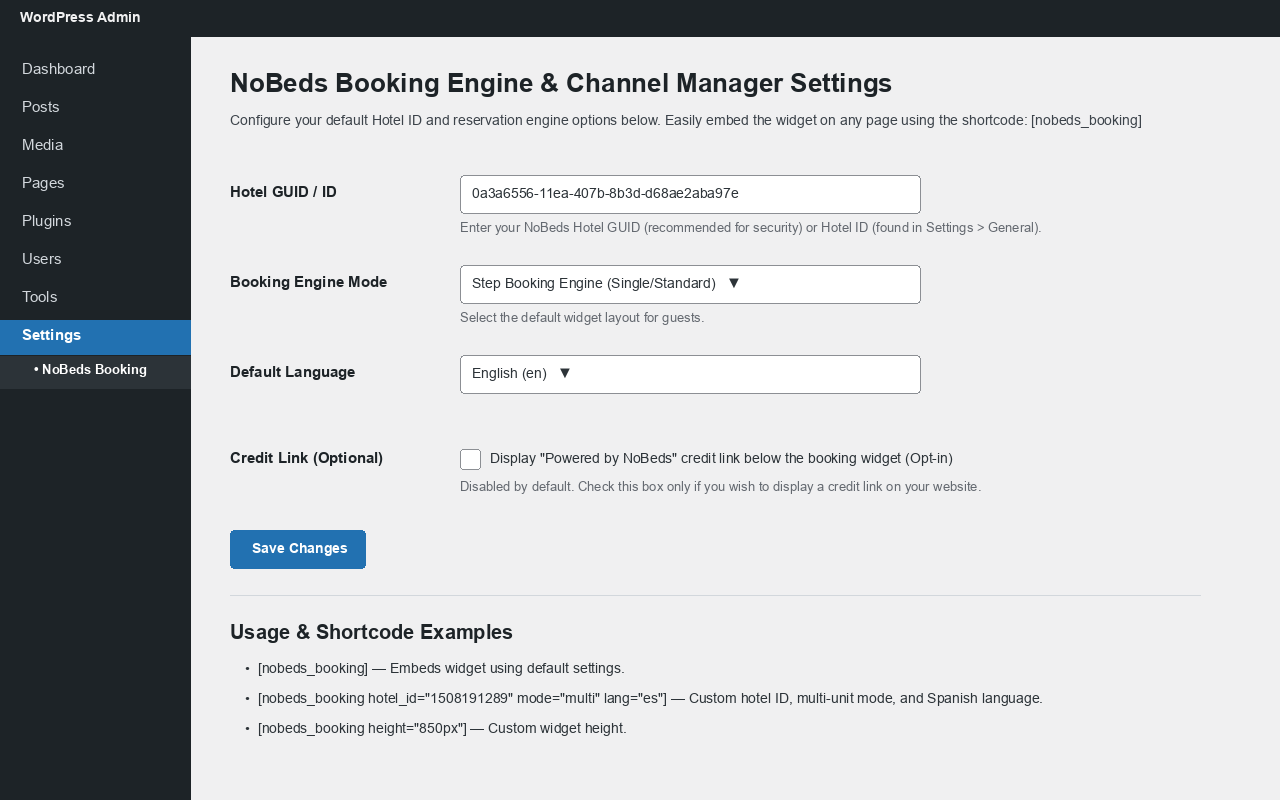
WordPress Admin Settings – Simple 1-minute configuration under Settings > NoBeds Booking.