Nota Cleanup – Database & Site Optimizer Wordpress Plugin - Rating, Reviews, Demo & Download

Plugin Description
Nota Cleanup scans your database first — read-only, nothing is touched — and
shows you exactly what can be cleaned, category by category, each labeled by
risk level. You choose what to remove; conservative defaults keep risky
categories unchecked, so a single click can never surprise you.
The cleanup engine is built for shared hosting: work runs in small
time-budgeted batches chained in the background, so it never hits your
server’s execution time limit, no matter how large your tables are. A stuck
job can always be resumed with one click, and every run is logged.
What it cleans
- Expired transients (including site transients)
- Orphaned post meta, comment meta, term relationships and user meta
- Spam and trashed comments, trackbacks and pingbacks
- oEmbed caches
- Post revisions — with a “keep the most recent N” option
- Auto-drafts older than 7 days
- Old Action Scheduler entries (WooCommerce and other background tasks)
- Trashed posts and pages (high risk — never selected by default)
Autoloaded options report (unique)
The report most cleaners don’t give you: the 10 largest autoloaded options
and the total autoload size — the data loaded into memory on EVERY page
view, the sneakiest performance killer on shared hosting. Report-only by
design: deleting an option can break the plugin that owns it, so we tell you
what to ask your developer instead of handing you a footgun.
Table health
A dedicated Tables tab shows the size, storage engine, and overhead of every
table in your database, sorted so the most reclaimable table is always at
the top. Optimize any single table with one click — no bulk “optimize
everything” button, because a large table can briefly lock during an
optimize and that should always be a deliberate, one-table-at-a-time choice.
Weekly automatic cleanup
Optionally run the low-risk categories automatically every week. Off by
default — you turn it on only if you want it.
Honest engineering notes
- Deletions use direct SQL for speed; other plugins’ per-row delete hooks
are not fired. Linked data (meta, comments, term relationships) is removed
in the same run, so nothing is left dangling. - Term relationships are only cleaned for taxonomies registered to post
types — unknown plugin taxonomies are left alone. - If your site uses an external object cache (Redis/Memcached), transients
live there, not in the database; the plugin detects this and tells you,
instead of silently doing nothing. - On some MySQL/MariaDB setups, InnoDB reports table overhead as a shared
figure rather than a true per-table number. When we detect this, the
Tables tab shows “N/A” instead of a misleading number — Optimize still
works normally.
Safety, honestly
The scan is always read-only. Before any cleanup runs, you see exact row
counts and confirm; high-risk categories are never pre-selected. If you’d
like a safety net first, the confirmation screen offers one-click access to
our free Nota Backup & Restore plugin — no pressure, just a shortcut if you
want it.
Screenshots
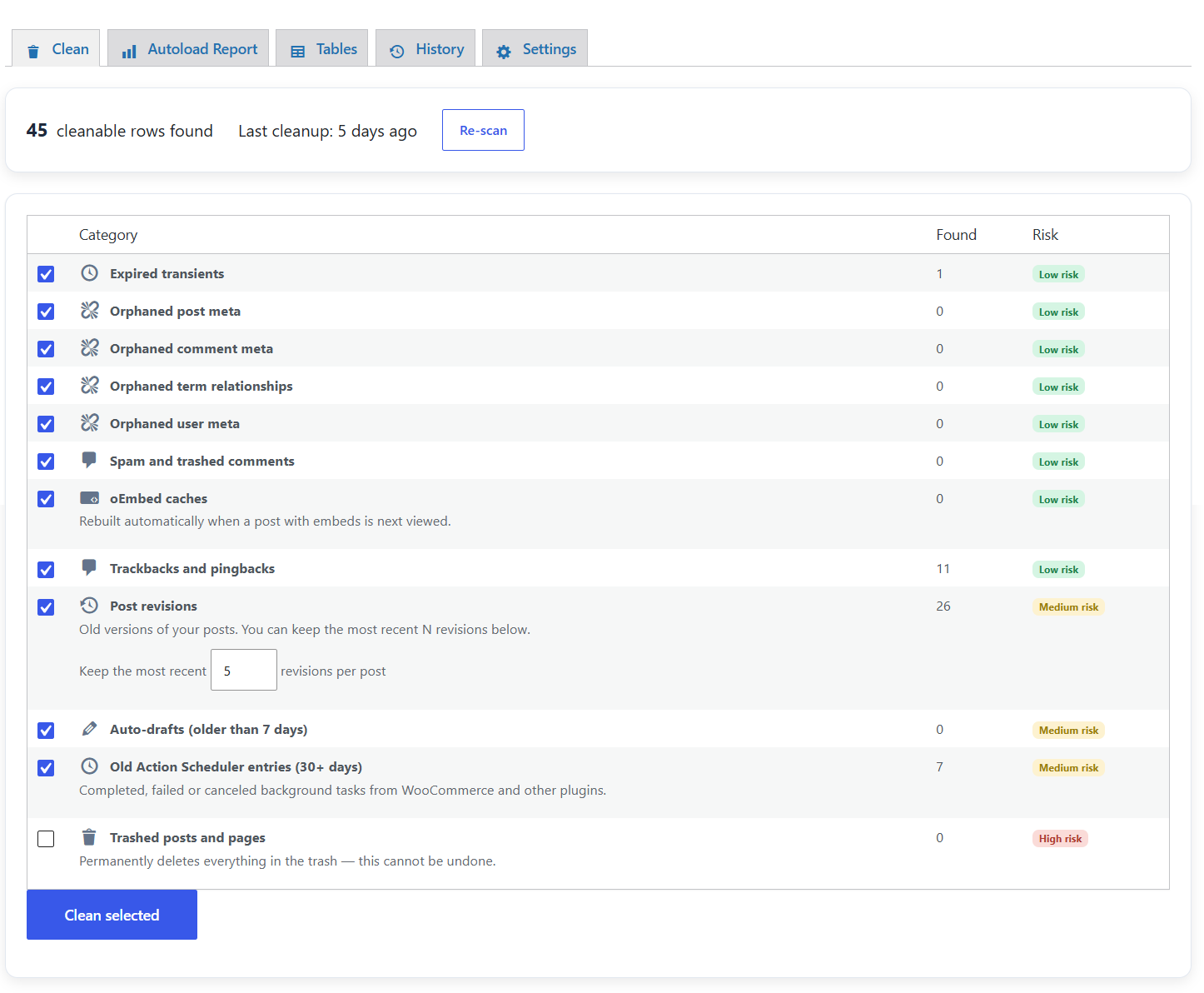
Read-only scan with risk-tiered categories — conservative defaults, one
click to clean the ones you choose.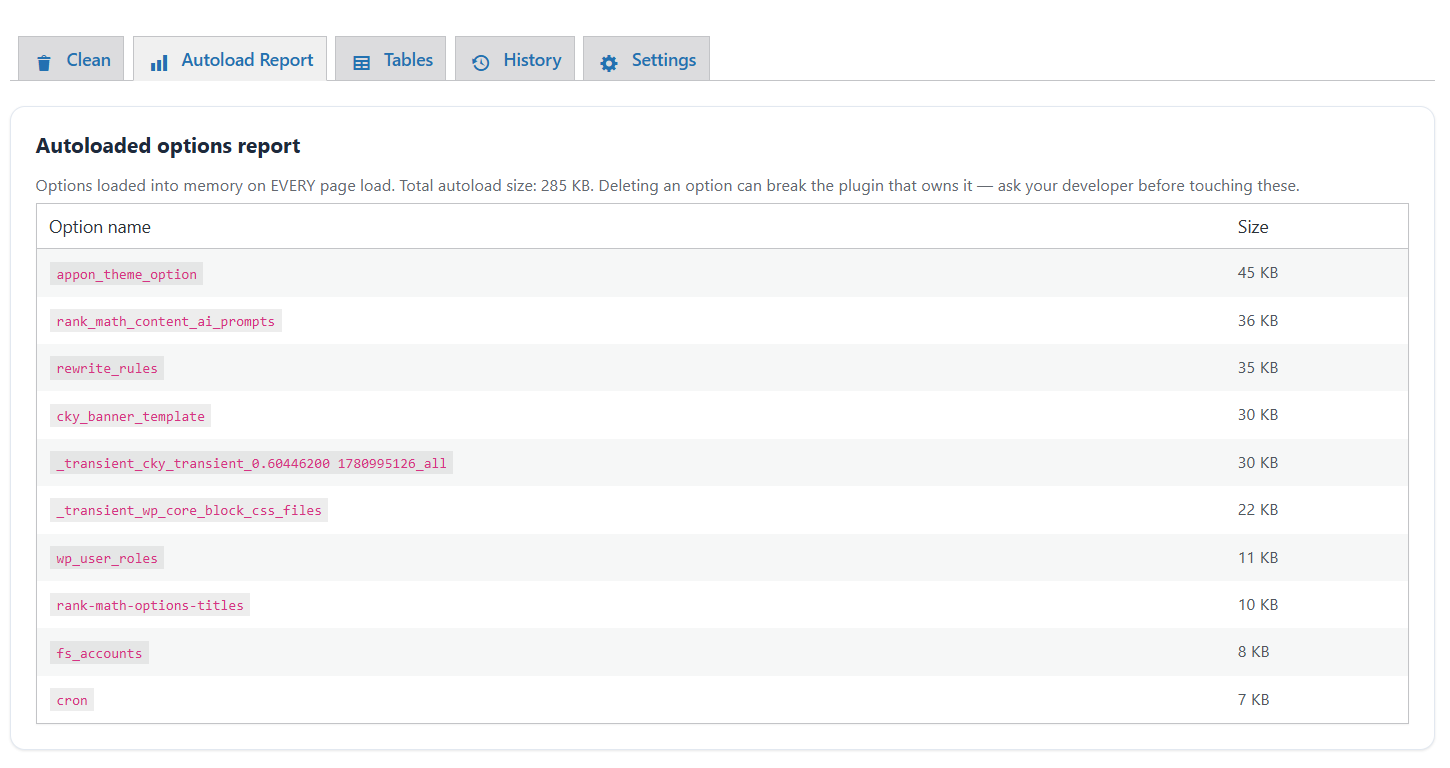
The autoload options report: the largest options loaded into memory on
every page view.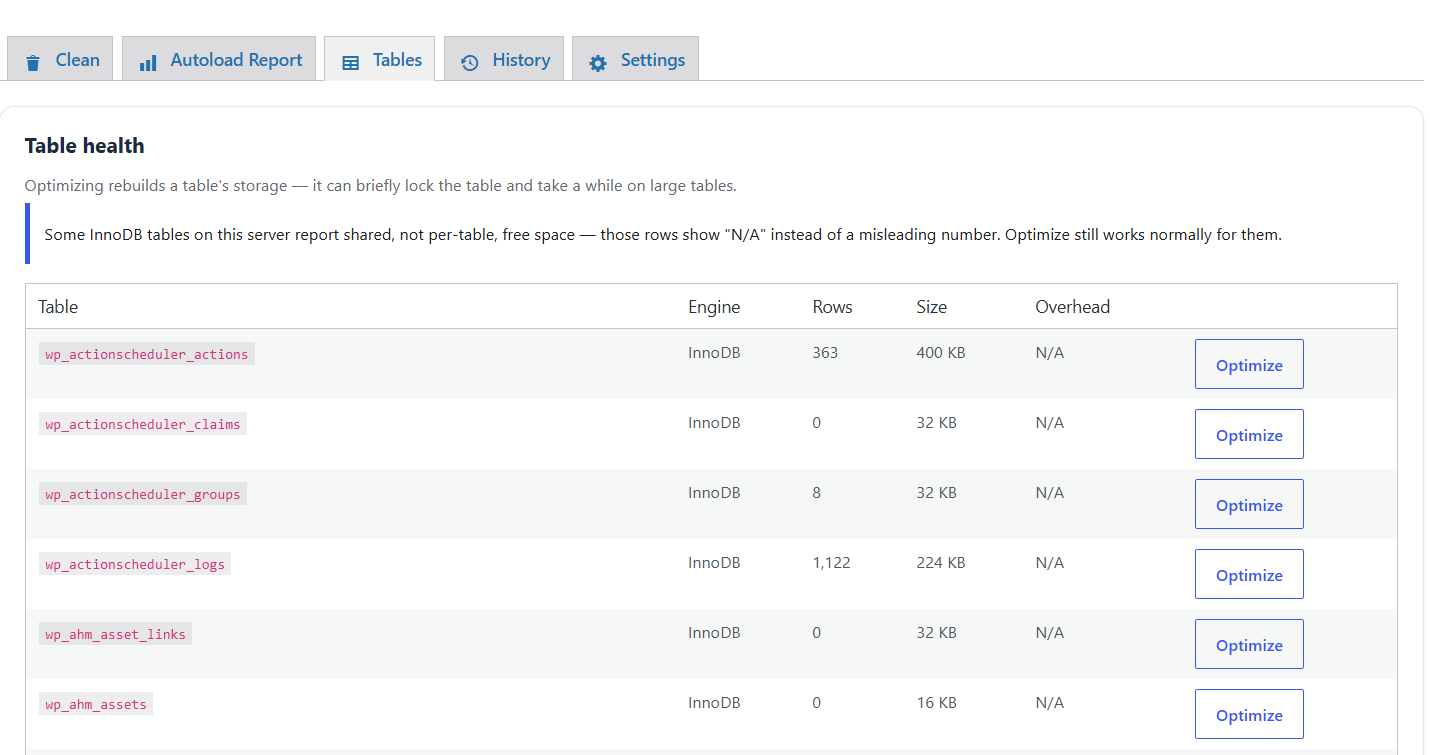
Table health: size, engine, and overhead per table, with one-click
Optimize.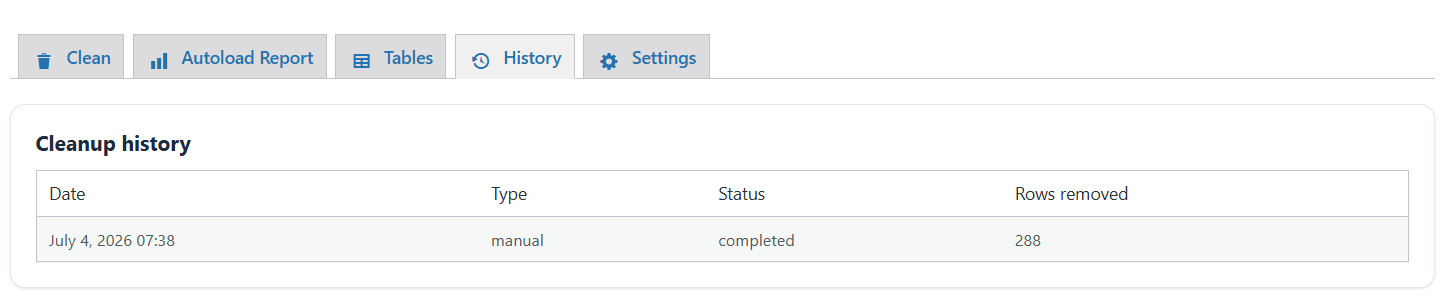
Cleanup history log: every run, what it touched, and when.
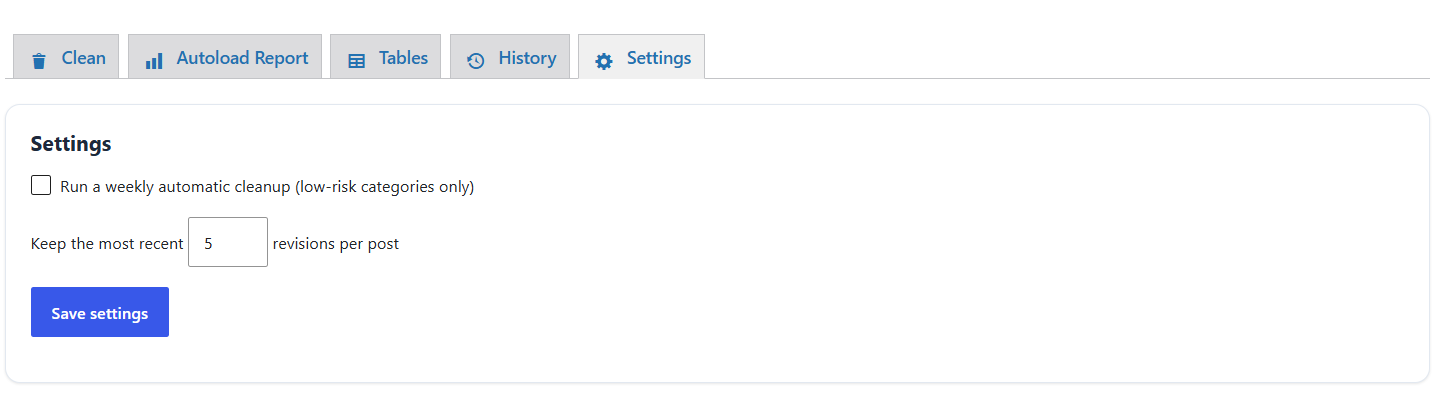
Settings: weekly automatic low-risk cleanup and revision retention.