
Notifications Telegram For WooCommerce Wordpress Plugin - Rating, Reviews, Demo & Download

Plugin Description
Notifications Telegram for WooCommerce sends real-time order notifications directly to your Telegram messenger. Stay connected with your online store 24/7 and never miss an order again.
This plugin provides instant notifications for WooCommerce orders, helping you respond to customers faster, process orders efficiently, and manage your business on the go.
Key Features
- Instant Notifications – Receive order alerts in real-time on Telegram
- Complete Order Details – Get all order information in one message
- Customizable Templates – Format messages exactly how you want
- Multiple Recipients – Send notifications to personal chats or groups
- Status Selection – Choose which order statuses trigger notifications
- Product Images – Optionally include product images in notifications
- Easy Setup – Simple configuration with built-in connection testing
- Secure – Direct Telegram API integration without third-party services
Perfect For
- Store owners who want real-time order alerts
- Teams that need to share order information instantly
- Dropshippers requiring immediate order processing
- Multi-store operators managing several shops
- Anyone who wants to stay connected with their business
Message Customization
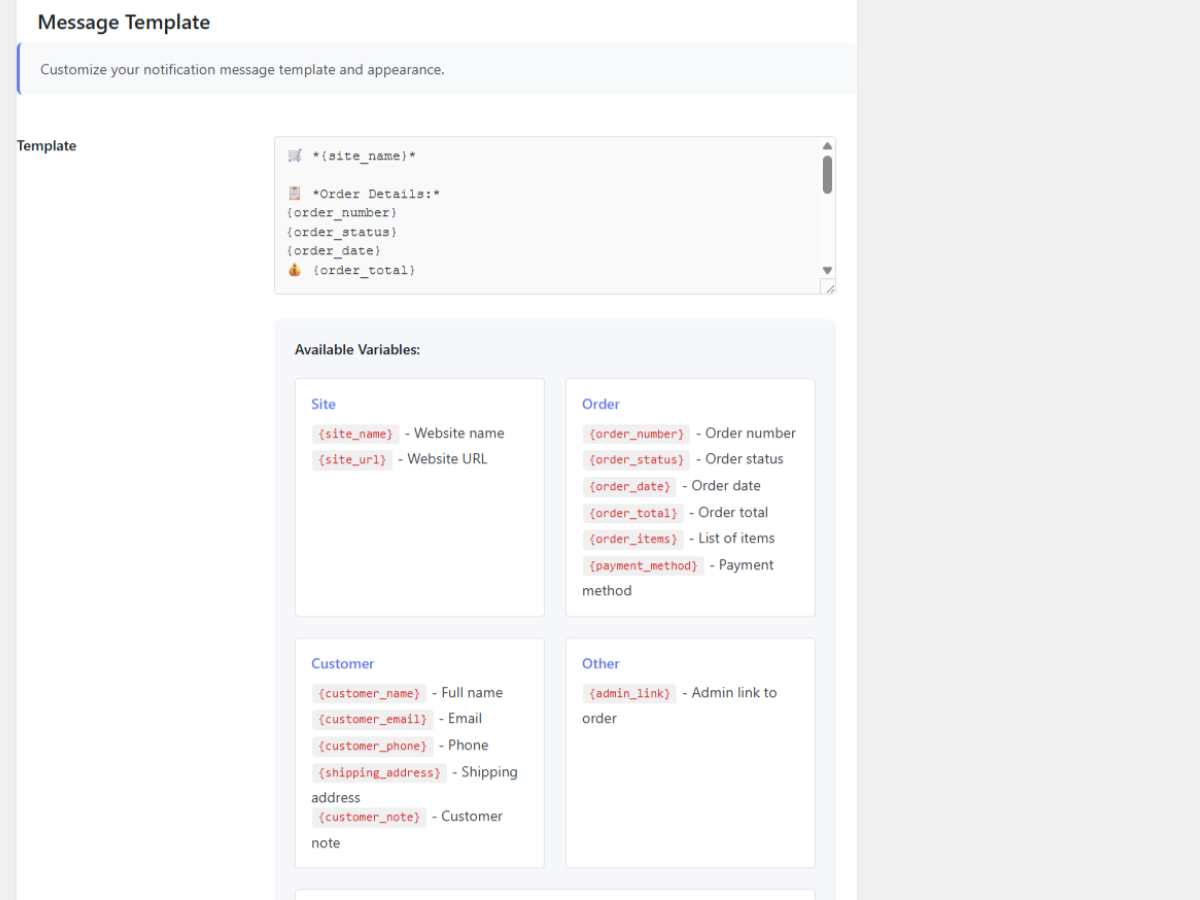
Customize your notification messages with these variables:
* Order details (number, status, date, total)
* Customer information (name, email, phone, address)
* Product list with quantities and prices
* Payment method
* Customer notes
* Direct admin links to orders
Privacy & Security
- No data collection or tracking
- Direct connection to Telegram API
- All data stays between your site and Telegram
- GDPR compliant
Third Party Service
This plugin uses the Telegram Bot API to send notifications. When you enable notifications, order data is sent to Telegram’s servers for message delivery.
- Service: Telegram Bot API
- Purpose: Send order notifications to your Telegram account
- Data sent: Order details, customer information (as configured in templates)
- Privacy Policy: https://telegram.org/privacy
- Terms of Service: https://telegram.org/tos
Screenshots
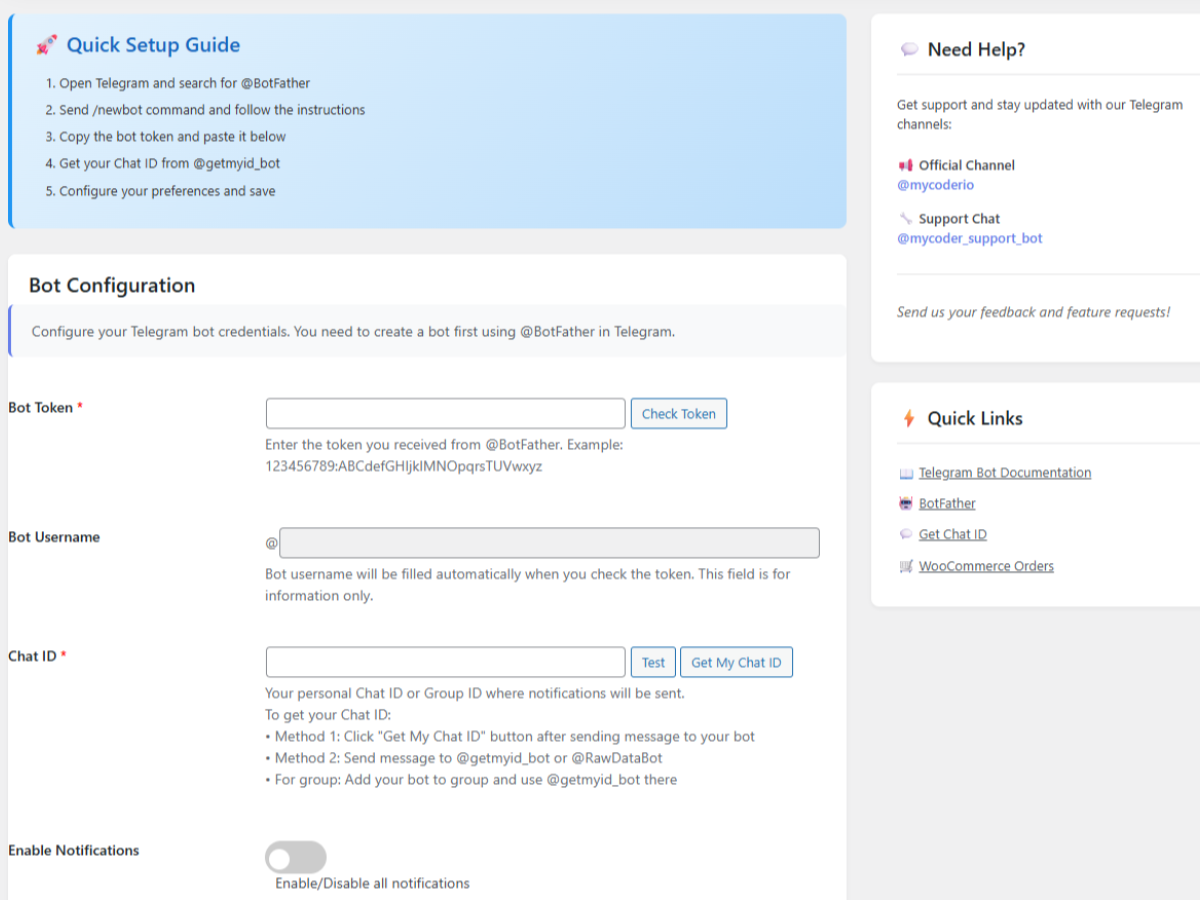
Main settings page with bot configuration
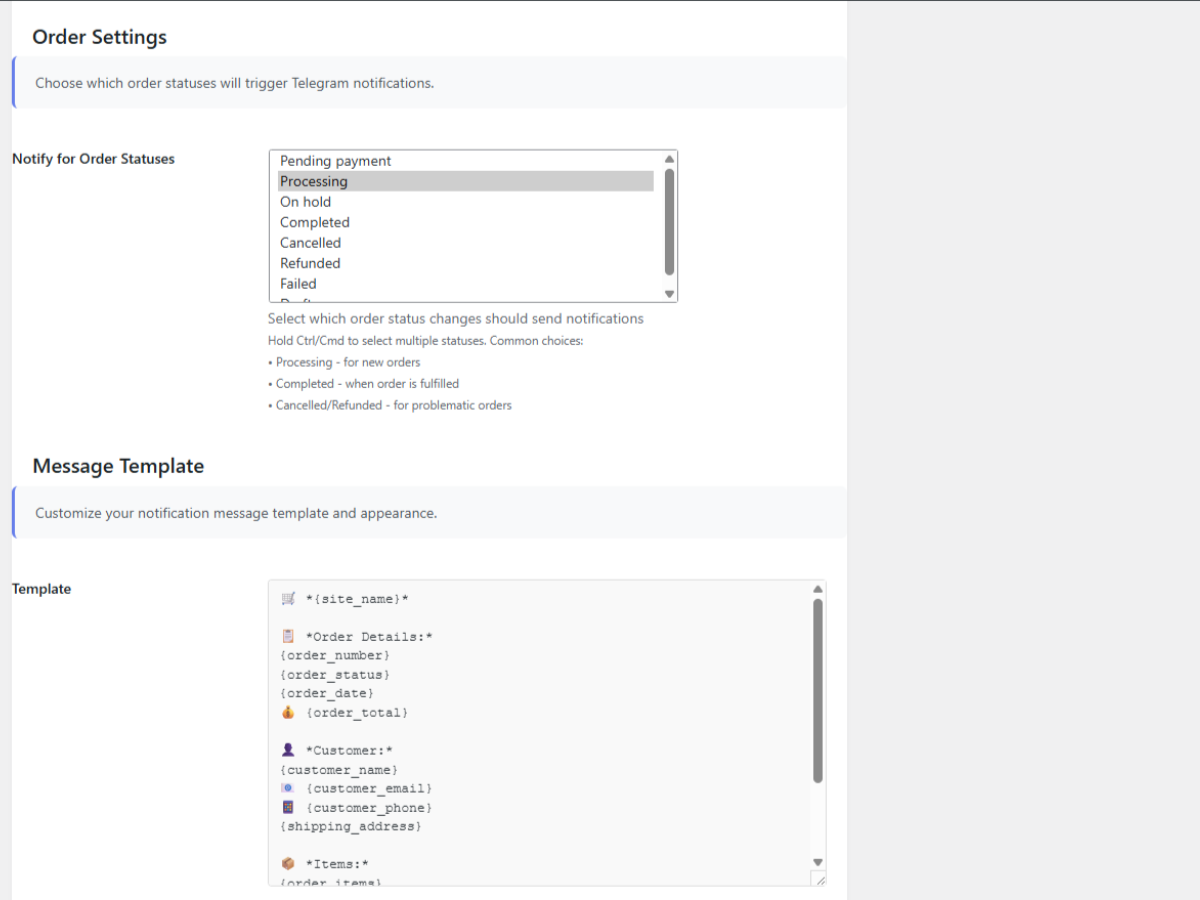
Message template customization
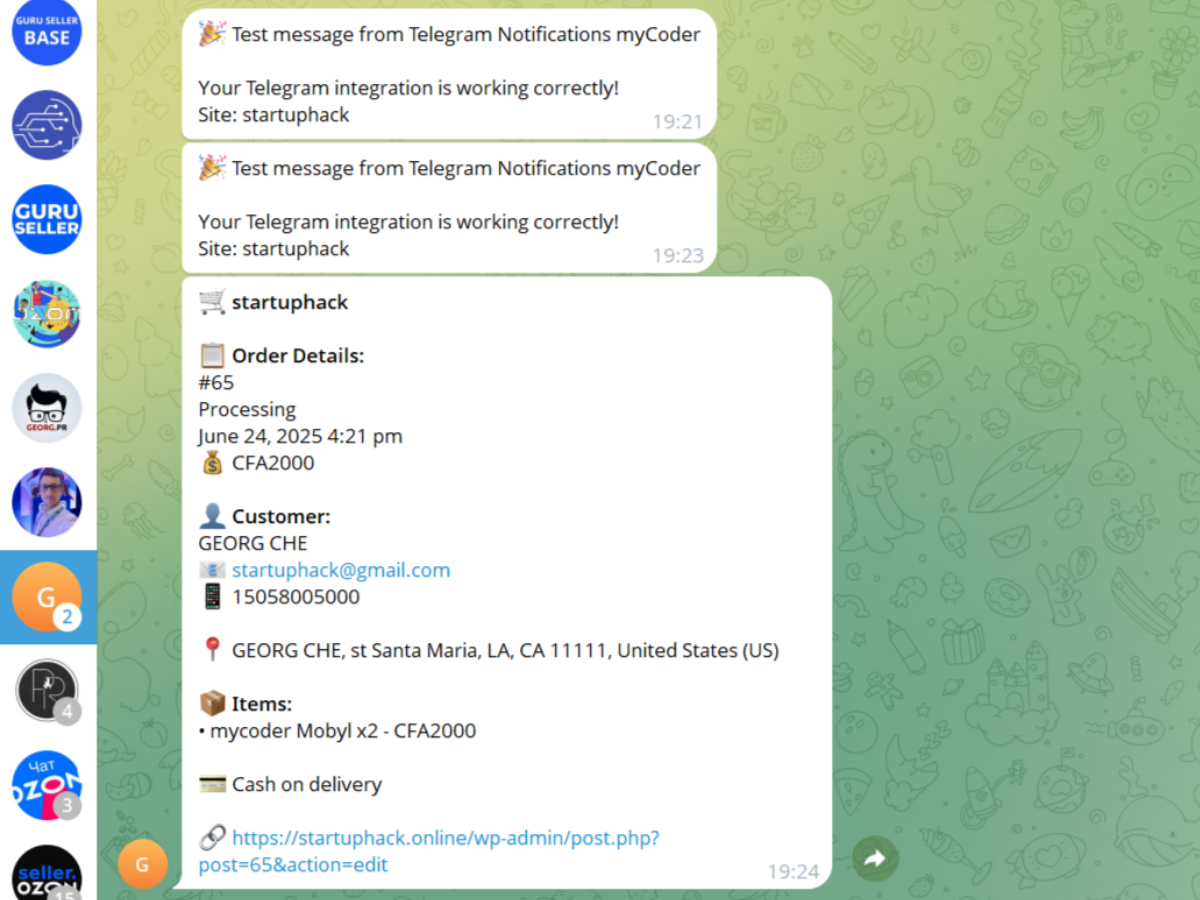
Example notification in Telegram
Quick setup guide


