
NotifyBay – Waitlist And Stock Alert For WooCommerce Wordpress Plugin - Rating, Reviews, Demo & Download
Plugin Description
NotifyBay bridges the gap between customer demand and inventory availability. It lets WooCommerce store owners capture high-intent leads when a product is out of stock (Waitlists), then handles the follow-up automatically — recovering sales that would otherwise be lost.
By leveraging background processing and intelligent notification logic, NotifyBay does this without slowing down your store or your customers’ checkout experience.
Key Features
- Waitlists & Back-in-Stock Alerts — Customers can join a waitlist on any out-of-stock product and are automatically emailed the moment it’s restocked.
- First-Come, First-Served Dispatch — Waitlisted customers are notified in the order they signed up, and a configurable minimum restock threshold stops a one-unit inventory bump from triggering a mass email.
- Asynchronous Processing — Notification emails are queued and sent in the background via Action Scheduler, so high-volume dispatch never impacts your customers’ checkout experience or your site’s performance.
- Lead Management & CSV Export — Every signup lands in a WordPress-native table you can search, filter by status, edit inline, action in bulk, and export to CSV for your email platform.
- Guest-to-Account Merging — Guest waitlist subscriptions are automatically merged into a customer’s account the moment they register, so nothing gets lost.
- My Account Integration — Customers get a dedicated Waitlist tab in their WooCommerce “My Account” area to review and manage their own subscriptions.
NotifyBay is an independent product and is not officially affiliated with, endorsed by, or sponsored by WooCommerce or Automattic Inc. WooCommerce is a registered trademark of Automattic Inc.
External services
This plugin sends deactivation feedback to an external service operated by WPAnchorBay at dfs.wpanchorbay.com, so we can understand why store owners stop using NotifyBay and improve the plugin.
This happens only when you explicitly ask it to. When you deactivate NotifyBay from the Plugins screen, a dialog offers an optional survey. Data is transmitted only if you select a reason and press “Submit & Deactivate”. If you press “Skip & Deactivate”, close the dialog, or deactivate the plugin any other way, nothing is sent. The dialog itself discloses exactly what will be transmitted before you submit, and deactivation is never blocked or delayed by this request.
When — and only when — you submit the survey, the following is sent: the reason you selected, any note you typed, your site address, the email address of the WordPress account you are logged in as, your WordPress version, and the plugin slug.
No data is sent at any other time. This plugin does not phone home during normal operation.
Service provider: WPAnchorBay — Terms of Service: https://wpanchorbay.com/terms/ — Privacy Policy: https://wpanchorbay.com/privacy-policy/
Source Code
The compiled JavaScript in the build/ directory is generated from human-readable source using @wordpress/scripts (webpack). The full, unminified source (the src/ directory) and the build tooling (package.json, webpack.config.js, tsconfig.json, postcss.config.js, tailwind.config.js) are included in this package, alongside the compiled build/ output.
The same source is also published publicly at:
https://github.com/wpanchorbay/notifybay-free/tree/1.0.0
To rebuild the compiled assets from source: run npm install, then npm run build.
Screenshots
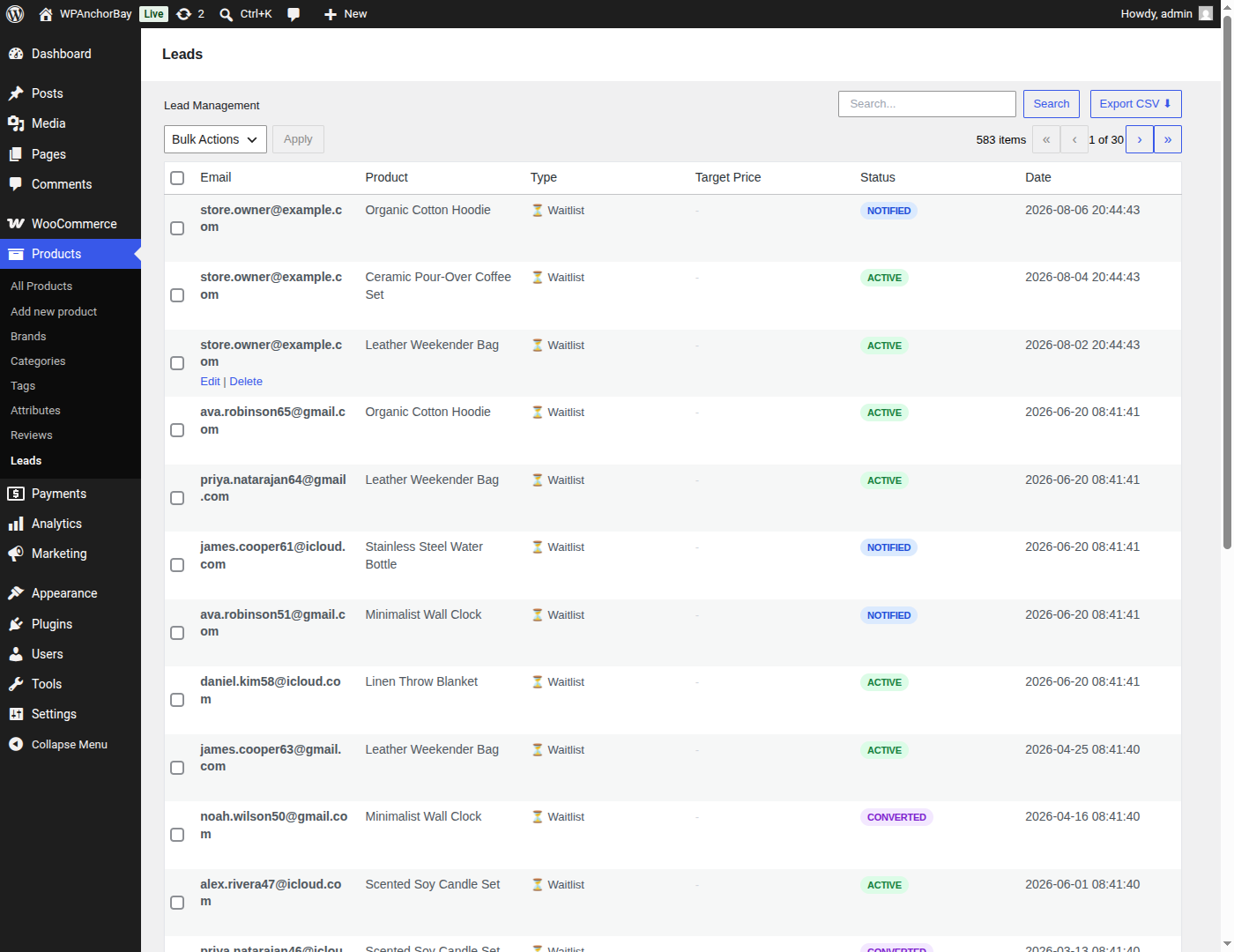
Lead Management — every waitlist signup in one WordPress-native table, with search, status filters, bulk actions and one-click CSV export.
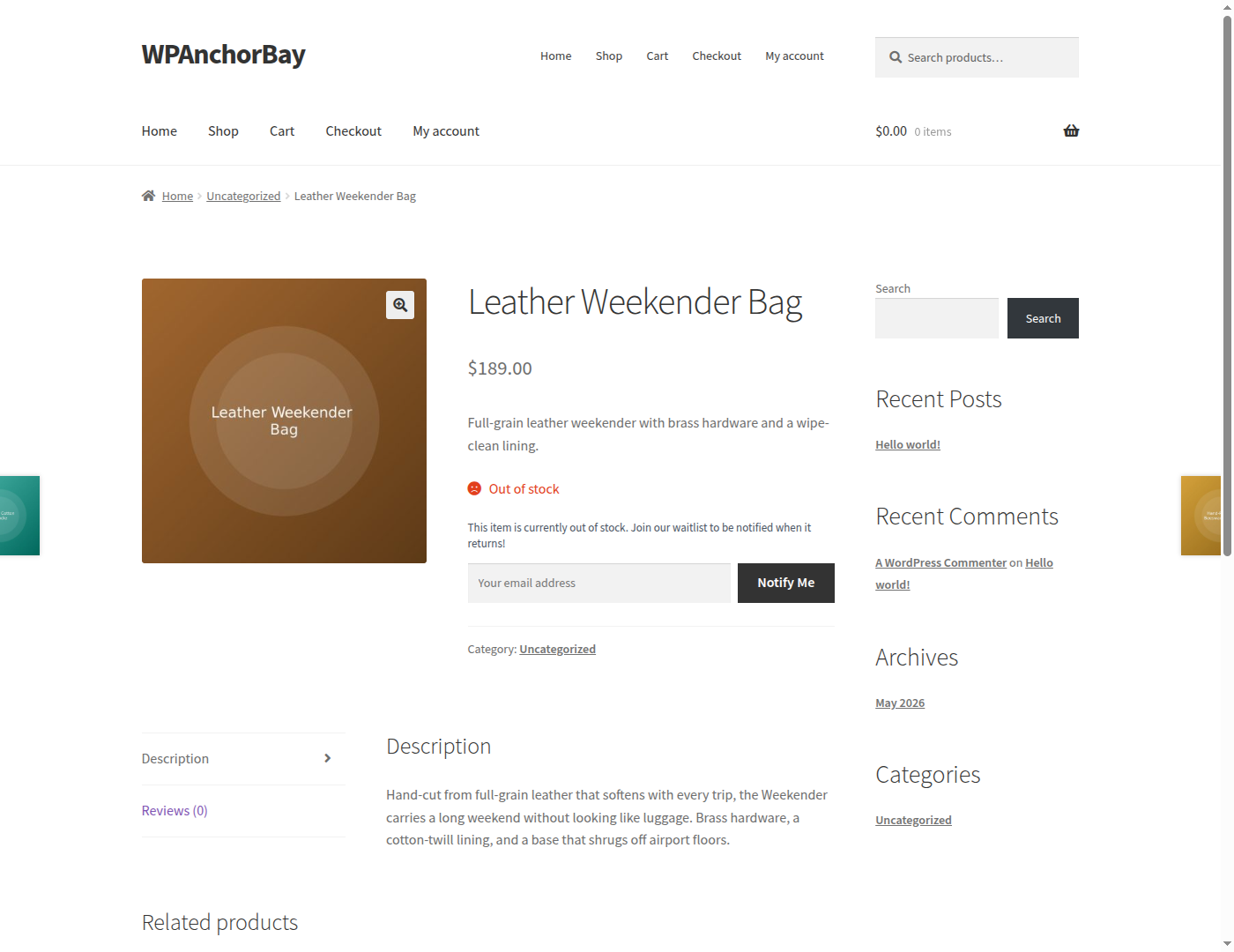
Customers join the waitlist straight from any out-of-stock product page, with no account required.
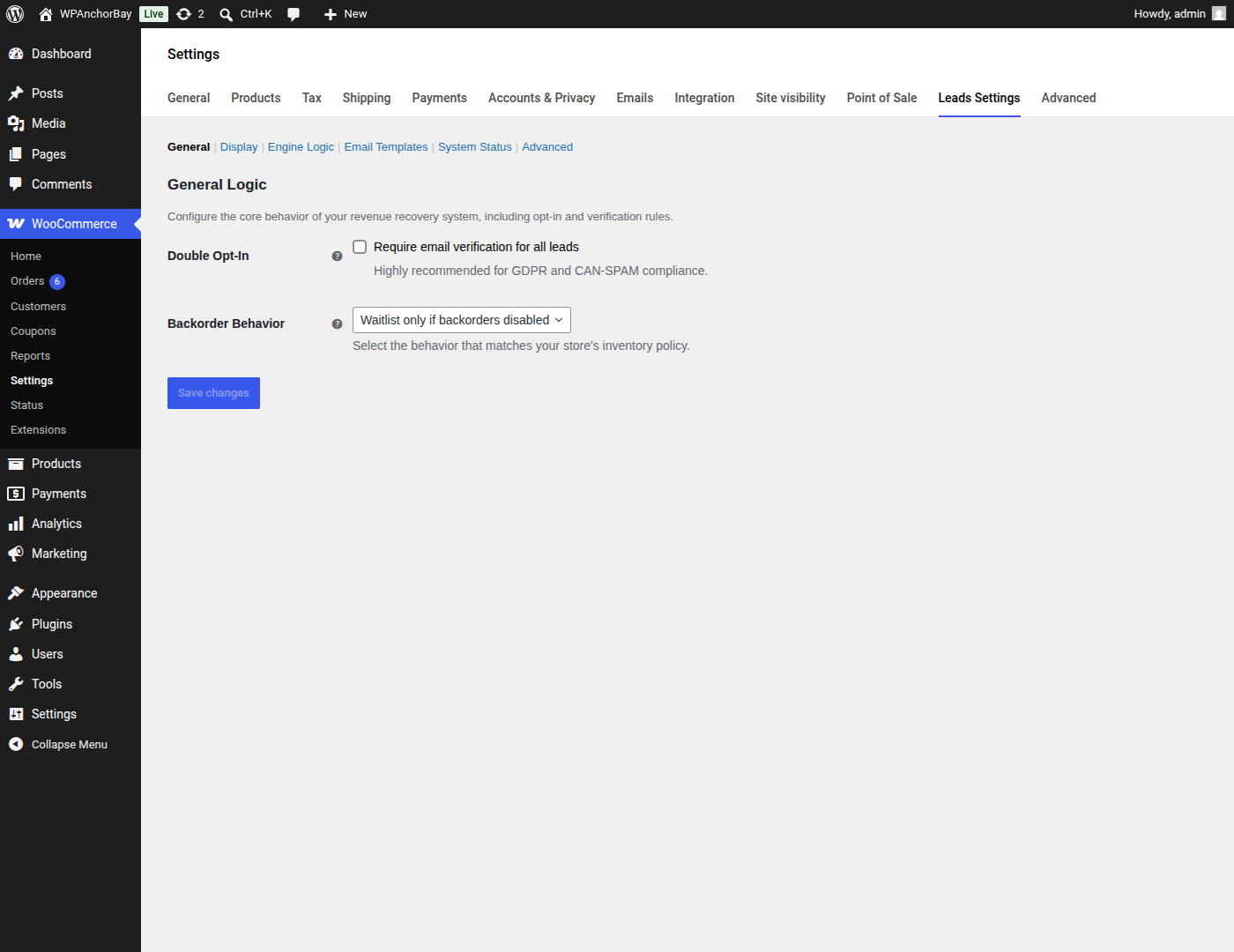
General — require email verification (double opt-in) before a signup counts, and decide how waitlists behave when backorders are allowed.
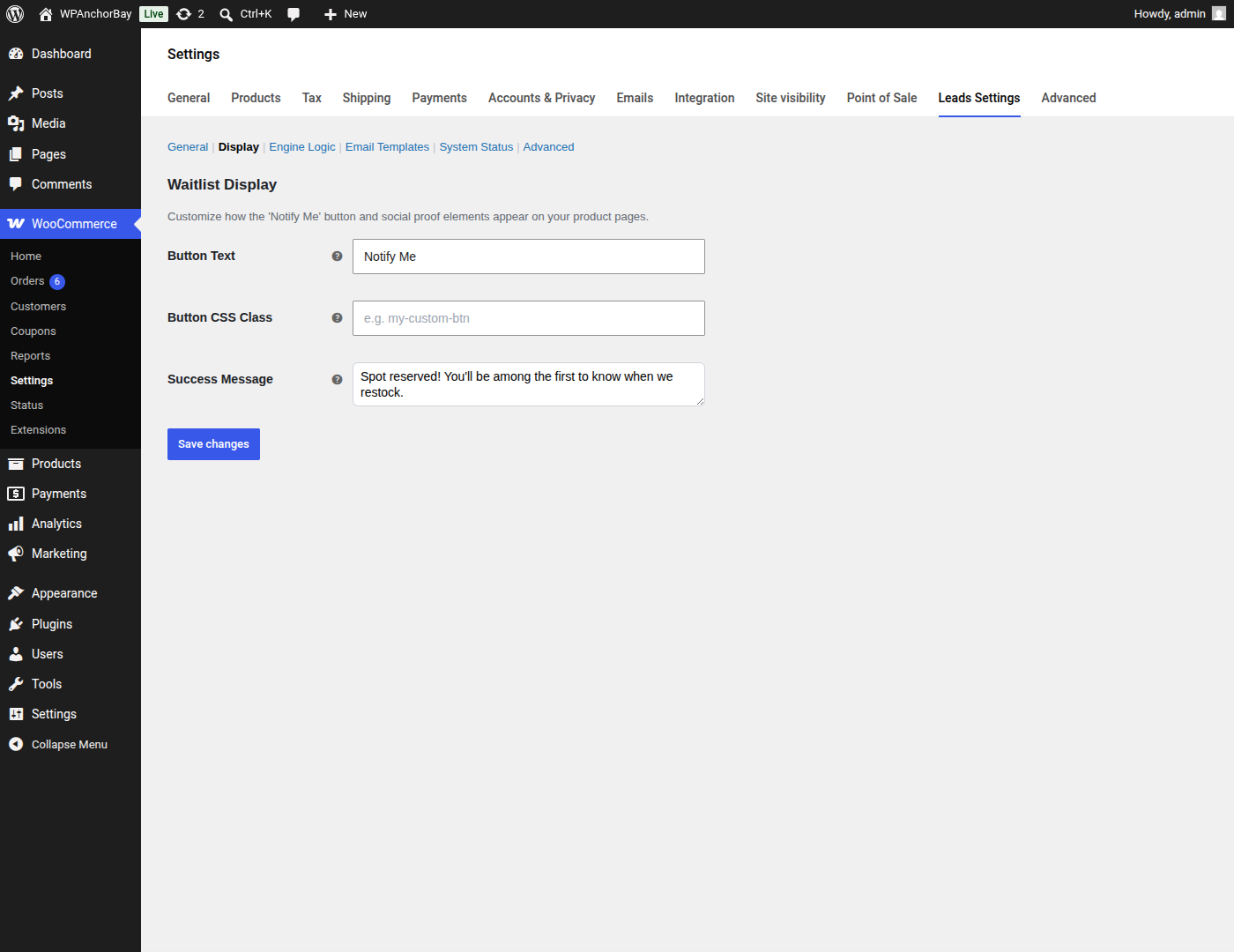
Display — set the button label, add your own CSS class, and write the confirmation message customers see after they sign up.
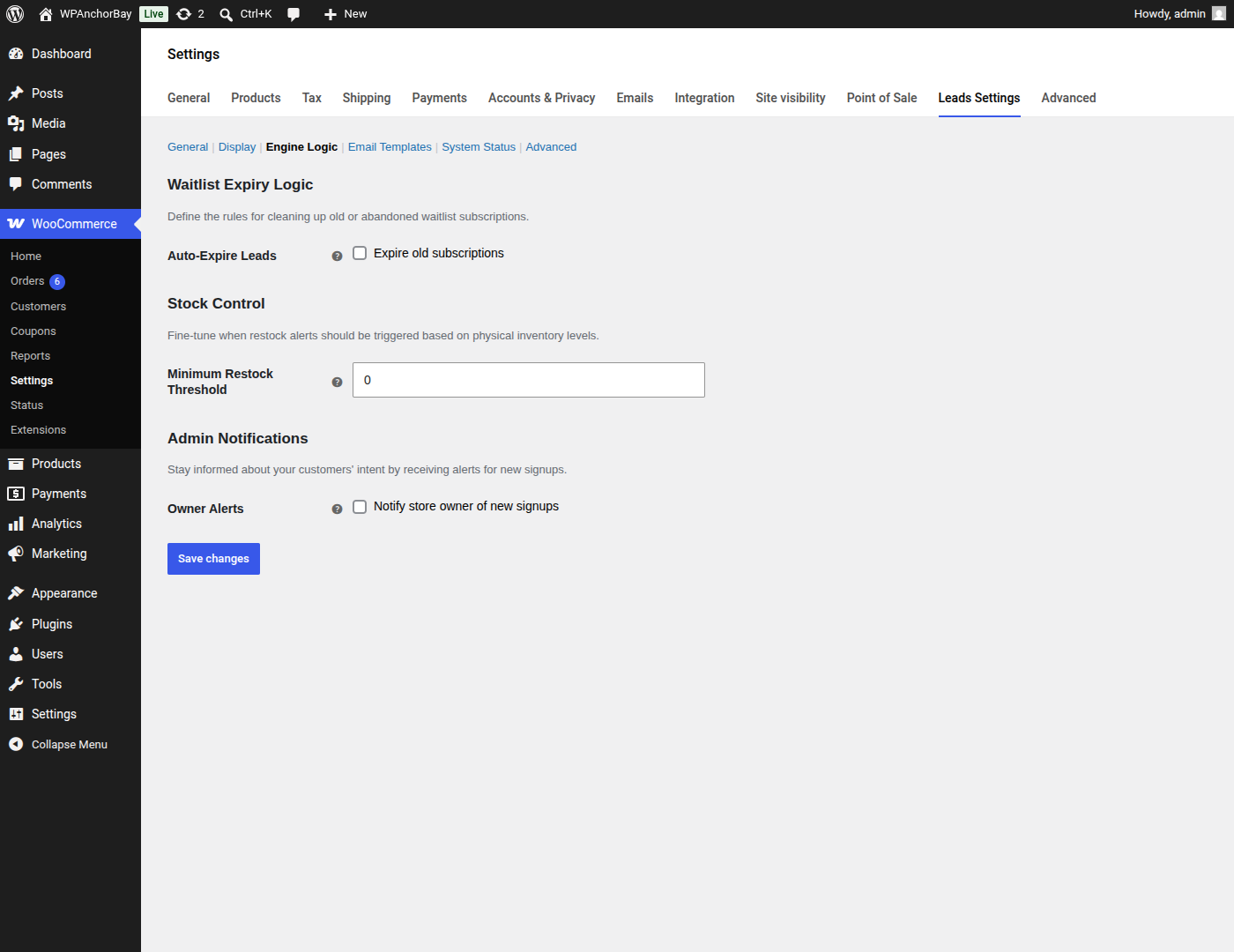
Engine Logic — set a minimum restock threshold, expire stale subscriptions automatically, and get alerted when new customers sign up.
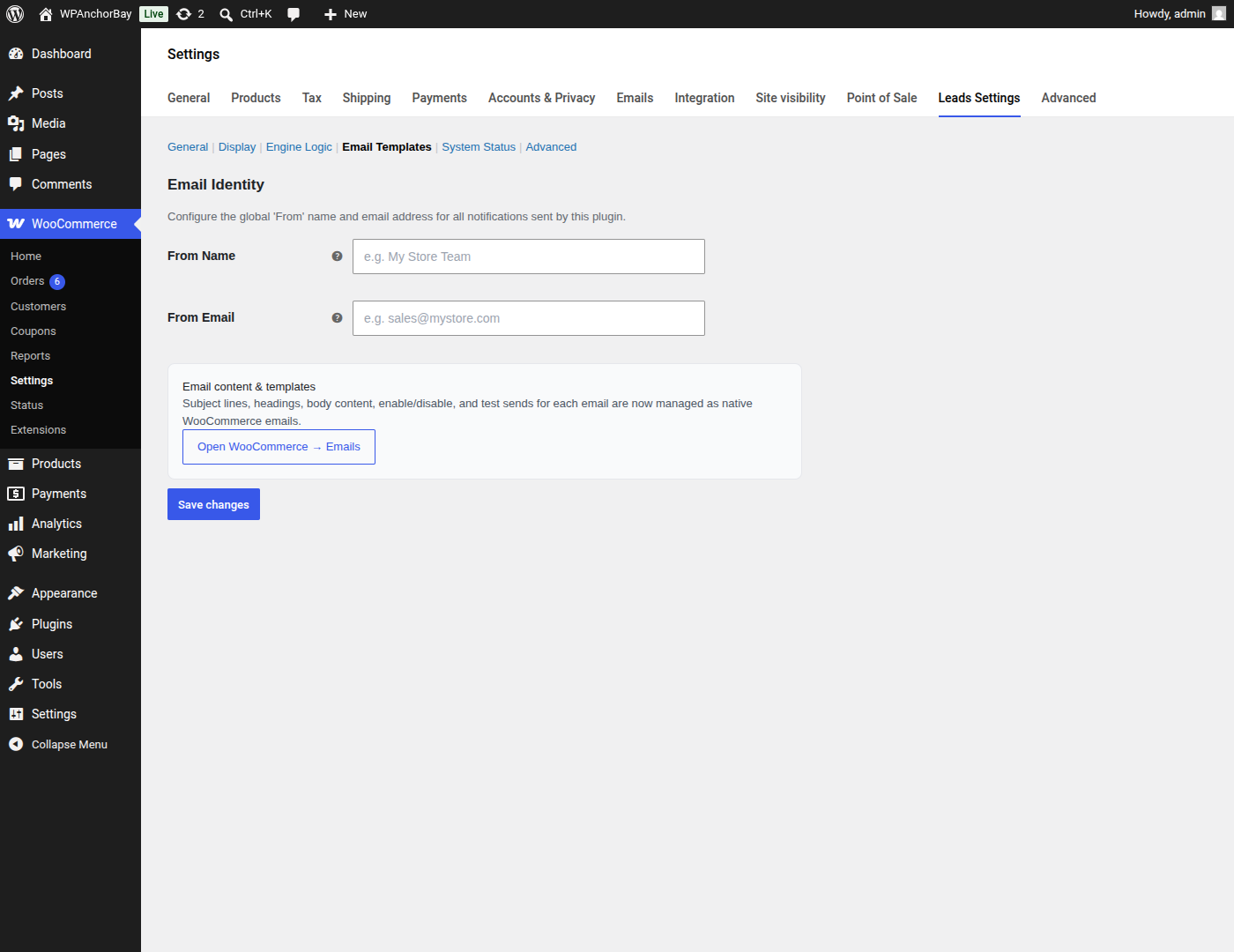
Email Templates — set the From name and address used for every notification; subject lines and content are managed as native WooCommerce emails.
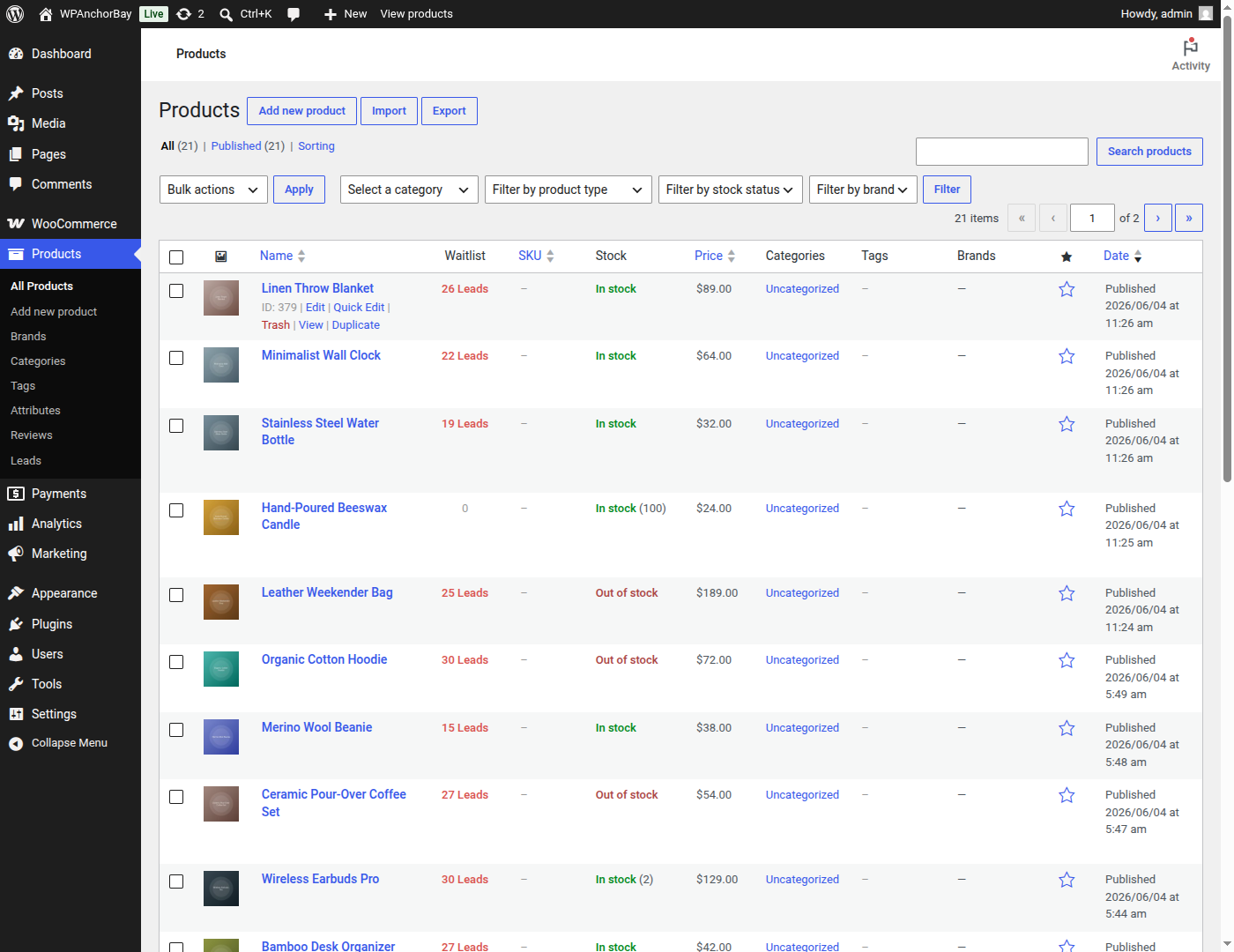
The Products list gains a Waitlist column showing pent-up demand for every product at a glance.
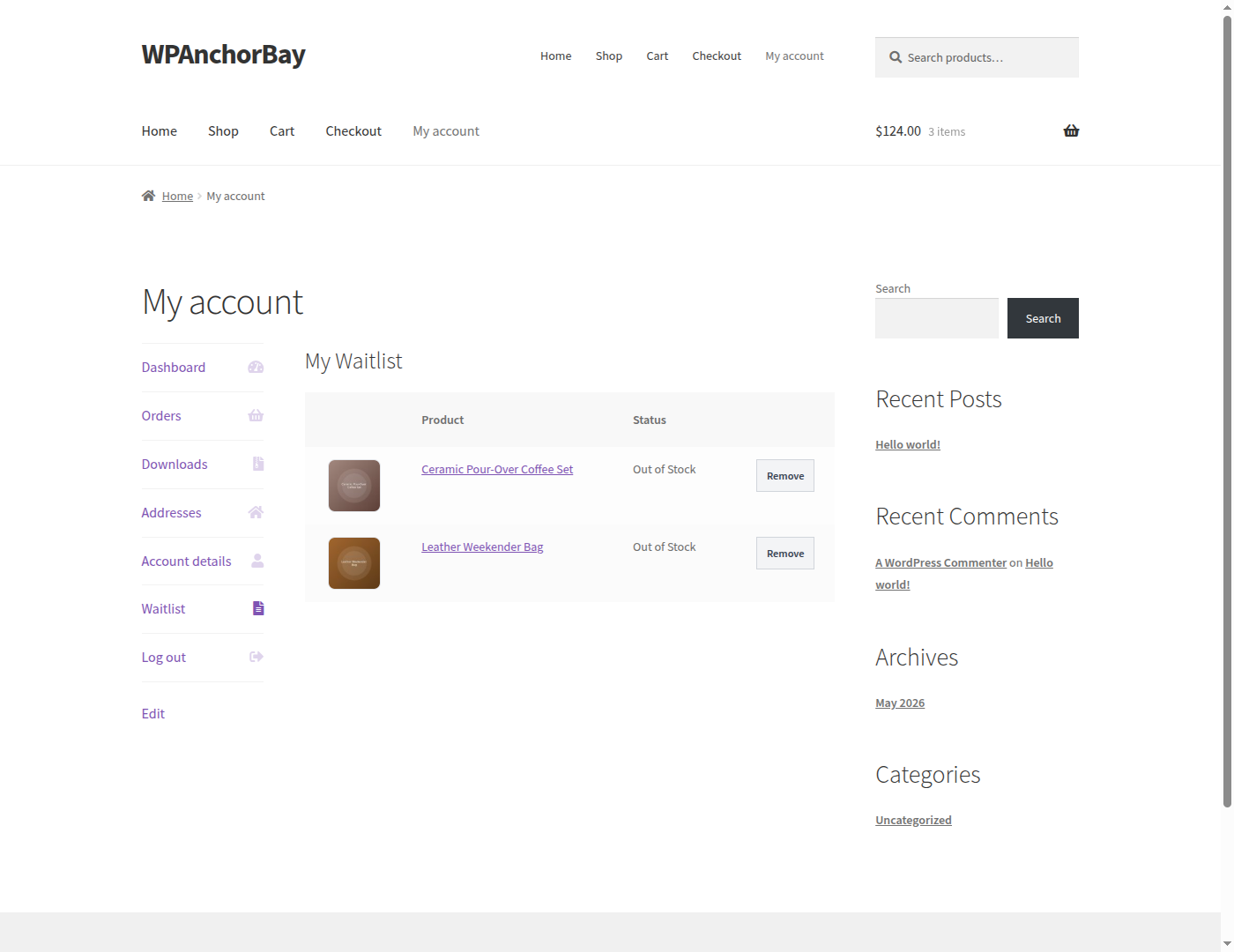
Customers manage their own subscriptions from a dedicated Waitlist tab in WooCommerce My Account.
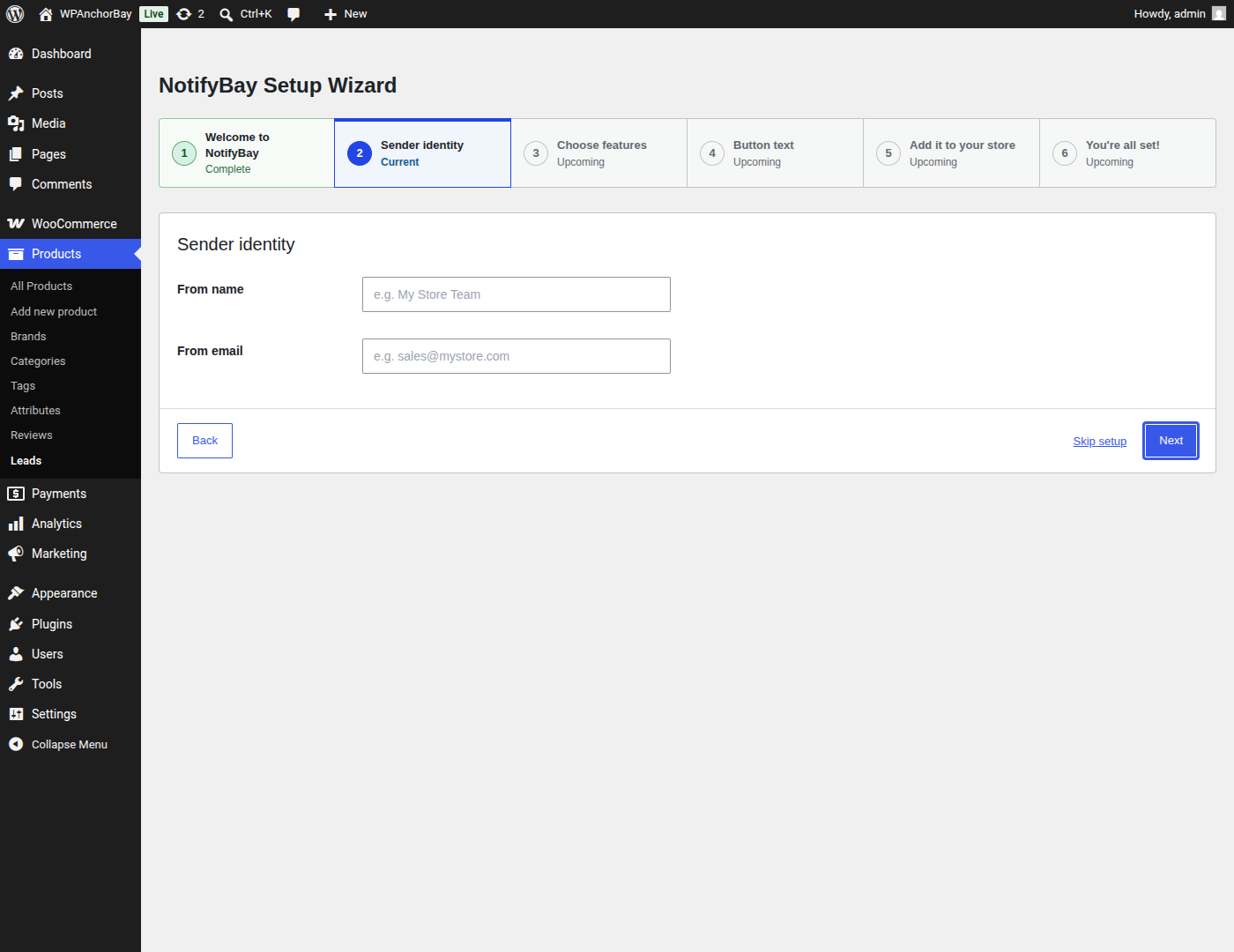
A guided setup wizard gets the waitlist live in a few steps.
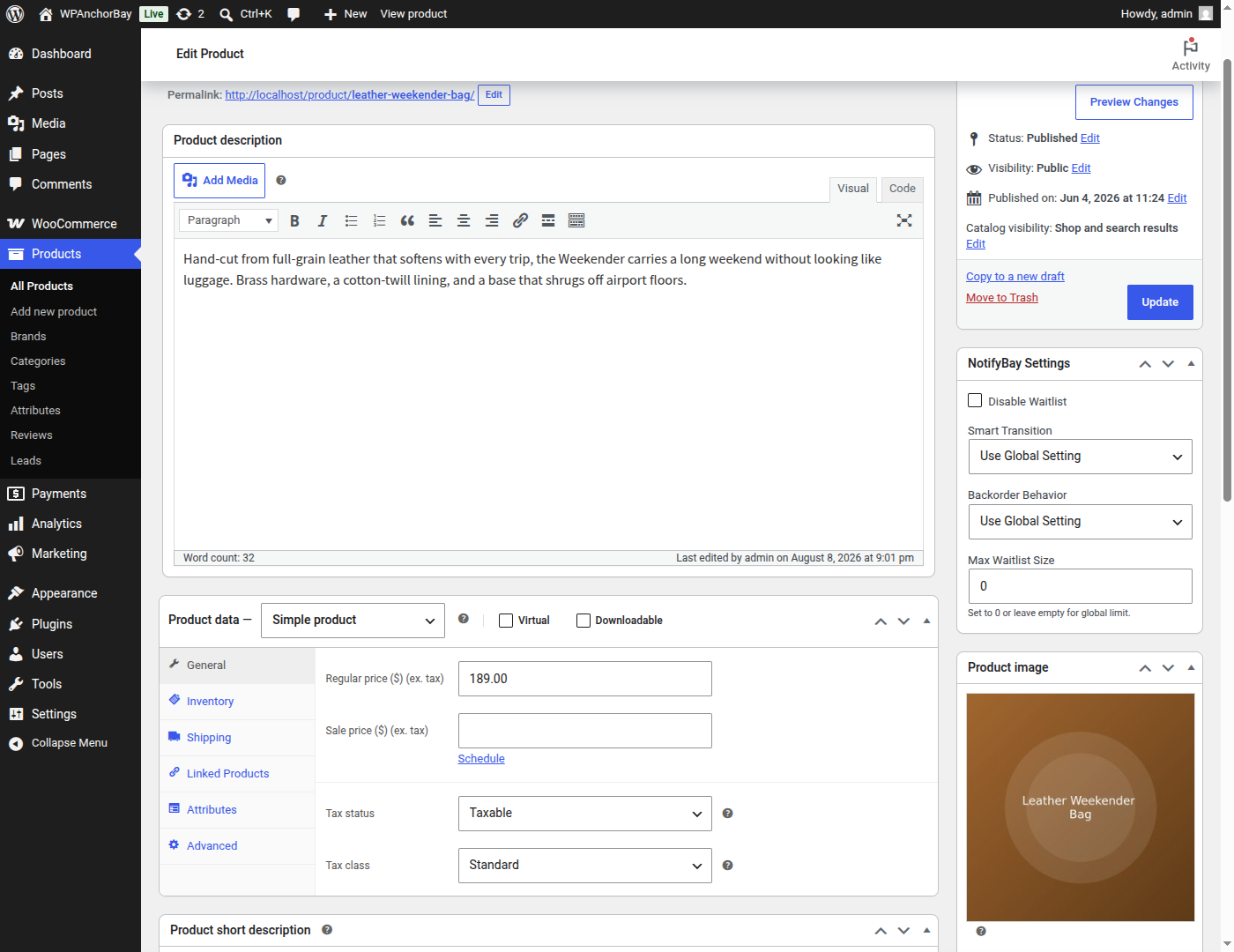
Per-product NotifyBay settings, including backorder behaviour and a maximum waitlist size.
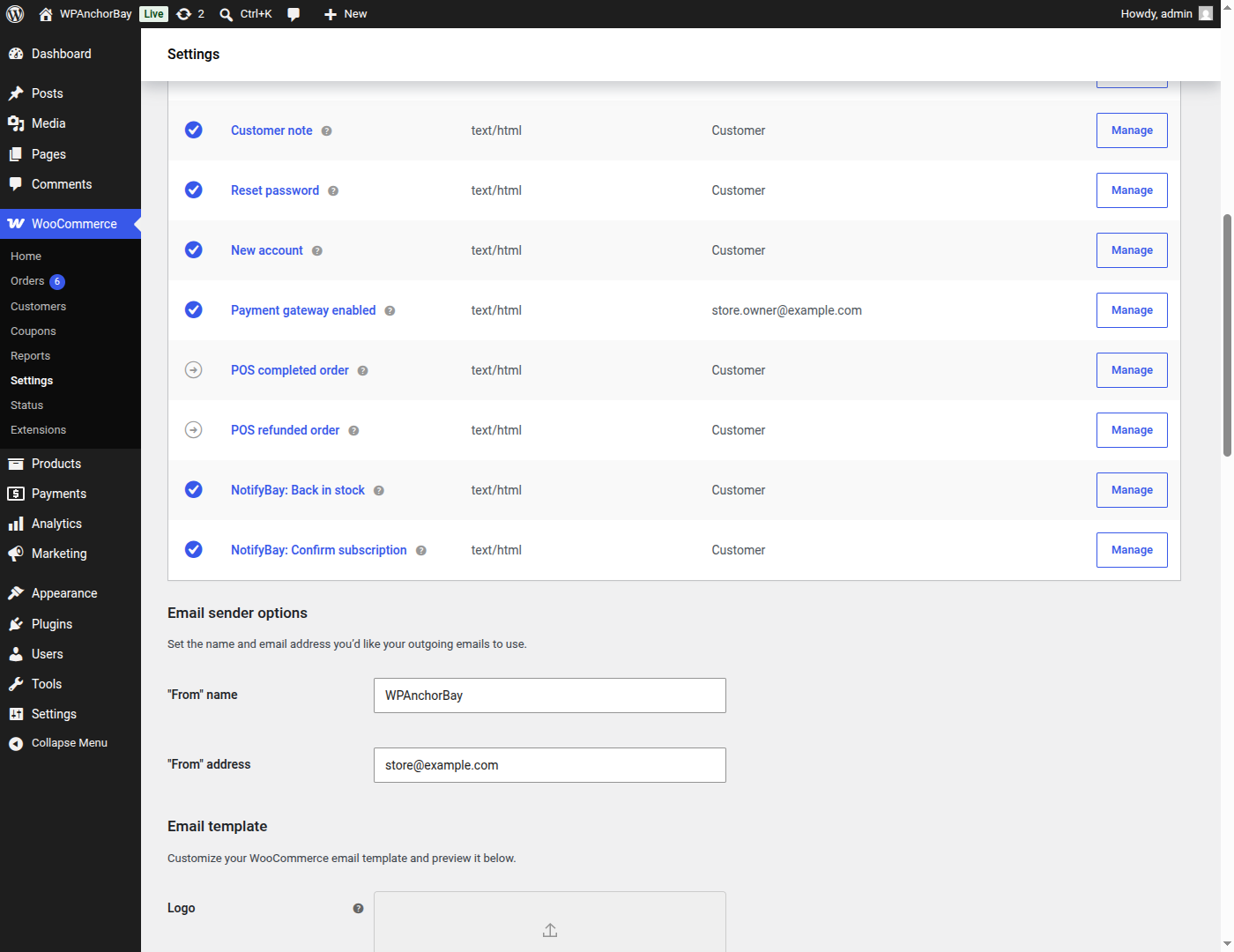
Restock and verification emails are native WooCommerce emails, editable under WooCommerce → Settings → Emails.


