
Now Playing Widget For Spotify Wordpress Plugin - Rating, Reviews, Demo & Download
Plugin Description
Instead of relying on heavy third-party embeds or exposing Spotify API keys to visitors’ browsers (a critical security risk), this plugin provides a clean, native, and highly performant way to show your website visitors what you are currently listening to on Spotify.
The Now Playing Widget for Spotify was built strictly according to WordPress Coding Standards, optimal front-end performance, and frictionless UX. It presents a modern, floating Glassmorphism UI using the [npwfs_now_playing] shortcode.
Features
- 1-Click OAuth2 Setup: Connect your Spotify account securely through the WordPress admin dashboard with a single button click. No terminal commands, curl scripts, or manual token handling required.
- CSRF-Protected Handshake: OAuth state parameters are validated using WordPress cryptographic nonces to protect your administration session.
- Zero Credential Exposure: Communication with the Spotify API occurs strictly server-to-server. Client Secrets and Refresh Tokens are stored safely in your database and are never delivered to visitor browsers.
- Intelligent Two-Tier Caching: Spotify access tokens are cached server-side until near expiration. Public track requests use WordPress Transients (30-second TTL by default) to keep page loads instant and stay safely within Spotify rate limits.
- Idle / Last Played State: When you are not playing music, the widget seamlessly displays the last track from your playback history with subtle visual styling.
- Battery & Network Friendly: The front-end polling pauses automatically when visitors switch to another browser tab using the HTML5 Page Visibility API.
- Accessible & Responsive: Fully responsive floating bar with reduced-motion support (
prefers-reduced-motion) and subtle animated equalizer bars. - Appearance Customizer & Live Preview: Customize accent color, glass backdrop, opacity, border shape (pill, rounded, square), floating screen position, and hover state effects with an interactive real-time preview in the admin panel.
- Spinning Vinyl Record Effect: Option to display the album artwork as a spinning vinyl record with realistic groove borders during active playback, or as a classic static album sleeve.
- Clean Uninstallation: Includes an
uninstall.phphandler to clean all stored options and transients from the database upon deletion.
External services
This plugin connects to external services provided by Spotify to authenticate the site owner and retrieve playback information:
- Spotify Accounts Service (https://accounts.spotify.com)
* Purpose: Handles the OAuth2 authorization code exchange and token refresh so the plugin can securely communicate with Spotify on the site owner’s behalf without storing passwords.
* Data sent and conditions: The site administrator’s Spotify API client credentials (Client ID and Client Secret), authorization code, and refresh token are transmitted server-to-server over HTTPS during initial setup and token refreshes. No website visitor data is ever sent to this service.
* Terms of service: Spotify Developer Terms and Spotify Terms of Use
* Privacy policy: Spotify Privacy Policy
- Spotify Web API (https://api.spotify.com/v1)
* Purpose: Fetches the site owner’s currently playing track (/v1/me/player/currently-playing) or recently played track history (/v1/me/player/recently-played).
* Data sent and conditions: An OAuth2 Bearer Access Token is sent in the HTTP Authorization header by your WordPress server when requesting listening activity. Requests are cached server-side using WordPress Transients (30-second TTL by default) to minimize calls. No user, visitor, or tracking data is ever collected or sent to Spotify.
* Terms of service: Spotify Developer Terms and Spotify Terms of Use
* Privacy policy: Spotify Privacy Policy
Screenshots

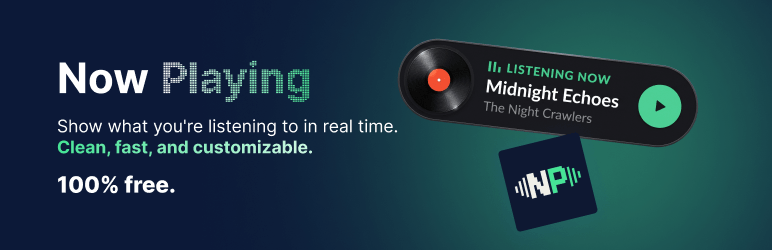
The floating glassmorphism widget displaying the currently playing song with spinning vinyl album art, animated equalizer bars, and a Spotify play link.

The Spotify Connection settings tab showing the 3-step OAuth2 setup, connection status, and the [npwfs_now_playing] shortcode.

The Appearance & Live Preview tab with real-time interactive customization for colors, glass opacity, hover effects, album art style, border shape, and screen position.


