Npcink AI Client Adapter Wordpress Plugin - Rating, Reviews, Demo & Download
Plugin Description
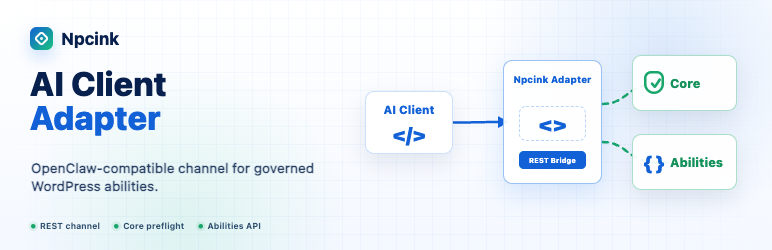
Npcink AI Client Adapter gives OpenClaw-compatible and similar AI clients one WordPress REST namespace for reading Npcink Governance Core capability guidance, routing approved read abilities through the WordPress Abilities API, and forwarding governed write requests to Npcink Governance Core proposal and commit-preflight endpoints.
Adapter is intentionally thin. It does not define abilities, store approval truth, run workflow queues, or execute final write mutations without Core approval and commit-preflight.
Adapter can be distributed as the Npcink AI suite entry plugin while Core and Toolkit remain separate plugins. Adapter health reports missing dependencies and dependency-sensitive routes fail closed with a structured missing dependency error.
Adapter exposes a machine-readable client_policy on health, help, and the connection manifest so OpenClaw-compatible clients, Qclaw-style clients, WorkBuddy-style clients, or other local AI clients can consume explicit route, output, sensitive-read, and write-flow boundaries. The local CLI also redacts profile paths, key ids, signing headers, tokens, passwords, and secrets from output.
Current governed execution support covers individually approved proposal execution for explicit Adapter profiles, including npcink-abilities-toolkit/trash-post, npcink-abilities-toolkit/create-draft, npcink-abilities-toolkit/update-post, npcink-abilities-toolkit/update-post-blocks, npcink-abilities-toolkit/update-template-blocks, npcink-abilities-toolkit/upsert-template-blocks, npcink-abilities-toolkit/update-template-part-blocks, npcink-abilities-toolkit/set-post-terms, npcink-abilities-toolkit/reply-comment, and npcink-abilities-toolkit/approve-comment.
Screenshots
No screenshots provided