Nvquyet2224 AI Chatbot For WooCommerce Wordpress Plugin - Rating, Reviews, Demo & Download
Plugin Description
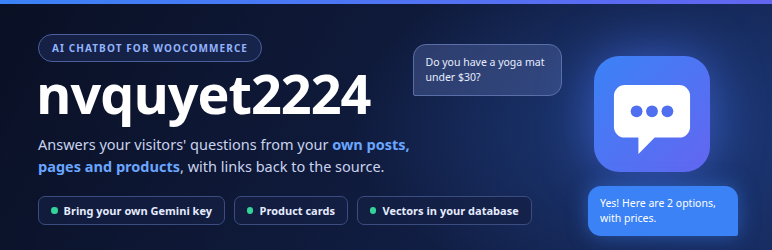
nvquyet2224 AI Chatbot adds a chat widget to your site. When a visitor asks a question, the plugin finds the most relevant parts of your own content (posts, pages and WooCommerce products) and asks an AI model to answer using only that information, with links back to the source.
It uses a technique called RAG (retrieval-augmented generation). Vector embeddings of your content are stored in your own WordPress database. No separate vector service or subscription is needed.
Features
- Chat widget with live, typed-out answers (streaming)
- Answers from your posts, pages and WooCommerce products. The whole index is searched, however large the site is
- Password-protected content, unpublished content and WooCommerce products hidden from the catalog are never indexed
- Product cards with name, price and link for WooCommerce products
- Automatic background sync: new and edited content is indexed in the background through WP-Cron
- Works with Google Gemini. You use your own API key
- The API key is stored encrypted in your database
- Answers in the visitor’s own language
- Customisable bot name, welcome message, colour and position, with a one-click “Reset to Default”
- Suggested questions: optional quick-reply buttons shown above the input
- Built-in protection against abuse: per-visitor rate limit and a daily message cap
- Translation ready: strings are internationalised and can be translated on translate.wordpress.org
- Optional “Powered by nvquyet2224 AI Chatbot” credit, off by default
- Your data stays on your site when you uninstall, unless you choose to delete it
You need an API key
The plugin does not include AI credits. Create a key with Google AI Studio (Gemini) and paste it into the plugin settings. Usage is billed by Google according to their pricing.
External services
This plugin connects to the Google Gemini AI service. Nothing is sent until you enter an API key.
Google Gemini API (Google LLC)
Used to generate embeddings and chat responses. Requests go to https://generativelanguage.googleapis.com.
- When an administrator opens the settings screen or clicks “Load models from Google”: a request with the API key is sent to list the available models. No site content is sent.
- When content is synced: the text of the posts, pages and products you have chosen to index (title, content, and for products price and short details) is sent to create embeddings.
- When a visitor chats: the visitor’s message, up to the last 10 messages of that conversation, and the most relevant excerpts of your content are sent to generate an answer.
- Terms of service: https://ai.google.dev/gemini-api/terms
- Privacy policy: https://policies.google.com/privacy
Do not index content you do not want sent to Google. Visitors should be informed that their chat messages are processed by a third-party AI service. A suggested text is added to your site’s privacy policy page (Settings > Privacy).
Privacy
- The plugin does not set tracking cookies.
- The chat history shown in the widget is kept in the visitor’s own browser (local storage). It is not stored on your server.
- Chat requests are rate limited per IP address. For this check only a one-way hash of the IP address is kept, in a temporary value that expires after 60 seconds. The plain IP address is not stored.
- A site-wide counter of chat messages per day is kept (a number only, no personal data) to cap API costs.
Screenshots

Chat widget answering a question with product cards.

Dashboard.

AI settings.

Widget appearance settings.