
Oakhammer BOM Pricing For WooCommerce Wordpress Plugin - Rating, Reviews, Demo & Download
Plugin Description
If you sell bundles, kits or things you build from parts — custom bikes, gaming PCs, furniture, tool kits, gift boxes, meal kits — you have probably set prices by hand and missed it when a part got more expensive. BOM Pricing fixes that.
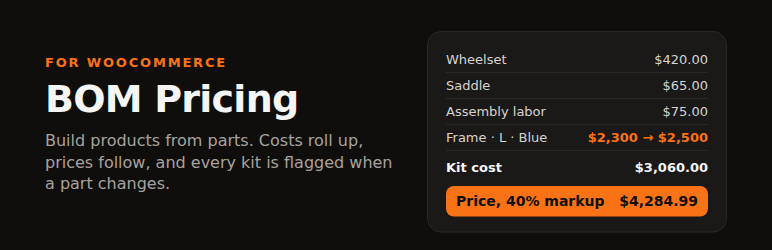
Give each product a bill of materials (BOM): the parts, labor and packaging that go into it. BOM Pricing adds up the cost of goods (COGS), applies your markup or target margin, and sets the price. When a supplier raises a part’s cost, every bundle and kit that uses it is recalculated and flagged, so your margins don’t quietly shrink.
- Bill of materials on any product or variation. Add components (any simple product or any specific variation) and non-product costs like labor, packaging or freight.
- Variation-level BOMs that show the exact variation. Lines read “Frame — Size: Large, Color: Blue (SKU FRAME-L-BLU)”, not just the parent product name.
- Shared lines for variable products. Put the wheels and saddle on the product once; add only the part that differs (the frame) on each variation.
- Sub-assemblies. A component can have its own BOM. Costs roll up through any depth, with circular-reference protection.
- Pricing rules. Markup %, target margin %, or cost + fixed amount, with rounding (.99, whole, next 5/10/25, 9.99 endings). Store default, per product, per variation.
- Apply price. Set the regular price to the computed price from the product screen, or one at a time from the review screen. Sale prices are never touched.
- Cascade. Change a component’s cost — in the editor, by import, through the REST API, anywhere that writes the cost — and every kit that depends on it is recomputed and flagged “Needs update”.
- Review screen. WooCommerce BOM Pricing lists every BOM-priced item with cost, computed price, current price, the change, margin, and why it changed.
- Works with WooCommerce Cost of Goods. Read component costs from WooCommerce’s own cost field, and write rolled-up costs back to it so its margin reports are right.
- WP-CLI.
wp ohbp list,wp ohbp rollup,wp ohbp set-cost,wp ohbp set-bom,wp ohbp push.
Pro and Business
BOM Pricing Pro adds automatic price updates when a component cost changes (with a max-change guard and an optional “only raise prices” rule), bulk apply on the review screen, a full cost and price change history, and CSV cost import by SKU.
The Business plan adds BOM-aware stock: how many more of each kit you can build from parts on hand and which part runs out first, part usage that counts parts consumed by kit sales, a reorder list ranked by what runs out first (with supplier lead times and suggested order quantities), and optional automatic part stock reduction when a kit sells.
Documentation
Full guides: oakhammersoftware.com/bom-pricing/docs. In WordPress, go to Plugins BOM Pricing Help & feedback to report a problem or suggest a feature.
Reporting bugs
Go to Plugins BOM Pricing Help & feedback, choose “Bug report”, and tell us the steps, what you expected and what happened. Bug reports we can confirm earn a free month: we add a month to your license, or send a free 30-day Pro license if you use the free version. See the bug rewards rules. Please report security issues privately to privacy@oakhammer.app.
Privacy
BOM Pricing never sends your store’s customer, order or product data anywhere. Two things can send information to Oakhammer Software, and only when you choose them:
- Usage data opt-in (Freemius). The first time you open WooCommerce BOM Pricing you are asked, once, whether to share basic, non-sensitive diagnostic data: your name and email, site URL, WordPress, WooCommerce and PHP versions, plugin version, language and active plugins/theme. It is handled by Freemius for Oakhammer Software. Choose “Skip” and nothing is sent; you can opt out later from the plugin’s Account page. See the Freemius privacy policy and ours.
- Help & feedback form. Emails your report to Oakhammer Software. If you leave the diagnostics box ticked it also sends: plugin, WordPress, WooCommerce and PHP versions, active theme and plugins, the HPOS setting, your license plan and license ID (never the license key), your site URL, and counts of BOM-priced items. You can see the exact list on the form before sending.
Screenshots

BOM & Pricing tab: shared parts for every variation of a variable product.

A variation’s own parts, showing the exact part variation (attributes and SKU), with live cost, computed price and margin.

WooCommerce → BOM Pricing: every kit’s cost, computed and current price, change, margin, and why it changed.

Store-wide defaults under WooCommerce → Settings → Products → BOM Pricing.

BOM Stock (Business add-on): what to reorder first, and how many of each kit you can still build.


