Obydullah B2B Portal Wordpress Plugin - Rating, Reviews, Demo & Download
Plugin Description
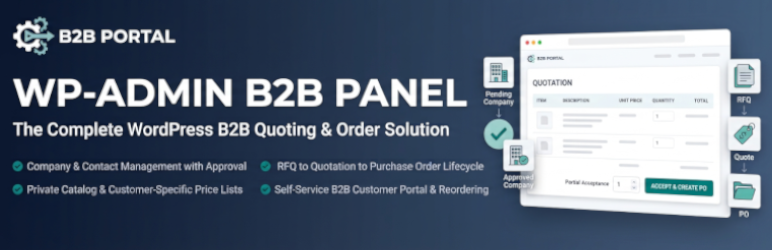
Obydullah B2B Portal turns your WordPress site into a self-service quoting channel for business customers. You manage companies, a product catalog, and per-customer price lists in wp-admin. An approved company contact signs in to the front-end portal, browses your catalog, builds a request for quotation, and accepts or rejects your quotation. Accepting creates the purchase order.
The whole flow is one chain, enforced as explicit state machines rather than loose status flags:
pending company → approved company → customer submits RFQ → admin quotes → customer accepts → purchase order created → order history
What it does
- Companies and contacts — company records with multiple contacts, approval and rejection with a reason, and portal access that is granted on approval.
- Product catalog — a private custom post type, so products inherit WordPress revisions, media handling, and search. Per-product SKU, unit, price, currency, availability, minimum order quantity, quantity step, and lead time.
- Customer-specific price lists — assign a price list to a company, or mark one list as the site default. Each list can be inactive or sit inside a validity window. A price list item overrides the product’s own price, minimum quantity, quantity step, and lead time. If a list’s currency and the company’s currency disagree, the list is skipped and the customer’s own currency is used.
- RFQs — customers add catalog items to a draft, attach quantities and per-item notes, then submit. Admins move them through draft, submitted, under review, quoted, ordered, closed, rejected, and cancelled.
- Quotations — price an RFQ line by line, apply a fixed or percentage discount, set a validity date, and send it. Customers view, print, download, or reject it. Quotes past their validity date expire on a daily cron.
- Partial acceptance — a customer can accept some lines and decline others by setting a quantity to zero. Only accepted lines become order lines, so declining an item never creates a phantom order.
- Purchase orders — created automatically from accepted quotes and tracked through draft, issued, confirmed, acknowledged, in production, dispatched, delivered, completed, and closed. The customer can acknowledge receipt from the portal.
- Reorder — copy the items of any past RFQ into a fresh draft.
- Roles and capabilities — three roles (B2B Manager, B2B Sales, B2B Customer) plus per-action capability checks. Portal access is granted per company, not per role.
- CSV import and export — import companies, catalog, price lists, and price list items. Export everything. Export to import is lossless for those four entities.
- Activity log — every state change is recorded with actor, object, action, message, and context.
Design choices
- No external services. The plugin loads no remote fonts, scripts, or styles, and makes no outbound HTTP requests of its own. Notification mail goes through your site’s own
wp_mailconfiguration, so it uses the mail transport you already chose. It sends no usage or telemetry data. - Transactional integrity. Every state change validates, opens a transaction, re-reads the row locked
FOR UPDATE, and re-checks the transition against the locked status. Concurrent acceptance of two quotations for one RFQ produces one purchase order, not two. - Tenant isolation. Customer-facing reads of an RFQ, quotation, or purchase order are always scoped to a company the logged-in user belongs to, and require that company to be approved. Guessing a record ID in the URL returns nothing.
- Mail never rolls back data. Notifications are sent after the transaction commits, so a mail transport failure cannot undo a saved record.
- Spreadsheet-safe exports. Leading
=,+,-, and@are neutralised in exported text cells so spreadsheets do not execute them as formulas. Numeric values are left intact so negative numbers still round-trip.
What it deliberately does not do
Payments, invoicing, accounting, inventory, credit scoring, tax calculation, WooCommerce coupling, and mobile apps are out of scope. This plugin covers request, quote, and order. If you need to take payment or raise an invoice, use a dedicated plugin alongside it.
Screenshots
No screenshots provided