
OneLence Connect Wordpress Plugin - Rating, Reviews, Demo & Download
Plugin Description
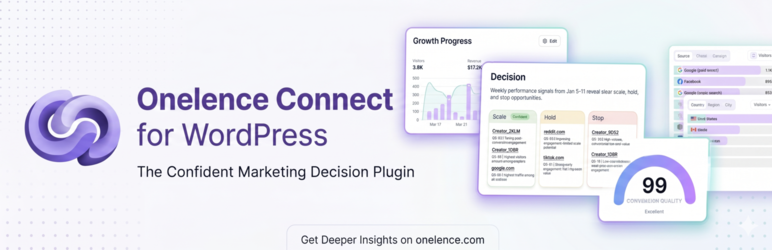
OneLence is a marketing decision layer: it turns site and campaign signals into evidence you can trust, so you can decide what to scale, hold, or stop with confidence—not guesswork.
OneLence Connect is the official WordPress bridge. It sends dependable server-side attribution from your site into your OneLence workspace, including WooCommerce conversions, with less data loss from ad blockers and cookie restrictions. Once connected, your WordPress data feeds the same decision workflow you use in OneLence—from channel performance to growth priorities.
What you get
- Server-side tracking for page views and key site activity
- WooCommerce conversion tracking with automatic retries when delivery fails
- Consent-aware behavior that works with popular CMPs (and OneLence Consent when you use it)
- Hybrid tracking mode that combines server reliability with browser SDK features without double-counting page views
- No-code event setup in the Events tab—visual picker and rule builder for clicks, forms, and thank-you pages
- Diagnostics in wp-admin including Test Connection to validate your site before launch
- A clear path to action—reliable inputs for OneLence decisions, insights, and priorities in your workspace
What you need
- A OneLence account (free trial available)
- Use Connect to OneLence in the plugin dashboard—your site is linked and credentials are configured automatically
Works on any WordPress site. WooCommerce is optional but fully supported for order and conversion tracking.
Learn more
External services
This plugin connects to external services. Data is only sent when tracking is enabled and your consent settings allow it.
OneLence ingestion API
Used to deliver server-side events and WooCommerce conversions to your OneLence workspace.
- What is sent: page URLs, visitor identifiers (
olm_vid), UTM/attribution parameters, event names and properties you configure, WooCommerce order metadata when store tracking is enabled, and optional user email on login for identify events. - When: on page views, configured events, conversions, and related server-side actions according to your tracking mode and consent mode.
- Where:
https://ingest.onelence.com - Provider: Crelora / OneLence — Terms of Service, Privacy Policy
Mark browser SDK (Hybrid / JS-only modes)
Used for client-side tracking when you enable Hybrid or JS-only tracking.
- What is sent: the same categories of analytics data as configured in the plugin (for example page views and custom events), subject to your CMP/consent rules.
- When: after consent is granted (or immediately when no CMP is detected and your consent mode allows it).
- Where: the Mark SDK shipped inside this plugin (
assets/js/mark.browser.umd.js). No third-party script host is used on WordPress.org builds. - Provider: Crelora / OneLence — Terms of Service, Privacy Policy
Connect to OneLence (setup)
Used when you click Connect to OneLence in wp-admin to link the site to your workspace.
- What is sent: OAuth/session tokens and site metadata required to obtain API credentials.
- When: during the connect flow initiated by an administrator.
- Where: OneLence web properties under
onelence.com - Provider: Crelora / OneLence — Terms of Service, Privacy Policy
OneLence Consent (optional separate plugin)
Not required. If installed, OneLence Connect reads consent signals from that plugin and may forward optional coverage metrics when you enable forwarding in settings.
- What is sent: consent state needed for tracking decisions; optional lightweight coverage signals when forwarding is enabled.
- When: while visitors interact with the consent banner and when forwarding is enabled.
- Where: local WordPress installation (OneLence Consent plugin). Download: onelence.com/consent/download
- Provider: Crelora / OneLence — Terms of Service, Privacy Policy
Privacy
- Cookies:
olm_vid(visitor identity) andolm_utm(attribution parameters). These are set according to your consent mode and detected CMP. - Consent: OneLence Connect reads consent signals from your CMP; it does not replace your cookie banner. Optional OneLence Consent is a separate plugin.
- WordPress tools: Personal data export is registered with WordPress privacy tools. Use Keep Data on Uninstall in Tracking settings if you want options retained after uninstall.
- Policy: OneLence privacy policy
For developers
OneLence Connect exposes WordPress hooks for custom integrations, including onelco_should_track, onelco_event_payload, onelco_conversion_payload, onelco_visitor_id, onelco_event_sent, onelco_conversion_sent, and onelco_load_mark_sdk. Custom conversions can use ONELCO_Tracker::track_custom_conversion() or the onelco_track_custom_conversion action.
Full integration reference: WordPress setup docs
Screenshots

Dashboard with connection status and Test Connection

Connect tab — link your OneLence account

Tracking tab — modes and diagnostics

Store tab — WooCommerce conversion options

Privacy & Coverage — consent and CMP detection


