
Onlinefotka SMTP Mail Wordpress Plugin - Rating, Reviews, Demo & Download
Plugin Description
Onlinefotka SMTP Mail sends every WordPress and WooCommerce email through your own SMTP server instead of the unreliable PHP mail() function – so order confirmations, invoices and password resets reach the inbox, not the spam folder.
Everything is included for free – no “Pro” version, no license key.
Sending
- Any SMTP server – your hosting mailbox, Gmail / Google Workspace, Microsoft 365, Zoho, Seznam, Brevo, Mailgun, SendGrid, Postmark, Amazon SES, SMTP2GO…
- OAuth 2.0 login (no password stored) – Google / Gmail / Workspace (Gmail API), Microsoft 365 / Outlook.com (Microsoft Graph – no SMTP AUTH needed) and Zoho Mail (Zoho Mail API). You use your own app (client ID + secret), step-by-step setup guide included, tokens are stored encrypted and refreshed automatically
- Presets fill in host, port and encryption with one click
- Multiple connections (up to 10)
- Backup connection – when the primary server fails (outage, wrong password, limit reached) the email is immediately sent through the backup connection
- Smart routing – rules send selected emails through another connection, e.g. by subject, recipient, From address, custom header or the plugin that sent the email
- From email and name – optionally forced for every email, Return-Path set automatically
- Background sending – emails are queued and sent every minute with a limit per minute (respects hosting limits, faster checkout)
- “Do not send” mode for staging copies – emails are only logged
Email log
- Every email with status (sent / failed / blocked), recipient, subject, connection, error message and the plugin that sent it
- Safe preview of the HTML content, headers and attachments
- Resend to the original recipients or to another address, bulk resend
- Optional copies of attachments in a protected folder
- Filters (status, source, connection, date), search, CSV export
- Automatic cleanup after a chosen number of days
Tracking & reports
- Open and click tracking for HTML emails (signed redirect links – no open redirect)
- Reports – daily chart, totals, open and click rate, statistics by plugin and by connection
- Weekly summary email
- Dashboard widget
Alerts
Get notified when an email cannot be sent: email, Slack, Discord, Telegram or a custom webhook (JSON). Alerts are throttled and sent in the background.
Email controls
Turn off WordPress system emails you do not need – comment notifications, new user emails, password / email change notifications, automatic update emails.
Tools
- Test email with the complete SMTP conversation (passwords hidden) and plain-language advice for common errors
- Connection check – connect and log in without sending an email
- Domain check – MX, SPF, DKIM and DMARC records with advice
- Import from WP Mail SMTP including the password
- wp-config.php constants – ideal for agencies managing many sites, passwords never stored in the database
- WP-CLI:
wp ofsm test,wp ofsm queue,wp ofsm log,wp ofsm stats,wp ofsm resend,wp ofsm report
Security
- Passwords are encrypted (libsodium) with a key derived from your wp-config.php salts – never stored next to the encrypted value
- Passwords are hidden in the SMTP conversation
- Capability checks and nonces on every action, all output escaped
- Email previews are rendered in a sandboxed iframe
- Stored attachments are protected from direct access and downloaded only by administrators
- CSV export is protected against formula injection
Privacy
The email log stores recipients and (optionally) the content of emails in your own database. Open and click tracking processes personal data – mention it in your privacy policy or keep it turned off. No data is sent to Onlinefotka or any third party; alerts are sent only to the channels you configure.
External services
The plugin connects to third-party services only when you configure them:
- Google Gmail API and Google OAuth (accounts.google.com, oauth2.googleapis.com, gmail.googleapis.com) – used when a connection of the type “Google” is set up: to authorize your mailbox and to send each email (recipients, subject, content and attachments are sent to Google). Terms, Privacy
- Microsoft identity platform and Microsoft Graph (login.microsoftonline.com, graph.microsoft.com) – used for connections of the type “Microsoft 365 / Outlook” to authorize the mailbox and send each email. Terms, Privacy
- Zoho Accounts and Zoho Mail API (accounts.zoho.*, mail.zoho.*) – used for connections of the type “Zoho Mail” to authorize the mailbox and send each email (attachments are uploaded to Zoho). Terms, Privacy
- Your SMTP server – for SMTP connections the emails are delivered to the SMTP server you enter.
- Slack, Discord, Telegram or your own webhook URL – only if you enter them as alert channels: when an email fails, the site name, subject, recipient and error message are sent there. Slack: Terms, Privacy; Discord: Terms, Privacy; Telegram: Terms, Privacy
The domain check in Tools only performs DNS lookups of the domain you enter. No data is ever sent to Onlinefotka.
Screenshots
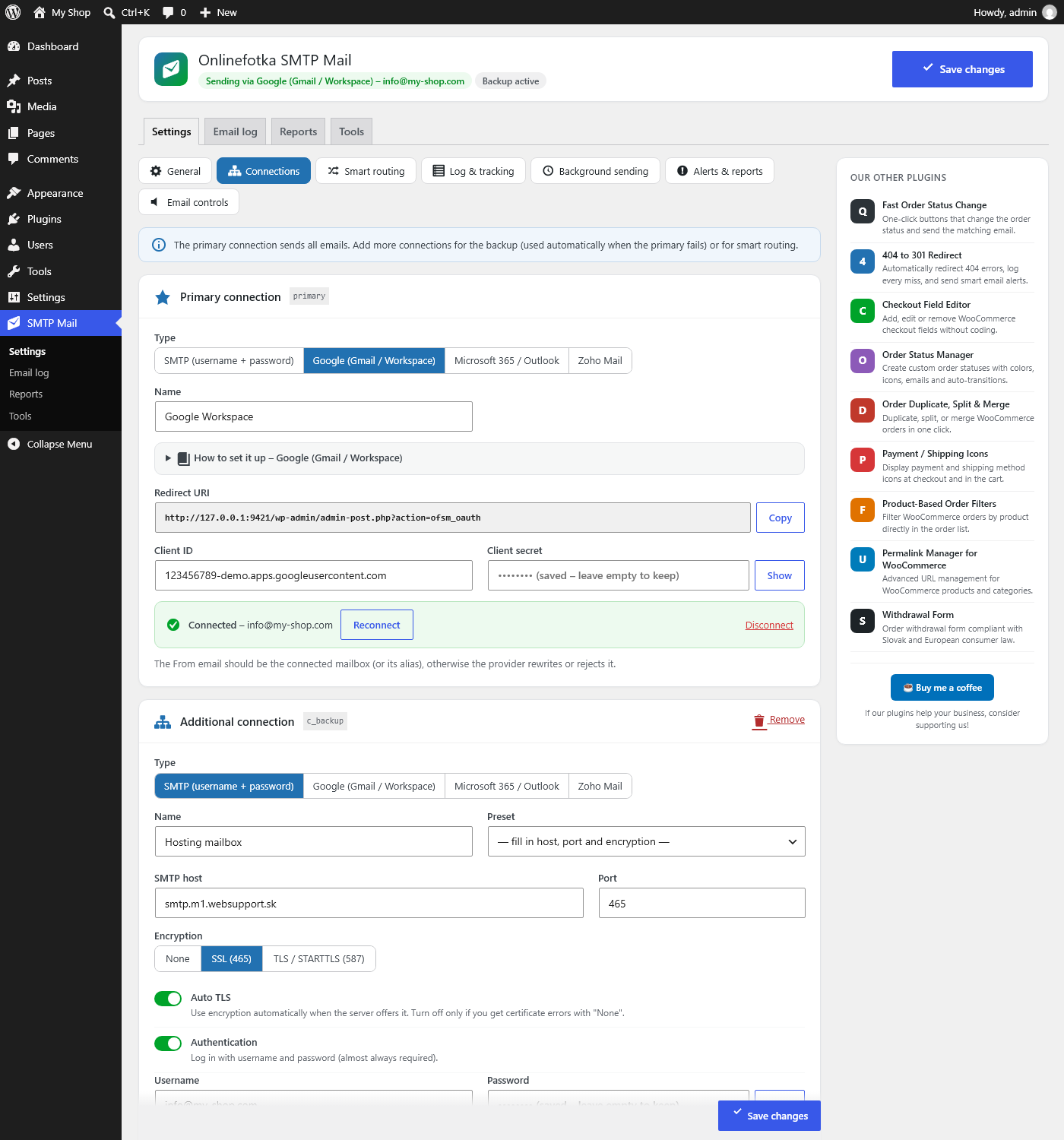
Connections – SMTP with presets or OAuth login for Google, Microsoft 365 and Zoho
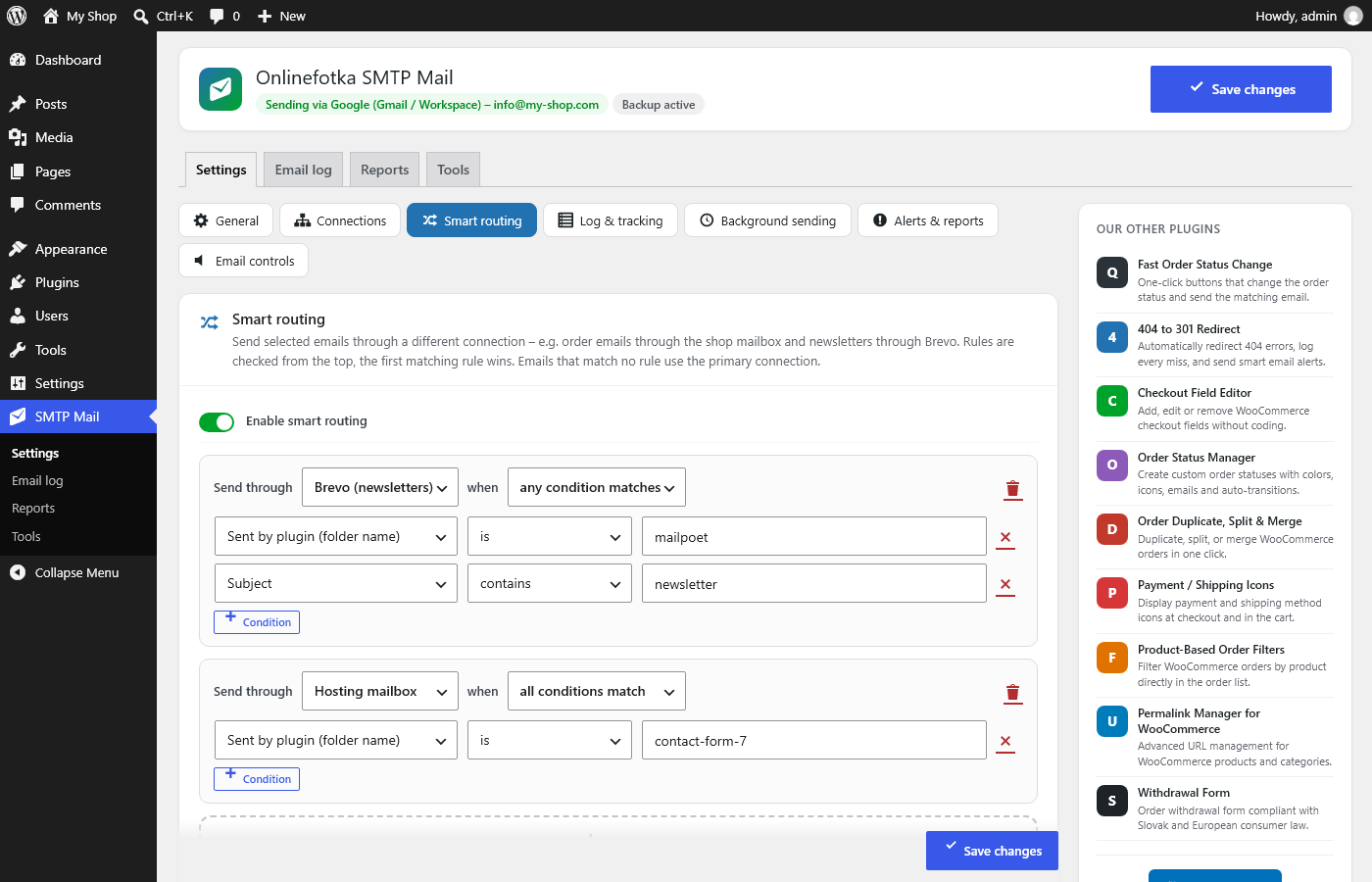
Smart routing rules
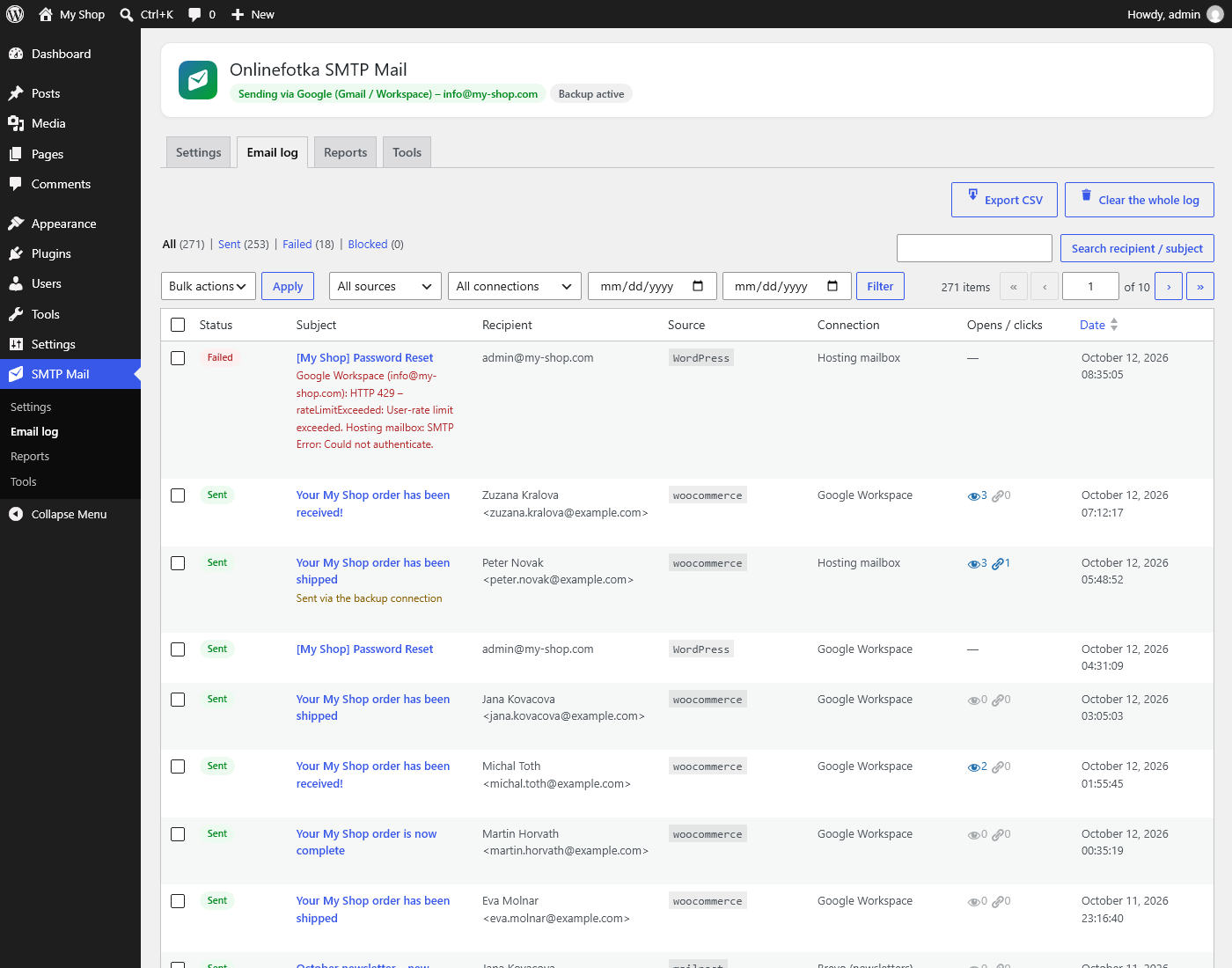
Email log with status, source, connection and tracking
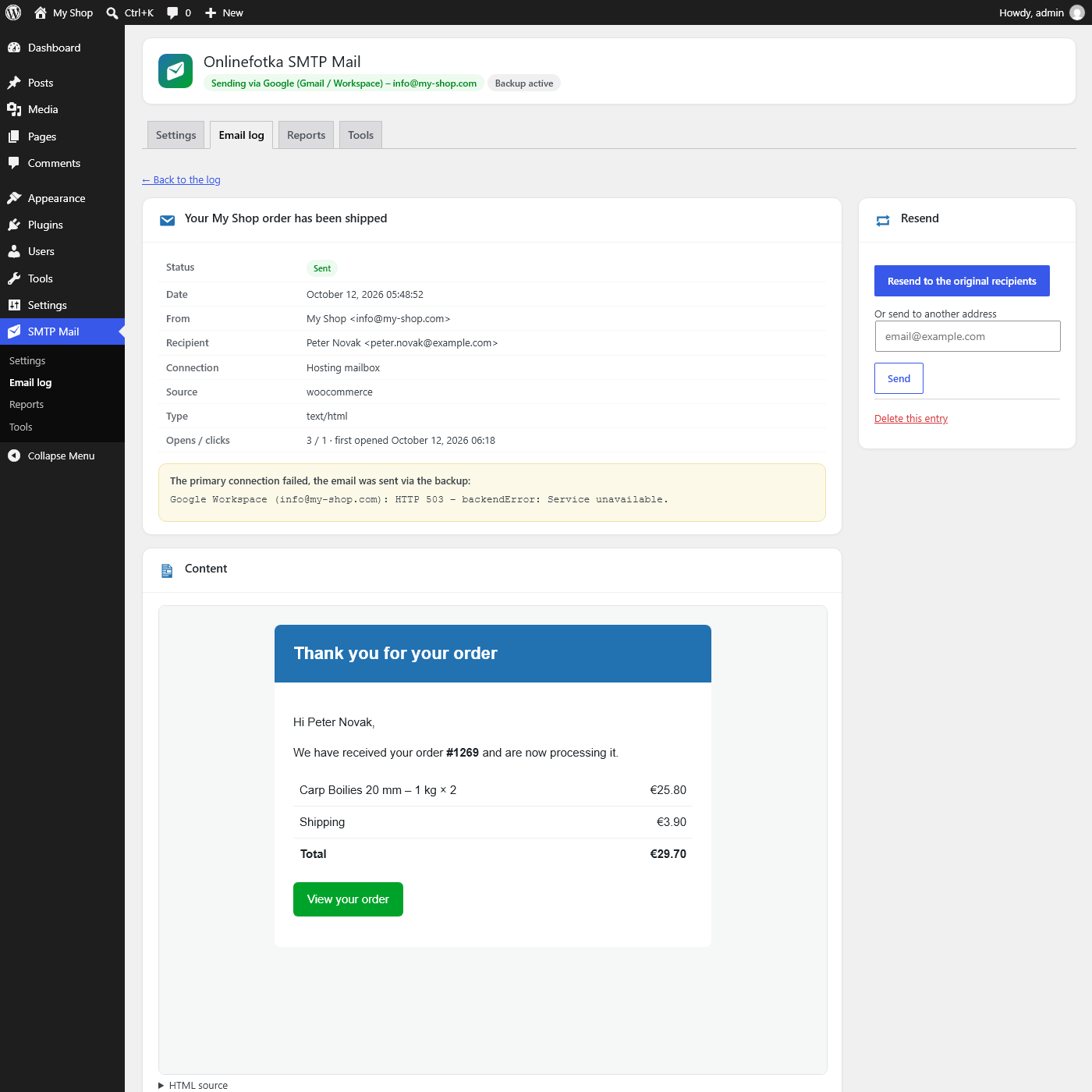
Email detail with safe preview, error advice and resend
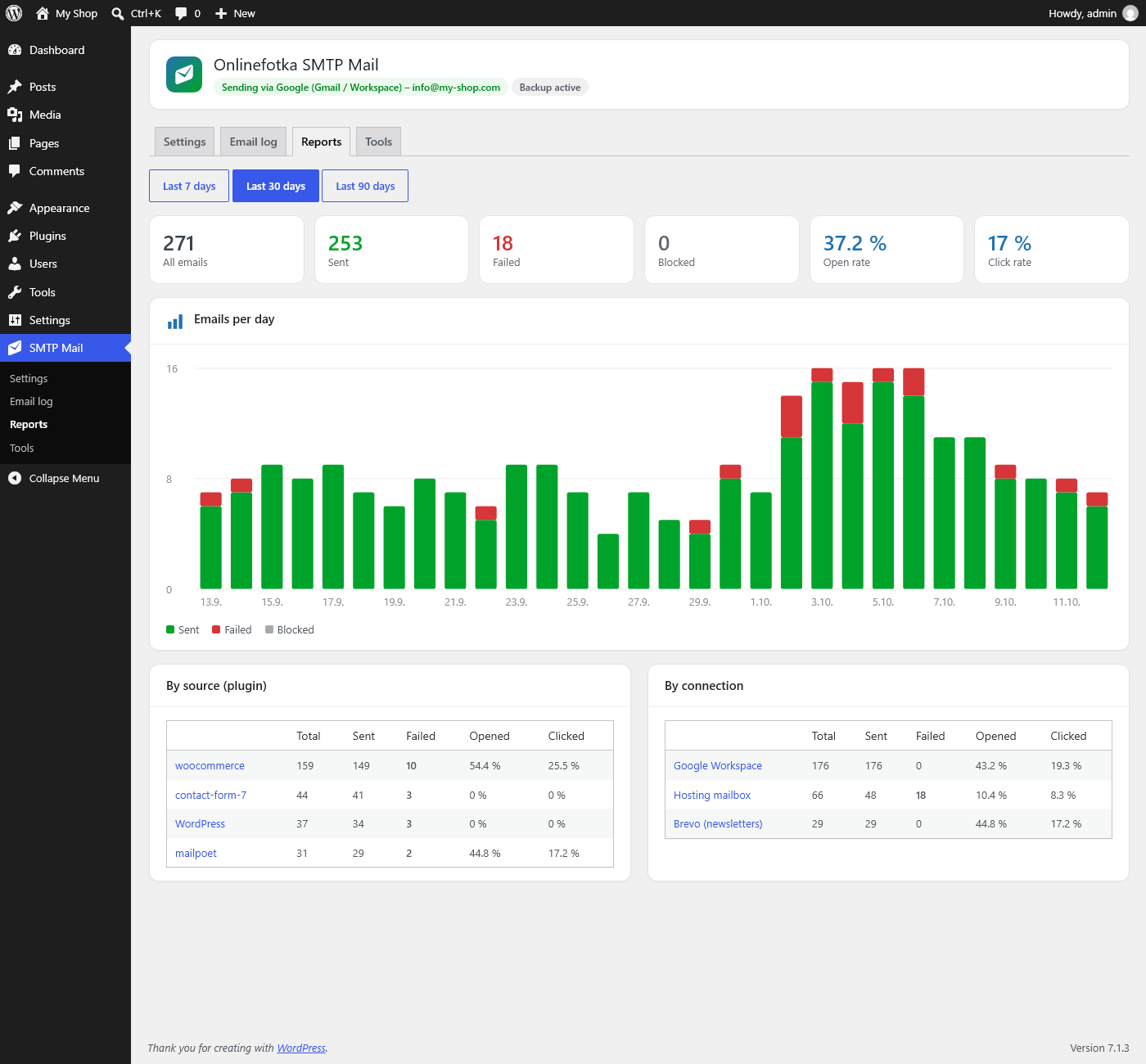
Reports – daily chart and statistics by plugin
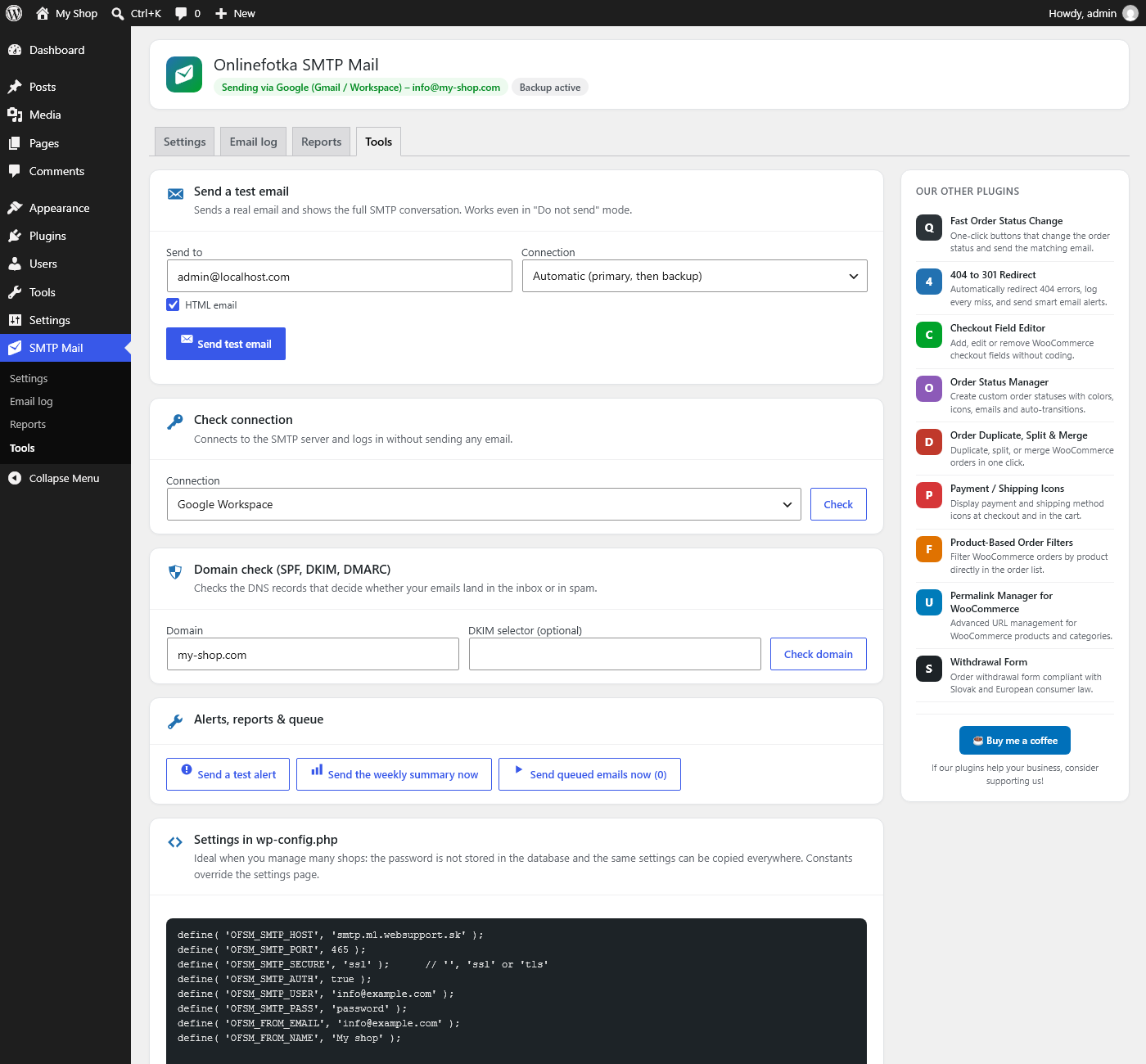
Tools – test email with SMTP conversation and domain check
