
Oozami Booking Wordpress Plugin - Rating, Reviews, Demo & Download
Plugin Description
Oozami Booking is a clean, lightweight appointment booking plugin for WordPress. It is designed for service providers — hairdressers, therapists, coaches, tutors, freelancers, small clinics, photographers, consultants — who need a simple, reliable booking flow on their own site without recurring SaaS fees.
You define your services, your employees, your opening hours, and you embed a booking form on any page with a shortcode or an Elementor widget. Customers pick a service, a date, a time slot, fill in their details, and receive a confirmation email with an “Add to Google / Outlook calendar” link and a personal management page where they can view or cancel their appointment.
Core features
- Public booking form (shortcode and Elementor widget)
- Service catalogue with duration, price, color and active/inactive toggle
- Employee management with per-service assignment
- Weekly opening hours, plus blocked dates for holidays
- Automatic conflict detection (single-resource mode or multi-employee mode)
- Pending / confirmed / cancelled booking workflow
- Optional auto-confirmation, or manual approval from the admin
- HTML confirmation email with .ics calendar attachment
- Cancellation email when an admin refuses or cancels a booking
- Customer “My appointment” page where customers can review and cancel their booking via a secure token link
- Customizable primary color and font family for emails and the booking widget
- Multilingual-ready (translation-ready,
oozami-bookingtext domain) - Clean uninstall: all plugin tables and options are removed on uninstall
- GPL-compatible, no paid dependency required
How emails work
Oozami Booking sends emails through WordPress’ built-in wp_mail() function. This is the standard approach used by virtually every booking and form plugin on WordPress.org. If your hosting environment does not have a working SMTP server configured, emails will silently fail — this is a hosting concern, not a plugin issue.
The plugin’s settings page includes a built-in “Send test email” button so you can verify delivery in one click. If the test fails, simply install an SMTP plugin (WP Mail SMTP, FluentSMTP, Post SMTP…) and connect it to a transactional email provider such as Brevo, SendGrid, Mailgun, Postmark or your host’s SMTP. The last delivery error is shown directly in the settings page to help diagnose problems.
Pro extension (optional)
A Pro add-on is available for advanced features (online payments, coupons, custom fields, etc.). The free version is standalone.
Learn more: https://oozami.be/portfolio/easybook-pro/
External services
Oozami Booking does not connect to, or send any data to, any external service. All booking data stays in your own WordPress database.
Screenshots

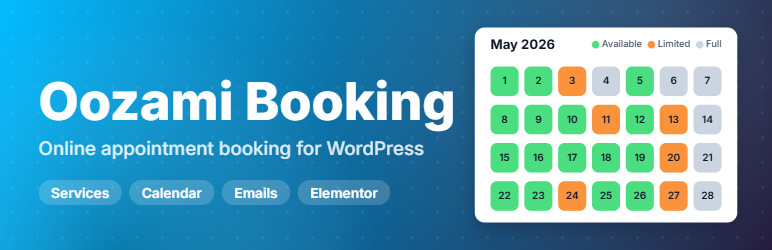
Front-end booking form — date picker with availability status (available, limited, almost full).

Front-end booking form — service selection step with duration and price.

HTML confirmation email with “View / cancel” button, Google & Outlook calendar links, and .ics attachment.

Admin dashboard — bookings list with status, filters and CSV export.

Admin calendar view — month overview color-coded by service.

Service editor — name, description, duration, price and color.

Settings — business identity and booking workflow (manual or automatic confirmation).

Settings — sender identity, email delivery info and built-in “Send test email” button.

Employee editor — contact details, color and assigned services.

Built-in shortcodes and REST API reference page inside the admin.


