Opace AI Prompt Library & API Integration Hub For OpenAI, Claude & Gemini Wordpress Plugin - Rating, Reviews, Demo & Download

Plugin Description
Compatibility: Version 1.0.8 was tested on WordPress 7.1 and PHP 8.3. Minimums: WordPress 6.5 and PHP 7.4.
Opace AI Hub is independently developed by Opace Digital Agency and is not affiliated with, endorsed by or sponsored by OpenAI, Anthropic or Google.
Opace AI Hub gives compatible WordPress plugins one shared connection to AI providers. Add an OpenAI,
Anthropic Claude or Google Gemini key once, test it, and let compatible plugins use the same saved
configuration.
Opace AI Hub is an integration hub, not a content generator. A plugin such as AI-Scribe sends generation
requests through it.
Why Opace AI Hub was built
As separate WordPress plugins added AI features, each one risked duplicating provider settings, model
lists, request formats, prompt storage and cost calculations. Opace AI Hub moves that security-sensitive
infrastructure into one maintained plugin. Site administrators get one place to rotate keys, choose
models and review usage, while compatible plugins stay focused on their own workflows.
How AI-Scribe uses Opace AI Hub
AI-Scribe owns article planning, writing, SEO metadata, editorial review and WordPress publishing.
Opace AI Hub supplies its encrypted credentials, provider and model selection, normalised generation
requests, reusable prompts, model capabilities and usage records.
AI-Scribe project: https://github.com/OpaceDigitalAgency/ai-scribe-chat-gpt-content-creator
What Opace AI Hub provides
- One settings screen for supported provider credentials
- Live model discovery based on the models available to your provider account
- Provider-aware handling for text, images and structured output
- A grouped prompt library with import and export
- Request, token and published-rate cost estimates by provider and model
- A PHP API for compatible WordPress plugins
- Encrypted credential storage and an explicit data-retention choice on uninstall
Supported providers
- OpenAI – text and image generation through the Chat Completions, Responses and Images APIs
- Anthropic Claude – text generation through the Messages API; Anthropic does not provide image generation
- Google Gemini – text and image generation through the Gemini API
Model lists are fetched using your key. Providers may make different models available to different
accounts, so two sites can show different choices.
Dynamic model defaults
A valid saved choice is always preserved. If it is missing or retired, Opace AI Hub ranks the configured account’s live list within the intended family: newest Terra with medium reasoning for OpenAI writing; newest Claude Opus with medium effort for Anthropic writing; newest non-Lite Gemini Flash with medium thinking for Gemini writing; newest GPT Image for OpenAI images; and newest Gemini Flash Image / Nano Banana for Gemini images.
The maintained offline fallbacks are currently gpt-5.6-terra, claude-opus-5, gemini-3.6-flash, gpt-image-2 and gemini-3.1-flash-image (Nano Banana 2). Live discovery takes precedence, so a later model in the same preferred family can become the default without a plugin update. Opace AI Hub never silently replaces an explicit valid choice made by an administrator.
Compatible plugins
- AI-Scribe 3.0 or later – AI content creation and SEO optimisation
Developers can also use Opace AI Hub’s PHP API in their own plugins.
What comes next
AI-Imagen is a planned image-generation workflow intended to use Opace AI Hub. It is not included in this
release and has no announced release date. Other compatible plugins can use the same PHP API as the
project grows.
Security and privacy
Provider keys are stored in the ai_core_settings option on your WordPress site. They are encrypted
at rest with AES-256-CBC, using a random initialisation vector per value and a key derived from the
site’s WordPress salts. If encryption fails, Opace AI Hub does not save the key as plain text.
Rotating the salts in wp-config.php makes saved keys unreadable. Re-enter them after a salt
rotation.
Opace AI Hub does not include analytics or user tracking. Generation data is sent only when an
administrator tests a provider or a compatible plugin requests a generation.
External services
Opace AI Hub connects to the following third-party services. Each provider bills you directly under the
terms of your account.
OpenAI
Used when an administrator tests an OpenAI key or refreshes its model list, and when OpenAI is chosen
for a generation. Opace AI Hub sends the OpenAI API key, requested model, request settings and prompt or
image instructions supplied by the calling plugin. Requests go to api.openai.com.
Terms: https://openai.com/policies/terms-of-use
Privacy: https://openai.com/policies/privacy-policy
Anthropic Claude
Used when an administrator tests an Anthropic key or refreshes its model list, and when Anthropic is
chosen for a generation. Opace AI Hub sends the Anthropic API key, requested model, request settings and
prompt supplied by the calling plugin. Requests go to api.anthropic.com.
Terms: https://www.anthropic.com/legal/consumer-terms
Privacy: https://www.anthropic.com/legal/privacy
Google Gemini
Used when an administrator tests a Gemini key or refreshes its model list, and when Gemini is chosen
for a generation. Opace AI Hub sends the Gemini API key, requested model, request settings and prompt or
image instructions supplied by the calling plugin. Requests go to
generativelanguage.googleapis.com.
Terms: https://ai.google.dev/gemini-api/terms
Privacy: https://policies.google.com/privacy
LiteLLM public model catalogue
Used when Opace AI Hub needs current published pricing for a discovered model and when an administrator
selects Refresh Model Pricing. Opace AI Hub sends only the provider name and model identifier to
api.litellm.ai. API keys, prompts, generated content, site details and usage totals are not sent.
Successful results are cached for 12 hours. Opace AI Hub uses its bundled catalogue when no current result
is available and shows Cost unavailable rather than treating an unknown price as zero.
Catalogue and licence: https://github.com/BerriAI/litellm
Privacy and data security: https://docs.litellm.ai/docs/data_security
Cost figures shown by Opace AI Hub are published-rate estimates. Free tiers, cached-token rates, batch
pricing, negotiated rates and provider billing changes can make an invoice differ from the estimate.
Opace and related links
- AI-Scribe: https://github.com/OpaceDigitalAgency/ai-scribe-chat-gpt-content-creator
- Opace AI Hub source and full changelog: https://github.com/OpaceDigitalAgency/opace-ai-prompt-library-api-hub-wordpress-plugin
- Opace Digital Agency: https://opace.agency/
- Web design and development: https://opace.agency/services/web-design/
- WordPress development: https://opace.agency/services/web-design/wordpress-development/
- AI SEO services: https://opace.agency/services/ai-seo/
Screenshots
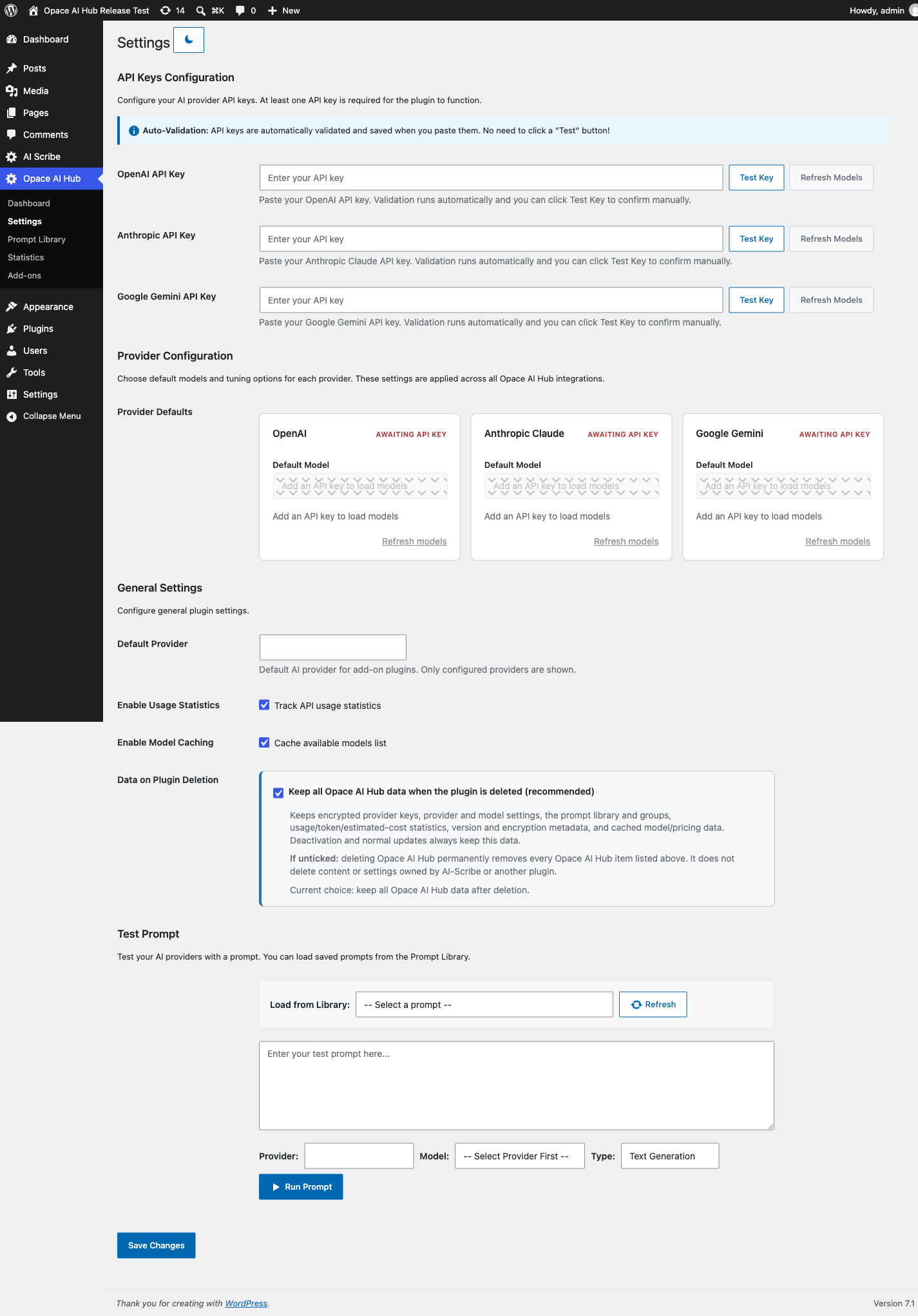
Settings – test provider credentials, refresh models, choose defaults and control retained data.
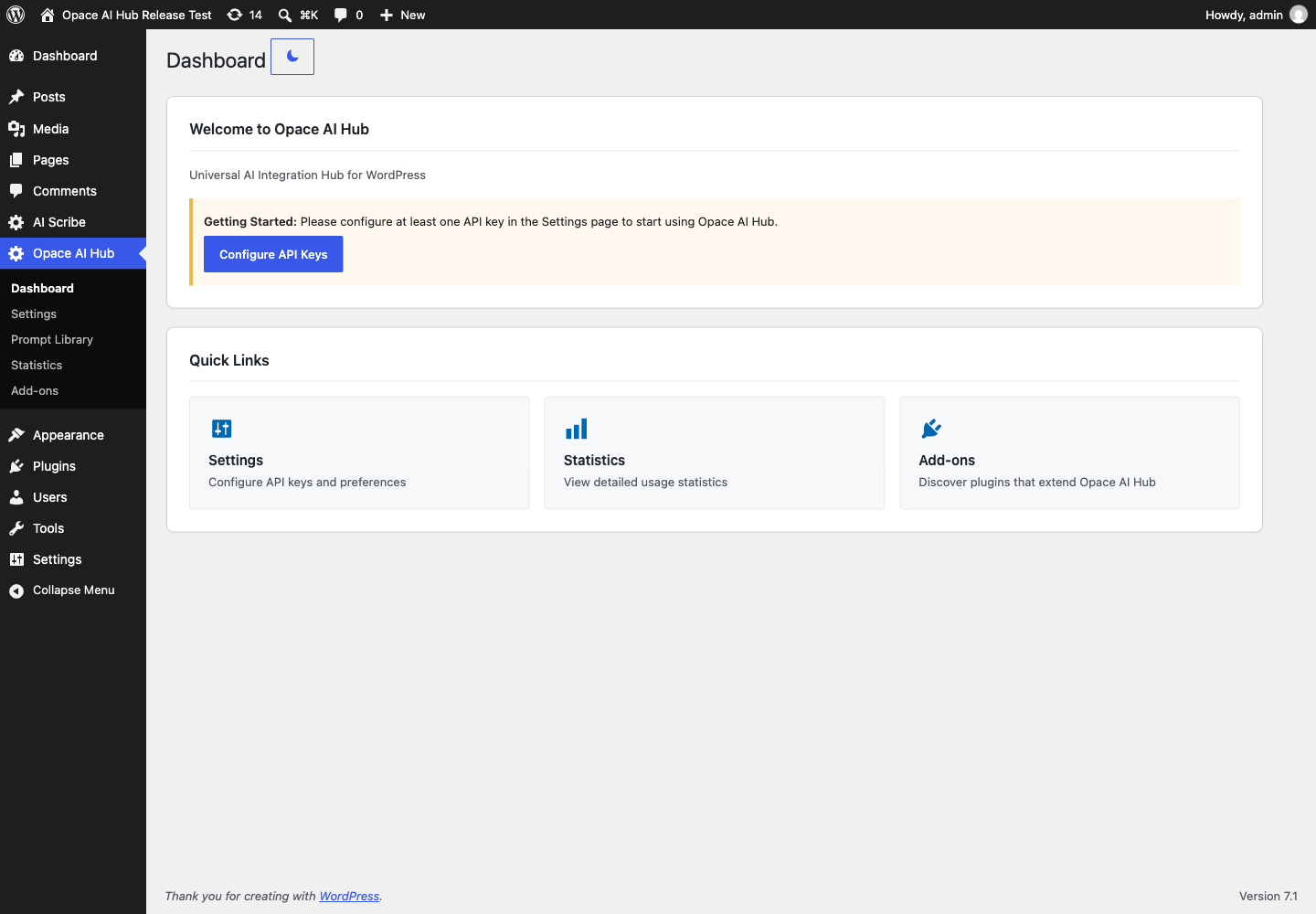
Dashboard – review provider status, usage totals and the main Opace AI Hub tools.
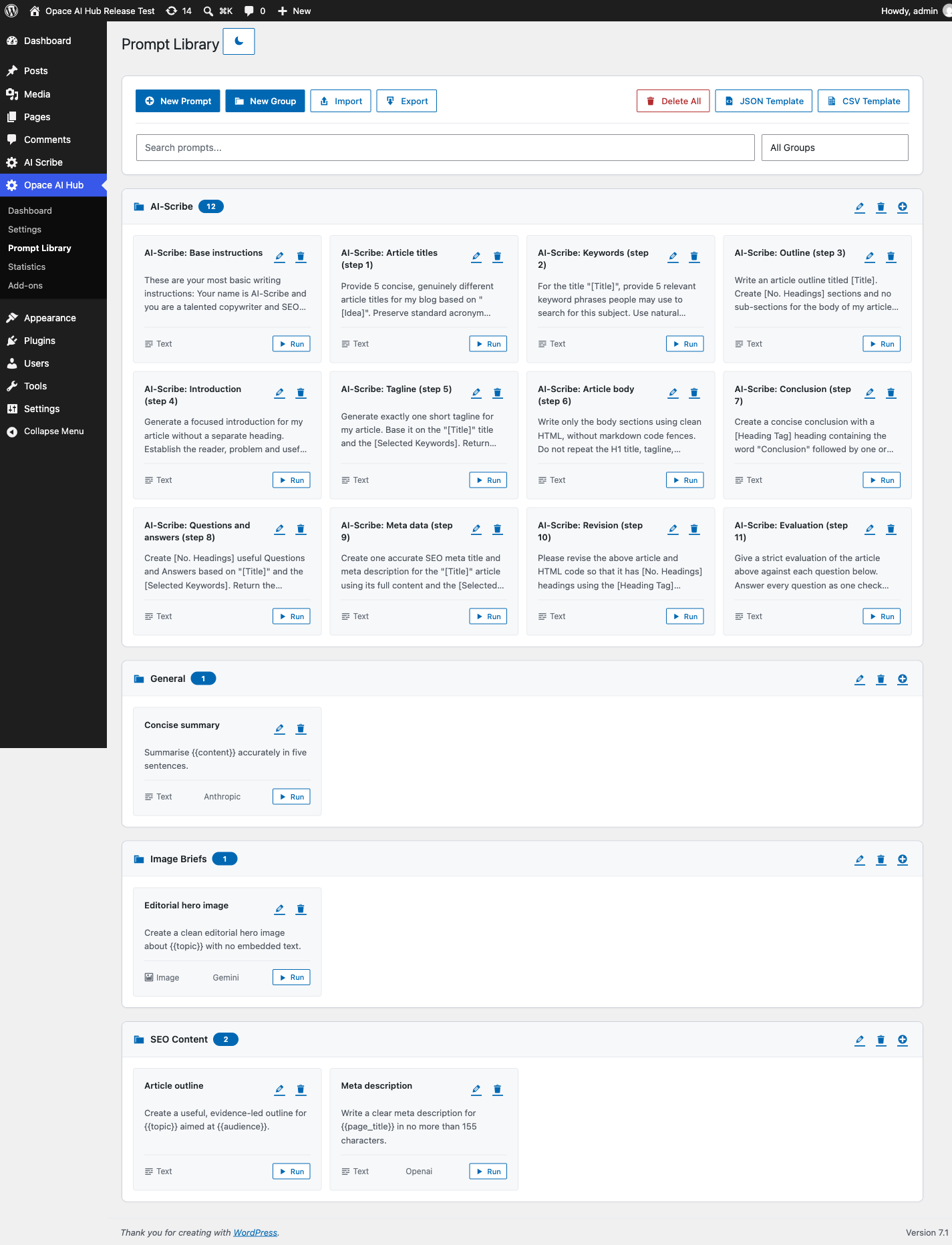
Prompt Library – group, import, export and run reusable text or image prompts.
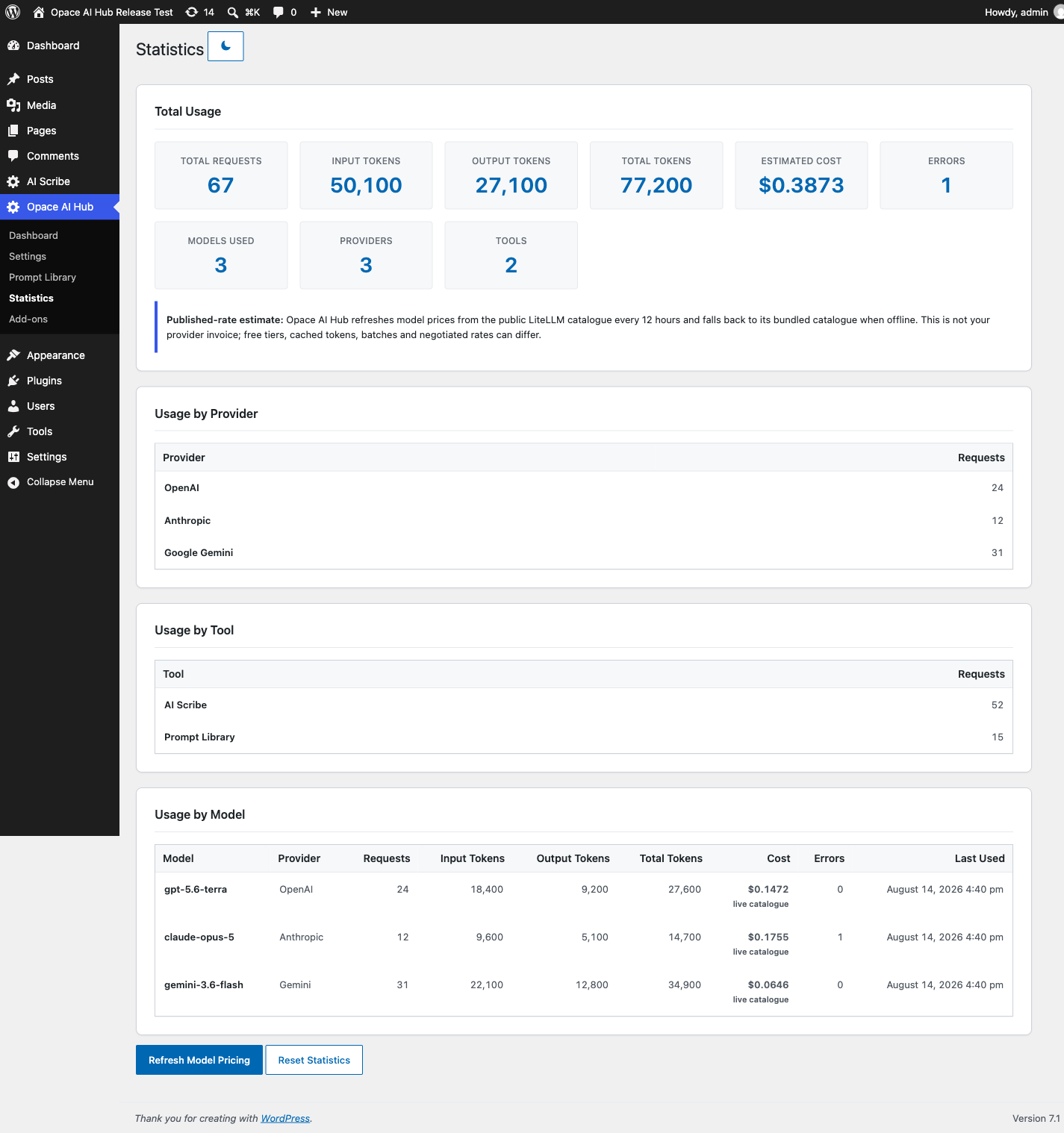
Statistics – inspect requests, tokens, errors and estimated costs by provider, tool and model.
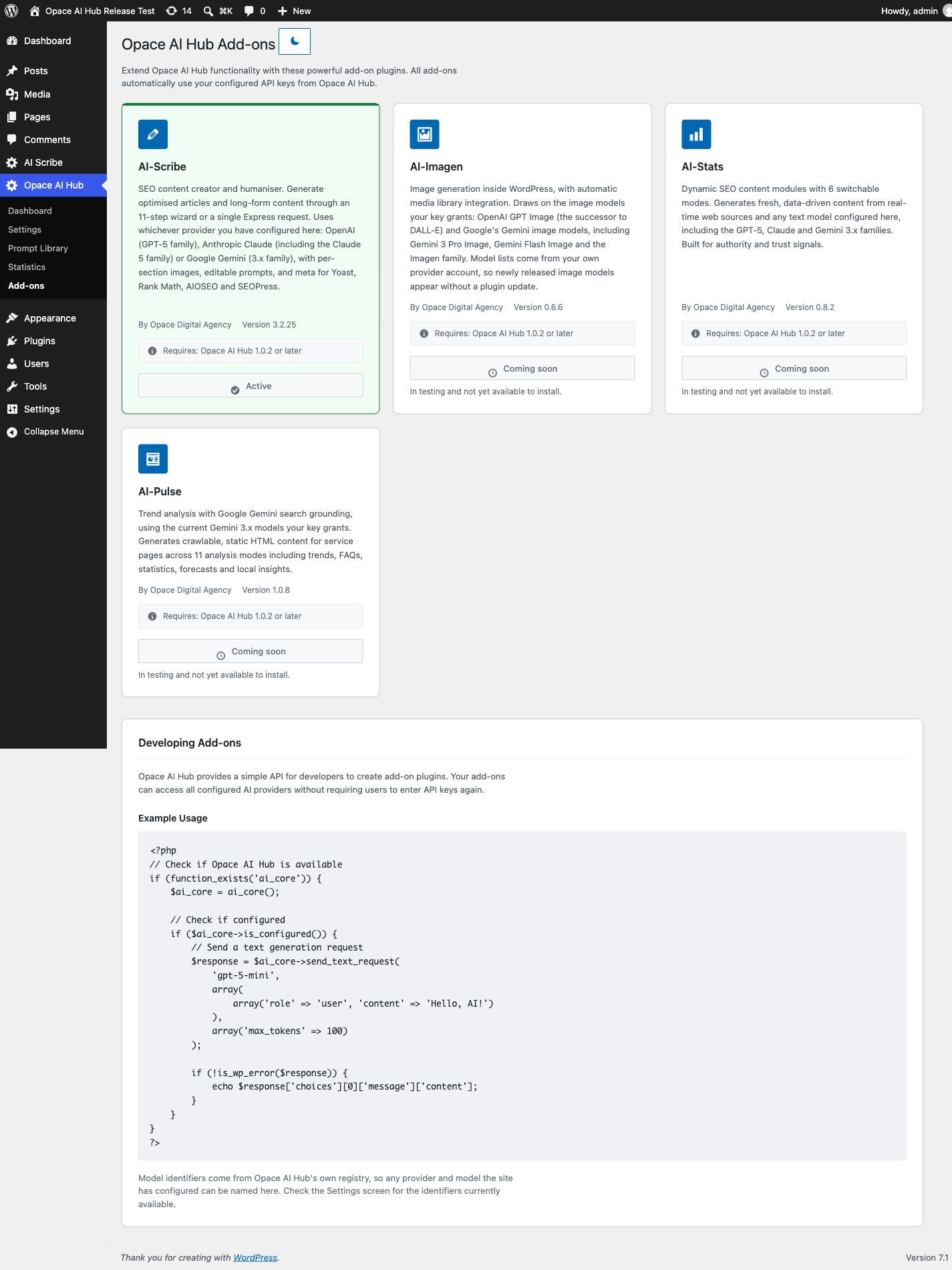
Add-ons – see AI-Scribe status and the labelled roadmap for AI-Imagen, AI-Stats and AI-Pulse.