OpenCartCity Connector For QuickBooks Online Wordpress Plugin - Rating, Reviews, Demo & Download

Plugin Description
Eliminate manual data entry and keep your books perfectly balanced. The OpenCartCity Connector for QuickBooks Online bridges the gap between your storefront and QuickBooks Online (QBO).
Whenever an order is processed, modified, or completed, this module dynamically handles dependency logic to ensure customers, items, and transactions map perfectly without creating duplicates.
Key Features
- Smart Dependency Queuing: Automatically detects if a product or customer already exists in QBO before uploading a transaction.
- Flexible Order Mapping: Sync transactions dynamically as either Invoices (with linked payments) or Sales Receipts based on your workflow.
- HPOS & Custom Data Store Compliant: Built specifically to support modern High-Performance Order Storage (HPOS) and standard WordPress environments without memory race conditions.
- Inventory Control Protection: Safely skips frontend checkout stock triggers to prevent duplicate queue bloat.
External Services
This plugin connects directly to QuickBooks Online (via the Intuit API) to synchronize e-commerce and accounting data between your WooCommerce store and QuickBooks.
- Service: QuickBooks Online (provided by Intuit Inc.)
- Purpose: To authorize your store account via OAuth 2.0 and synchronize customers, products, sales receipts, and invoices to your QuickBooks Online account.
- Data Sent & When:
- During OAuth connection: Authorization codes and refresh tokens are transmitted via
https://oauth.platform.intuit.comto establish and maintain account authorization. - During order product or customer sync: Customer details (names, email, billing/shipping addresses, etc), product data (names, SKUs, prices etc), and order data(customer, product, address, totals etc) are transmitted via
https://quickbooks.api.intuit.com(orhttps://sandbox-quickbooks.api.intuit.comin sandbox mode) when orders, products or customers are created/updated in WooCommerce.
- During OAuth connection: Authorization codes and refresh tokens are transmitted via
- Terms of Service: https://www.intuit.com/legal/terms/
- Privacy Policy: https://www.intuit.com/privacy/statement/
Screenshots
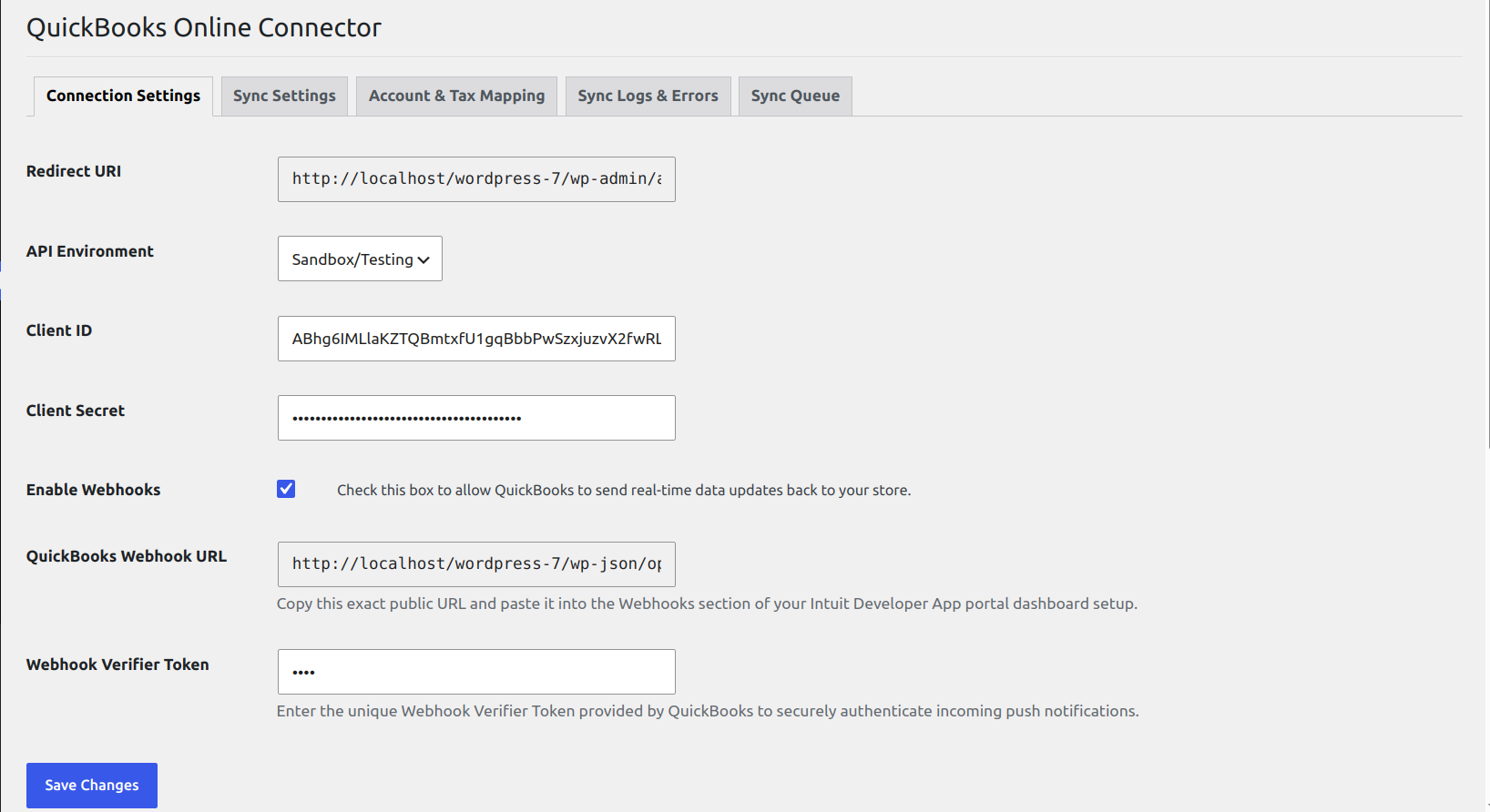
QuickBooks Online API Connection Settings and Authorization.
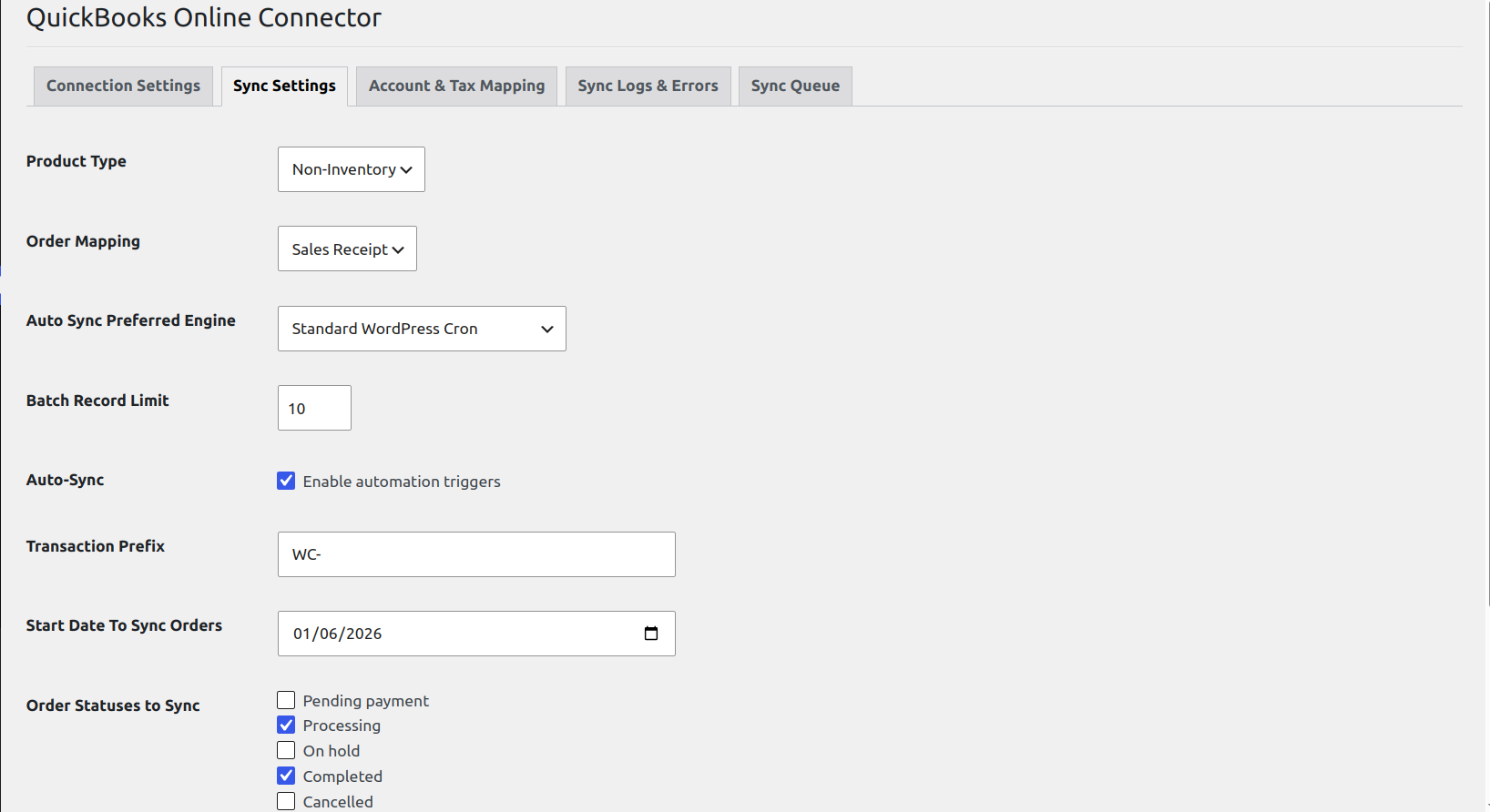
Sync Configuration for Products, Customers, and Orders.
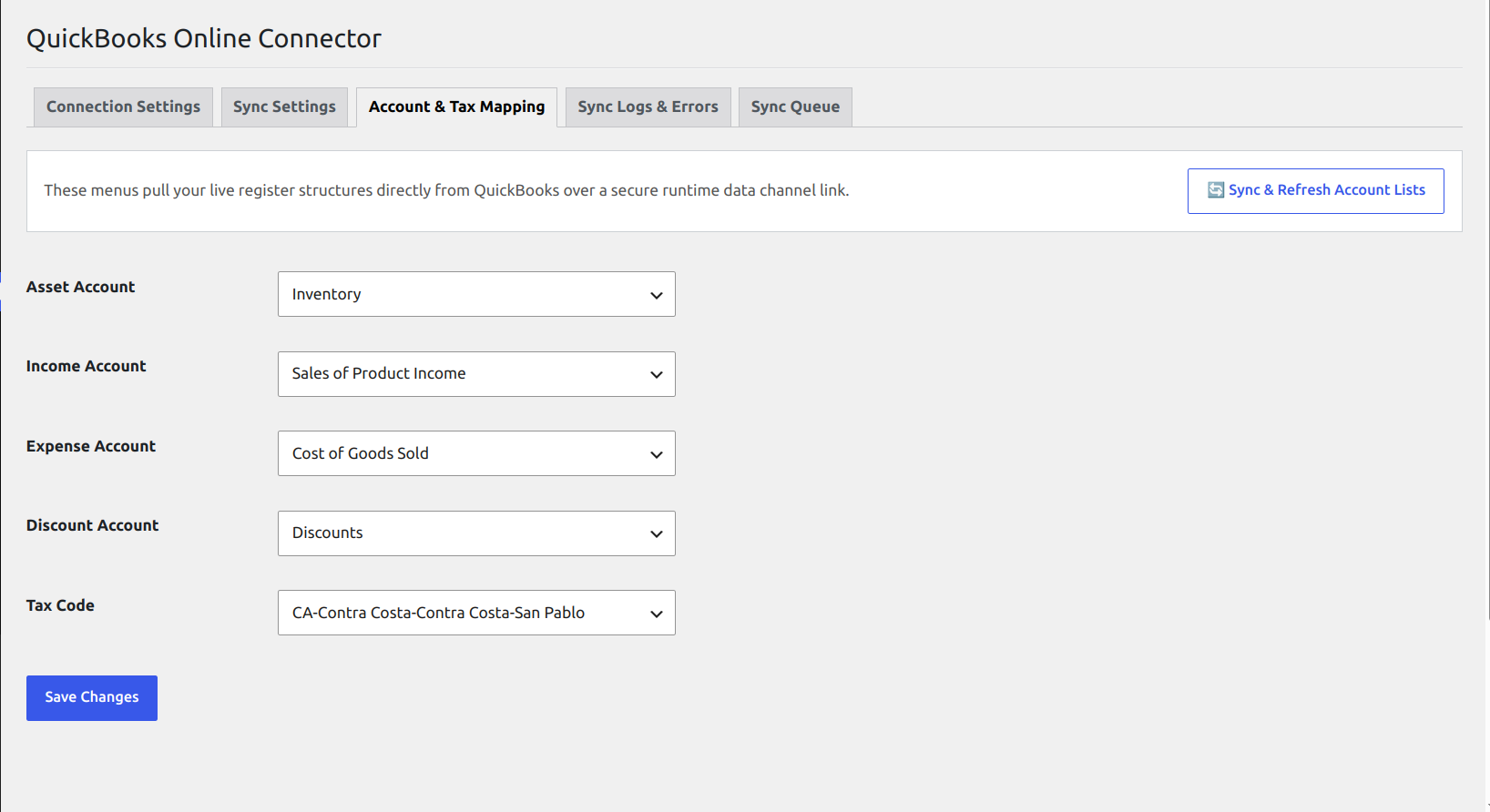
Account Mapping Settings for Income, Expense, and Asset accounts.
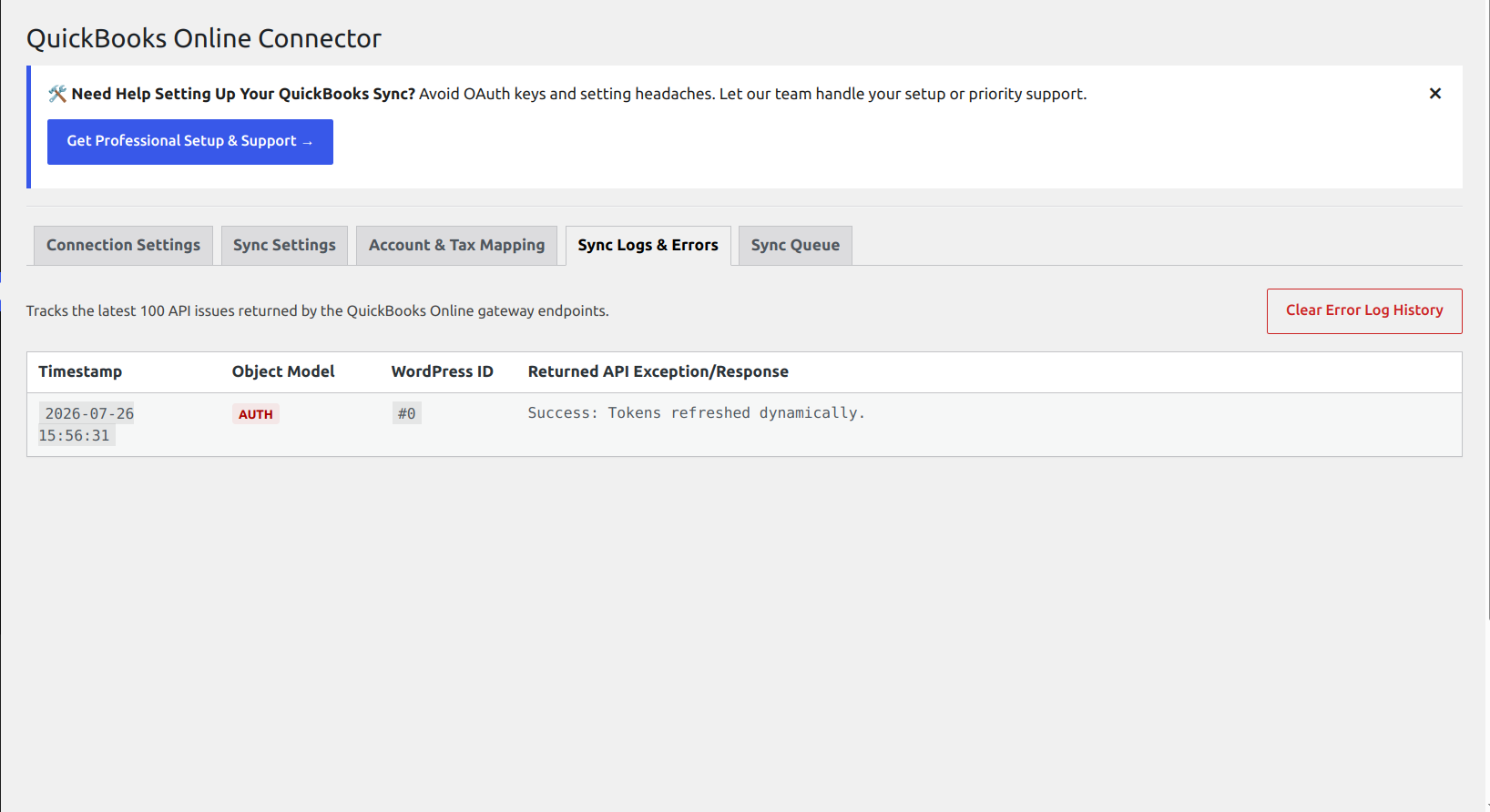
Detailed Sync Activity Logs for troubleshooting API requests and responses.
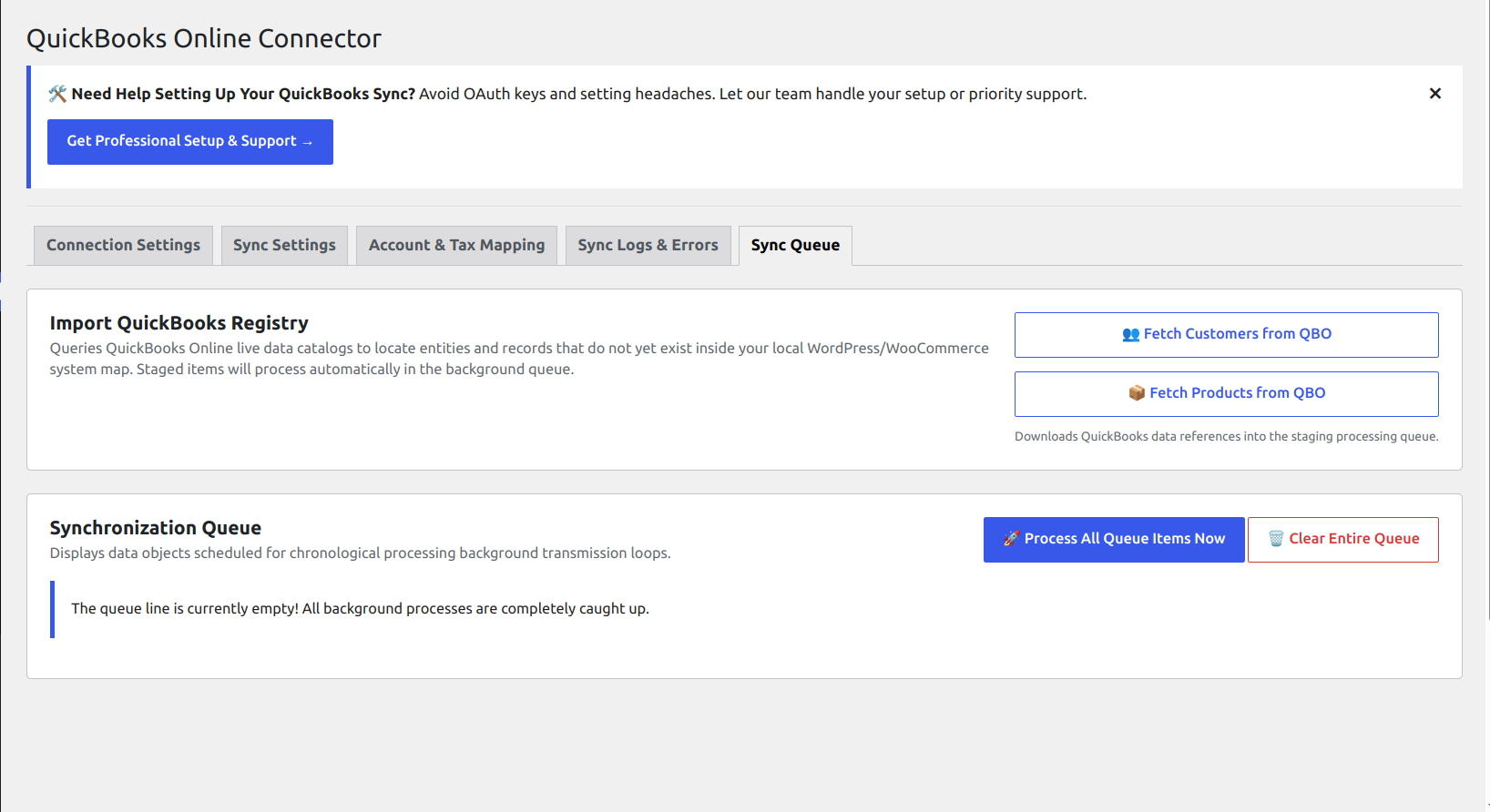
QBO Sync Queue Management for monitoring pending and failed sync jobs.
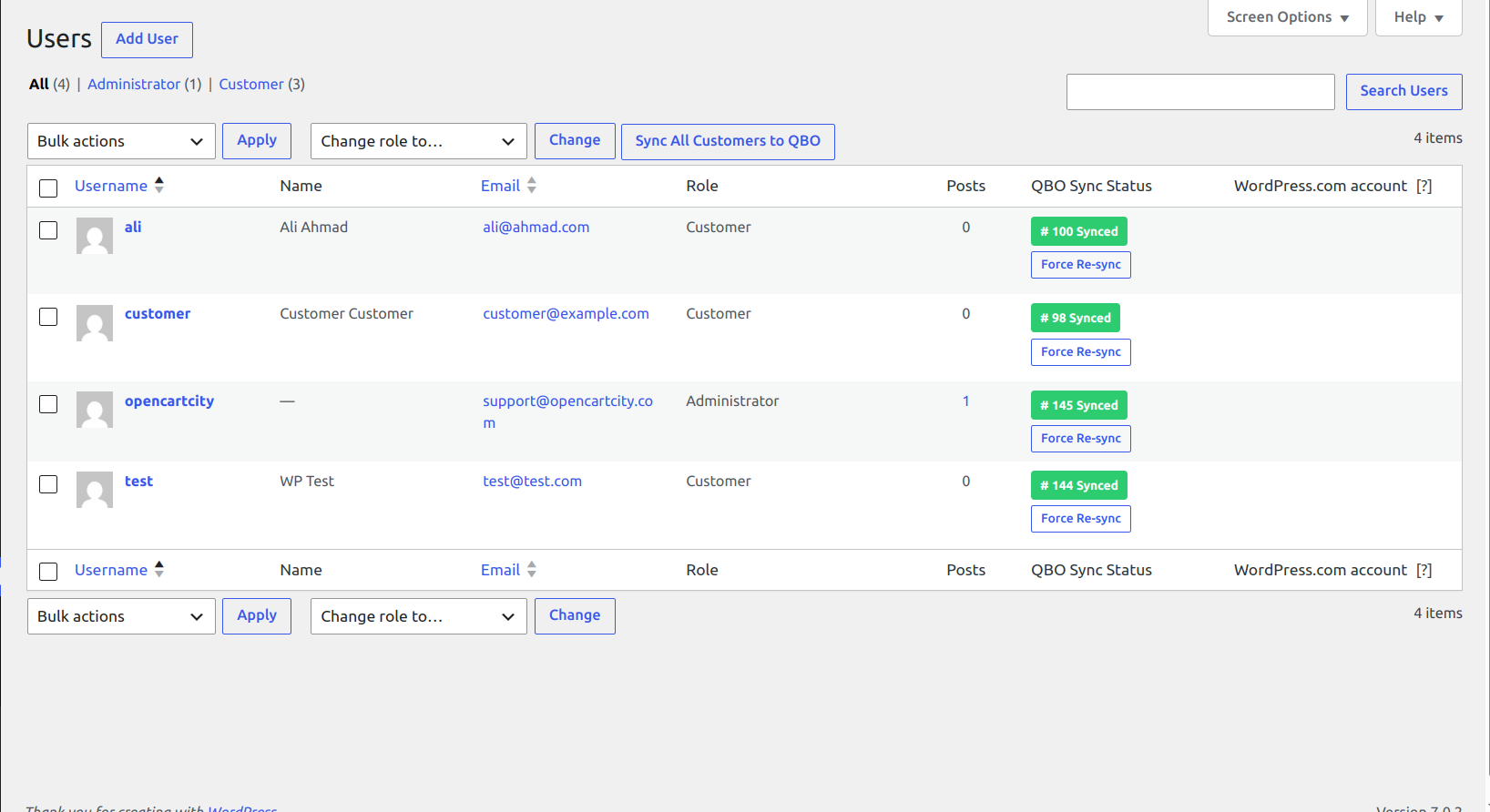
WordPress Users / Customers List Table showing linked QBO Customer IDs.
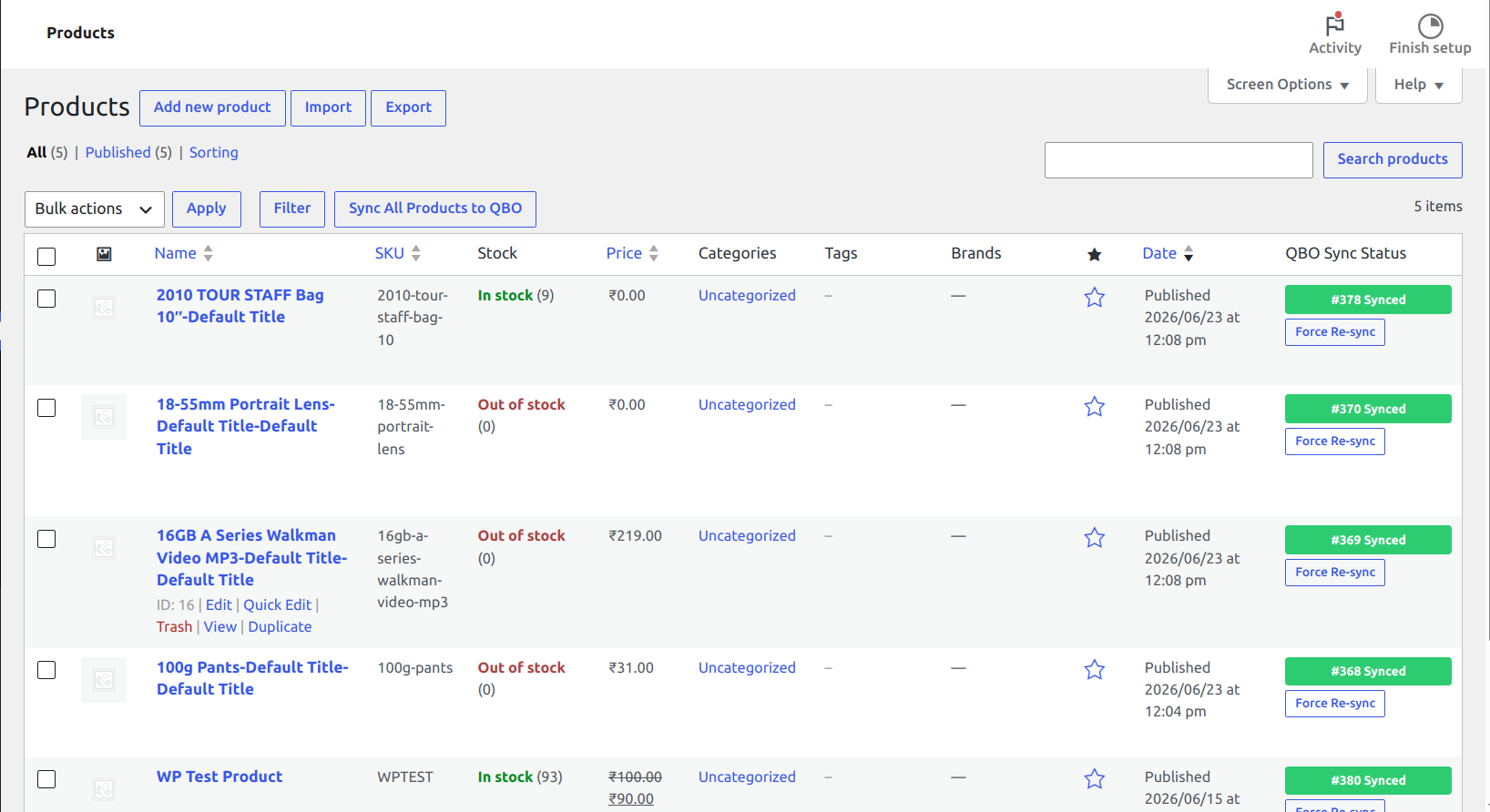
WooCommerce Products List Table showing QBO Sync Status badges and Force Re-sync buttons.
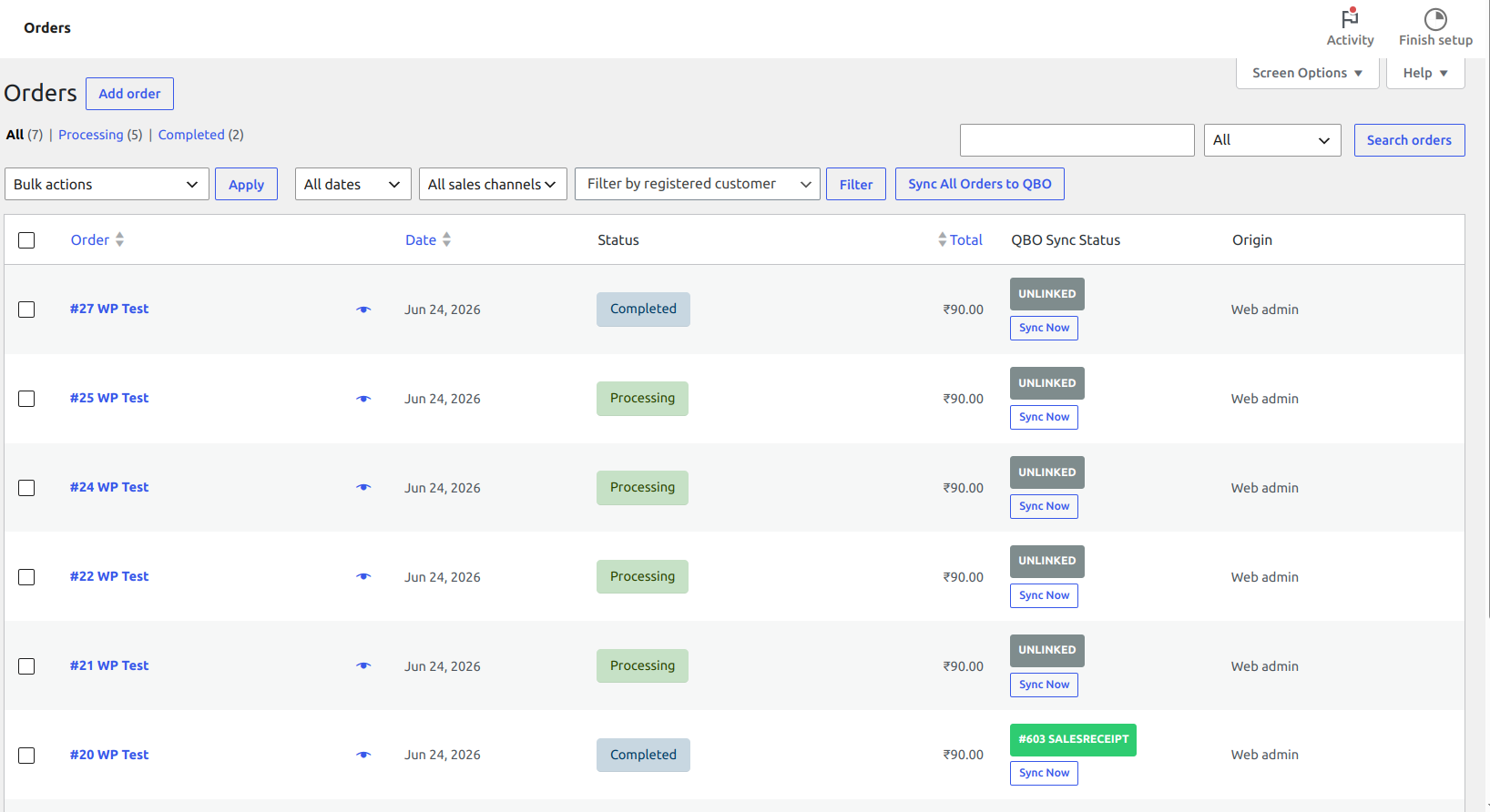
WooCommerce Orders List Table with real-time QBO Sync Status indicators.