OptiCraft Image Engine Wordpress Plugin - Rating, Reviews, Demo & Download
Plugin Description
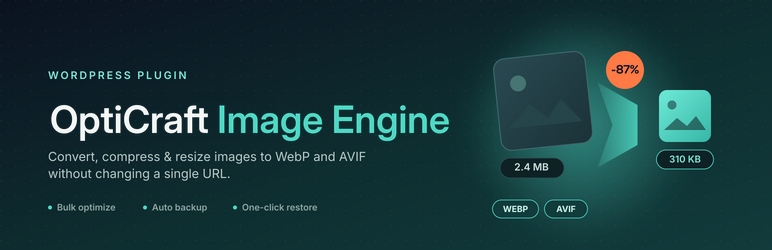
OptiCraft automatically converts, compresses, and resizes the images in your Media Library (JPEG, PNG, GIF) to modern WebP and AVIF formats — without breaking a single existing link. It works on brand-new uploads and on your entire existing image library, keeps a full backup of every original file, and lets you undo any optimization at any time.
Key Features
- Automatic optimization on upload — new images are converted the moment they’re added to the Media Library (optional).
- Bulk optimize your existing library — scan and process every existing image in resumable batches, with a live progress bar.
- One-click “Optimize Now” — optimize (or re-optimize) a single image directly from its Media Library / Edit Media screen.
- WebP and AVIF conversion — compress images and convert them to WebP, with optional AVIF generation when your server supports it.
- Smart resizing — automatically resizes oversized images down to a configurable maximum width/height, with an option to never upscale smaller images.
- Two delivery modes:
- Canonical WebP — promotes the WebP file to be the attachment’s actual file/mime type, so the Media Library and every part of your site serve WebP directly. The original file is kept on disk as a safety net.
<picture>delivery — keeps the original file as the canonical URL and serves WebP/AVIF only to supporting browsers via<picture>markup, falling back automatically for everything else.
- Full backups & one-click restore — every original file is backed up before it’s touched, and can be restored individually or all at once from the Restore Backups screen.
- Optimization logs & dashboard stats — see total images, how many are optimized, pending, or failed, and how much space you’ve saved, plus a per-format breakdown of your Media Library.
- Configurable compression — choose between Lossless, Balanced, and Aggressive presets, or set exact WebP/AVIF quality values.
- Automatic backup cleanup — configurable retention period for old backups, with a daily cleanup cron.
How It Works
By default, OptiCraft never changes an attachment’s canonical filename/URL: it resizes the original file in place (if needed) and generates WebP/AVIF siblings next to it, so anything already using that image’s URL — Gutenberg blocks, Elementor, ACF fields, WooCommerce products — keeps working with zero find-and-replace. WordPress’s own registered thumbnail sizes (including custom ones added by your theme/plugins) are regenerated for every format.
If you enable “Convert to WebP (Canonical)” in Settings, OptiCraft instead promotes the generated WebP file to be the attachment’s official file — so your Media Library shows the WebP file type and URL directly — while keeping the original JPEG/PNG/GIF safely on disk in case anything still references the old URL directly.
Requirements
- WordPress 5.8+
- PHP 7.4+
- GD or Imagick (Imagick recommended, for AVIF support and EXIF metadata preservation)
Screenshots

Dashboard — optimization stats and Media Library format breakdown.

Bulk Optimization — scan and process your existing library with a live progress bar.

Settings — compression mode, resize limits, WebP/AVIF quality, and delivery options.

Optimize Now — one-click optimization from an image’s Edit Media screen.

Restore Backups — revert any (or every) optimized image back to its original.