
OptinFlare – Popup & Opt-in Forms Wordpress Plugin - Rating, Reviews, Demo & Download

Plugin Description
OptinFlare is a popup builder and opt-in form plugin for WordPress. Design newsletter signup forms, exit-intent popups, slide-in fly-ins, inline forms and sticky bars in a visual editor, then show them at the right moment to grow your email list and generate more leads.
No account and no external service are required. Subscribers are saved in your WordPress database, and you can send them to the newsletter plugin you already use.
Four opt-in form types
- Popups: a lightbox popup centered, at the top or at the bottom of the screen, with an optional overlay.
- Fly-ins: a slide-in box in any corner of the screen that does not block reading.
- Inline forms: a signup form inside your posts and pages, added with the OptinFlare block or a shortcode, or inserted automatically in your content.
- Sticky bars: a floating bar at the top or bottom of the screen for announcements and newsletter signups.
A visual form builder
- Build each form with blocks: heading, text, image, icon, list, button, columns, divider, spacer, email and name fields, and a GDPR consent checkbox.
- Start from a ready-made template, then adapt the text, colors and layout to your brand.
- Set default fonts and colors once with global styles.
- Preview every form on desktop and mobile, and set a dedicated mobile width.
- Add an entrance animation: fade, slide or zoom.
- Write your own success and error messages.
Show your forms at the right moment
- Display triggers: immediately, after a time delay, after the visitor scrolls, on exit intent, or when a visitor clicks a button or link.
- Frequency control: show a form once per session or wait 3, 7, 14, 30 or 90 days before showing it again.
- Hide an inline form once the visitor has subscribed.
Collect and manage your leads
- Keep every submission in your WordPress database.
- Review subscribers in the dashboard and export them to CSV.
- Track impressions, submissions and the conversion rate of your forms.
- Control who can create forms or see submissions with WordPress roles.
Connect your newsletter plugin
Send new subscribers to MailerPress, MailPoet, FluentCRM, AcyMailing or The Newsletter Plugin when they are installed on your site. Local storage stays available when you do not use a newsletter plugin.
Spam protection and GDPR
- Block bots with Cloudflare Turnstile, Google reCAPTCHA or hCaptcha.
- Reject disposable or unwanted email domains with a domain blacklist.
- Ask for consent with a GDPR checkbox. IP addresses are stored hashed.
OptinFlare Pro
OptinFlare Pro is an optional companion plugin. It adds Mailchimp, Brevo, Kit, ActiveCampaign, MailerLite and SendGrid integrations, page targeting and display rules, visitor conditions, an inactivity trigger, two-step opt-ins, A/B testing, webhooks, coupon automation, AI features and premium templates. OptinFlare works fully without Pro.
External services
Depending on the configured features and actions, the following services may receive data:
-
OptinFlare promotions feed (optinflare.com): disabled by default. It runs only after the site owner opts in (option
optinflare_remote_promotions_optinset toyes, oradd_filter( 'optinflare_remote_promotions_enabled', '__return_true' );). When enabled and a user with OptinFlare access opens an OptinFlare admin screen, the plugin requests https://optinflare.com/wp-json/optinflare-site/v1/promotions to display product news and offers inside OptinFlare screens. The request sends the OptinFlare version, whether OptinFlare Pro is installed or active, whether a Pro license is activated, the number of days since installation, the user’s locale, and an access token only when a developer defines one. No site URL, domain, visitor or subscriber data is sent. Responses are cached for 30 minutes.
OptinFlare terms: https://optinflare.com/terms-conditions/ ; privacy: https://optinflare.com/privacy-policy/ -
CAPTCHA: Cloudflare Turnstile (challenges.cloudflare.com), Google reCAPTCHA (google.com) or hCaptcha (hcaptcha.com) validates submission tokens. The selected service receives the token, verification secret and, when provided, visitor IP; its browser widget also receives visitor/browser information. This happens when CAPTCHA is configured and used on a form.
Cloudflare terms: https://www.cloudflare.com/website-terms/ ; privacy: https://www.cloudflare.com/privacypolicy/
Google terms: https://policies.google.com/terms ; privacy: https://policies.google.com/privacy
hCaptcha terms: https://www.hcaptcha.com/terms ; privacy: https://www.hcaptcha.com/privacy
AI features, newsletter services and webhooks provided by the Pro companion are documented in its readme. MailerPress, MailPoet, FluentCRM, AcyMailing and The Newsletter Plugin integrations use those installed plugins; their own service settings and privacy policies apply.
Privacy
Forms can store submitted email addresses, names, custom fields, consent information, hashed IP addresses, user agents and referring URLs in the local database. Site owners should configure retention and consent notices appropriate to their use. Optional configured actions may deliver subscriber data to other services.
Screenshots
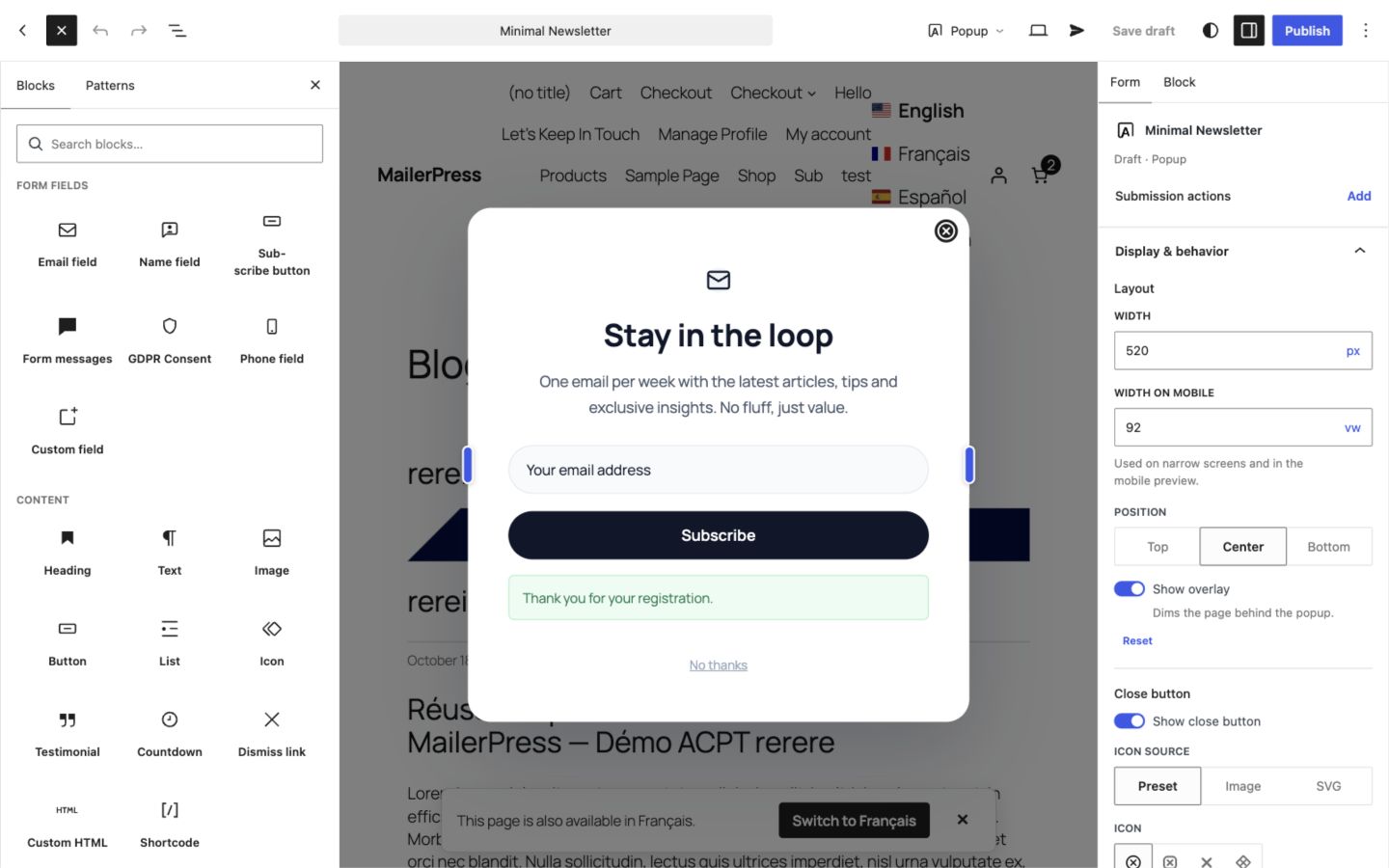
The visual form editor: design a popup with blocks, then set its layout, position and close button.
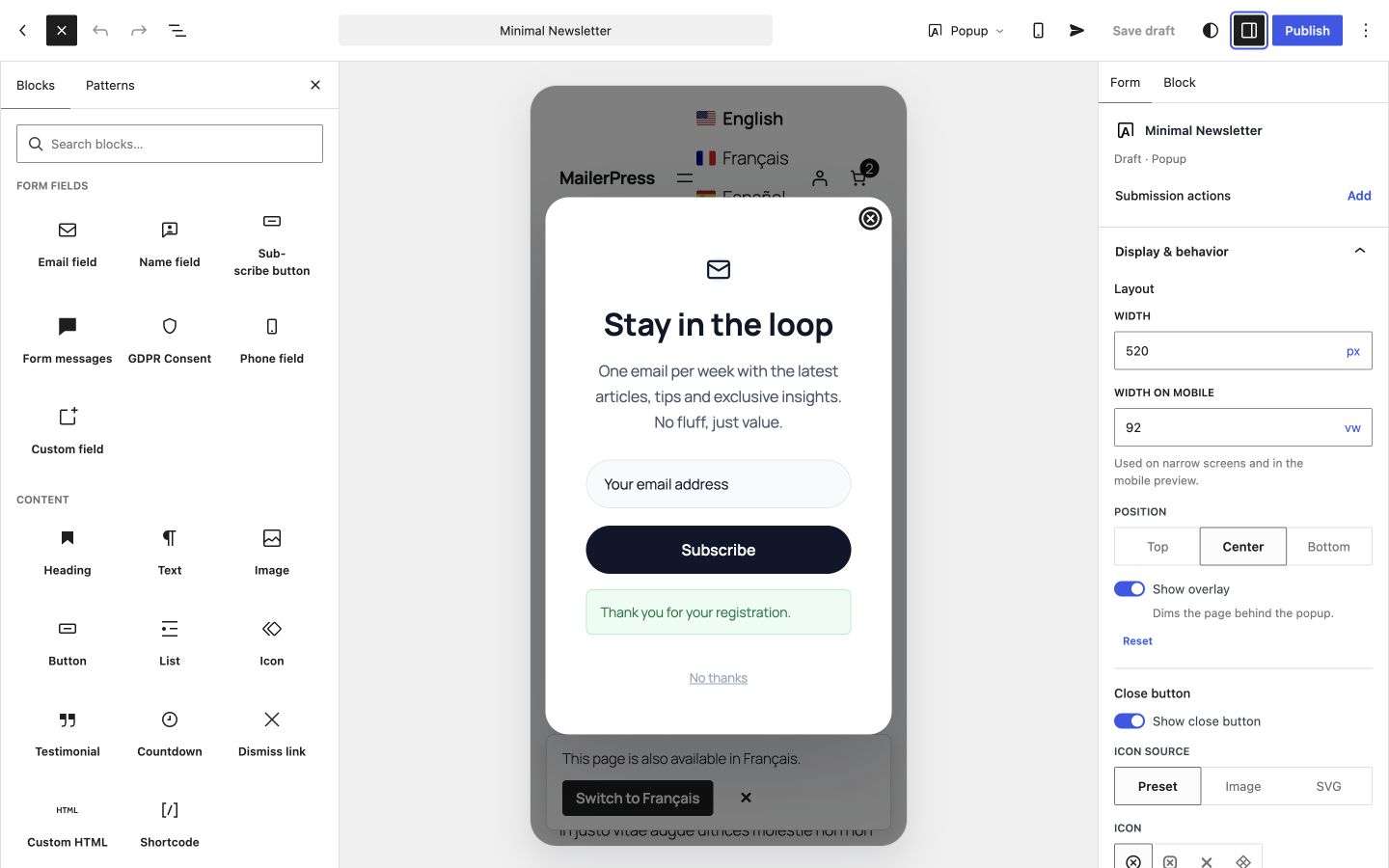
Mobile preview: check how the form looks on a phone and set a dedicated mobile width.
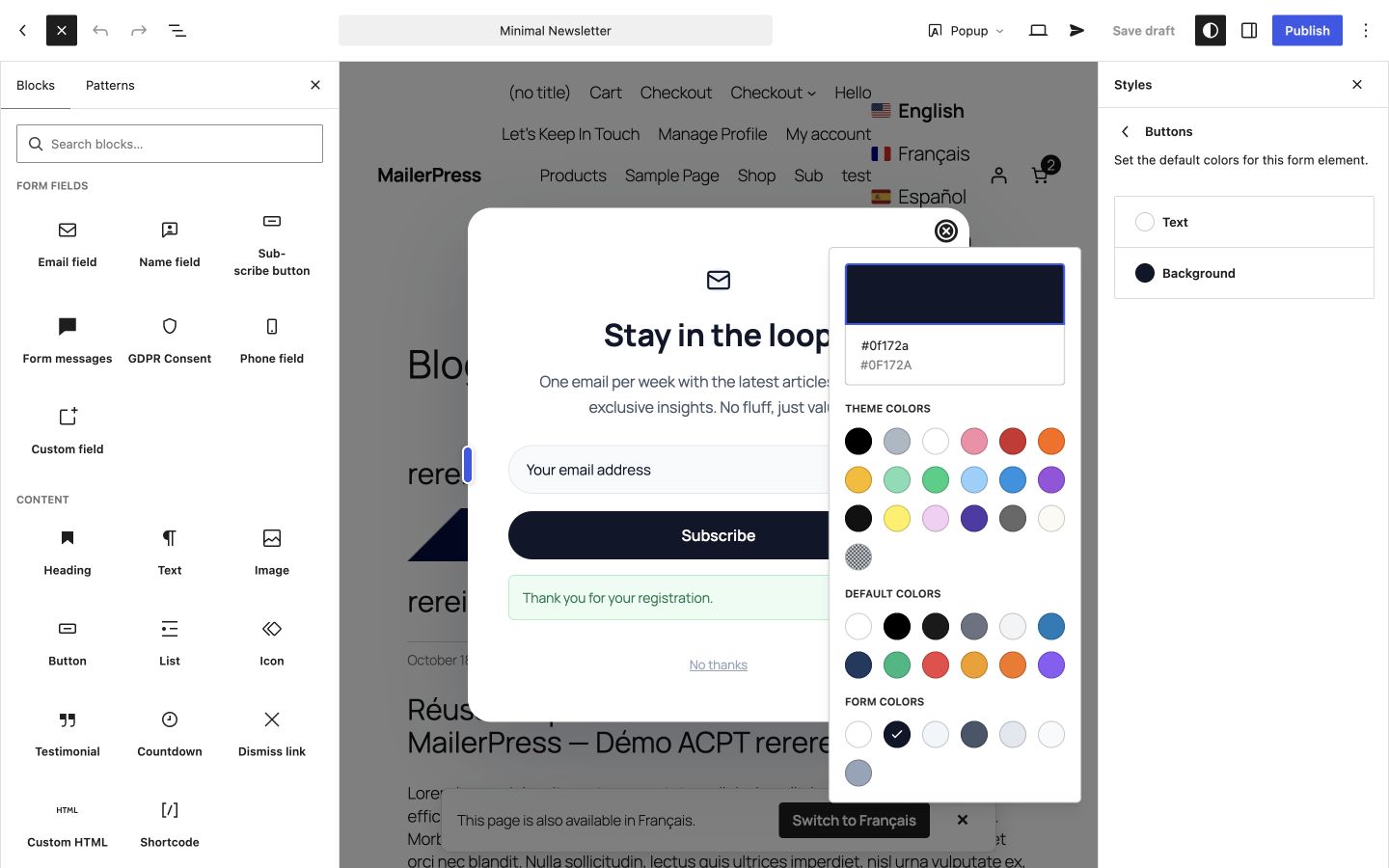
Global styles: set the default typography and colors of every form element.
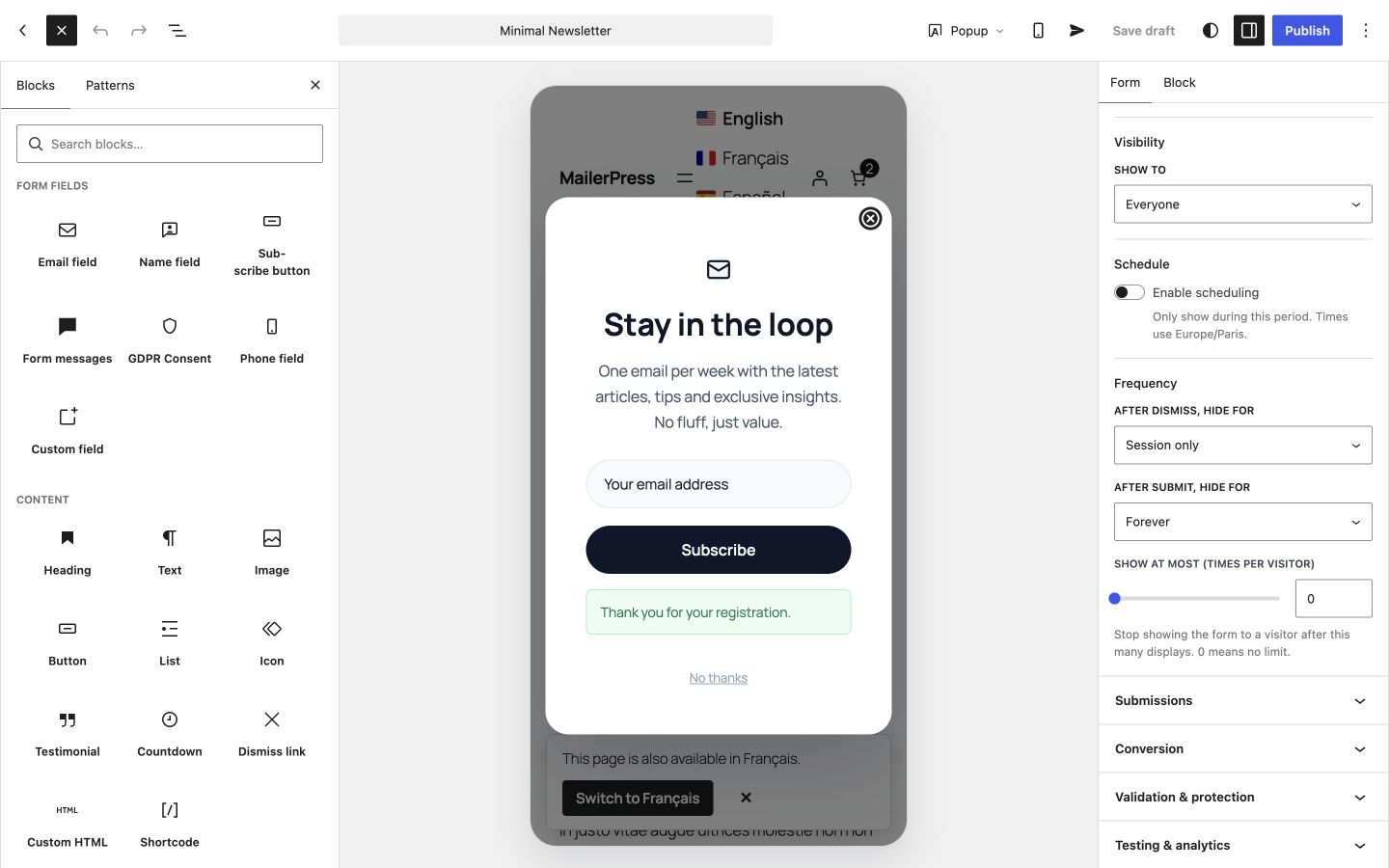
Display settings: choose the trigger and how often the form appears. Audience and schedule rules require OptinFlare Pro.
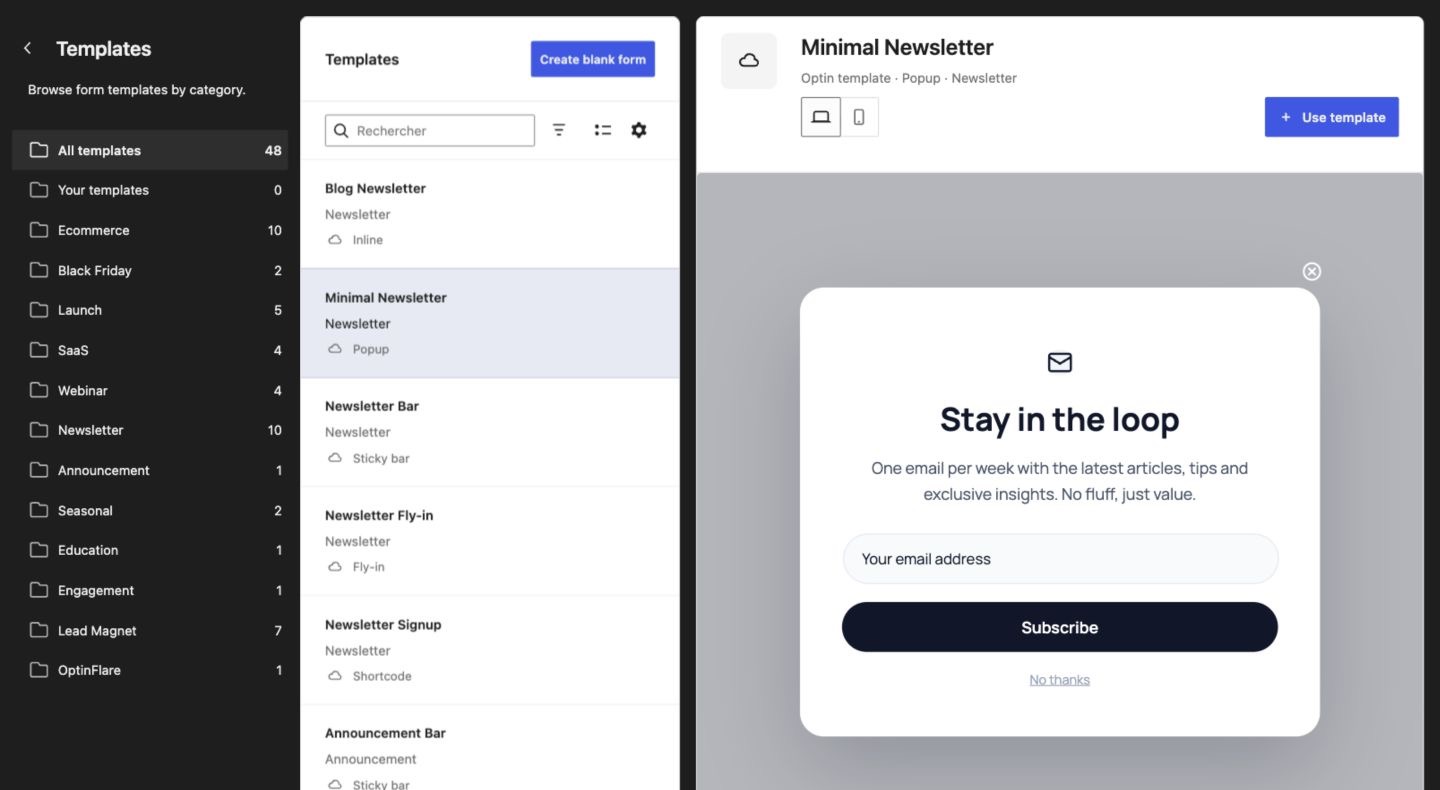
Start from a template: preview popup, fly-in, inline and sticky bar forms before using them.
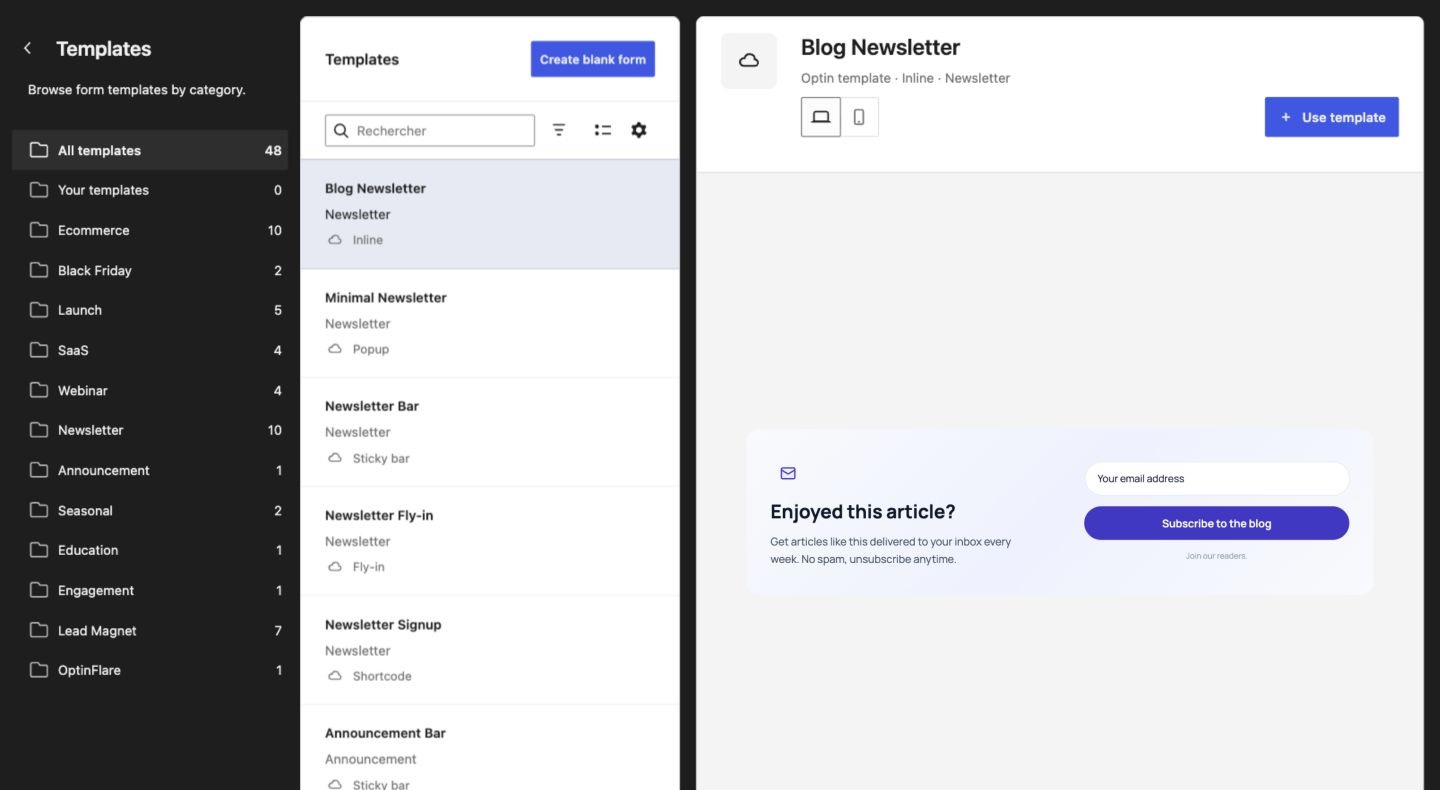
Templates grouped by goal: newsletter, ecommerce, launch and lead magnet.
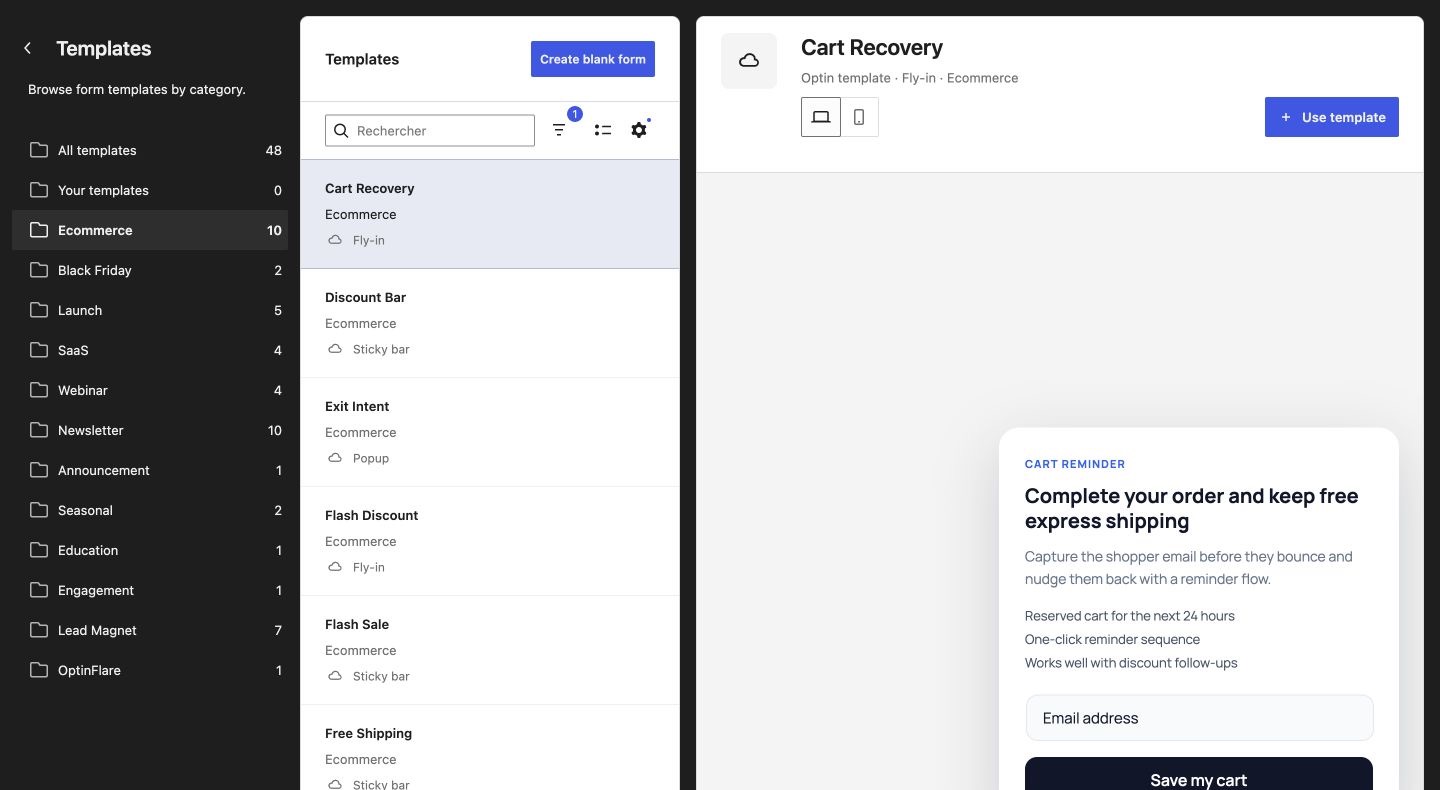
Ecommerce templates for cart recovery, discounts, flash sales and exit-intent offers.
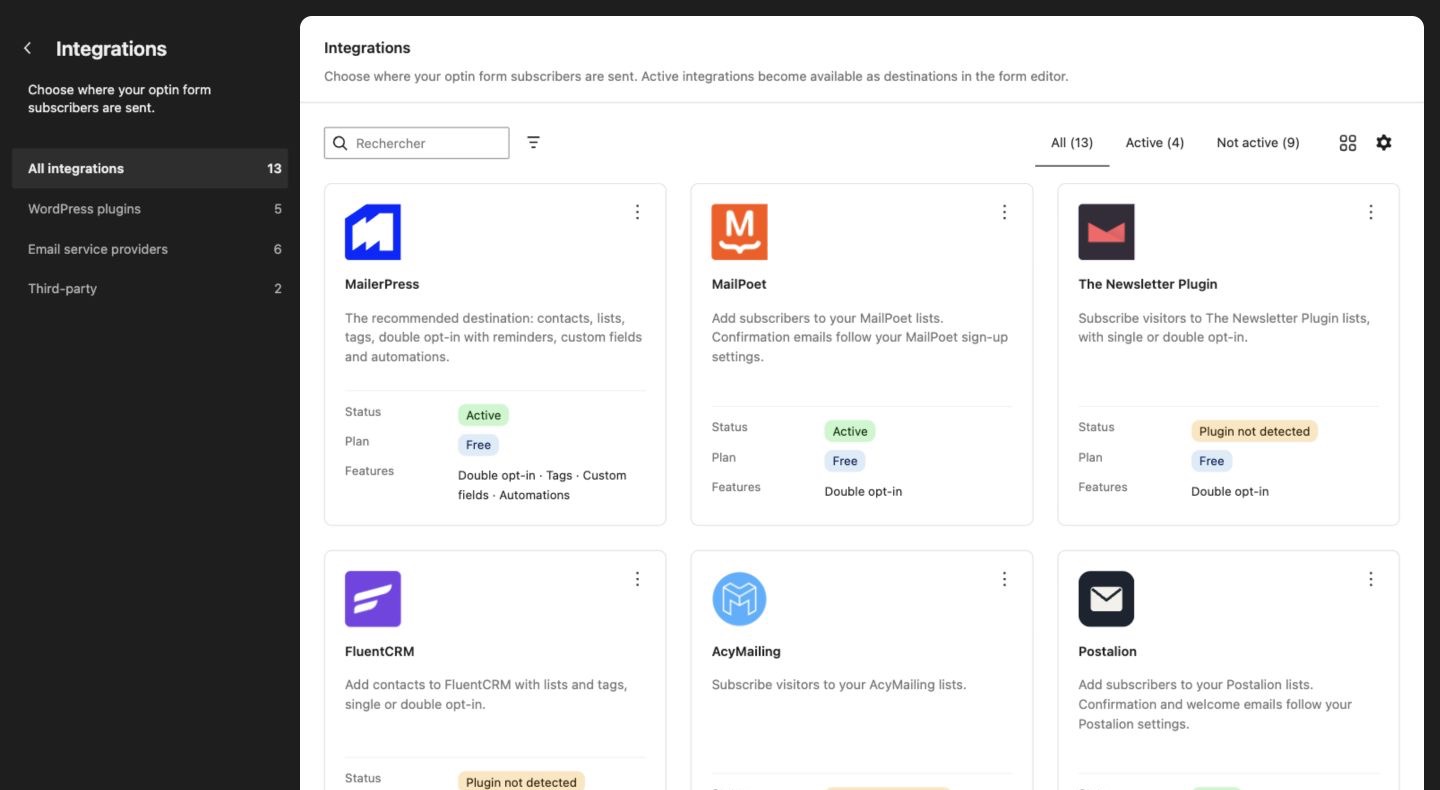
Integrations: send subscribers to MailerPress, MailPoet, FluentCRM and other newsletter tools. Some integrations require OptinFlare Pro.
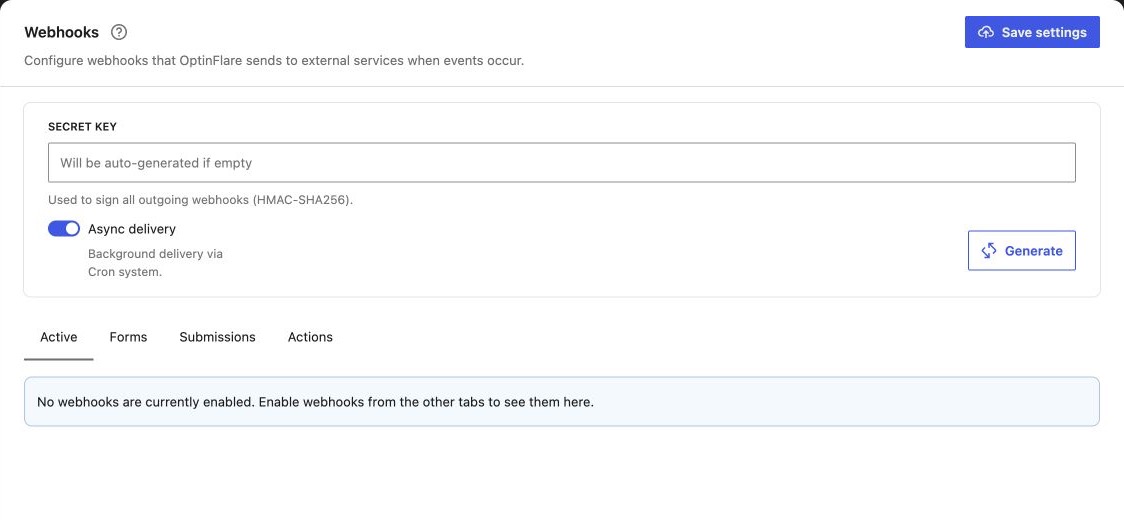
Webhooks (OptinFlare Pro): send signed form and submission events to external services.
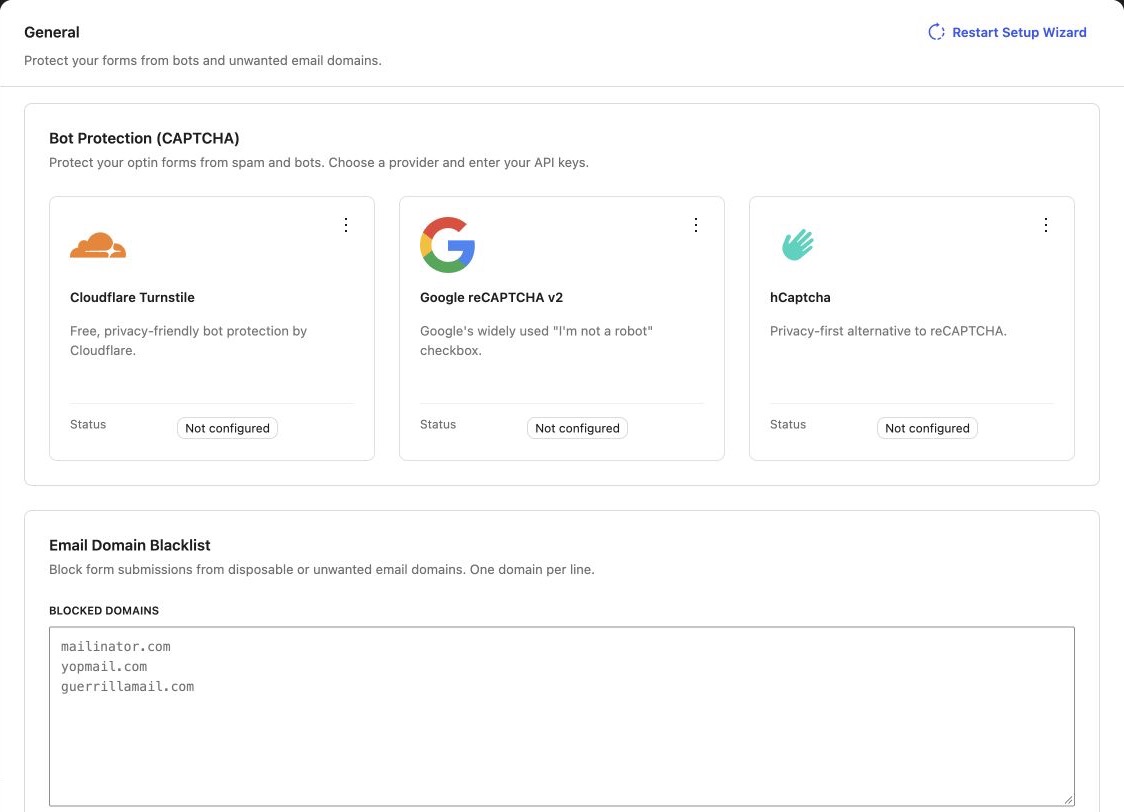
Spam protection with Cloudflare Turnstile, reCAPTCHA or hCaptcha and an email domain blacklist.


