
Order Archive Manager For WooCommerce Wordpress Plugin - Rating, Reviews, Demo & Download

Plugin Description
Over time, WooCommerce orders pile up in your database. Every order adds rows to wp_posts, wp_postmeta, wp_comments, and several WooCommerce tables. On stores with tens of thousands of orders, this slows down admin pages, checkout queries, and report generation.
Order Archive Manager for WooCommerce moves completed, cancelled, or refunded orders out of the live tables and into dedicated archive tables. Your store gets faster, your order data stays safe, and you can restore any order back to WooCommerce whenever you need it.
How it works
Orders are copied to archive tables row by row inside database transactions. If anything goes wrong during the copy, the transaction rolls back — the original order is untouched. Only after a successful copy and verification does the plugin remove the order from the live tables.
Key features
- Safe Archiving – Moves orders to dedicated archive tables using database transactions
- One-Click Restore – Restores archived orders back to WooCommerce with original IDs preserved
- Permanent Deletion – Permanently deletes archived orders when you no longer need them
- Dry Run Mode – Preview exactly what will happen before making any changes
- Verification Layer – Row counts are checked before any live data is deleted
- Refund Support – Refund posts and their meta are archived alongside the parent order
- Subscription Protection – Orders linked to active WooCommerce Subscriptions are skipped automatically
- Activity Log – Every archive, restore, and delete is recorded with timestamps
- Database Visualiser – See how much space your order tables are actually using
- Archive Health Check – Verifies table integrity and flags any orphaned rows
- Batch Processing – Handles large stores without timing out
What gets archived
When an order is archived, the following data moves with it:
- The order post (
wp_posts) - All order meta (
wp_postmeta) - Order line items (
woocommerce_order_items) - Order item meta (
woocommerce_order_itemmeta) - Order notes (
wp_comments) - Order note meta (
wp_commentmeta) - Refund posts and their meta
Compatibility
HPOS Support – This version supports legacy post-based order storage only. Stores using WooCommerce High-Performance Order Storage (HPOS) will see an admin notice and the plugin will remain inactive. HPOS support is planned for a future release.
WooCommerce Subscriptions – Detected automatically. Orders linked to active subscriptions are skipped during archiving to avoid breaking renewal billing.
Why choose Order Archive Manager for WooCommerce?
Unlike plugins that only change order status or soft-delete orders, this plugin physically moves order data to separate tables. Your live database tables stay lean and fast, while archived data remains fully restorable.
Created by Anandu Ravikumar
Developed by a WordPress and WooCommerce plugin developer focused on database optimization and performance
Support
For support, feature requests, or bug reports, please visit the GitHub repository.
Credits
Developed by Anandu Ravikumar
License
GPL-2.0-or-later – https://www.gnu.org/licenses/gpl-2.0.html
Screenshots
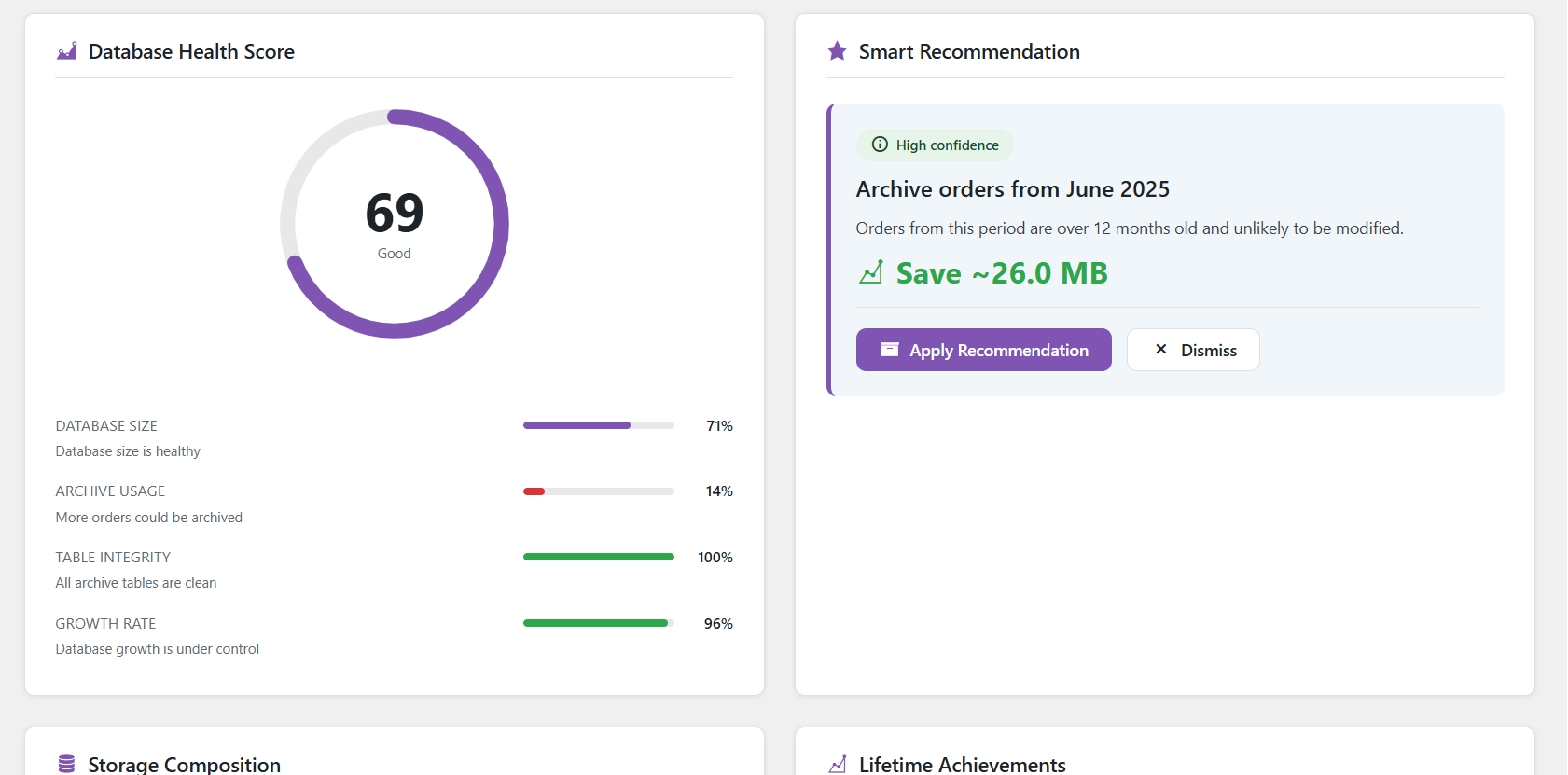
Database health score with smart recommendations for what to archive next
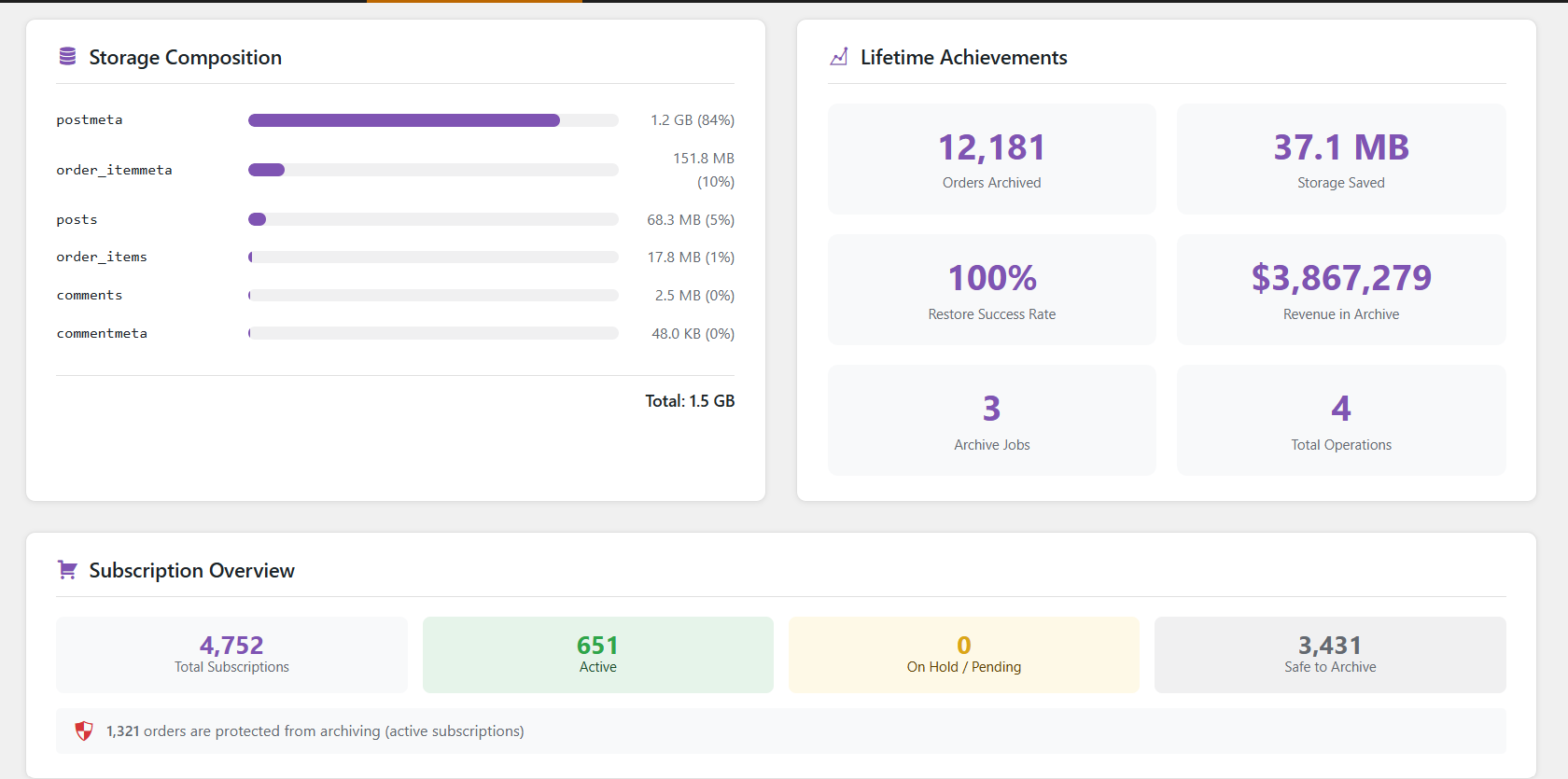
Storage composition breakdown and lifetime archiving statistics
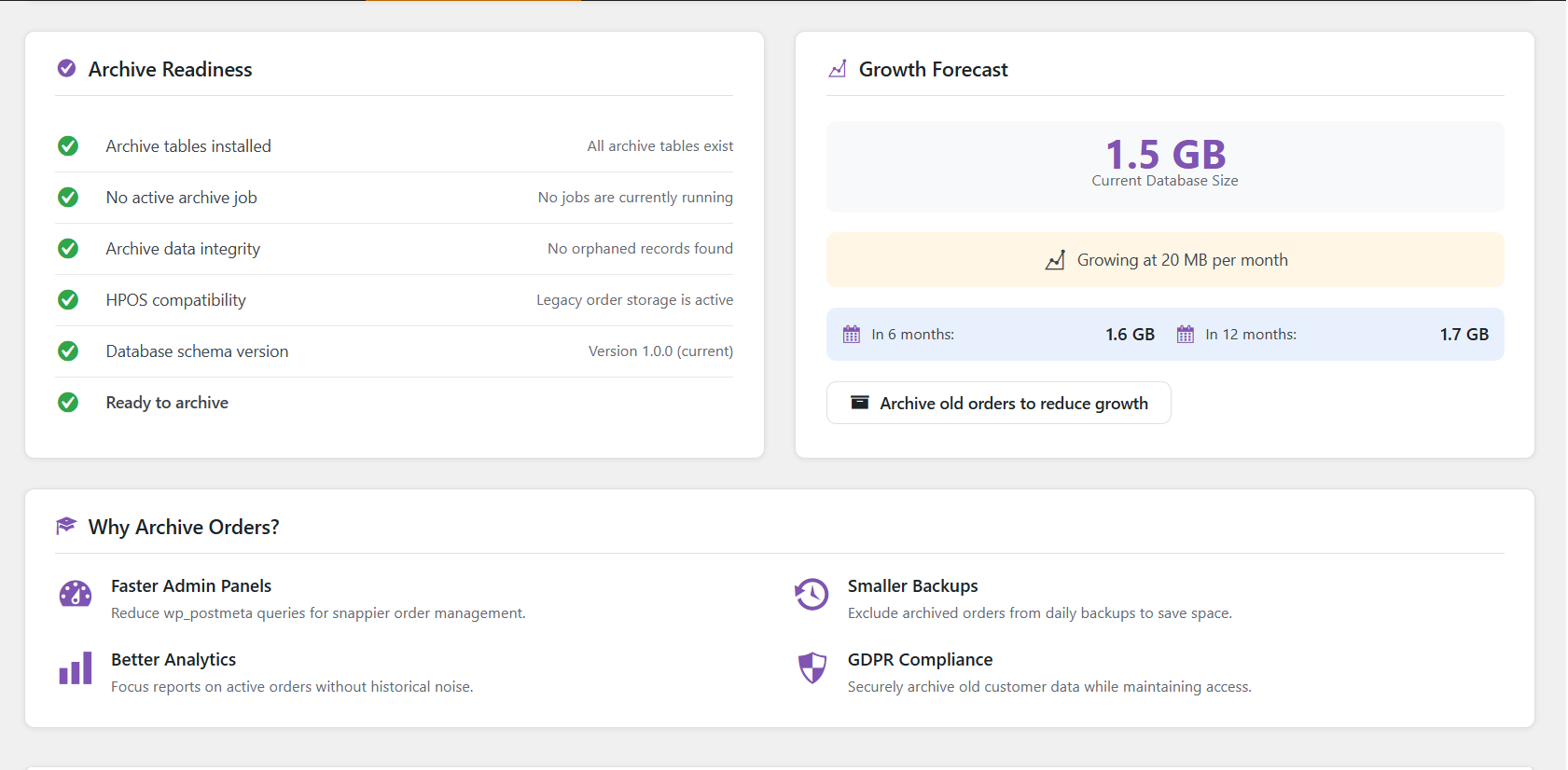
Archive readiness checklist and database growth forecasting
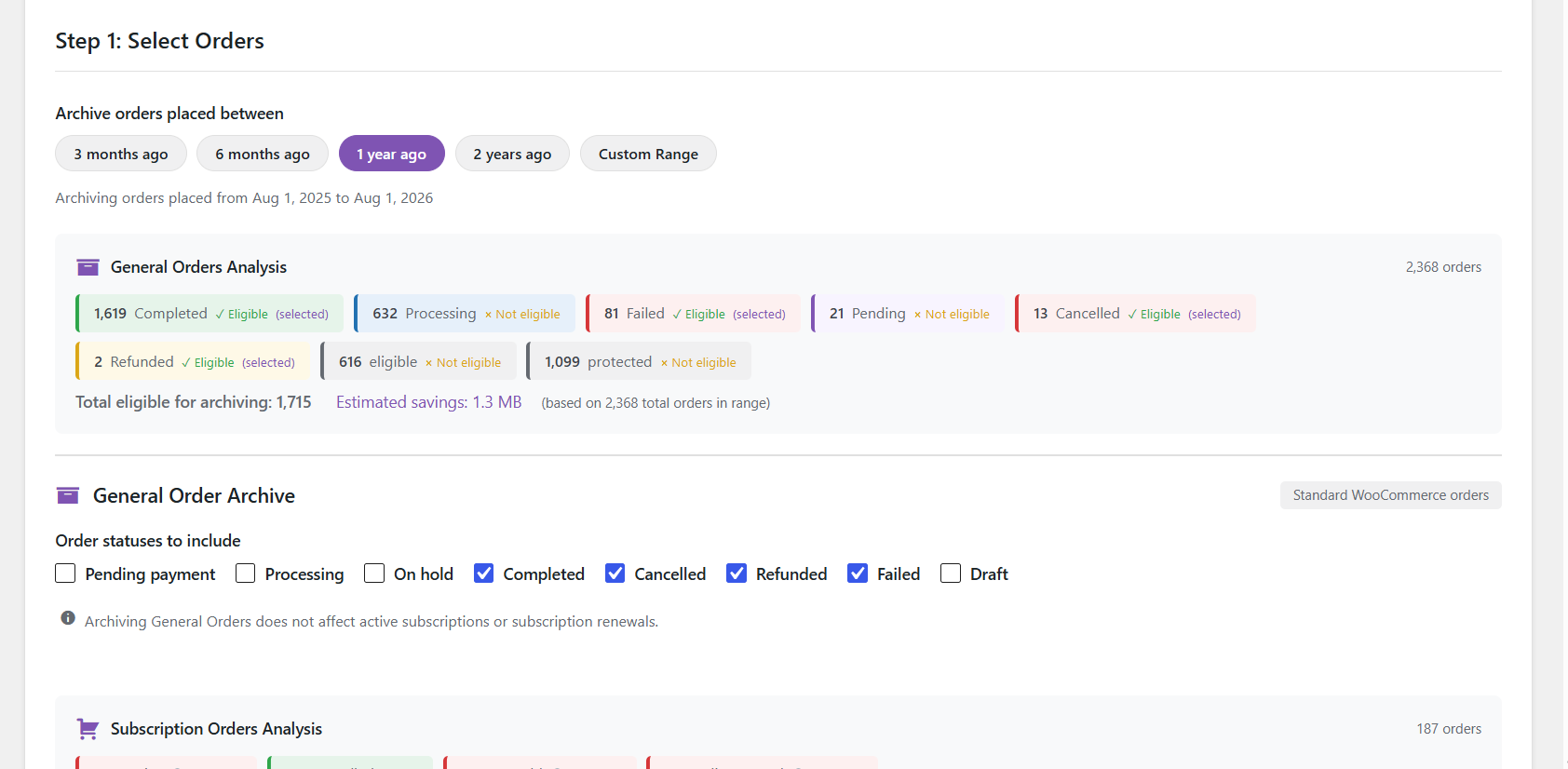
Archive Orders step 1 — filter by date range and order status with live eligibility counts
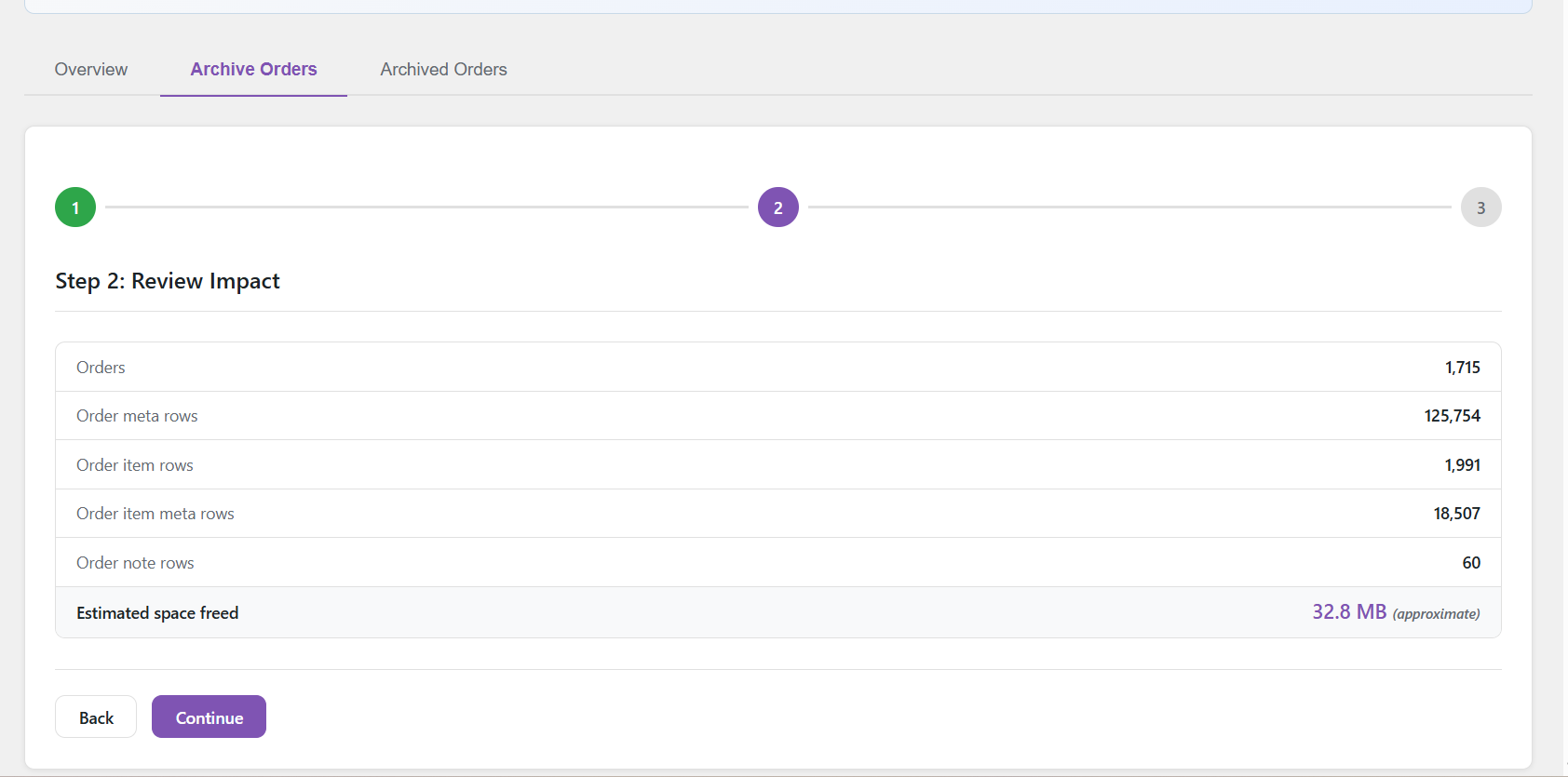
Archive Orders step 2 — review exactly how many rows and how much space will be affected
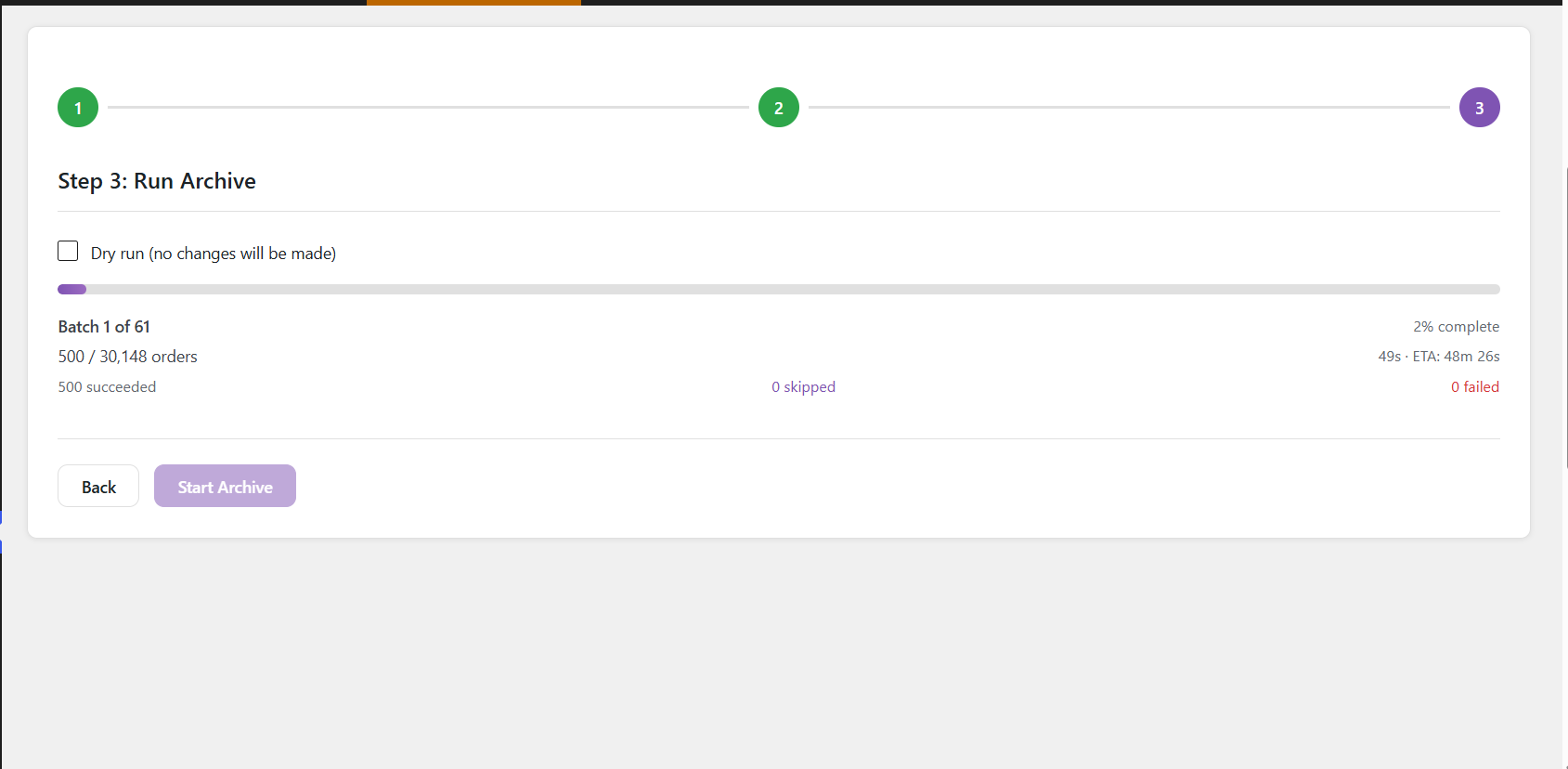
Archive Orders step 3 — real-time batch progress with dry run option
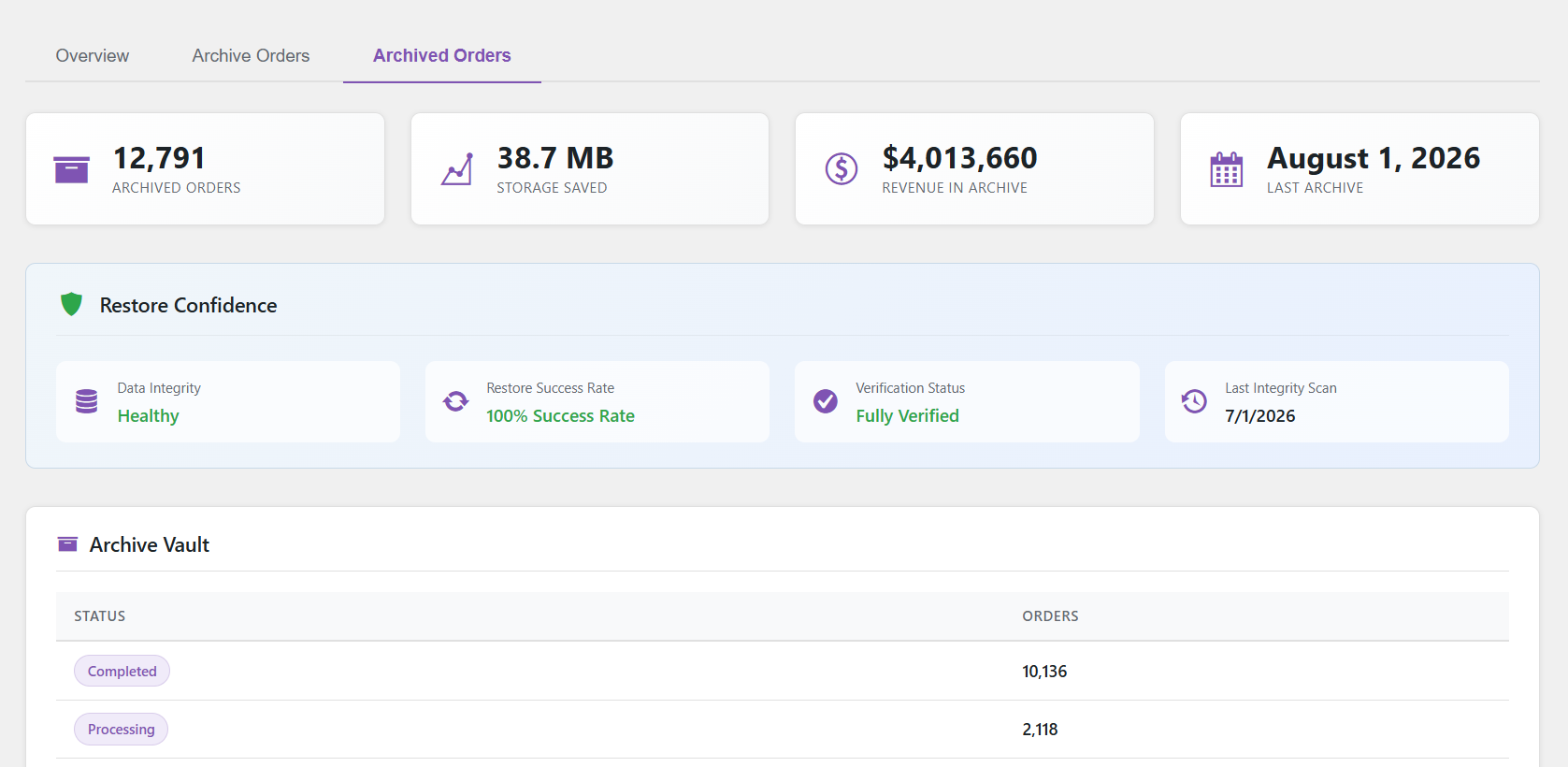
Archived Orders dashboard with restore confidence and integrity verification
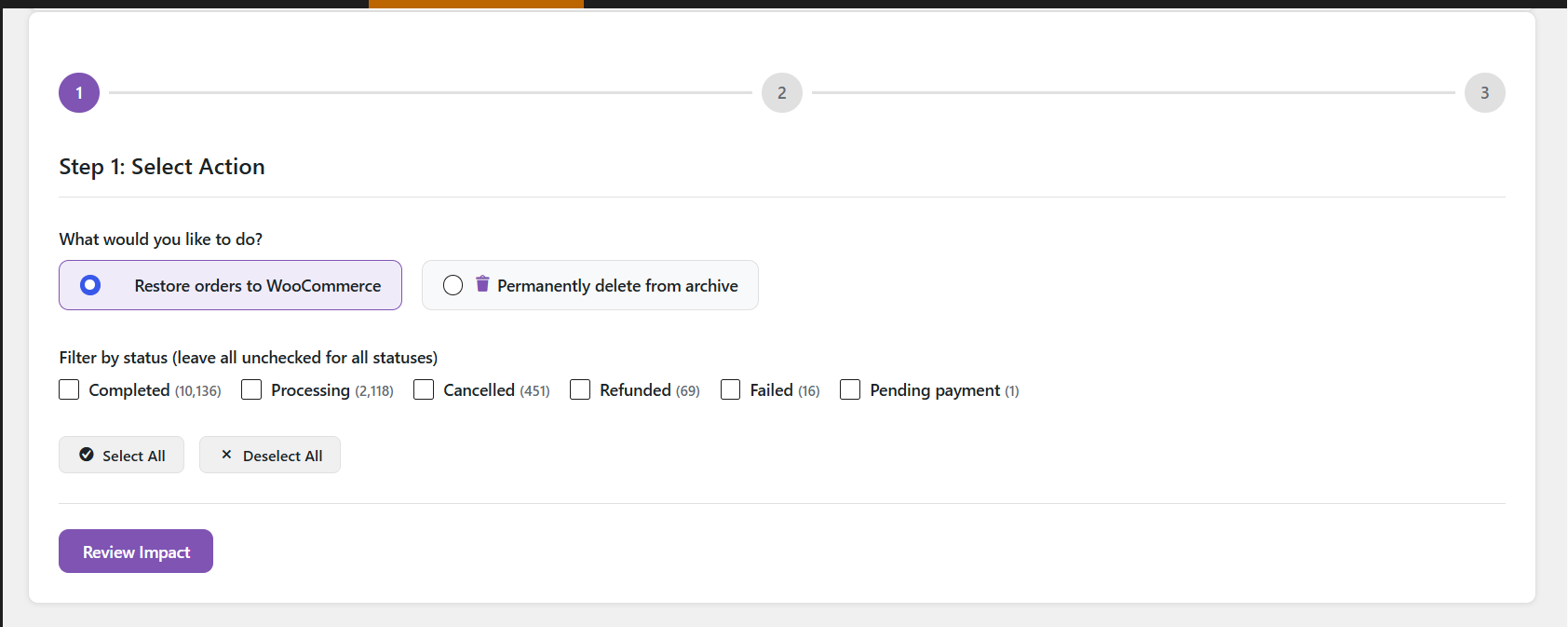
Restore or permanently delete archived orders, filtered by status
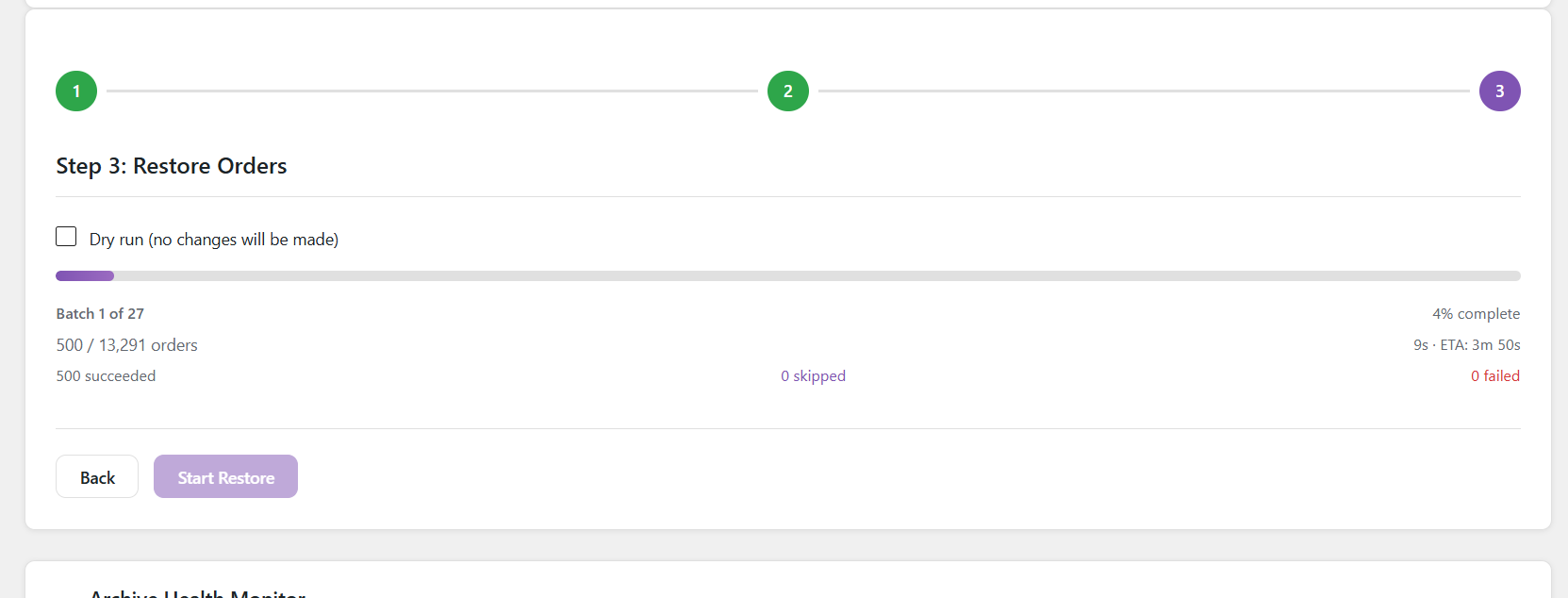
Restore in progress — live batch tracking with success/skip/fail counts


