OurNetHelps Mortgage Q&A Assistant Wordpress Plugin - Rating, Reviews, Demo & Download

Plugin Description
OurNetHelps Mortgage Q&A Assistant is a free WordPress chat widget built specifically for independent mortgage brokers.
Show your broker photo, NMLS license number, and phone number in the chat header. Answer visitor mortgage questions instantly using your own Q&A library. No account required. No third-party chat service.
Free features:
- Your photo, name, and title in the chat header
- NMLS license number with auto-prefix (shows as NMLS #123456)
- Clickable phone number in the chat header
- Unlimited custom Q&A pairs, no limit
- 10 built-in mortgage Q&A defaults, always active
- Quick-tap question chips (up to 4 shown)
- Popup chat bubble with configurable delay
- Custom accent color
- Widget position: bottom right or bottom left
- Mobile full-screen layout with close button
- Page exclusion list
- Optional “Powered by OurNetHelps” credit, disabled by default. Enable it from General settings if you would like to support the plugin.
- Lightweight, self-contained. No third-party JavaScript libraries, fonts, or chat services required.
How it works:
Visitors open the chat and see your photo, name, NMLS, and phone number immediately. They can tap one of the quick question chips or type their own question. The plugin searches your custom Q&A first, then falls back to the 10 built-in mortgage questions. If nothing matches, a fallback message with your email and contact link appears.
Built for independent mortgage brokers.
No account. No monthly fee. No third-party service. Install, configure your profile and Q&A, and the widget is live.
Screenshots
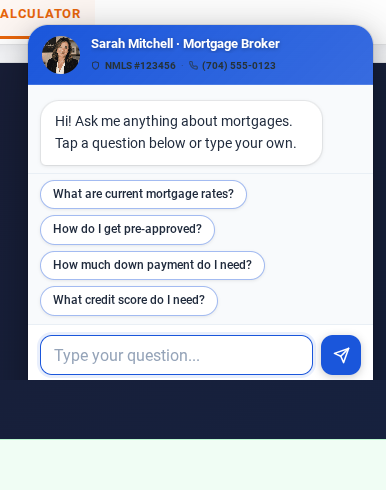
Chat widget open on a broker website, desktop view. Compact 2-line header shows broker photo, name, title, NMLS number and phone number. Four quick-tap question chips visible with welcome message fully showing.
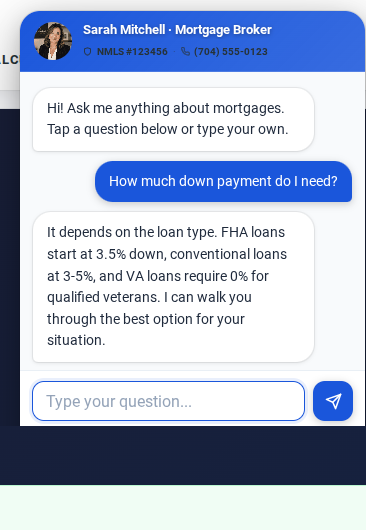
Live conversation on desktop. Visitor asked a question and received an instant answer from the built-in mortgage Q&A. User bubble in blue, bot answer in white.
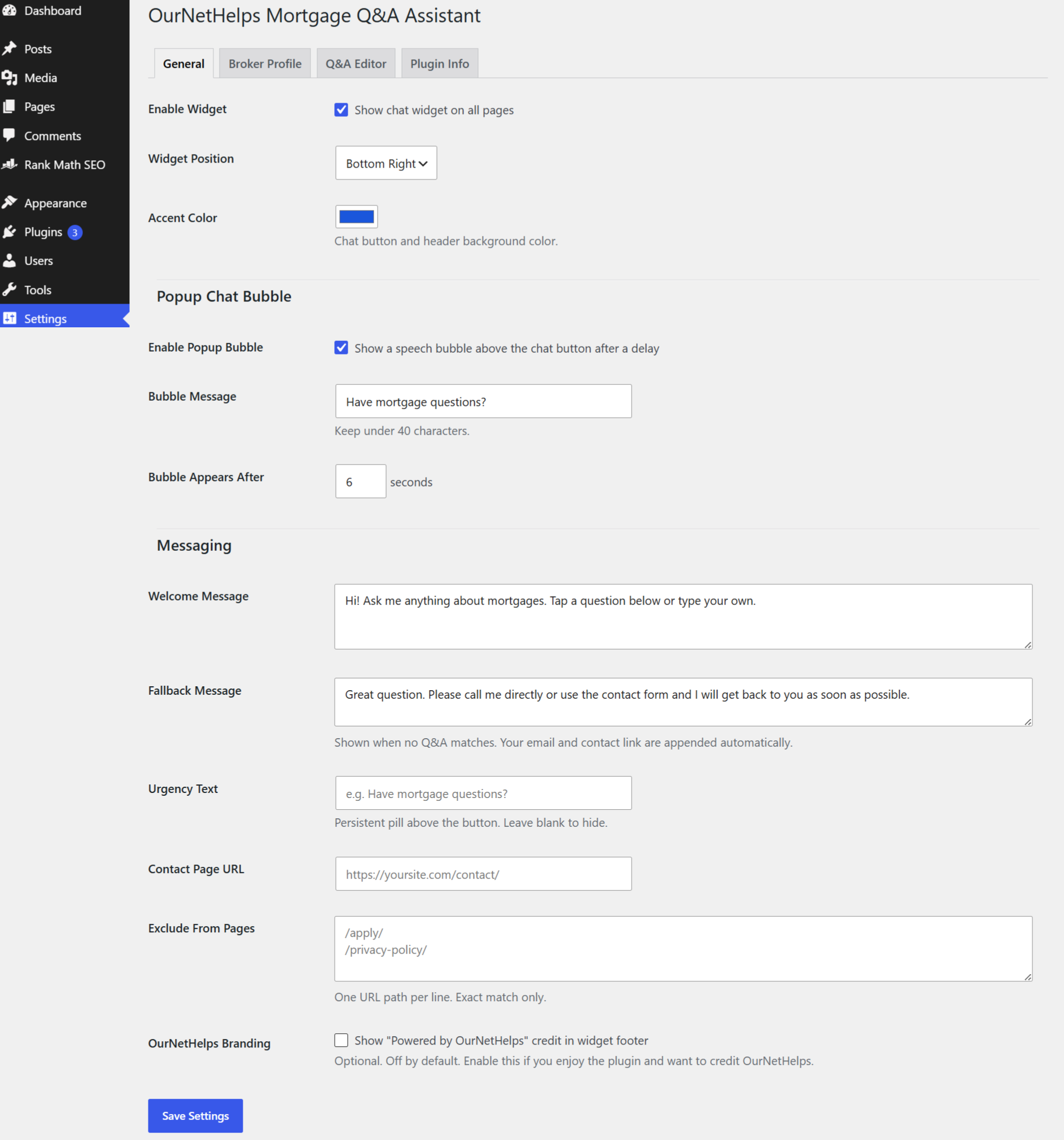
General settings tab showing Enable Widget, Widget Position, Accent Color, Popup Chat Bubble configuration, Welcome Message, Fallback Message, Urgency Text, Contact Page URL, Exclude From Pages, and the OurNetHelps Branding checkbox.
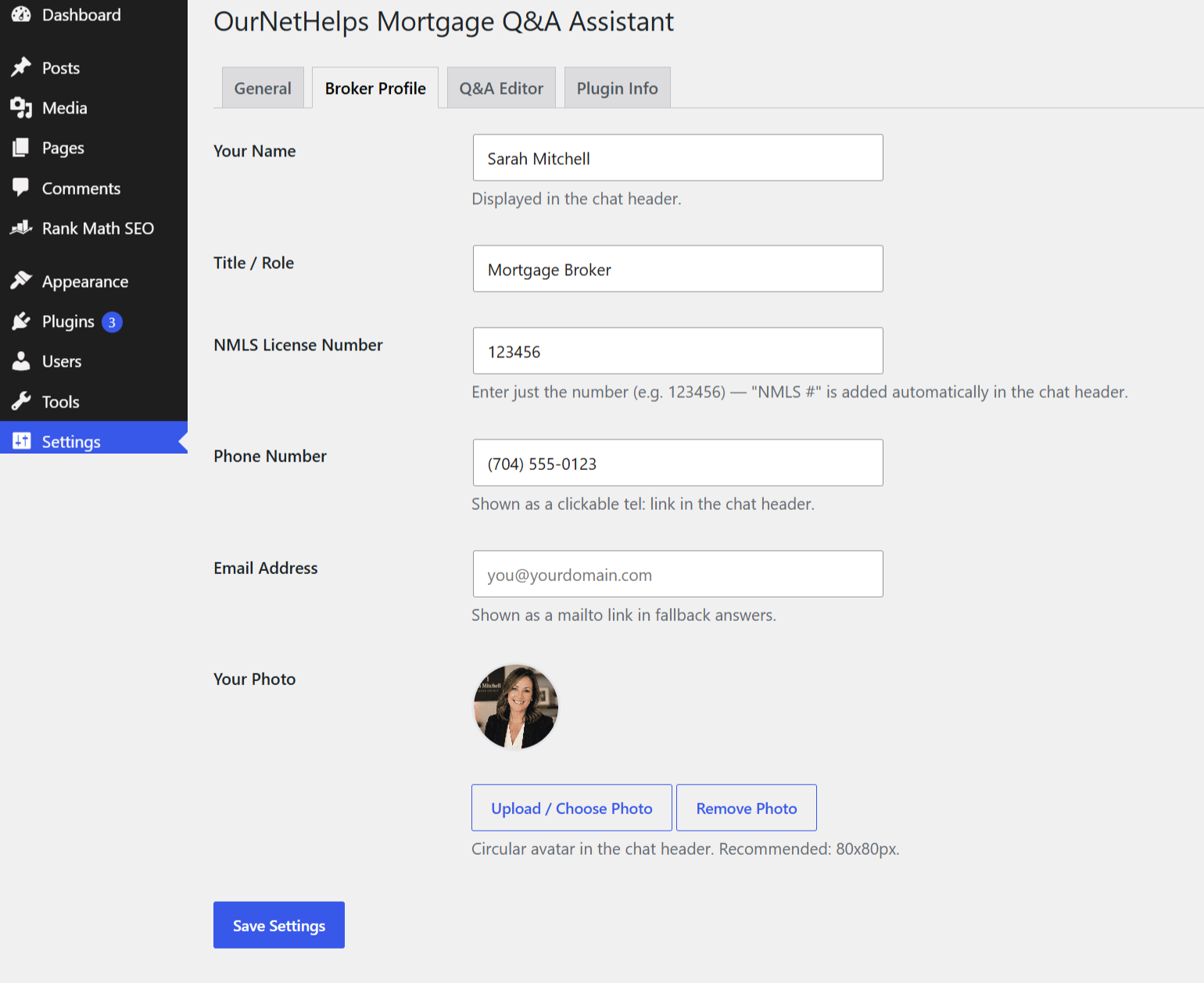
Broker Profile tab showing name, title, NMLS License Number with auto-prefix note, Phone Number as a clickable tel link, Email Address, and circular photo upload with preview.
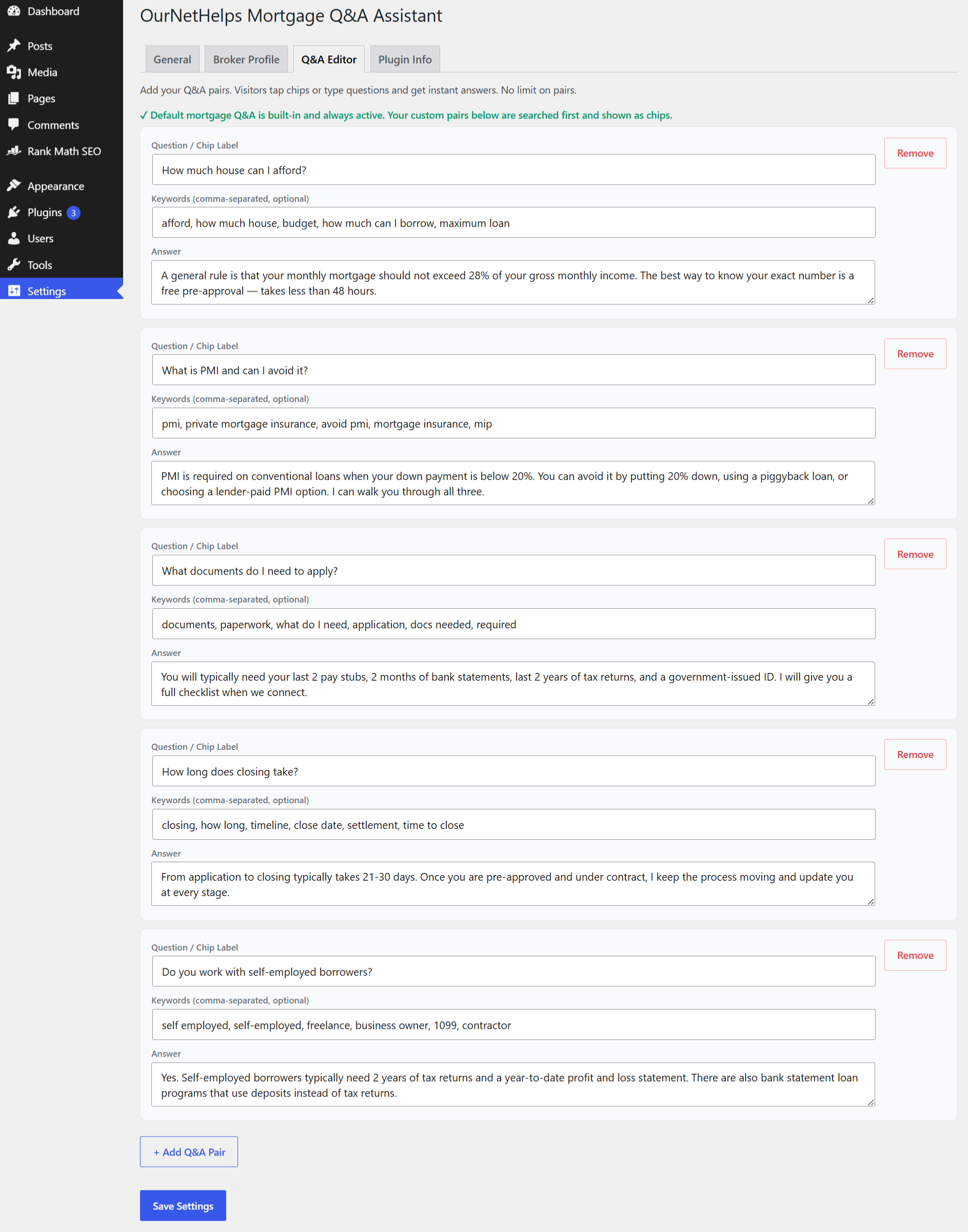
Q&A Editor tab with 5 custom pairs filled in, showing question chip labels, keyword fields, and answers. The + Add Q&A Pair button is visible at the bottom.