PartSyncer Recently Viewed Products Wordpress Plugin - Rating, Reviews, Demo & Download
Plugin Description
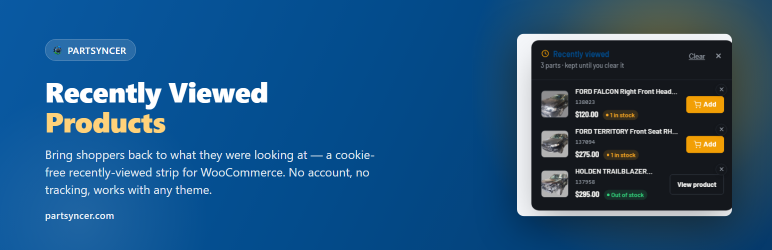
PartSyncer Recently Viewed remembers the products a visitor has looked at and shows them a strip of thumbnails to jump back to. The history is stored in the visitor’s own browser (localStorage) — no cookies, no accounts, no server-side data — so it works behind a full-page cache.
What you get
- A “Recently viewed” strip auto-placed on the single product page.
- A
[partsyncer_recently_viewed]shortcode, a Recently Viewed block, a classic widget, and an Elementor widget — use whichever fits your page. - Carousel, grid or list layout, with a choice of sort order (recent, newest, random, or price).
- Optional “Add to cart” button and live stock availability on each item, plus an individual remove button.
- Configurable heading and history length.
Theme-agnostic
The plugin renders its own markup and stylesheet, so it works with any WooCommerce-compatible theme. Every colour/size is a --psrv-* CSS variable a theme can override.
Privacy
No cookies. No accounts. No server-side storage. Nothing leaves the browser.
Privacy
This plugin does not collect, store, or transmit any personal data on the server. Each visitor’s browsing history is kept entirely in their own browser (localStorage), never sent to the site or any third party, and works without cookies. Uninstalling the plugin removes its one settings option; it holds no visitor data to erase.
Trademarks
WooCommerce is a registered trademark of Automattic Inc. This plugin is not affiliated with, endorsed by, or sponsored by Automattic or WooCommerce.
Screenshots

The recently-viewed strip on a product page.

Settings.

The floating corner button’s popup panel.