Perxel Accordion For TinyMCE Wordpress Plugin - Rating, Reviews, Demo & Download
Plugin Description
The classic WordPress editor has no way to add a collapsible “show more”
section to a post. Perxel Accordion for TinyMCE adds an Insert Accordion button
to the editor toolbar, so an accordion takes a couple of clicks and stays in
your post content as a plain, readable shortcode.
Click the button, fill in a title and the body text, and the editor inserts a
[pxta_accordion] shortcode where your cursor was. In the Visual tab the
accordion is drawn as a live preview you can open and read while you write; in
the Text tab you get the raw shortcode, exactly as typed. On the front end
the shortcode renders an accessible accordion – a heading with a button that
screen readers announce as expanded or collapsed – with a small default
stylesheet and a tiny script, loaded only on pages that contain an accordion.
Each accordion starts collapsed unless you tick Open by default.
The button appears wherever the classic editor does: the post and page editor,
the widget editors, and any Advanced Custom Fields WYSIWYG field whose toolbar
is set to Full. There is nothing to configure – no settings screen and no
options stored in the database.
Key features
- An Insert Accordion button in the classic editor toolbar, with a dialog for the title and the body text.
- A live preview of each accordion in the Visual tab, and the plain shortcode in the Text tab.
- Accessible front-end accordions: the title is a real button inside a heading of your choice, with the open/closed state exposed to screen readers.
- An Open by default option per accordion; otherwise it starts collapsed.
- A small default stylesheet (arrow indicator, spacing, borders) that your theme can restyle or switch off entirely.
- Two filters for developers:
pxta_accordion_htmlto replace the rendered HTML, andpxta_accordion_load_cssto stop the default stylesheet from loading.
You can also write the shortcode by hand, which is handy in a template or a
page built from shortcodes:
`
[pxta_accordion title=”What does it cost?”]Nothing at all – it is free.[/pxta_accordion]
`
To wrap the title in a heading or paragraph, add title_tag (one of p,
h1-h6, div):
`
[pxta_accordion title=”What does it cost?” title_tag=”h3″]Nothing at all – it is free.[/pxta_accordion]
`
TinyMCE is a trademark of Tiny Technologies, Inc. This plugin is independent and is not affiliated with, endorsed by or sponsored by Tiny Technologies, Inc.
External services
This plugin does not connect to any external services.
Screenshots

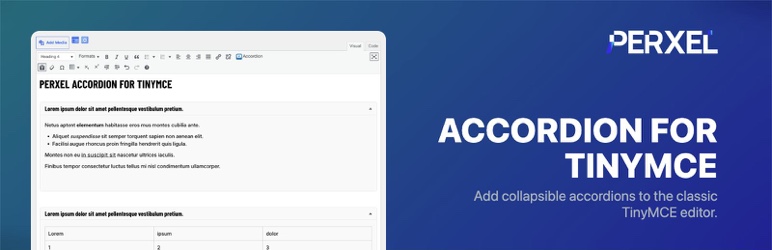
The Accordion button in the classic editor toolbar, and the live accordion preview in the Visual tab.

The Insert Accordion dialog: title, title tag, “Open by default”, and the content in a mini classic editor.

The accordion on the front end, opening and closing.