Piece Health – Product Health Check For WooCommerce Wordpress Plugin - Rating, Reviews, Demo & Download
Plugin Description
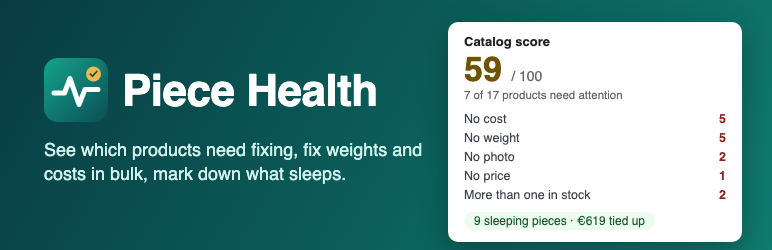
A catalog slowly fills with products that have no weight, no cost, no photo, a one-line description or a price of 0. Nobody notices until a shipping rate is wrong, a margin report is empty or a shopper cannot tell two products apart.
Piece Health reads your products, tells you what to fix and gives your catalog a score, then lets you fix the most common gaps in bulk. It was built for shops that sell one-of-a-kind pieces (vintage, second-hand, antiques, handmade), and works as a general product data checker for any WooCommerce shop.
What it checks
- No cost: the product has no value in WooCommerce’s Cost of Goods Sold field (WooCommerce 10.3 and later).
- No weight: a product that ships has no weight.
- No price: the regular price is empty or 0.
- More than one in stock: a one-of-a-kind piece with a stock above 1 (you can turn this check off).
- No photo: the product has no image.
- Ready for AI shopping, scored on its own: a description under 60 characters, a title under 3 words, a product only in the default category. These are what search engines and AI shopping assistants read.
Variable products are checked piece by piece: each variation has its own price, cost and weight.
What you can do about it
- Fix in bulk: type a weight or a cost for each piece (or fill all the empty fields with one value) and save. Piece Health only fills gaps: a piece that already has a weight or a cost is never changed. Costs go into WooCommerce’s own Cost of Goods Sold field.
- Sleeping pieces: the pieces that have been in stock for a long time (90 days by default, you can change it), how much money they tie up, and a one-click markdown of 10 to 50 percent. The markdown is a sale price: your regular price stays and WooCommerce shows it crossed out. It never goes below the cost, never touches a sale price you set yourself, and can be undone.
- Progress: about once a week, when you open the page, the two scores are kept. If your score fell by 5 points or more, or 5 or more new problems appeared, a warning shows. No background task, no e-mail.
Good to know
- Unlimited products, free. No quota, no trial, no paid tier, no advertising.
- Nothing is sent anywhere. Piece Health makes no external request and never reads orders or customers.
- It changes nothing until you press a button, and it never changes titles, descriptions, categories, photos, stock or orders.
- Large catalogs work: products are read 40 at a time and the page shows how far the scan is.
Source code
The admin page is written in TypeScript and React and built with @wordpress/scripts. The source is in the src/ folder of the plugin. To rebuild the files in build/, run npm install and then npm run build in the plugin folder.
Screenshots

The Overview: catalog score, score for AI shopping, and what each check found.

The problems found, filtered on one check, with a link to edit each product.

Fix in bulk: type a weight for each piece or fill all the empty fields at once.

Sleeping pieces: how long each piece has been in stock, the money it ties up, and a markdown that never goes below the cost.