
Pinpraise For Google Reviews Wordpress Plugin - Rating, Reviews, Demo & Download
Plugin Description
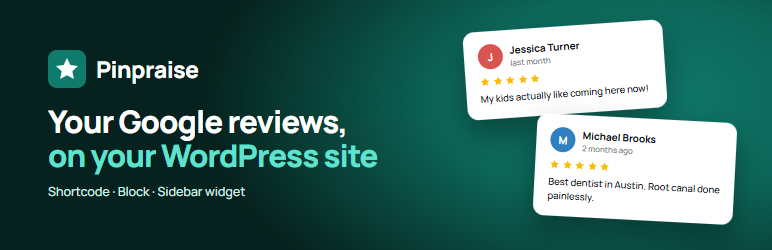
Pinpraise for Google Reviews puts the reviews from your Google Business Profile on your WordPress site and keeps them current without you touching the page again.
What you get
- A shortcode
[pinpraise_reviews], a “Pinpraise for Google Reviews” block for the block editor, and a classic sidebar widget. - Layouts: carousel, grid, list, badge and a floating button. Pick the layout, colours, minimum rating and which reviews to show in Pinpraise › Website › Reviews on your website; the change reaches your site within minutes.
- Renders in a Shadow DOM, so your theme’s CSS cannot break the widget and the widget cannot change your theme.
- Light: one small script, loaded
asyncand only on pages that show a widget. No jQuery, no cookies, no cross-site tracking. - Business details for search engines (LocalBusiness JSON-LD: name, address, phone, opening hours) can be switched on per widget in Pinpraise. It adds no star ratings, because Google does not show stars for reviews a business publishes about itself.
You need a Pinpraise account (free plan available) connected to your Google Business Profile. Pinpraise is the service that reads your reviews from Google, lets you reply (with AI-drafted replies), asks customers for reviews, and builds the widget. Create one at https://pinpraise.com.
How it works
- In Pinpraise, open Website › Reviews on your website, create a widget and choose Get code. Copy the 16-character widget key.
- In WordPress, go to Settings › Pinpraise for Google Reviews and paste the key.
- Add
[pinpraise_reviews]to any page or post, or the Pinpraise for Google Reviews block, or the sidebar widget.
Several widgets on one site? Give each shortcode or block its own key: [pinpraise_reviews key="…"].
Pinpraise is an independent service. This plugin is not made, endorsed or sponsored by Google; Google and Google Business Profile are trademarks of Google LLC.
External services
This plugin relies on Pinpraise (https://pinpraise.com), a third-party service, to show your reviews. Without a Pinpraise account the plugin shows nothing to visitors.
- What is loaded and when: only on pages where a Pinpraise shortcode, block or sidebar widget is placed, the visitor’s browser downloads the widget script (
https://pinpraise.com/assets/widget/pinpraise-widget.min.js) and then the review data for that widget’s key from the same address. If you set a white-label address in Settings › Pinpraise for Google Reviews, both come from that address instead. Nothing is loaded in wp-admin, and the widget sends nothing from your WordPress server (only the optional business info below is read by the server). - What data is sent: the widget key, and the standard information any browser sends with a web request (IP address, user agent, the page address as referrer). When the widget scrolls into view, the script sends one view count for that widget, and clicks inside the widget are counted the same way, so the account owner sees how it is used. If the account owner turns on page statistics, these counts also carry the page path without its query string. If the account owner turns on the Google Analytics option and your site already has its own Google tag, the widget adds its view and click events to your page’s dataLayer; the widget loads no Google script itself. No cookies or browser storage are used and visitors are not tracked across sites.
- Images from Google: reviewer profile photos and review photos are shown from where the review platform hosts them (for Google reviews, Google’s image servers such as googleusercontent.com), so the visitor’s browser requests those images directly. They are requested with no referrer. Google’s privacy policy: https://policies.google.com/privacy
- Business info (optional): when you enter a business info key, your WordPress server reads your business details (name, address, phone, opening hours) from
https://pinpraise.com/ls/<key>.json(or your white-label address) at most twice a day and adds them to your home page for search engines. Only the key is sent. Without a key nothing is fetched. - Where the reviews come from: Pinpraise reads them from your Google Business Profile with your permission. The plugin itself never contacts Google.
Pinpraise terms of service: https://pinpraise.com/terms.html
Pinpraise privacy policy: https://pinpraise.com/privacy.html
Screenshots

Carousel layout on a page.

Grid layout.

The Pinpraise for Google Reviews block in the editor.

Settings › Pinpraise for Google Reviews.

The widget builder in Pinpraise where layout and colours are chosen.


