
PKPay+ Secured Checkout Wordpress Plugin - Rating, Reviews, Demo & Download
Plugin Description
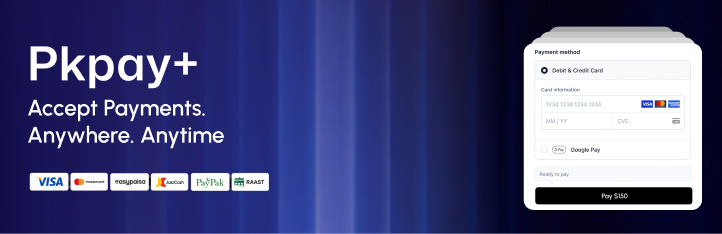
PKPay+ Secured Checkout is the official WooCommerce payment gateway for PKPay+. It lets customers pay with Visa, Mastercard, American Express, Discover, and Google Pay through a hosted checkout that stays on your store (embedded iframe) or opens PKPay+ hosted checkout (redirect).
Create a merchant account, copy your API keys, and enable the gateway. PKPay+ handles card collection, 3-D Secure when required, and payment confirmation. WooCommerce marks the order paid after a signed webhook or a server-side verification.
Features
- Embedded checkout on WooCommerce Blocks and classic checkout
- Optional redirect checkout to the hosted PKPay+ payment page
- Cards: Visa, Mastercard, American Express, Discover
- Google Pay on the hosted checkout
- Signed payment webhooks so orders can complete even if the shopper closes the browser
- Merchant ID, publishable key, and secret key from your PKPay+ dashboard
- Compatible with WooCommerce High-Performance Order Storage (HPOS)
Get your keys
- Sign in to the PKPay+ merchant dashboard.
- Open API Keys.
- Create a live or sandbox key pair.
- Copy Merchant ID, Publishable Key, and Secret Key into WooCommerce Settings Payments PKPay+ Secured Checkout.
Need an account? Register at https://merchant.pkpayplus.com/dashboard.
Checkout flows
Embedded Checkout keeps the shopper on your checkout page. The PKPay+ payment form loads in a secure Checkout.
Redirect checkout sends the shopper to PKPay+ hosted checkout to finish payment, then returns them to your order received page.
External services
This plugin uses the PKPay+ payment service to process checkout. When a customer pays, the store sends the order and customer details needed to complete payment to PKPay+. Card numbers are entered on PKPay+ hosted checkout, not stored in WordPress.
PKPay+: https://pkpayplus.com/
Terms of Service: https://www.pkpayplus.com/terms-of-service
Privacy Policy: https://www.pkpayplus.com/privacy
Screenshots

Hosted PKPay+ checkout with order summary, card fields, and Google Pay.

WooCommerce checkout with PKPay+ Secured Checkout selected and the embedded card form.

WooCommerce payment settings: Merchant ID, publishable key, secret key, and checkout flow.


