Plaxswap Crypto Payments For WooCommerce Wordpress Plugin - Rating, Reviews, Demo & Download
Plugin Description
Plaxswap adds a crypto payment option to your WooCommerce store. Customers choose an available coin and network at the hosted checkout, review the exact amount and charges, then follow their payment confirmation status.
- A guided setup with links to your Plaxswap merchant API keys and wallet.
- Classic checkout and WooCommerce Checkout Block integration.
- A unique payment and tracking link for each order.
- Verified server-to-server payment updates, with an API check before an order is marked paid.
- Test mode for signed-in store administrators and shop managers before accepting real customer payments.
- Original-asset settlement: merchant funds are credited in the coin and network paid.
- Order payment details and status-refresh tools for store managers.
- WooCommerce order APIs for compatibility with High-Performance Order Storage (HPOS).
Coin and network availability, minimum amounts and fees come from Plaxswap checkout. They are not fixed in the plugin. A payment is completed only after the gateway verifies settlement; a customer’s return to your store is not proof of payment.
Requirements
- WordPress 6.8 or newer and WooCommerce 9.0 or newer, in a version combination supported by WooCommerce.
- PHP 7.4 or newer with OpenSSL.
- A Plaxswap merchant account with an integration API key and webhook signing secret.
- HTTPS on your public store, outbound HTTPS access to plaxswap.com, and a publicly reachable payment callback.
- Working WordPress scheduled tasks for payment reconciliation.
Local testing is supported with isolated simulated payments. Public Plaxswap webhooks cannot reach a private localhost store without a separately configured, secure test route.
External Service and Privacy
This plugin connects to Plaxswap at https://plaxswap.com to create and verify crypto payments. It transmits the order amount, currency, an opaque order reference, verification metadata, a description, and store return/cancel URLs. A customer billing email is sent only when the store enables the optional email-sharing setting.
The hosted checkout receives the customer’s own web request. The plugin’s API integration credentials are encrypted on the WordPress server using its security salts; they are not included in the customer’s checkout page. Preserve the WordPress salts when restoring a backup, or re-enter the credentials afterward. Order payment references and a limited payment summary are stored in WooCommerce for reconciliation.
Plaxswap is operated by SAMZAL LLC. Review its terms at https://plaxswap.com/legal/terms and privacy policy at https://plaxswap.com/legal/privacy. Service availability information is at https://plaxswap.com/compliance.
Screenshots
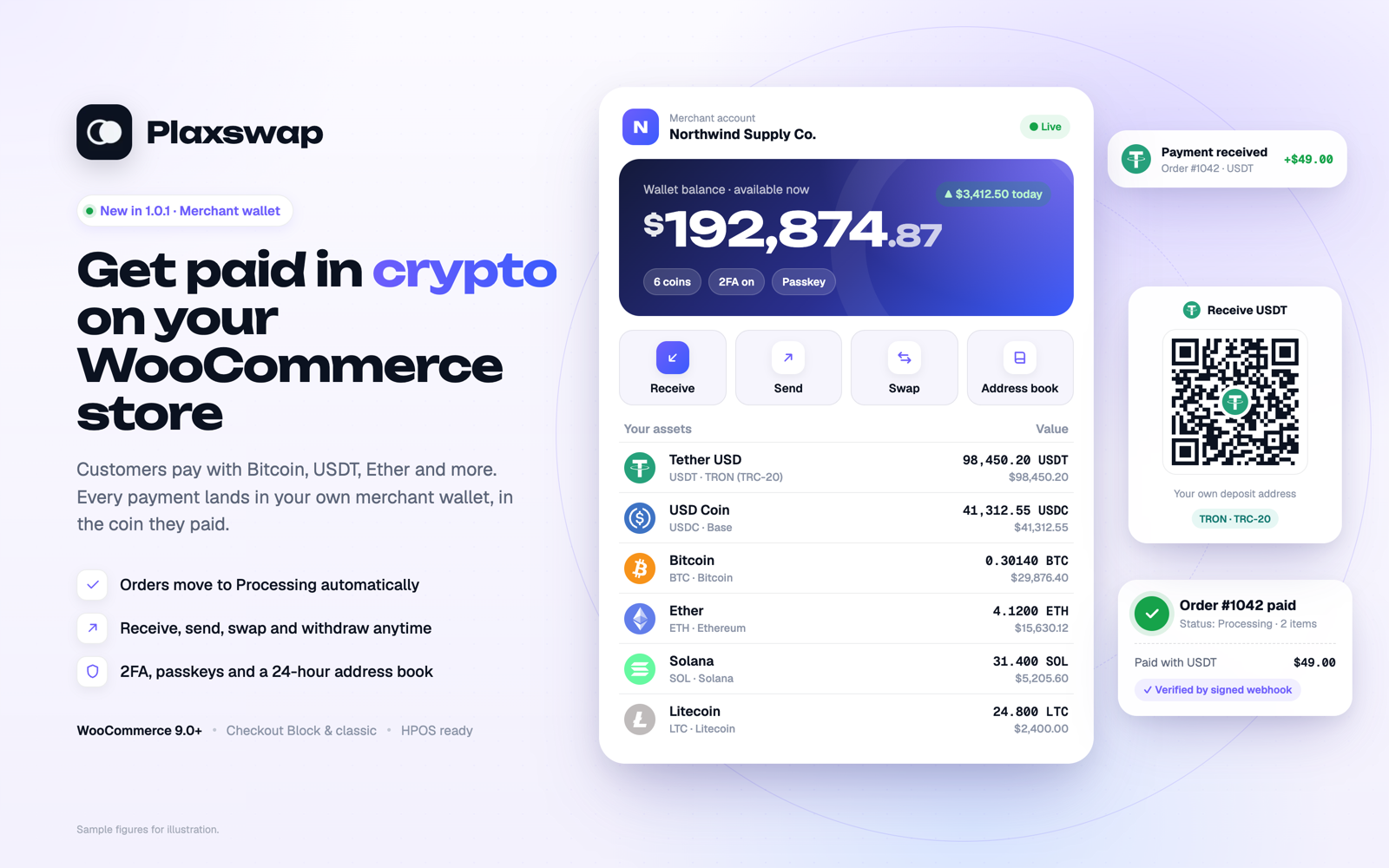
Guided setup in WooCommerce > Settings > Payments: connect your Plaxswap account, payment updates and test mode.
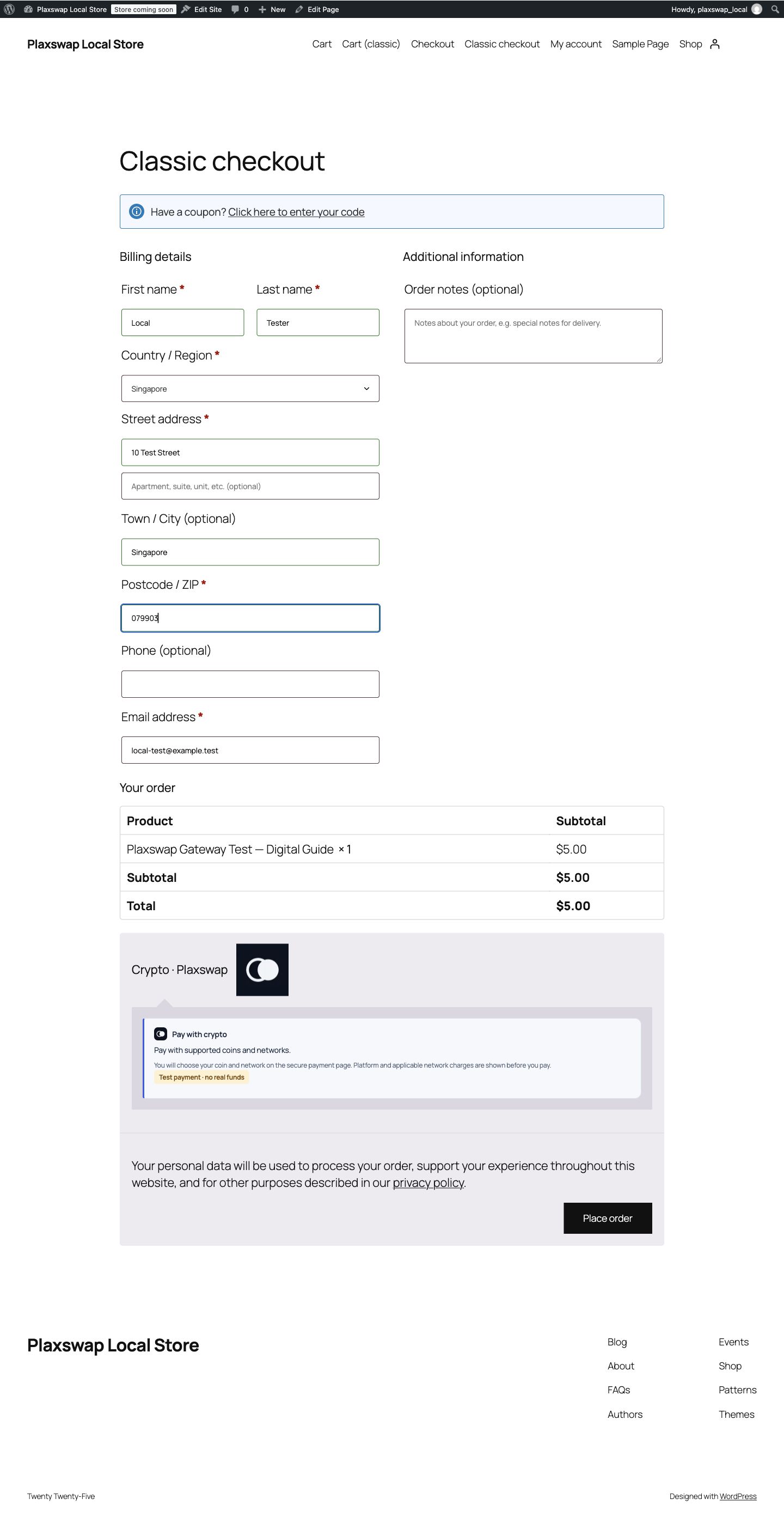
Plaxswap as a payment option at the classic WooCommerce checkout.
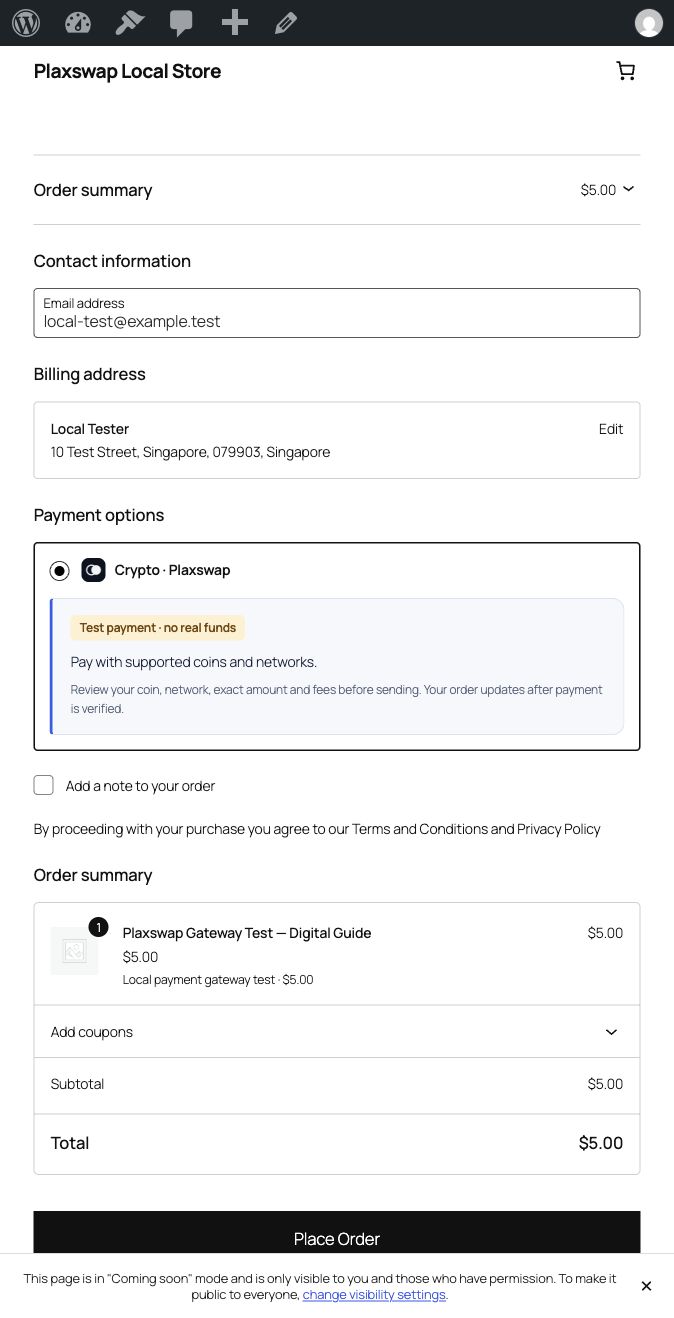
Plaxswap in the WooCommerce Checkout Block.
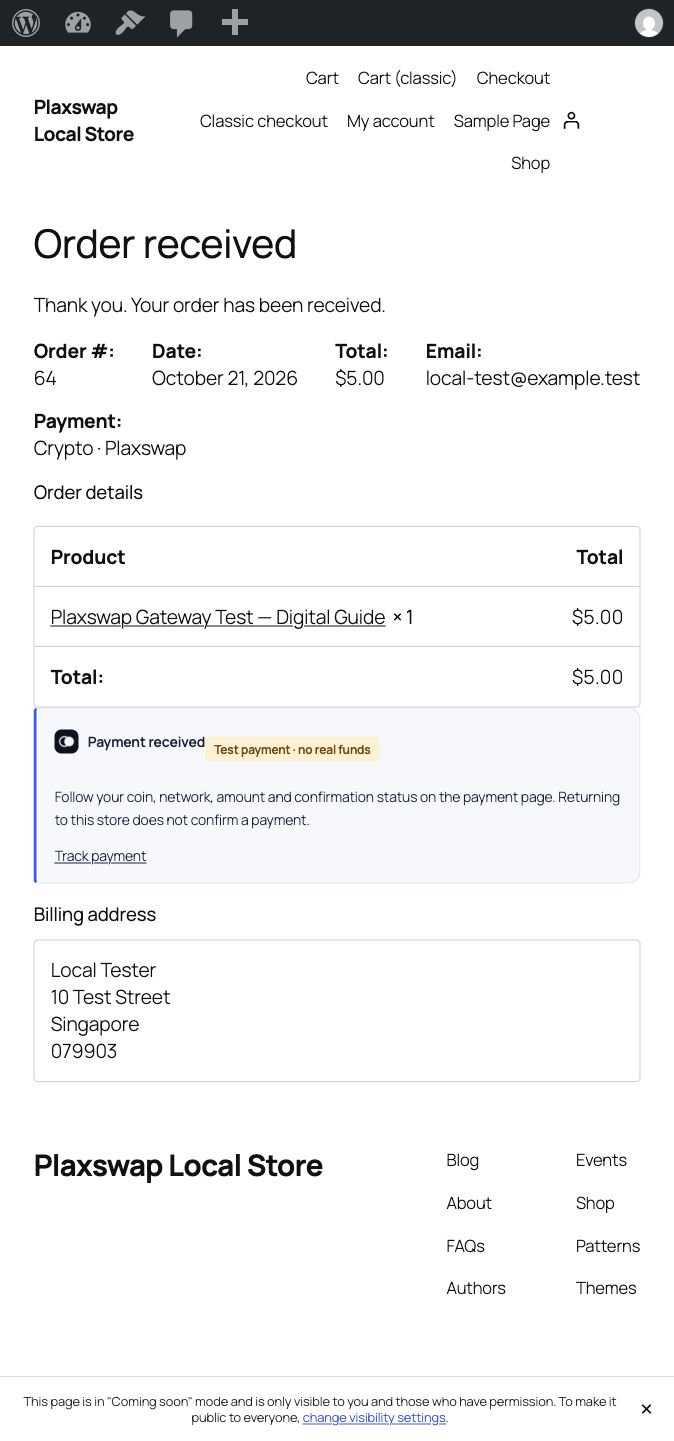
Order confirmation with the link to follow the payment.